
Showing Results for Network Switches
-
Save $235.06

NETGEAR APM408F-10000S 8-Port SFP+ Card
N 8-port line card expansion module designed for modular NETGEAR M4300 and M4500 series switches
- Eight SFP+ ports run dual-speed 1G or 10GBASE-X, mixing legacy and modern fiber links on one card.
- Hot-swappable design lets you add capacity without powering down the switch or scheduling downtime.
- Managed integration exposes per-port VLAN, SNMP stats, and link monitoring through existing consoles.
Usually Ships in 2-3 Weeks Free shipping over $499$782.05 $546.99 Save $235.06 -
Save $971.82
NETGEAR AV Line M4250-26G4XF-POE+ 24X1G Poe+ - GSM4230PX-100NAS
26-port managed switch engineered for surveillance and access-control deployments requiring centralized power delivery and intelligent traffic
- 24×1G PoE+ ports deliver 480W total, powering up to 36 cameras without injectors.
- 4×SFP+ 10G uplinks handle trunk links to NVRs and core switches without saturation.
- Onboard VLAN and QoS isolate camera traffic and prioritize video—no controller needed.
Usually Ships in 2-3 Weeks Free shipping over $499$3,084.81 $2,112.99 Save $971.82 -
Save $1,423.68

NETGEAR AV Line M4250-40G8XF-POE+ 40X1G Poe+ - GSM4248PX-100NAS
40-port 1G managed switch with integrated PoE+ power delivery, designed for mid-scale surveillance, access control, and IoT deployments where
- 960W PoE+ budget powers 32–40 mid-range cameras simultaneously without injectors.
- 8x SFP+ uplinks deliver 10G backhaul without consuming any 1G edge ports.
- 80 Gbps non-blocking fabric eliminates congestion across all 48 active ports.
Usually Ships in 2-3 Weeks Free shipping over $499$4,520.67 $3,096.99 Save $1,423.68 -
Save $2,433.54
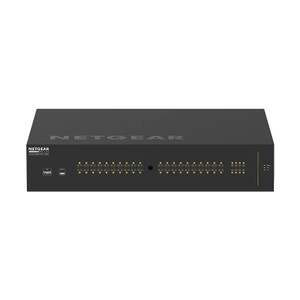
NETGEAR AV Line M4250-40G8XF-POE++ 40X1G - GSM4248UX-100NAS
Managed network switch designed for security and building-systems deployments requiring mixed power and data delivery across distributed camera
- 880W 802.3bt PoE++ budget powers all 40 ports—no external injectors needed.
- 8x SFP+ uplinks support 10GbE backbone or fiber runs past copper distance limits.
- 802.1Q VLAN tagging isolates surveillance, access control, and IT on one switch.
Usually Ships in 2-3 Weeks Free shipping over $499$7,726.53 $5,292.99 Save $2,433.54 -
Save $147.41

NETGEAR Device Type: Transceiver - Form Factor: - AXM763-10000S
Hot-pluggable optical transceiver designed for enterprise-class switches and routers requiring 10 Gigabit Ethernet connectivity over fiber optic media
- Hot-pluggable SFP+ design enables live module swaps with zero network downtime.
- 10 Gbps fiber throughput supports high-density campus backbone and data-center uplinks.
- IEEE 802.3ae and SFP+ MSA compliance ensures multi-vendor platform compatibility.
Usually Ships in 2-3 Weeks Free shipping over $499$492.40 $344.99 Save $147.41 -
Save $78.01
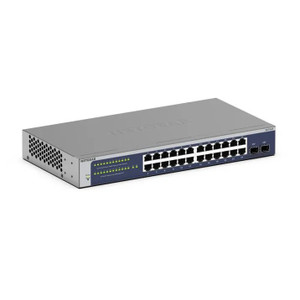
NETGEAR EAV SW License GS724TV4 - GS724TAV-20000S
N Enhanced Application Visibility (EAV) software license designed to unlock advanced traffic inspection and monitoring capabilities on NETGEAR
- Unlocks DPI-based application classification and QoS enforcement on GS724TV4.
- License ties to switch serial number, ensuring controlled per-unit provisioning.
- Activates via web GUI or CLI with no hardware changes or reboot required.
Usually Ships in 2-3 Weeks Free shipping over $499$255.00 $176.99 Save $78.01 -
Save $105.01
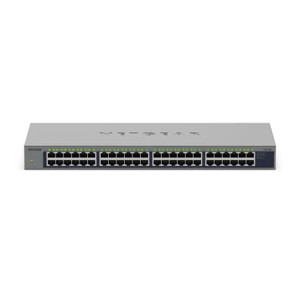
NETGEAR EAV SW License GS748TV5 - GS748TAV-20000S
N Extended Attribute Value (EAV) software license for the NETGEAR GS748TV5 managed switch platform
- Unlocks advanced telemetry and management features on the GS748TV5 platform.
- Activates via CLI or web GUI with no downtime or physical hardware changes.
- Designed exclusively for GS748TV5; confirm switch model before deployment.
Usually Ships in 2-3 Weeks Free shipping over $499$340.00 $234.99 Save $105.01 -
Save $152.77
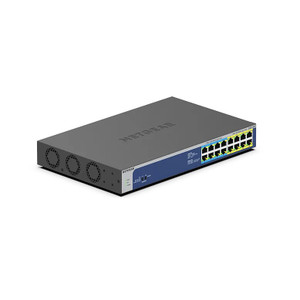
NETGEAR Gigabit Unmanaged Switch Series - GS516UP-100NAS
16-port Gigabit unmanaged PoE+ switch designed for straightforward, zero-touch network deployments in commercial security and enterprise environments
- All 16 ports deliver 1 Gbps, preventing bottlenecks during simultaneous camera streams.
- 240W PoE+ budget sustains up to 15W per port, eliminating external injectors for 16 devices.
- Plug-and-play unmanaged operation cuts deployment time with zero CLI or licensing overhead.
In stock · Ships same business day Free shipping over $499$506.76 $353.99 Save $152.77 -
Save $21.79
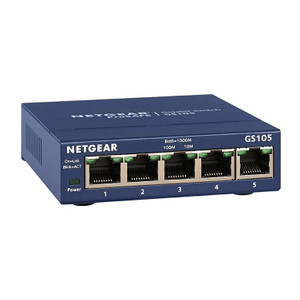
NETGEAR GS105 5-PORT Gigabit Ethernet Switch Jumbo - GS105NA
Compact, unmanaged 5-port Gigabit Ethernet switch designed for small-to-medium commercial deployments, surveillance clusters, and distributed edge
- All 5 ports run at 1 Gbps full-duplex, supporting up to 5 simultaneous camera feeds.
- 10 Gbps non-blocking backplane prevents packet loss under dense surveillance traffic loads.
- Plug-and-play, unmanaged design enables field deployment in under 60 seconds, no config needed.
Usually Ships in 2-3 Weeks Free shipping over $499$54.78 $32.99 Save $21.79 -
Save $22.63
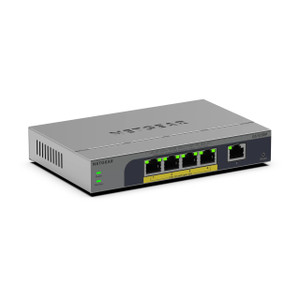
NETGEAR GS105E-200NAS 5PT GIGE Smart Managed Plus Switch
5-port Gigabit Smart Managed Plus switch designed for distributed security and enterprise deployments where edge-layer traffic segregation and
- Five Gigabit ports deliver 10 Gbps aggregate throughput for wire-speed camera and NVR traffic.
- VLAN support isolates surveillance, access control, and office traffic without extra hardware.
- Web GUI, CLI, and SNMP management simplify deployment and monitoring at the network edge.
Usually Ships in 2-3 Weeks Free shipping over $499$61.62 $38.99 Save $22.63 -
Save $69.45
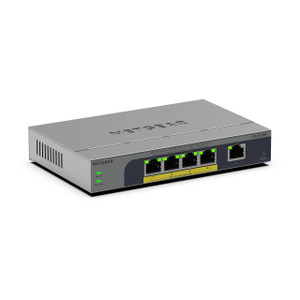
Netgear GS105EP-100NAS
- All 5 ports deliver 1 Gbps throughput with PoE+ (802.3af/at) up to 30W per port.
- Unmanaged operation means zero CLI or GUI configuration — powers up and runs immediately.
- Industrial operating temperature range supports deployment in uncontrolled enclosures.
Usually Ships in 2-3 Weeks Free shipping over $499$132.44 $62.99 Save $69.45 -
Save $83.28
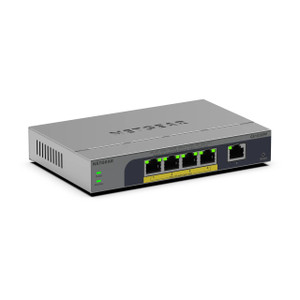
Netgear GS105EPP-100NAS
Compact, five-port Gigabit switch designed for small-to-medium IP camera and IoT deployments where simplicity and PoE power matter more than advanced
- All 5 ports deliver PoE+ at 30W each, powering cameras without separate injectors.
- 20 Gbps switching capacity keeps 5MP–8MP camera streams free from port contention.
- Unmanaged design eliminates configuration overhead for fast plug-and-play deployments.
Usually Ships in 2-3 Weeks Free shipping over $499$174.27 $90.99 Save $83.28 -
Save $66.51
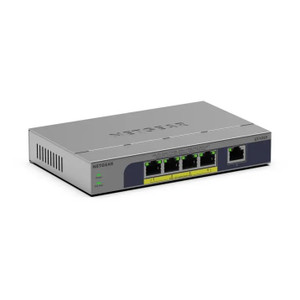
NETGEAR GS105P-300NAS PoE Network Switch
Compact, unmanaged network switch purpose-built for space-constrained installations where straightforward Gigabit connectivity and PoE power delivery
- Five Gigabit ports deliver 1000 Mbps per port for cameras and APs.
- PoE+ (802.3at/af) on all ports eliminates separate power runs to endpoints.
- Unmanaged plug-and-play operation requires zero configuration on deployment.
Usually Ships in 2-3 Weeks Free shipping over $499$118.50 $51.99 Save $66.51 -
Save $91.34
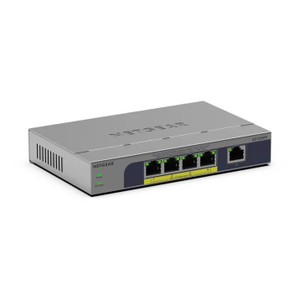
Netgear GS105PP-300NAS
Compact, unmanaged 5-port Gigabit switch purpose-built for powering and connecting network switches and edge devices in industrial environments
- All 5 ports deliver IEEE 802.3at PoE+ at up to 30W each, eliminating separate power runs.
- Gigabit throughput on every port supports IP cameras, readers, and edge devices simultaneously.
- Unmanaged operation requires zero configuration—plug in and deploy with no CLI or web interface.
Usually Ships in 2-3 Weeks Free shipping over $499$160.33 $68.99 Save $91.34 -
Save $87.31
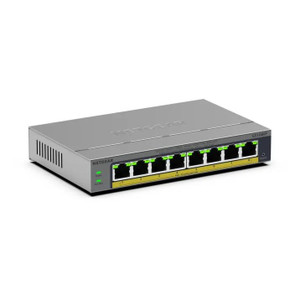
NETGEAR GS108EP-100NAS 8-Port Gigabit PoE+ Switch
Compact, unmanaged Gigabit switch purpose-built for surveillance and access control deployments where simplicity and reliability matter more than
- All 8 Gigabit ports deliver PoE+ (802.3at) up to 30W, eliminating separate injectors.
- 10 Gbps switching fabric lets all ports run simultaneous full-rate streams without congestion.
- Zero-configuration unmanaged design reduces deployment time and field troubleshooting risk.
Usually Ships in 2-3 Weeks Free shipping over $499$167.30 $79.99 Save $87.31 -
Save $109.08

NETGEAR GS108EPP-100NAS 8PT GB Plus Switch Poe+
N unmanaged Gigabit Ethernet switch purpose-built for deploying networked cameras, wireless access points, and IoT endpoints across small-to-medium
- All 8 ports deliver 802.3at PoE+ simultaneously, eliminating separate power injectors.
- Unmanaged operation means zero configuration — plug in and pass traffic immediately.
- Wall and ceiling mount options suit control rooms, edge cabinets, and utility closets.
Usually Ships in 2-3 Weeks Free shipping over $499$223.07 $113.99 Save $109.08 -
Save $51.65

NETGEAR GS108LP-100NAS 8-Port Gigabit PoE+ Unmanaged Switch
N unmanaged gigabit PoE+ switch purpose-built for small-to-midsize security, access control, and enterprise communications deployments
- All 8 ports deliver 1 Gbps full-duplex, supporting simultaneous 5MP+ IP cameras.
- 60W PoE+ budget powers mixed devices—cameras, APs, VoIP—without external injectors.
- Unmanaged plug-and-play design enables zero-config deployment in minutes, no CLI needed.
Usually Ships in 2-3 Weeks Free shipping over $499$150.64 $98.99 Save $51.65 -
Save $65.75

NETGEAR GS108PP-100NAS 8-Port Gigabit PoE+ Unmanaged Switch
N unmanaged gigabit PoE+ switch purpose-built for small-to-medium distributed surveillance, access control, and IoT deployments where plug-and-play
- All 8 ports run at 1 Gbps full-duplex, eliminating bottlenecks for IP cameras and sensors.
- 123W PoE+ budget (802.3at) powers up to six mid-range cameras from a single switch.
- Unmanaged plug-and-play design with wall/ceiling mount suits remote or temporary deployments.
Usually Ships in 2-3 Weeks Free shipping over $499$191.74 $125.99 Save $65.75 -
Save $35.65
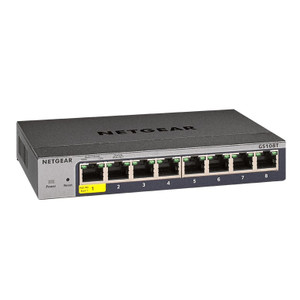
Netgear GS108TV3 8-PORT Gigabit Ethernet Smart - GS108T-300NAS
N 8-port Gigabit Ethernet smart managed switch designed for small office, branch, and workgroup deployments where you need basic Layer 2 intelligence
- All 8 ports run at 1 Gbps on a 16 Gbps non-blocking fabric—no port starvation.
- VLAN segmentation isolates camera traffic from office and guest networks at Layer 2.
- Web GUI and CLI management enable QoS and port mirroring without enterprise overhead.
Usually Ships in 2-3 Weeks Free shipping over $499$121.64 $85.99 Save $35.65 -
Save $40.96

Netgear GS108X-100NAS 8PT GIG UM +1P 10G Sfp+ Uplink
N unmanaged Gigabit switch designed for small-to-mid deployments requiring local network segmentation with high-speed backbone connectivity
- Eight 1 Gbps RJ-45 ports connect cameras, NVRs, and APs over standard Cat5e/Cat6.
- Dedicated 10G SFP+ uplink delivers non-blocking backbone throughput to core infrastructure.
- Unmanaged design means zero configuration — traffic forwards immediately on power-up.
Usually Ships in 2-3 Weeks Free shipping over $499$136.95 $95.99 Save $40.96 -
Save $72.31
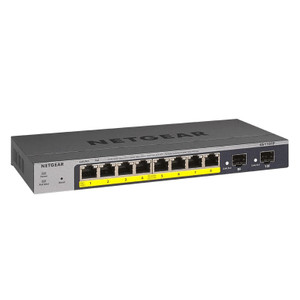
NETGEAR GS110TP-300NAS PoE Network Switch
Managed Gigabit network switch designed for distributed IP surveillance, access control, and IoT sensor deployments requiring intelligent power
- All 8 ports deliver 802.3at PoE+ from a 55W budget—no external injectors needed.
- 16 Gbps non-blocking fabric sustains simultaneous 1080p+ streams across all ports.
- Managed via Web GUI, CLI, and ACL with VLAN, QoS, STP, and LACP built in.
Usually Ships in 2-3 Weeks Free shipping over $499$243.30 $170.99 Save $72.31 -
Save $187.40
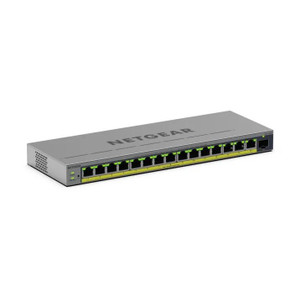
NETGEAR GS116EP-100NAS 16-Port Gigabit Switch with PoE+
16-port Gigabit Ethernet switch purpose-built for infrastructure requiring integrated power delivery
- All 16 ports deliver PoE+ (802.3at) at up to 30W each, powering cameras and APs directly.
- Gigabit speed on every port ensures full-rate throughput to each connected endpoint.
- Zero-config unmanaged design means immediate traffic forwarding — no setup overhead.
Usually Ships in 2-3 Weeks Free shipping over $499$390.39 $202.99 Save $187.40 -
Save $213.17
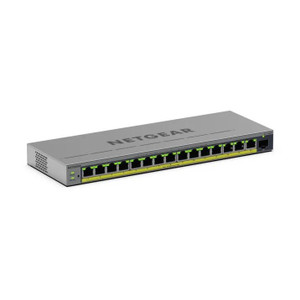
NETGEAR GS116EPP-100NAS PoE Network Switch
16-port Gigabit Ethernet switch with integrated PoE+ power delivery, purpose-built for IP security deployments where simplicity and reliability
- All 16 ports deliver Gigabit PoE+ power and data with 32 Gbps non-blocking throughput.
- 95W total PoE budget supports mixed camera and access control device deployments.
- Unmanaged design eliminates configuration overhead—wire it, power it, and it runs.
Usually Ships in 2-3 Weeks Free shipping over $499$446.16 $232.99 Save $213.17 -
Save $101.41
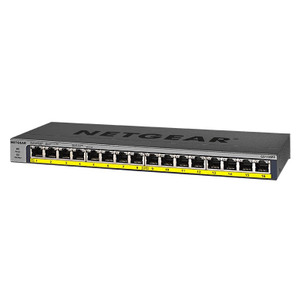
NETGEAR GS116PP-100NAS PoE Network Switch
16-port unmanaged gigabit network switch with integrated PoE+ (IEEE 802.3at) power delivery across all ports
- All 16 ports deliver PoE+ (802.3at) power within a 183W shared budget.
- 32 Gbps non-blocking switching handles full wire-rate on every gigabit port.
- Unmanaged design means zero configuration — plug in and devices go live instantly.
Usually Ships in 2-3 Weeks Free shipping over $499$342.40 $240.99 Save $101.41 -
Save $12.92
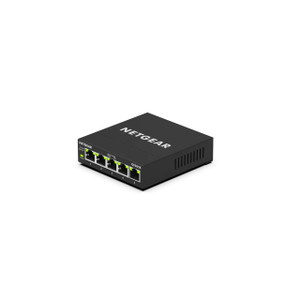
NETGEAR GS305E-100NAS 5PT Gigabit Smart Managed Switch
5-port Gigabit smart managed switch designed for small office, SOHO, and distributed security installations where compact wired connectivity is
- Five 1 Gbps ports deliver full-bandwidth connectivity for IP cameras and access controllers.
- Web GUI management enables VLAN segmentation and port mirroring without CLI complexity.
- Wall and ceiling mount options support tight equipment closet and edge deployment layouts.
Usually Ships in 2-3 Weeks Free shipping over $499$45.91 $32.99 Save $12.92 -
Save $45.15
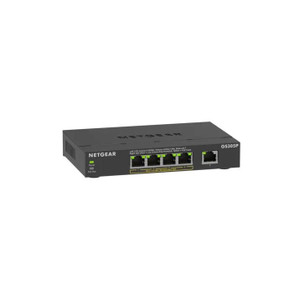
NETGEAR GS305P-300NAS 5PT GE Unmanaged Switch
N unmanaged Gigabit Ethernet switch with integrated PoE+ support, designed for zero-configuration edge deployments in security, access control, and
- All 5 ports deliver 30W PoE+ independently — power cameras or APs without budget sharing.
- 10 Gbps switching capacity sustains full-line-rate video across all ports simultaneously.
- Zero-configuration unmanaged design eliminates VLAN, QoS, and licensing overhead at the edge.
Usually Ships in 2-3 Weeks Free shipping over $499$107.14 $61.99 Save $45.15 -
Save $46.08

NETGEAR GS305PP-300NAS 5-Port PoE/PoE+ Gigabit Unmanaged Switch
N unmanaged Gigabit switch engineered for small-to-mid-scale IP security and IoT deployments where power distribution and data transport must
- All 5 ports deliver 802.3af/at PoE/PoE+, eliminating pole-mounted DC power supplies.
- 1 Gbps non-blocking fabric sustains multiple concurrent HD camera streams without congestion.
- Zero-config unmanaged operation enables plug-and-play deployment at remote or retrofit sites.
Usually Ships in 2-3 Weeks Free shipping over $499$153.07 $106.99 Save $46.08 -
Save $17.22
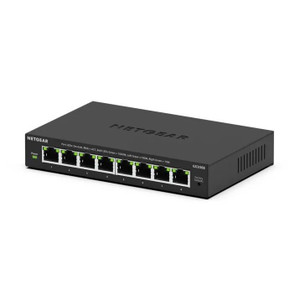
NETGEAR GS308E-400NAS Gigabit Managed Network Switch
N 8-port Gigabit managed switch designed for small office, branch, and distributed surveillance deployments where network segmentation and traffic
- All 8 ports deliver full 1 Gbps line-rate throughput for cameras and NVRs.
- Browser-based GUI lets you deploy VLAN and QoS policies without CLI skills.
- Wall-mount form factor fits constrained spaces in branch and surveillance closets.
Usually Ships in 2-3 Weeks Free shipping over $499$61.21 $43.99 Save $17.22 -
Save $67.02

NETGEAR GS310TP-200NAS Network Switch
Managed Gigabit switch designed for small-to-medium IP surveillance and enterprise networks requiring Layer 2 intelligence without oversized
- 8 PoE+ ports deliver up to 55W shared budget, powering PTZ and IR cameras without injectors.
- 4 SFP uplink slots support 1000BASE-X fiber, enabling backbone links beyond copper distance limits.
- 20 Gbps non-blocking throughput with VLAN, ACL, and SNMP v1/v2c/v3 for segmented, monitored deployments.
Usually Ships in 2-3 Weeks Free shipping over $499$225.01 $157.99 Save $67.02 -
Save $37.80
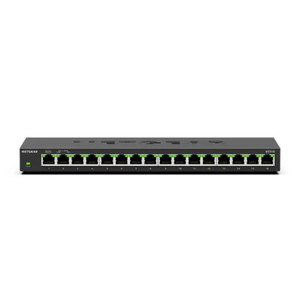
NETGEAR GS316-300NAS 16-Port Gigabit Unmanaged Switch
16-port Gigabit unmanaged switch designed for small office, home office, and surveillance deployments where plug-and-play operation, silent fanless
- All 16 Gigabit ports operate simultaneously at full 1 Gbps with 32 Gbps non-blocking throughput.
- Fanless passive aluminum chassis enables silent, maintenance-free operation from 0–40°C.
- Plug-and-play unmanaged operation with Auto-MDI/MDIX eliminates crossover cable requirements.
Usually Ships in 2-3 Weeks Free shipping over $499$129.79 $91.99 Save $37.80 -
Save $96.46

NETGEAR GS316P-100NAS 16PT GE Unmanaged Switch
16-port Gigabit Ethernet unmanaged switch engineered for straightforward network expansion in security and IP-based deployments
- 16-port Gigabit Ethernet PoE/PoE+ unmanaged switch
- 32 Gbps aggregate switching fabric for multi-device traffic
- Powers low-draw cameras without separate PSU runs
Usually Ships in 2-3 Weeks Free shipping over $499$321.45 $224.99 Save $96.46 -
Save $71.37
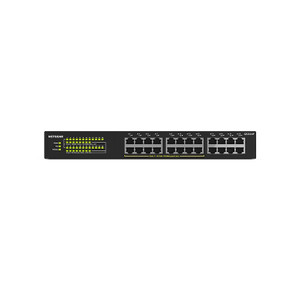
NETGEAR GS324-200NAS 24-Port Gigabit Unmanaged Switch
24-port Gigabit unmanaged switch designed for surveillance, access control, and multi-camera network backbone deployments
- 24 Gigabit ports handle 16–24 simultaneous IP camera streams without congestion.
- Unmanaged plug-and-play design eliminates VLAN and QoS setup, cutting deployment time.
- Wall or ceiling mountable plastic housing fits closets, shelters, and distributed hubs.
Usually Ships in 2-3 Weeks Free shipping over $499$168.36 $96.99 Save $71.37 -
Save $189.92

NETGEAR GS324P 24-PORT Gigabit Ethernet - GS324P-100NAS
N unmanaged 24-port Gigabit Ethernet switch with integrated PoE+ (802.3at) power delivery across all ports, designed for small-to-medium surveillance
- All 24 RJ-45 ports deliver 1 Gbps data plus up to 30W PoE+ (802.3at) per port.
- 190W shared PoE budget supports 15–18 simultaneous mid-power cameras without configuration.
- Unmanaged plug-and-play design eliminates CLI or web setup—power on and deploy immediately.
Usually Ships in 2-3 Weeks Free shipping over $499$443.91 $253.99 Save $189.92 -
Save $429.99

NETGEAR GS348PP-100NAS 48-Port Gigabit PoE+ Switch
N unmanaged 48-port gigabit switch designed for surveillance and IoT deployments where distributed camera networks demand simultaneous power and data
- 24 PoE+ ports (802.3at, 380W budget) power cameras without separate injectors.
- All 48 ports run at 1 Gbps, keeping 4K surveillance streams local without oversubscription.
- Unmanaged design means zero configuration—connect cables and cameras run immediately.
Usually Ships in 2-3 Weeks Free shipping over $499$994.98 $564.99 Save $429.99 -
Save $299.38

NETGEAR GS348TP-200NAS Managed Gigabit Switch
48-port managed gigabit network switch built for enterprise deployments where reliable switching capacity and flexible management are non-negotiable
- 48 copper GbE ports plus 4 SFP slots handle cameras, NVRs, and fiber uplinks together.
- 104 Gbps switching bandwidth prevents bottlenecks when streaming multiple simultaneous camera feeds.
- VLAN, ACL, and multicast support lets integrators segment traffic between cameras and access control.
Usually Ships in 2-3 Weeks Free shipping over $499$964.37 $664.99 Save $299.38 -
Save $207.10

NETGEAR GS510TPP-100NAS 8-Port Gigabit PoE+ Smart Managed Switch
Compact 8-port Gigabit PoE+ smart-managed switch engineered for distributed IP security, wireless, and IoT deployments where space and power
- All 8 ports deliver 1 Gbps + PoE+ (802.3at, 30W) for cameras, APs, and sensors.
- 240W total budget supports all 8 ports at full 30W draw simultaneously.
- VLAN, QoS, Web GUI, and CLI isolate and prioritize surveillance traffic from LAN.
Usually Ships in 2-3 Weeks Free shipping over $499$501.09 $293.99 Save $207.10