
How to Choose the Right NVR
A technical buyer's guide for security integrators, IT architects, facility managers, and system designers who need to select a network video recorder for a commercial IP surveillance deployment. Covers channel capacity, recording throughput, storage architecture, RAID configuration, redundancy, and VMS compatibility.
In This Guide
The NVR is the single point of failure in most surveillance systems. Every camera in your deployment funnels video through it. A camera failure loses one view. An NVR failure loses all views simultaneously and, depending on your storage configuration, may lose recorded evidence permanently. Every specification discussed below addresses either recording capacity, data protection, or operational continuity.
Key Specifications Explained
Channel Count: Licensed vs. Physical Capacity
Channel count defines how many camera streams the NVR can record simultaneously. The critical distinction is between licensed channels (how many the software allows) and throughput capacity (how many the hardware can actually sustain at your target resolution and frame rate). A 32-channel NVR that cannot sustain 32 simultaneous 4K streams at 20fps is effectively a 16-channel unit for 4K deployments.
Always size for future expansion. Browse desktop NVRs for smaller deployments or rack-mount NVRs for enterprise-scale systems. Buy at least 25-30% more channel capacity than your initial camera count, and confirm the throughput supports those additional channels at your target recording quality.
Recording Throughput: The Real Bottleneck
Throughput, measured in Mbps, is the maximum aggregate incoming bitrate the NVR can record without dropping frames. If you have 32 cameras each streaming at 8 Mbps (a typical 4MP H.265 stream), you need 256 Mbps of recording throughput. If the NVR is rated at 200 Mbps, you will lose frames.
Published throughput specs usually assume best-case conditions. Budget a 20% overhead margin. The Hikvision DS-7716NI-M4 16-Channel 32MP NVR provides 160 Mbps throughput for mid-sized deployments. Also account for simultaneous playback and live view, which consume additional throughput from the same pool on many NVRs.
Drive Bays and Storage Capacity
Storage capacity determines your retention period. The formula: (bitrate per camera) x (number of cameras) x (hours per day recording) x (retention days) = total storage needed. A single 4MP H.265 camera recording 24/7 at 6 Mbps generates roughly 65 GB per day, or about 2 TB per month.
Desktop NVRs typically offer 1-4 drive bays (4-80 TB total). Rack-mount NVRs offer 4-16+ bays (80-320+ TB). For deployments requiring more than 200 TB, consider NVRs with external storage expansion via eSATA, iSCSI, or NAS. Always use surveillance-rated drives from our NVR Hard Drives and Storage selection. Use our Video Retention and Storage Calculator to size your storage precisely. See the Retention Modeling and Storage Guide for detailed planning methodology.
RAID Configuration: Protecting Your Evidence
RAID protects recorded video against drive failure. Without RAID, a single drive failure can destroy days or weeks of evidence.
- RAID 1 (Mirroring): Two drives store identical data. Lose 50% capacity but survive any single drive failure. Best for small systems.
- RAID 5 (Striping with parity): 3+ drives. Good balance of capacity, performance, and protection.
- RAID 6 (Double parity): 4+ drives. Survive any two simultaneous failures. Recommended for NVRs with 8+ large drives.
- RAID 10 (Stripe of mirrors): 4+ drives in pairs. Excellent write performance. Used in high-throughput servers.
For any system recording evidence for legal proceedings (see surveillance-rated drives), insurance claims, or investigations, RAID is not optional.
Resolution Support: Decoding Capacity
The NVR must decode and display live streams from all connected cameras simultaneously. Decoding capacity is separate from recording throughput. An NVR might record 32 streams of 4K video but only decode 8 for simultaneous live viewing. Check for both recording resolution (matched to your IP cameras) (max per channel for storage) and decoding capacity (max simultaneous live/playback streams).
VMS Compatibility and ONVIF
Proprietary NVRs work best with their own cameras but may have limited third-party support. Open-platform NVRs running VMS software (Milestone, Genetec, Exacq, DW Spectrum) support cameras from multiple manufacturers via ONVIF.
ONVIF conformance is not binary. A camera may be ONVIF-compliant for basic streaming but not for analytics events, PTZ control, or audio. Test integration between specific camera models and your NVR/VMS before deploying at scale. For mixed analog/IP environments, video encoders bridge legacy cameras into your IP recording platform. See our VMS Selection and Architecture Guide for platform comparison.
Network Architecture: PoE Ports vs. Uplink Only
Some NVRs include built-in PoE switch ports (typically 8 or 16) that power and connect cameras directly. This simplifies small deployments but limits scalability and creates a single failure domain. For deployments larger than 16 cameras, or any deployment requiring high availability, use separate managed PoE switches and connect cameras via a dedicated surveillance VLAN. Plan your network infrastructure with our Network and PoE Planning Guide and PoE Power Budget Calculator.
Redundancy and Failover
For critical facilities, consider: NVR pairs with automatic failover, edge recording on SD cards in each camera, and cloud-bridged recording for off-site storage. Each approach has cost and complexity tradeoffs, but any one of them prevents total evidence loss during equipment failure.
Featured Network Video Recorders
Top-selling products in this category, selected by our technical team.
Deployment Scenarios
Small Retail or Office: 4-16 Cameras
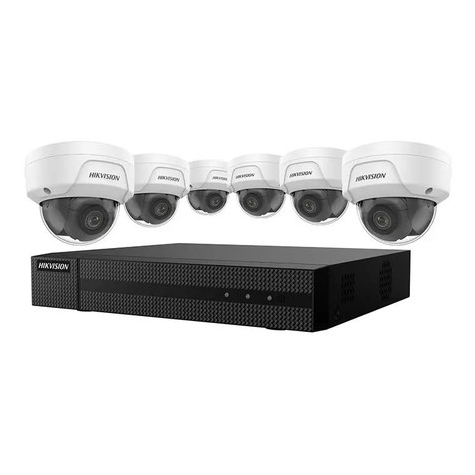
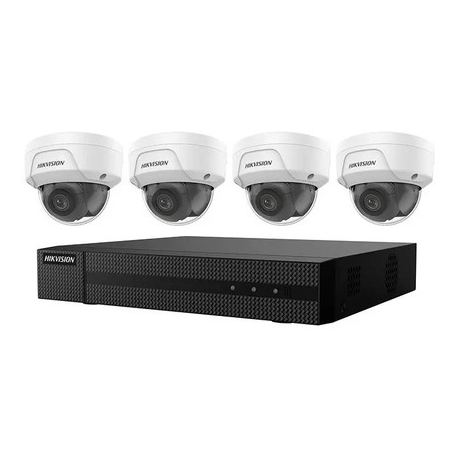
Standalone desktop NVR with built-in PoE ports. A kit like the Hikvision EKI-K41D44 4CH NVR Camera Kit includes cameras and recorder in a single package. 16-channel capacity (even if starting with 8), 80+ Mbps throughput, 2-4 drive bays in RAID 1 or RAID 5, H.265 support. 8-16 TB provides 30-60 days retention at 4MP with motion-based recording. Place in a locked closet or cabinet. Pair with outdoor cameras rated for your environment.
Multi-Building Campus: 32-128 Cameras
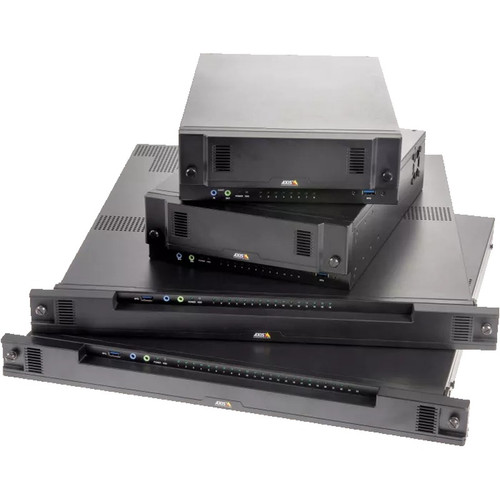
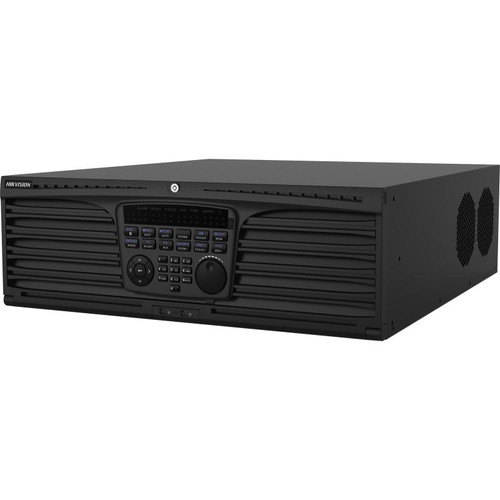
Rack-mount NVRs with 8+ drive bays in a centralized server room. The Hikvision DS-96064NI-I16 64-Channel 4K NVR handles up to 64 channels with enterprise-grade throughput. Separate managed PoE switches per building with fiber uplinks. Throughput 256-512 Mbps, RAID 5 or RAID 6, 64-128 TB for 30-day retention at 4MP H.265, redundant power supplies. Consider two-NVR split architecture.
Critical Infrastructure: 100+ Cameras
Redundant NVR pairs with automatic failover, edge recording on every camera, RAID 6 across 12-16 drive bays, hot-spare drives, UPS with generator backup. 512 Mbps+ throughput. VMS with distributed recording and unified management. Budget for off-site or cloud backup. Test failover quarterly. Add surveillance-grade monitors for your operations center and use a VMS with distributed architecture.
Warehouse / Distribution Center
60-90+ day retention for shrinkage investigation and insurance claims. A 64-camera 4MP H.265 system needs ~130 TB for 30 days or ~390 TB for 90 days. Rack-mount NVRs with expansion shelves or iSCSI arrays. Smart codecs cut storage 40-50% on static aisles. Event-based recording in low-traffic areas. Pair with outdoor cameras at docks and panoramic cameras for aisle coverage.
More NVRs and Recording Solutions
Top-selling products in this category, selected by our technical team.

Common Mistakes to Avoid
- Buying channels but not throughput. A 64-channel NVR rated at 160 Mbps cannot actually record 64 cameras at any useful quality. Always verify throughput.
- Skipping RAID to save money. The cost of 1-2 additional drives is a tiny fraction of total system cost. One drive failure without RAID can destroy tens of thousands of dollars of evidence.
- Using desktop-class drives. Standard hard drives are not designed for 24/7 sequential write workloads. Use drives from our surveillance drive selection. Use surveillance-rated drives (WD Purple, Seagate SkyHawk, Seagate Exos).
- Placing the NVR in an accessible location. If it can be stolen or destroyed, all evidence is gone. Mount in a locked rack or locked room.
- Not testing VMS compatibility before deployment. ONVIF conformance does not guarantee every feature works. Test specific camera models in a lab first.
- Ignoring firmware update procedures. NVR firmware updates can require reboots and temporary recording gaps. Plan maintenance windows and verify edge recording coverage.
What to Ask Your Integrator
- What is the total recording throughput, and what percentage is consumed by our camera load?
- What RAID configuration is proposed, and what is the rebuild time if a drive fails? Is there a hot spare?
- What happens to recording if the NVR fails? Is there edge recording, failover, or off-site backup?
- Can you demonstrate simultaneous live view of all cameras at full resolution while recording?
- How is the NVR physically secured? Who has access?
- What is the calculated retention period based on actual camera bitrates? (Use our storage calculator to verify.)
- What is the firmware update procedure, and how is recording continuity maintained?
Quick Comparison: NVR Tiers
| Specification | Desktop / SMB | Mid-Range Rack | Enterprise |
|---|---|---|---|
| Channel Count | 4 - 16 | 32 - 64 | 64 - 256+ |
| Recording Throughput | 40 - 160 Mbps | 200 - 384 Mbps | 512 - 1024+ Mbps |
| Drive Bays | 1 - 4 | 4 - 8 | 8 - 16+ (expandable) |
| Max Raw Storage | 4 - 80 TB | 80 - 160 TB | 160 - 500+ TB |
| RAID Options | RAID 1 | RAID 5 / RAID 6 | RAID 6 / RAID 10, hot spare |
| PoE Ports | 8 - 16 built-in | None (external switch) | None (external switch) |
| Redundancy | None / edge SD backup | Redundant PSU, edge backup | Full failover, cloud bridge |
| Typical Price Range | $300 - $1,500 | $1,500 - $5,000 | $5,000 - $25,000+ |
Frequently Asked Questions
How many channels does my NVR need?
Select an NVR with channel capacity at least 25% higher than your current camera count to allow for growth. Common sizes are 4, 8, 16, 32, and 64 channels. A 16-camera installation should use a 32-channel NVR so you have room to expand without replacing the recorder. Larger sites often use multiple 32 or 64-channel NVRs networked together rather than one massive unit, which improves fault tolerance. Enterprise VMS servers running on standard hardware scale to hundreds or thousands of channels.
How much storage do I need per camera?
Storage calculation uses this formula: bitrate (Mbps) x 3600 seconds x 24 hours x retention days / 8 bits = storage in megabytes. A 4MP camera recording H.265 at 4Mbps continuously needs about 40GB per day, or 1.2TB per month. A 30-camera system retaining 30 days at 4MP H.265 requires roughly 36TB of usable storage. Factor in motion-based recording (50-70% reduction), frame rate (15fps vs 30fps cuts storage roughly in half), and RAID overhead when sizing your array.
Should I use RAID on my NVR?
Use RAID 5 or RAID 6 for systems with 4 or more drives where video retention matters. RAID 5 tolerates one drive failure and offers good usable capacity. RAID 6 tolerates two simultaneous drive failures, important for large arrays where rebuild time is long. Avoid RAID 0 (striping without redundancy) for surveillance because one drive failure loses all footage. For mission-critical deployments, combine RAID storage with redundant recording to a second NVR or cloud archive.
What's the difference between a desktop NVR and a rack-mount NVR?
Desktop NVRs are compact appliances with 2-8 drive bays, designed for small to mid-size deployments, often wall-mounted or placed on a shelf. They typically support 8-32 channels and use consumer-grade components with fanless or quiet cooling. Rack-mount NVRs fit standard 19-inch server racks, offer 8-24 drive bays, hot-swap capability, redundant power supplies, and support 32-256+ channels. Rack units are meant for enterprise IDF/MDF rooms with proper climate control, while desktop NVRs handle retail, small office, and residential installations.
Can I mix camera brands on one NVR?
It depends on the NVR. ONVIF-compliant NVRs accept cameras from most manufacturers that follow the ONVIF Profile S or Profile T standard, typically with reduced features like no smart analytics. Proprietary NVRs (Hikvision, Dahua, Hanwha, Axis) work best with cameras from the same manufacturer, exposing full analytics, AI features, and custom integrations. Third-party VMS platforms like Milestone, Genetec, and Exacqvision provide native driver support for hundreds of camera brands and are the best choice for multi-vendor environments.
How long should I retain video footage?
Retention requirements depend on your industry and liability exposure. Retail stores commonly retain 30-45 days for theft investigation. Banks and financial institutions often keep 90-180 days due to regulations. Schools typically retain 14-30 days for behavioral incidents. Healthcare facilities under HIPAA usually need 30-90 days. Cannabis, casinos, and other regulated industries may require 1 year or longer. Your insurance policy may also dictate minimums. Always document your retention policy and verify the recorder is actually meeting it with monthly spot-checks.
Ready to Choose Your NVR?
Share your camera count, target resolution, retention requirement, and redundancy needs. We will recommend the right recorder class and storage configuration.