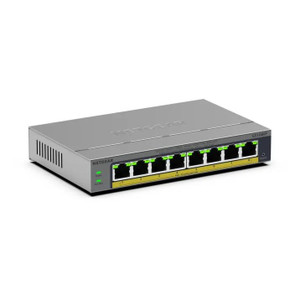
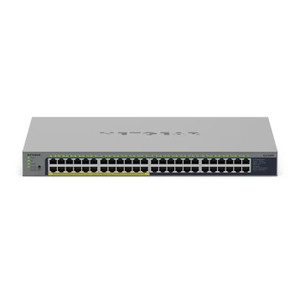
NETGEAR GS116EP-100NAS 16-Port Gigabit PoE+ Unmanaged Switch
Overview
The NETGEAR GS116EP-100NAS is a 16-port Gigabit Ethernet switch purpose-built for infrastructure requiring integrated power delivery. All 16 ports support both Gigabit connectivity and PoE+ (Power over Ethernet Plus), eliminating the need for separate power supplies on endpoints like IP cameras, wireless access points, and VoIP phones. As an unmanaged switch, it requires zero configuration — plug in power and network cables, and it begins forwarding traffic immediately. This simplicity is valuable in small-to-medium deployments where VLAN segmentation, traffic shaping, or SNMP monitoring are not required.
Port Configuration and Throughput
All 16 ports operate at Gigabit speeds (1000 Mbps per port). For a 16-port unmanaged switch, this means each port can handle full-rate traffic without bottlenecks between connected devices. The GS116EP-100NAS does not specify a switching fabric capacity in the available evidence, so throughput is symmetric — expect line-rate performance on any active port pair. Metal RJ-45 connectors on all ports reduce corrosion and mechanical wear compared to plastic connectors, particularly important in high-insertion-removal environments or installations with frequent device swaps.
PoE Delivery
Every port delivers PoE+ (802.3at Plus, up to 30W per port), enabling you to power devices that exceed standard PoE (802.3af, 13W) budgets. This is critical when deploying high-performance IP cameras with motorized zooms, infrared illuminators, or heaters; wireless access points with multiple antennas; or industrial VoIP endpoints. The GS116EP-100NAS eliminates the need for midspan PoE injectors on individual runs. Total PoE budget across all 16 ports is not specified in the evidence, so confirm your aggregate device power draw does not exceed the unit's total supply before final procurement. Test with your exact camera and access point models under full operation (IR on, zoom active) to avoid unexpected power failures in production.
Management and Monitoring
As an unmanaged switch, the GS116EP-100NAS offers no CLI, web GUI, or SNMP interface. There are no VLAN tagging options, no port mirroring, and no QoS controls. This is a trade-off: simplified installation (plug and play), but zero visibility into port-level traffic or device status. If you need to monitor switch health, segregate surveillance traffic from office traffic, or prioritize video streams, consider a managed alternative from the network switch lineup. For straightforward camera and wireless access point deployments without traffic isolation requirements, the unmanaged design is sufficient and reduces operational complexity.
Environmental Ratings
Operating temperature range is 32–104°F (0–40°C), which covers most indoor facility temperatures. However, this is NOT outdoor-rated and lacks an IP rating specification. Do not install this switch outdoors, in unheated sheds, or in environments prone to condensation. If outdoor switching is required, specify a weatherproof enclosure and ensure mounting location supports the 32°F minimum. For warehouse, datacenter, or climate-controlled IT closet deployments, the temperature range is suitable.
Installation Notes
Power the unit via AC mains (power supply not detailed in evidence — verify included adapter before purchase). Connect network sources and powered devices to any of the 16 ports. No initialization, firmware updates, or configuration steps are required. The switch begins learning MAC addresses and forwarding frames upon power-on. LED indicators on the front panel signal port link status and activity, aiding troubleshooting. Rack-mount hardware is not specified in the evidence; confirm whether the unit ships with mounting brackets if you plan to mount it in a standard 19-inch cabinet.
What's in the Box
Package contents are not detailed in the available evidence. Confirm the exact accessories (power adapter, cables, mounting hardware, documentation) with the manufacturer or reseller before committing to a purchase order.
Frequently Asked Questions
Q: Is the GS116EP-100NAS managed or unmanaged?
A: It is unmanaged. There is no web interface, CLI, or SNMP agent. Configuration is plug-and-play only.
Q: How much total PoE power does the GS116EP-100NAS deliver?
A: Individual ports support up to 30W PoE+ each. Total aggregate power budget is not specified in the evidence. Calculate your cumulative camera and AP power draw and confirm with the manufacturer before deployment.
Q: Can I use this switch outdoors?
A: No. The operating temperature minimum is 32°F and there is no IP rating. This switch is rated for indoor, climate-controlled environments only.
Q: Does the GS116EP-100NAS support VLAN tagging or traffic prioritization?
A: No. As an unmanaged switch, it does not support VLANs, QoS, or port mirroring. If you need network segmentation or traffic management, you will need a managed switch.
Q: What power supply is included with the GS116EP-100NAS?
A: Power supply details are not specified in the evidence. Confirm with the manufacturer or vendor whether an AC adapter is included and verify its voltage and current ratings.
Q: Does every port support PoE+?
A: Yes. All 16 ports on the GS116EP-100NAS support PoE+ delivery at up to 30W per port.
The NETGEAR GS116EP-100NAS (often searched as GS116EP 100NAS) solves a specific problem: powering and connecting 10–16 PoE-capable devices without deploying managed infrastructure. If your camera or wireless deployment is small enough to fit on a single switch and you have no need for VLAN isolation or traffic monitoring, this unmanaged unit cuts procurement and setup time significantly. The 30W per-port PoE+ budget is the real enabler here — it handles motorized PTZ cameras, dual-radio mesh APs, and industrial VoIP phones that would starve on standard 802.3af PoE.
Technical Highlights:
- PoE+ on all 16 ports: 30W per port eliminates midspan injectors and separate power supplies for each camera or AP. Real benefit: one cable run, one power cable, cleaner cabinet.
- Gigabit on every port: No uplink bottleneck. Every device gets 1 Gbps to the switch fabric, regardless of port count. Matters when you have dozens of 5MP+ cameras pushing 20–40 Mbps streams each.
- Metal connectors: RJ-45 connectors resisting corrosion and oxidation extend lifespan in humid environments (warehouses, cold storage, outdoor enclosures). Reduces field failures from intermittent connections.
- Unmanaged operation: Zero configuration. No firmware updates, no CLI wrestling, no licensing. Ship next day, install in an hour. Cost and complexity are rock-bottom.
Deployment Considerations:
- Total PoE budget unknown: The evidence does not specify total power delivery from the supply. If you're maxing out all 16 ports at 30W each, you're looking at 480W theoretical demand. Real devices draw less, but verify the power supply can handle your peak load. Test with a staging rack before full rollout.
- No traffic visibility: Unmanaged means no SNMP, no port mirroring, no QoS. If a rogue device floods the network or a camera misbehaves, you have no switch-level diagnostics. You're blind to port-level activity — bring a packet sniffer if troubleshooting becomes necessary.
- Indoor only: 32–104°F operating range and no IP rating. If you need to mount this in an outdoor cabinet or unheated space, budget for environmental enclosure or active cooling. Condensation and freezing will kill it.
- Scalability ceiling: 16 ports is the limit. If you need 32, 48, or 64 cameras, plan a second switch and routing/VLAN infrastructure — that pushes you into managed territory.
Deploy the GS116EP-100NAS on small-to-medium IP surveillance or wireless projects (10–16 devices) where operational simplicity and PoE power are the priorities, and where traffic isolation is not a requirement. Avoid it for mixed video + office LAN deployments, multi-floor enterprises, or sites where you need traffic shaping or compliance logging.