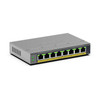
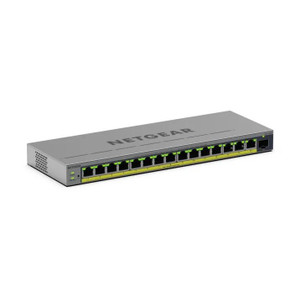
NETGEAR GS108EP-100NAS 8-Port Gigabit PoE+ Unmanaged Switch
Overview
The NETGEAR GS108EP-100NAS is a compact, unmanaged Gigabit switch purpose-built for surveillance and access control deployments where simplicity and reliability matter more than advanced configuration options. All eight ports deliver both data connectivity and Power over Ethernet Plus (PoE+) simultaneously — eliminating the need for separate power injectors or midspan solutions on individual camera runs. Since the GS108EP-100NAS requires zero configuration out of the box, you wire it in, power it on, and it works. This approach cuts deployment time and removes a common source of field troubleshooting.
Port configuration and throughput
Eight Gigabit Ethernet ports (1000 Mbps per port) provide the backbone for modest-scale surveillance systems — typically two to eight cameras depending on bandwidth demand per camera. The 10 Gbps switching fabric ensures that all eight ports can operate simultaneously at line rate without congestion, so a full-resolution stream from one camera won't bog down neighboring ports. This matters when integrating network switches into warehouse automation or multi-building security layouts where simultaneous high-bitrate feeds are common. Port density trades off against flexibility — if your deployment grows beyond eight PoE devices, you'll need to add another switch or step up to a larger model in the NETGEAR family.
PoE delivery
PoE+ (IEEE 802.3at+) on all eight ports means each connected device can draw up to 30W, sufficient for most fixed-dome cameras, PTZ heads under 25W, and standard access control readers. The cumulative PoE budget across all ports determines how many devices you can power simultaneously at maximum draw — verify your total system power requirement against the switch's power envelope before ordering. Unlike a PoE injector that serves one device, this switch provides per-port injection, so you avoid daisy-chaining or adapter sprawl on a crowded patch rack.
Management and monitoring
Unmanaged operation means no CLI, no web interface, no SNMP — and no learning curve. Port mirroring, VLAN segmentation, and QoS tuning are off the table, but they're rarely required in small surveillance networks. If your deployment needs VLAN isolation for multi-tenant properties or bandwidth prioritization for mixed traffic (cameras + building automation), step up to a managed variant. For straightforward camera + access control installs, the lack of management overhead is a feature, not a limitation.
Environmental ratings
Industrial-grade operating temperature range handles typical warehouse, outdoor shed, and equipment room conditions. Plastic housing keeps weight low and cost reasonable, but offers less mechanical durability than metal enclosures — don't subject it to heavy vibration or physical abuse. If the switch will sit on a vibrating manufacturing floor or hang from exposed outdoor conduit, consider ruggedized alternatives.
Installation notes
Wall or ceiling mounting options via pre-drilled holes simplify integration into existing rack layouts or above-ceiling runs. No external power supply required — the switch draws power via a standard input connector (verify polarity and voltage at procurement). Fan-free operation eliminates acoustic noise and failure points common in climate-controlled server rooms, but passive cooling also means the device should not be enclosed in a hot cabinet without airflow.
What's in the Box
The evidence provided does not include a detailed package contents list. Contact the manufacturer or your supplier for a complete inventory of included cables, mounting hardware, and documentation.
Frequently Asked Questions
Q: Can the GS108EP-100NAS power eight cameras simultaneously at maximum PoE+ draw?
A: The switch supports PoE+ on all eight ports, but the total power budget is limited. Verify the aggregate power specification from the manufacturer datasheet. If all eight devices draw 30W simultaneously, total demand would exceed typical power supply capacity — most real deployments draw lower average power per port, but confirm your specific devices' power draw with the vendor before deployment.
Q: Does the GS108EP-100NAS support VLAN segmentation?
A: No. This is an unmanaged switch — VLANs, QoS, and port-level configuration are not available. For multi-tenant or security-isolated networks, upgrade to a managed variant in the NETGEAR line.
Q: What is the warranty on the GS108EP-100NAS?
A: The GS108EP-100NAS includes a 5-year limited warranty covering defects in materials and workmanship.
Q: Can I wall-mount the GS108EP-100NAS vertically?
A: Yes. The switch supports both wall and ceiling mounting via pre-drilled mounting holes. Ensure adequate ventilation around the unit and route cables to avoid stress on connectors.
Q: Is external power required, or does the GS108EP-100NAS draw power via Ethernet?
A: The switch requires an external power connection. It does not draw power from the Ethernet lines; it injects PoE into the Ethernet lines to power connected devices.
Q: How does the GS108EP-100NAS compare to managed switches for my deployment?
A: Unmanaged switches are ideal for small, single-purpose networks (camera systems, access control) where simplicity and cost are priorities. If you need VLAN isolation, bandwidth management, or remote monitoring, choose a managed alternative. For a two-to-eight device surveillance network, the GS108EP-100NAS eliminates unnecessary complexity.
The GS108EP-100NAS occupies a specific niche: a PoE-powered network switch for deployments that don't require deep management features. The 10 Gbps switching fabric and eight simultaneous PoE+ ports mean you can run up to eight powered devices — cameras, readers, intercoms — without a separate power injection layer. That simplicity is genuine value in small surveillance builds, warehouse dock monitoring, and multi-site access control rollouts.
Technical Highlights:
- PoE+ on all eight ports: Each port delivers up to 30W, eliminating midspan injectors for modest camera counts. A single power input feeds the entire unit — fewer power points to manage and fewer failure modes on a job site.
- 10 Gbps switching fabric: Full-rate forwarding across all eight ports prevents bottlenecks when multiple cameras stream simultaneously. Real-world benefit: a pair of 4K streams at 50 Mbps each won't degrade performance on neighboring ports.
- Unmanaged operation: Zero configuration required. Ship it, plug it, deploy it. Saves hours on small jobs where VLAN or QoS complexity doesn't apply.
- Industrial temperature range: Handles equipment rooms, outdoor shelters, and unheated warehouses without thermal stress.
Deployment Considerations:
- Eight ports is a hard ceiling — if your site grows beyond eight PoE devices, you must add another switch or cascade them via non-PoE uplink ports (not available here).
- Plastic housing means no DIN-rail or 19" rack mounting — wall or ceiling only. Vibration-prone environments require local bracket damping.
- PoE budget is finite. A full eight devices at 30W each exceeds typical supply capacity; verify aggregate draw before commissioning.
- No management interface means no remote monitoring, port statistics, or troubleshooting tools. If visibility is required, step to a managed switch.
The GS108EP-100NAS is the right choice for a single-building IP camera or access control system where PoE consolidation and plug-and-play operation reduce field labor and capital spend. Skip it if your network spans multiple sites, requires VLAN isolation, or will grow beyond eight PoE endpoints.