
How to Choose the Right Access Control System
A technical buyer's guide for facility managers, security directors, IT architects, and integrators designing or upgrading a commercial access control system. Covers reader technology, credential formats, controller architecture, door hardware, communication protocols, and integration with video and intrusion systems.
In This Guide
Access control is one of the few security technologies that every authorized person in your building interacts with multiple times per day. A surveillance system operates invisibly. An intrusion panel arms and disarms twice a day. But an access control reader is used at every entry, every exit, by every employee. This means access control must be simultaneously secure enough to prevent unauthorized entry and convenient enough that authorized users never think about it.
Key Specifications Explained
Reader Technology: Proximity, Smart Card, Biometric, and Mobile
125 kHz Proximity (Prox): The legacy standard. Simple and inexpensive, but credentials are trivially cloneable with devices under $50. No longer adequate as a sole credential for meaningful security.
13.56 MHz Smart Card: iCLASS SE, SEOS, MIFARE DESFire use encrypted communication and mutual authentication. Cloning requires breaking AES-128 encryption. The current commercial standard. Browse smart card readers from leading manufacturers.
Biometric: Fingerprint, iris, and facial recognition. Eliminates credential sharing but introduces enrollment complexity and privacy compliance requirements. Best as a second factor.
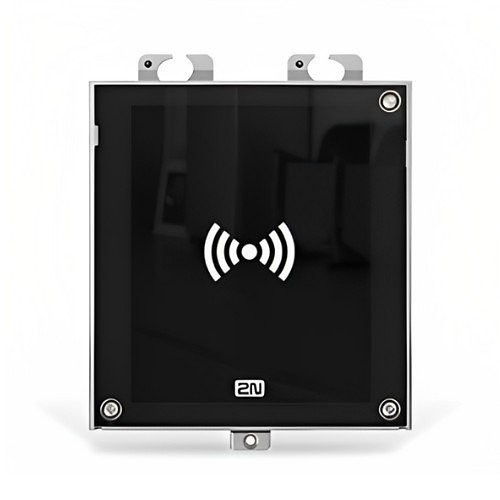
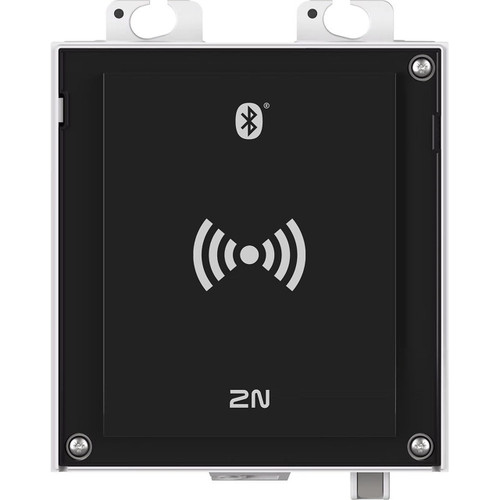
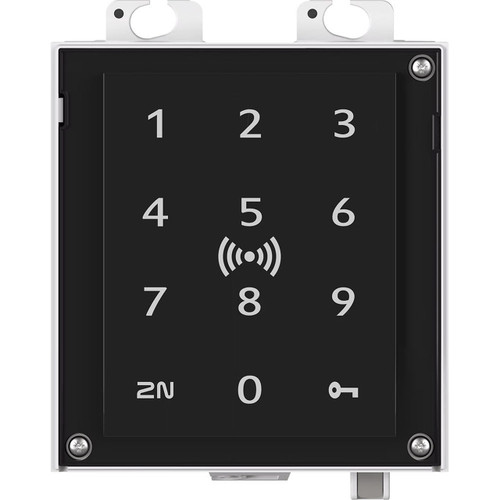
Mobile Credentials: Smartphone-based access via BLE or NFC. Instant issuance/revocation, temporary credentials, no lost-card costs. Requires compatible readers and cloud management platform. The 2N AU 2.0 Reader BLE RFID NFC supports BLE, RFID, and NFC in a single unit.
Credential Formats and Compatibility
26-bit Wiegand: Up to 255 facility codes and 65,535 card numbers. Duplicates are inevitable across large enterprises.
Corporate 1000 / custom formats (35+ bits): Millions of unique numbers with site codes that eliminate duplicates. If you manage multiple buildings or will exceed 65,000 credentials, specify a custom format from the start. See our control system packages that include pre-configured credential management.
Door Controllers: Architecture and Scalability
- Traditional panel-based: Central controller in a secure closet connects to readers, locks, and sensors via multi-conductor cable. Labor-intensive wiring, but panel is physically secured away from doors.
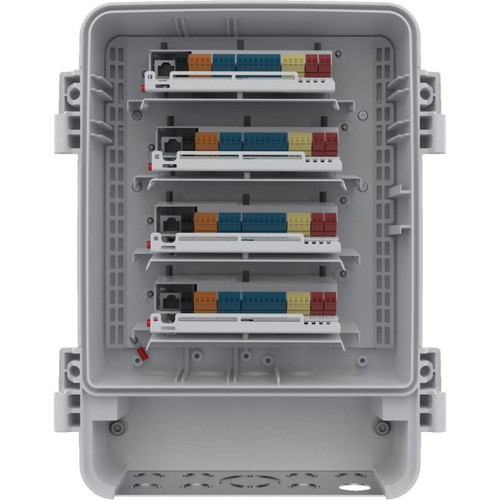
- IP-at-the-door (edge controllers): Each door has its own controller connected via single Ethernet/PoE cable. Simpler wiring, scales by adding doors. Tradeoff: controller is physically accessible at the door.
For new construction, IP-at-the-door reduces labor. For retrofit, panel-based may reuse existing cable paths. Both approaches work; the decision is primarily about installation logistics.
Communication Protocols: OSDP vs. Wiegand
Wiegand: Legacy. One-direction data flow, unencrypted, dedicated wiring. Vulnerable to eavesdropping and replay attacks.
OSDP (Open Supervised Device Protocol): RS-485 serial with AES-128 encryption (Secure Channel), bidirectional data, device supervision. Detects reader tamper, disconnection, or replacement. Supports firmware updates pushed from controller. The default specification for any new installation.
Fail-Safe vs. Fail-Secure: Life Safety
This is governed by fire codes, not preference:
- Fail-safe (fail-unlocked): Lock releases when power is lost. Required on any egress path door.
- Fail-secure (fail-locked): Lock stays engaged when power is lost. Used on doors that must maintain security during outage. Must have mechanical free egress on the inside.
Mixing these up is a code violation and life safety hazard. Your Authority Having Jurisdiction (AHJ) determines the standard.
Lock Hardware
Electric strikes: Replace standard strike plate with electrically controlled version. Browse electric strikes for fail-safe and fail-secure options. Support fail-safe and fail-secure. Most common access control lock hardware.
Magnetic locks (maglocks): 600-1500+ lbs holding force. Always fail-safe. Ideal for retrofit on glass doors. Browse magnetic locks rated from 600 to 1500+ lbs holding force. Require REX device for fire code compliance.
Electrified locksets and exit devices: Locking mechanism itself is electrified. Cleanest installation but highest cost. Best for high-end installations. See our full door locks and strikes selection.
Integration: Video, Intrusion, and Elevator Control
A door-forced alarm paired with an IP camera view gives operators instant visual verification. An intrusion panel that auto-arms when the last credential holder exits eliminates human error. Elevator floor control restricts building access vertically. When evaluating platforms, check for native integrations with your surveillance VMS, intrusion panel, intercom and visitor management system, and elevator control system. See our IP Camera Selection Guide for pairing cameras with door events.
Featured Access Control Products
Top-selling products in this category, selected by our technical team.
Deployment Scenarios
Single Office or Retail: 1-4 Doors
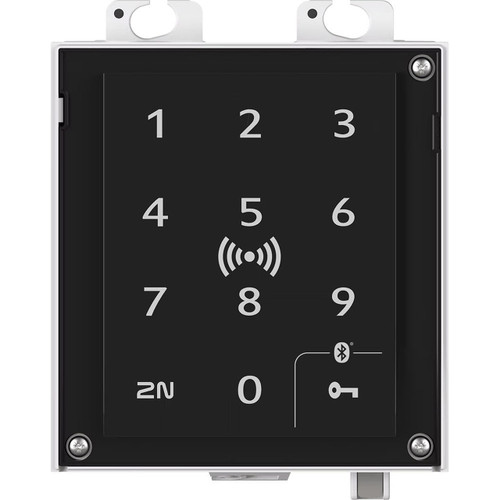
IP-at-the-door controllers with 2-4 smart card readers and electric strikes. A reader like the 2N AU 2.0 Keypad RFID Terminal combines keypad and RFID in a compact unit. Cloud-managed platforms simplify administration without dedicated IT staff. Budget 20% more credentials than current headcount.
Multi-Tenant Commercial Building: 20-50 Doors
Panel-based controllers in a dedicated MDF room. Smart card credentials with facility codes separating tenant populations. Delegated administration for suites. Consider mobile credentials to reduce card issuance costs. Add door cameras for visual verification of access events.
Enterprise Campus: 100+ Doors
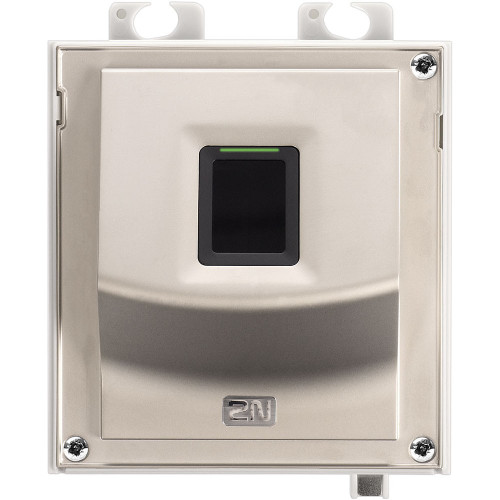
Centralized policy management, distributed controllers, global credential management. High-bit credential format, OSDP Secure Channel on all readers, redundant communication paths, HR integration for automated provisioning/deprovisioning, multi-factor on high-security areas. For biometric two-factor, the 2N AU 2.0 Fingerprint Reader adds fingerprint verification to any OSDP-compatible system.
Regulated Facility: Data Center, Healthcare, Government
Compliance requirements (HIPAA, CJIS, ITAR, FISMA) dictate design. Two-factor authentication required for sensitive areas. Tamper-evident audit trails. Anti-passback to detect card sharing. Man-trap vestibules for server rooms and evidence storage. Integrate with fire-life safety systems for code-compliant emergency egress.
More Access Control Hardware
Top-selling products in this category, selected by our technical team.
Common Mistakes to Avoid
- Deploying 125 kHz proximity cards on new installations. Cloneable for under $50. Use 13.56 MHz encrypted credentials at minimum. See our card reader selection for encrypted options.
- Using Wiegand when OSDP is available. Wiegand sends plaintext credential data. If wire runs are accessible, an attacker can capture and replay credentials.
- Mixing up fail-safe and fail-secure. Fire code requirement, not design preference. Fail-safe on egress paths, fail-secure only where the AHJ permits.
- Ignoring REX on maglock doors. A maglock without request-to-exit on the inside is a fire code violation.
- Underestimating power supply requirements. Electric strikes draw 300-700mA during unlock. Maglocks draw 250-500mA continuously. Size with 25% headroom and 4+ hour battery backup. Use dedicated access control power supplies with battery backup.
- Not planning for credential lifecycle. Without efficient provisioning and revocation, you accumulate active credentials for people who no longer work there.
What to Ask Your Integrator
- Are the proposed readers and controllers OSDP Secure Channel compliant? If Wiegand is proposed, why?
- What credential format is specified, and does it support our total population without duplicates?
- Which doors are fail-safe and which are fail-secure? Has this been reviewed against fire code and the AHJ?
- What happens when the network goes down? How long can the system operate on battery and local storage?
- How are credentials provisioned and revoked? What is the workflow for a terminated employee?
- What integrations are included (video, intrusion, visitor management), and are they native or middleware-based?
- What is the annual licensing cost, and does it scale with door count or user count?
Quick Comparison: Access Control System Tiers
| Specification | Basic / SMB | Mid-Range | Enterprise |
|---|---|---|---|
| Door Count | 1 - 4 | 5 - 50 | 50 - 500+ |
| Reader Technology | 13.56 MHz smart card | Smart card + mobile | Multi-factor (card + biometric/PIN) |
| Protocol | Wiegand or OSDP | OSDP Secure Channel | OSDP Secure Channel |
| Controller Architecture | IP-at-the-door | Panel-based or IP hybrid | Distributed panels, redundant paths |
| Credential Format | 26-bit or proprietary | Corporate 1000 / custom | Custom high-bit, multi-app SEOS |
| Management | Cloud-based | On-premise or hybrid | Enterprise server, HA cluster |
| Integration | Standalone | Video + visitor management | Video, intrusion, elevator, HR, IT |
| Typical Cost per Door | $800 - $1,500 | $1,500 - $3,000 | $3,000 - $6,000+ |
Frequently Asked Questions
What's the difference between standalone and networked access control?
Standalone access control uses keypads or standalone readers at each door with no central software. They work for 1-3 doors but lack audit trails, central credential management, and scheduled access. Networked access control connects doors to a central controller and software, enabling global credential changes, schedules, reports, and integration with video, alarms, and HR systems. Cloud-hosted access control adds remote management without on-site servers. Any business with 5+ employees or multiple doors should use a networked system.
Should I use card readers, mobile credentials, or biometrics?
Card readers (proximity or smart cards) remain the most common at $1-5 per credential, easy to issue, revoke, and replace. Mobile credentials via Bluetooth or NFC eliminate card printing costs and enable remote issuance, but require modern readers supporting HID Mobile, Openpath, or similar. Biometrics (fingerprint, face, iris) provide the highest assurance with no credential to share or lose, typically used for high-security areas. Most deployments combine cards for staff with biometric or PIN overlays at sensitive zones.
How many doors can one access control panel support?
Panel capacity varies by manufacturer. Entry-level panels handle 2-4 doors, mid-range panels support 8-16 doors, and enterprise panels scale to 32-64 doors per unit. For larger facilities, deploy multiple panels networked to a central server. Plan for 25% growth when sizing, and confirm the panel supports your reader technology (Wiegand, OSDP, RS-485). OSDP is preferred for new deployments because it provides secure, bidirectional, supervised communication.
What door hardware do I need for each opening?
Every controlled door needs a locking device (electric strike, magnetic lock, or electrified mortise/panic device), a reader, a request-to-exit sensor (motion or button), and a door position switch. Fail-safe locks (mag locks) unlock on power loss for life-safety exits. Fail-secure locks (strikes) stay locked on power loss and require manual override. Panic/exit devices with electric latch retraction are required on egress doors in commercial buildings per NFPA 101.
How do I choose between PoE and 12V/24V power for access control?
PoE access control simplifies wiring by delivering data and power over one Cat6 cable, ideal for single doors near a switch. However, PoE is limited to roughly 15-30W per port, which constrains mag lock and strike choices. Traditional 12VDC or 24VDC with dedicated power supplies supports higher-draw locks, battery backup for life safety, and multiple doors from one enclosure. Most multi-door deployments still use centralized 12/24V power with supervised battery backup.
Do I need OSDP or is Wiegand good enough?
OSDP (Open Supervised Device Protocol) is the current standard and should be used for all new installations. It encrypts reader-to-panel communication, prevents credential skimming and replay attacks, supports longer cable runs (4,000 feet vs 500 feet for Wiegand), enables bidirectional messages, and supervises reader health. Wiegand is an older 1980s-era protocol with no encryption or supervision, which has been exploited in numerous physical penetration tests. Existing Wiegand installations can often be upgraded with OSDP converters rather than full replacement.
Ready to Choose Your Access Control System?
Share your facility type, door count, credential population, and compliance requirements. We will recommend the right architecture, reader technology, and integration approach.