
VMS Software Buying Guide
A buyer-oriented comparison guide for video management software. Covers platform selection criteria (Axis Camera Station, Milestone XProtect, Hanwha WAVE, Hikvision HikCentral, Genetec Security Center), licensing economics, scalability tiers, integration surface, and the real-world decisions that determine which platform fits a given deployment.
In This Guide
- When to Choose VMS vs NVR Appliance
- Platform Selection Criteria
- The Major VMS Platforms
- Featured VMS Platforms
- Licensing Models & Total Cost
- Scaling From 16 to 10,000 Cameras
- Integration Surface & APIs
- Featured Recording Servers & NVRs
- Common VMS Selection Mistakes
- Quick Comparison: Platform Tiers
- Related Resources
Every VMS platform records video. What differentiates them is how they handle the operational work that surrounds recording: multi-site aggregation, third-party camera support, integration with access control and analytics, disaster recovery, licensing governance, and the total cost of operating the system across a 5-year horizon.
When to Choose VMS vs NVR Appliance
NVR Appliance Is Appropriate When...
The deployment is single-site, fewer than 32 cameras, uses cameras from one manufacturer, does not require third-party integration (access control, POS, analytics), and the operations team is not maintaining servers. An NVR appliance is lower-cost to purchase and deploy, with a simpler failure-domain model: one box, one manufacturer's support contract, one firmware.
VMS Is Required When...
The deployment crosses 32+ cameras, spans multiple sites, mixes cameras from two or more manufacturers, integrates with access control or analytics, or requires custom reporting and event correlation. VMS deployments scale from dozens to thousands of cameras on a common management plane with unified licensing, user management, and integration paths.
Hybrid Is Common
Many deployments use a VMS centrally with recording workloads distributed across multiple recording servers (RSs) or NVR appliances. The VMS manages the catalog, user access, and integrations while the RS handles the storage. This is how most multi-site and enterprise deployments look in practice.
Cloud-Managed VMS
Cloud-managed options (Eagle Eye, Avigilon Unity Cloud, Verkada) handle the VMS as a SaaS service and push recording to the cloud, edge NVR, or hybrid. Operationally simpler but with ongoing per-camera subscription costs and varying compliance profiles. Appropriate for multi-site retail or distributed offices where central IT operations capacity is limited.
Platform Selection Criteria
Camera Compatibility Scope
Every VMS publishes a supported-camera list. Some platforms support 6,000+ camera models across 150+ manufacturers (Milestone, Genetec). Others are intentionally narrow (Axis Camera Station primarily Axis cameras; Hikvision HikCentral primarily Hikvision). Mixed-manufacturer deployments require a broad-support platform. Confirm ONVIF Profile S and Profile T support for future-camera compatibility.
License Granularity
Per-camera, per-channel, and per-recording-stream licensing models produce different costs for the same deployment. Some platforms include multi-stream recording in the base license; others charge separately for a second stream (often needed for remote viewing). Read the license terms against your specific camera count, stream count, and client count.
Integration Surface
Does the platform integrate with your access control system, POS, intrusion, intercom, and analytics platforms? Integrations are delivered as vendor-supported plugins or as open API/SDK paths. Plugin-based integrations are cheaper to deploy but lock you into vendor-approved third parties. SDK-based integrations require development work but allow custom flows.
Search & Forensic Tools
Given a 90-day retention archive, how fast can an operator find a specific event? Modern platforms offer metadata search (color, object type, direction), smart search by region, AI-assisted event grouping, and saved investigation bundles. Budget platforms offer basic timeline scrubbing. The gap in operator productivity between tiers is substantial.
Disaster Recovery Model
How does the platform handle recorder failure, site connectivity loss, and WAN partitioning? Enterprise platforms maintain local recording through WAN outages and reconcile metadata on reconnect. Budget platforms lose recording during the outage. For multi-site operations, DR behavior during network events is often the determining selection criterion.
Audit & Compliance Reporting
Regulated deployments (cannabis, healthcare, financial) require audit logs showing who accessed what footage, what was exported, and what was deleted. Enterprise platforms provide this natively. Budget platforms require additional compliance modules or manual log management.
The Major VMS Platforms
Milestone XProtect
The broadest-support VMS with approximately 10,000 supported camera models across 150+ manufacturers. Tiered editions: Essential (up to 48 cameras), Express (single-site up to 48), Professional+ (single-server scalable), Expert (multi-server, enterprise), Corporate (large-scale multi-site with advanced integrations). Strong plugin ecosystem for access control, POS, LPR, and analytics integrations. Best for mixed-manufacturer deployments.
Genetec Security Center
Unified security platform combining VMS (Omnicast), access control (Synergis), and LPR (AutoVu) under a single management plane. Strongest option for deployments that want access control and video managed together from day one. Premium pricing; high-end enterprise deployments with dedicated security operations centers.
Axis Camera Station
Optimized for Axis cameras, with strong integration to Axis analytics and Axis access control. Core edition for single-site up to 32 cameras; Pro edition scales to several hundred. Lower license cost than multi-vendor VMS but most cost-effective when paired with predominantly Axis cameras. The VMS Selection & Architecture Guide covers Axis sizing patterns in detail.
Hanwha WAVE
Hanwha WAVE offers aggressive pricing for Hanwha cameras with competitive feature depth: cloud sync (WAVE Sync), mobile apps, smart search, and a built-in HTML client. Scales to several hundred cameras per server. Strong option for Hanwha-heavy deployments. Multi-vendor camera support is available but the platform is optimized for Hanwha.
Hikvision HikCentral Professional
Hikvision's enterprise VMS with strong integration to Hikvision cameras, NVRs, access control, and intercom. Scales into the thousands of cameras. NDAA compliance is a limiting factor for U.S. federal, state, and municipal deployments — confirm the specific product line is permitted under your contract requirements before specifying.
Avigilon Unity (formerly ACC) & Unity Cloud
Avigilon Unity (on-premises) and Unity Cloud offer strong self-learning analytics with Avigilon's HDSM compression. Appliance-based deployment model simplifies installation. Best for deployments wanting pre-packaged appliances with integrated analytics.
Featured VMS Platforms
Enterprise and mid-market VMS software licenses. Verify camera count, server hardware spec, and integration requirements before purchase.

Axis 02994-001 Camera Station Pro Core NVR License
02994-001
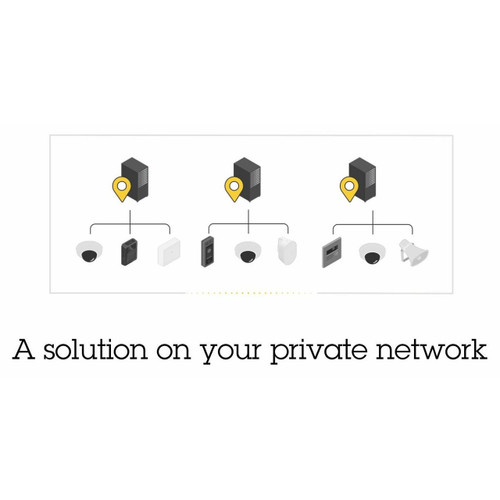
Axis Camera Station Pro Universal Device NVR License
02995-001
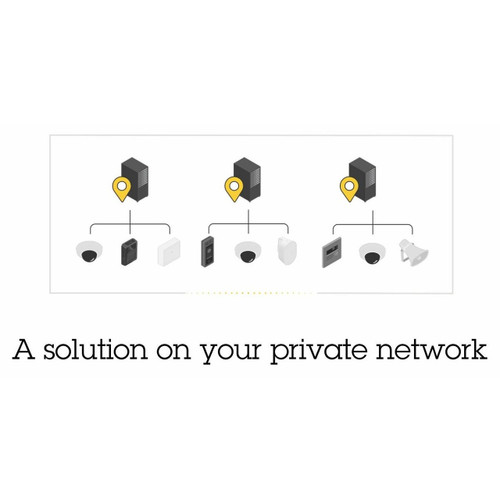
Axis Camera Station Pro Core to Universal NVR License
02996-001
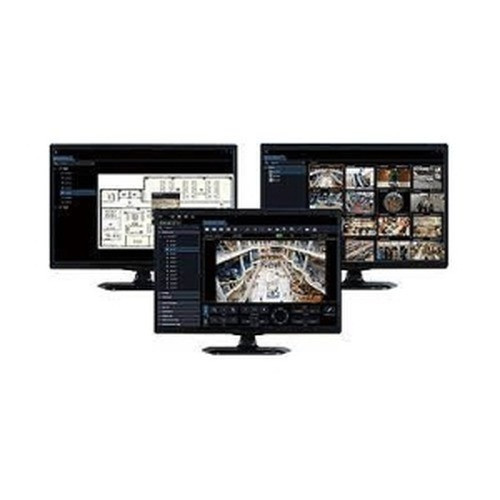
Panasonic WV-ASM300W Video Management Software
WV-ASM300W
Licensing Models & Total Cost
The headline license price is rarely the total cost. Plan for hardware (recording servers, storage arrays, viewing workstations), annual software maintenance (typically 15-25% of license cost), third-party plugins (access control, LPR), and operator training.
Perpetual License + Maintenance
The traditional model: upfront license purchase plus annual Software Assurance or Maintenance (typically 15-25% of license cost). Includes updates, new camera drivers, and support access. Cancellation of maintenance freezes the platform at the current version but preserves existing camera support. Predominantly how Milestone, Genetec, and Axis Camera Station are sold.
Subscription / SaaS
Per-camera, per-month subscription covering license, updates, and (for cloud-managed platforms) cloud storage. Cancellation ends all service. Total 5-year cost often exceeds perpetual license + maintenance for stable, long-duration deployments, but lower upfront cost and includes cloud storage. Eagle Eye, Verkada, and Avigilon Unity Cloud follow this model.
Bundled With Hardware
Many NVR appliances include a platform-native VMS at no additional charge (Hanwha WAVE with Hanwha NVRs, Hikvision HikCentral with Hikvision NVRs). Appropriate for single-manufacturer deployments. Limits future flexibility to add other cameras.
Storage Cost
A typical 40-camera deployment recording H.265+ at 4MP for 90 days requires 80-120 TB of storage after RAID overhead. Surveillance-rated drives cost $25-$40 per TB. Hardware RAID controllers add $400-$1,500. Plan for drive replacement on a 4-year refresh cycle. Use the Video Retention & Storage Calculator to size storage against your spec.
Scaling From 16 to 10,000 Cameras
Small (16-48 Cameras)
Single recording server, single site, simple user management. Axis Camera Station, Milestone Essential/Express, Hanwha WAVE, or a bundled Hikvision/Hanwha NVR all work. Hardware: one server with 6-8 drive bays, 32 GB RAM, RAID 5 or 6.
Medium (48-256 Cameras)
Single site or 2-3 site deployment. Milestone Professional+, Genetec, Hanwha WAVE Pro, Axis Camera Station Pro. Hardware: dedicated recording server (or cluster) with 12-24 drive bays, plus a separate management server. RAID 6 required.
Large (256-1,000 Cameras)
Multi-site with central management. Milestone Expert, Genetec Security Center, Hikvision HikCentral Professional. Hardware: multiple recording servers clustered behind a management server, shared storage array (iSCSI or Fibre Channel). High-availability pairs required.
Enterprise (1,000-10,000+ Cameras)
Multi-city, multi-region, often global. Milestone Corporate, Genetec Security Center Enterprise. Hardware: distributed recording tier at each site, central management plane, centralized user directory (Active Directory / LDAP), regional DR. Requires a dedicated security operations team.
Integration Surface & APIs
Access Control
The most common integration: door events from the access control system appear in the VMS timeline alongside video. Operators search for a credential event and play the associated video. Platform-native integrations (Genetec Synergis + Omnicast; Milestone + LenelS2, Genetec, or Software House via plugin) are cleaner than SDK-built integrations.
Analytics & AI
Edge analytics (person, vehicle, line crossing, intrusion) deliver metadata into the VMS for search and rule-based triggers. Server-side analytics add heavier models (face grouping, forensic search, behavior) at the cost of processing hardware. Confirm the VMS supports the specific metadata format (ONVIF Profile M, vendor-proprietary).
POS & Transactions
POS integration overlays transaction data on the video timeline, enabling "find video for transaction X" search. Standard for retail loss prevention. Plugin-delivered for major POS platforms; XML/CSV ingest for custom or legacy POS.
Intrusion & Alarm
Alarm panels and intrusion detection systems push events into the VMS for video-corroborated alarm handling. Central stations can pull verified video on alarm activation, reducing false dispatches. Standard integration for enterprise deployments.
Intercom & Paging
Door station intercoms (SIP-based) integrate with VMS for video-accompanied call handling. Standard for secured entrances and multi-tenant residential. See the Intercom & Door Station Buying Guide.
API / SDK / MQTT
Open API access supports custom dashboards, BI integrations, and automation. REST APIs are common. MQTT brokers for event streaming are increasingly supported. Confirm API rate limits, authentication model, and webhook support for the integration pattern you need.
Featured Recording Servers & NVRs
Recording server hardware and NVR appliances for VMS deployments. Size drive bays, RAM, and RAID capability against camera count and retention target.
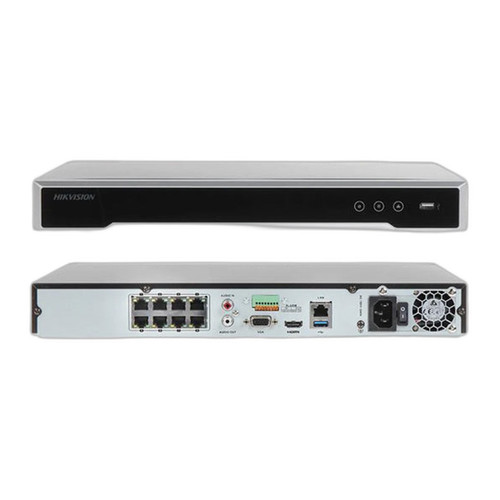
Hikvision DS-7608NI-Q2/8P-2TB 8-Channel 4K NVR
DS-7608NI-Q2/8P-2TB
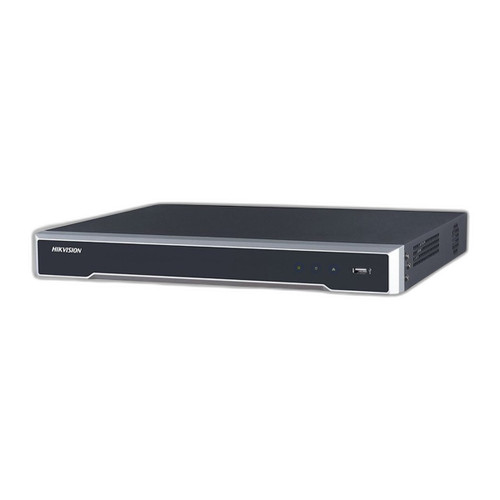
Hikvision DS-7616NI-Q2/16P 16-Channel 4K NVR 4TB
DS-7616NI-Q2/16P-4TB

Hikvision DS-7604NI-Q1/4P-2TB 4-Channel 4K NVR
DS-7604NI-Q1/4P-2TB
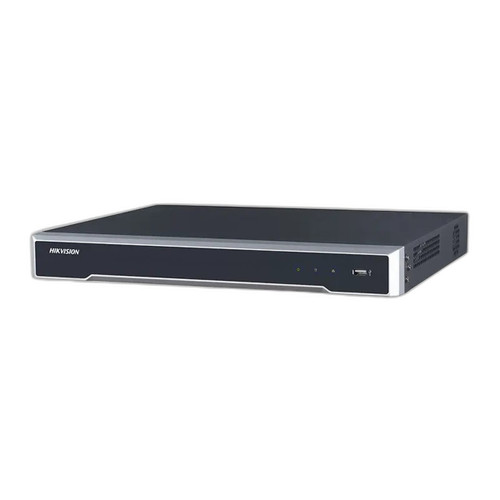
Hikvision DS-7608NI-Q2/8P 8-Channel 4TB NVR
DS-7608NI-Q2/8P-4TB
Common VMS Selection Mistakes
- Selecting on camera count only. A platform's scale is determined by management overhead, operator productivity, and integration depth — not just the supported camera count.
- Ignoring the 5-year TCO. Subscription platforms typically cost more than perpetual-license platforms across a 5-year horizon. Model total cost, not just first-year cost.
- Locking into a single-vendor ecosystem too early. A deployment that grows beyond 100 cameras and adds a second manufacturer's cameras is painful to migrate. Consider broad-support platforms even if initial deployment is single-vendor.
- Skipping integration testing. An access control plugin that works for Platform A on Version 2023.R1 may break on 2024.R1. Bench test integration before upgrading in production.
- Under-sizing viewing workstations. 4K multi-camera viewing requires a workstation with a GPU that can decode the codec at the display rate. Specifying the minimum workstation spec produces a laggy wall that operators stop using.
- Forgetting client licenses. Some platforms charge per concurrent viewing client. A 200-camera deployment with 25 concurrent viewers may need 25 client licenses on top of the 200 camera licenses.
- Ignoring AD/LDAP integration on day one. A single-admin deployment that grows to 50 users needs directory integration. Retrofitting user management after the fact is disruptive.
- Specifying hardware before specifying codec. Storage and CPU calculations change substantially between H.264 and H.265+. Choose camera codec, then size server hardware.
Quick Comparison: Platform Tiers
| Capability | NVR Appliance | Mid-Market VMS | Enterprise VMS |
|---|---|---|---|
| Max Cameras | 32-64 | 128-512 | 10,000+ |
| Camera Compatibility | One vendor | Broad (ONVIF) | 10,000+ models |
| Multi-Site | No | Limited | Native |
| Access Control Integration | Basic | Plugin-based | Native or plugin |
| API / SDK | Basic REST | REST + plugins | Full SDK |
| DR & High Availability | Single box | Failover pair | Clustered, geo-DR |
| Typical Price Model | Hardware only | Per-camera license | Per-camera + modules |
| Best For | Single-site, one vendor | Single-site, multi-vendor | Multi-site, integrated |
Ready to Select a VMS?
Share your camera count, site count, manufacturer mix, integration requirements, and retention target. We will recommend a platform tier, license model, and recording architecture matched to your 5-year operational plan.