
How to Choose the Right Label Printer
A technical buyer's guide for warehouse managers, 3PL operations leads, manufacturing engineers, and retail IT teams specifying label printers for shipping, inventory, compliance, and product labels. Covers print method (direct thermal versus thermal transfer), print width and speed, resolution, connectivity, media handling, and duty cycle matched to label volume.
In This Guide
A label printer looks simple on the spec sheet: print width, DPI, speed. Specifying the wrong one costs money in three ways. An underpowered printer fails at 80% duty cycle within six months. A printer matched to the wrong media type produces labels that fade in weeks or smear under solvents. A printer without the right connectivity requires driver gymnastics on every workstation. The three decisions that matter are print method (direct thermal vs thermal transfer), duty cycle versus your actual volume, and connectivity matched to your environment.
Key Specifications Explained
Direct Thermal vs Thermal Transfer
Direct thermal (DT) printing uses heat-sensitive labels that darken when the printhead warms them. No ribbon is required. DT labels fade over 6-24 months depending on heat, light, and chemical exposure. Best for shipping labels, short-life inventory tags, retail receipts, and any label consumed within a year.
Thermal transfer (TT) printing melts ink from a ribbon onto the label material. The label lasts 5-25 years depending on ribbon type (wax, wax-resin, resin). Required for outdoor labels, cold storage, chemical-exposed labels, long-life asset tags, and medical device labeling. TT uses more consumables (ribbon) but produces a permanent image. Many industrial printers support both methods, letting you switch based on label job. See thermal transfer ribbons for ribbon selection.
Duty Cycle and Volume
Duty cycle is the rated daily label output the printer can sustain. Desktop units rate 500-1,500 labels/day; mid-volume industrial rates 3,000-10,000; heavy-volume industrial rates 10,000-40,000+. The real-world ceiling is often 60-70% of rated capacity; a printer rated 5,000/day reliably handles 3,000-3,500/day over a multi-year service life.
Undersized printers fail early. A desktop unit running 3,000 labels/day (3x its rating) will see printhead failure in 6-9 months, platen roller wear at similar intervals, and motor wear beyond that. Properly sized industrial printers run 5-7 years on printhead replacements alone.
Print Width
Print width is the maximum label width supported. 2-inch printers handle shelf tags and small product labels. 4-inch printers cover the UPS/FedEx shipping label standard (4x6) plus most warehouse and case labels. 6-inch and 8-inch industrial printers handle pallet labels, large case labels, and wide product packaging.
Buy one width category above your current need. A 4-inch printer runs 2-4 inch labels; an 8-inch runs everything 2-8 inches. You cannot print a 5-inch label on a 4-inch printer. Plan for future label formats (pallet labels, GHS hazmat, pharmacy unit-dose) before finalizing width.
Resolution (DPI)
203 DPI is the workhorse standard for shipping, inventory, and case labels. 300 DPI doubles edge sharpness and is required for small text (6pt or smaller), dense 2D codes (Data Matrix, QR), and product labels with fine graphics. 600 DPI is reserved for medical device UDI labels, jewelry tags, and small-part electronics labeling.
Higher DPI slows print speed proportionally and costs 25-40% more. Do not specify 300 DPI unless the label artwork requires it. For GS1 compliance and retail UPC labels, 203 DPI at 4 inches per second exceeds requirements. Test scan GS1 codes with your handheld before finalizing DPI.
Print Speed
Print speed (inches per second) drives throughput. A 4 ips printer produces a 4x6 shipping label every 1.5 seconds. An 8 ips industrial printer runs at 0.75 seconds per label. For pick/pack and retail check-in workflows, speed determines how many labels per hour the operator can process.
Speed varies by DPI and label length. Published specs are usually at 203 DPI and short labels. Longer labels drop speed because of print-buffer latency. For high-throughput shipping operations above 1,000 labels/hour, specify industrial printers rated 8+ ips with dedicated Ethernet connections, not USB.
Connectivity
USB is sufficient for single-workstation printers. Ethernet is required for shared printers (multiple workstations sending jobs), WMS integration, and remote management. Wi-Fi suits mobile label printers worn by pickers or attached to forklifts. Bluetooth suits handheld printing workflows.
Serial (RS-232) and parallel are legacy but still required for integration with older PLCs and specific WMS systems. For Zebra and other platforms, check support for ZPL-II, EPL, and XML print languages depending on your ERP/WMS. Check driver availability for Windows, Linux, and macOS before committing.
Media Handling
Roll capacity (outer diameter) determines how often operators reload. 5-inch rolls hold approximately 2,500 shipping labels. 8-inch rolls hold 6,000-7,500 shipping labels. Heavy-volume shipping benefits from fan-fold media trays holding 10,000+ labels without a roll.
Cutter options (guillotine for liner + label, rotary for linerless) matter in automated cut-and-apply lines. Peeler/present modules separate the label from the liner automatically for apply-by-hand workflows. RFID-encoding printers write to RFID-inlay labels during printing; see RFID label printers for encoding printers.
Construction and Environment
Desktop printers have plastic cases and are designed for office or light-warehouse use. Mid-industrial printers have die-cast metal frames that resist dust, vibration, and impact. Heavy-industrial printers add full metal enclosures, safety interlocks for moving parts, and IP43 or higher ratings for wet/dusty environments. For cold storage (freezer or cooler labeling), specify printers with heater assemblies and cold-environment-rated labels plus resin ribbons.
Certifications and Compliance
Healthcare and pharmaceutical labeling require FDA UDI compliance, which dictates specific label content and GS1 DataMatrix. Hazmat labeling follows GHS/OSHA with BS5609 marine-grade ribbon plus synthetic labels for ship-borne cargo. Retail compliance uses GS1-128 and SSCC barcodes with mandatory verification. For NDAA-sensitive government and defense deployments, check the printer and firmware against procurement rules. Barcode verification (ISO/IEC 15415/15416) may require dedicated verifier hardware in addition to the printer.
Featured Label Printers
Top-selling label printers in stock, selected by our technical team.
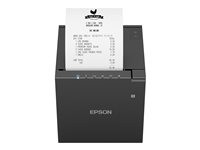
Epson C31CJ57012 TM-T88VII Thermal Receipt Printer
C31CJ57012
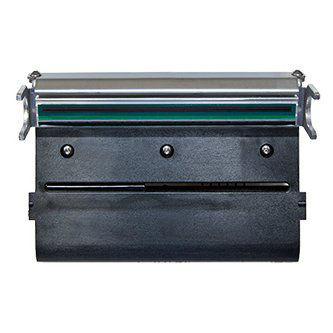
TSC 251011-001 Printhead 4" 203DPI Thermal Transfer
251011-001
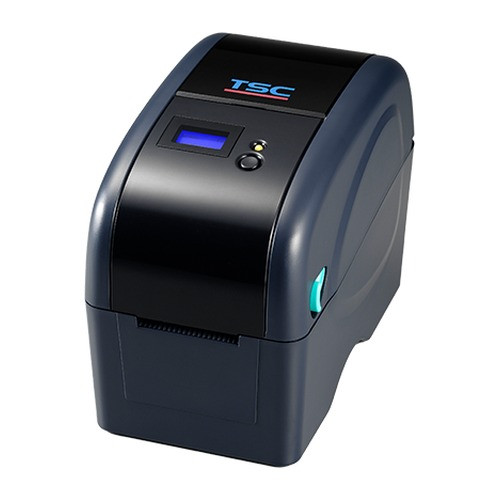
TSC 251235-001 Printhead 203 DPI Thermal Transfer
251235-001
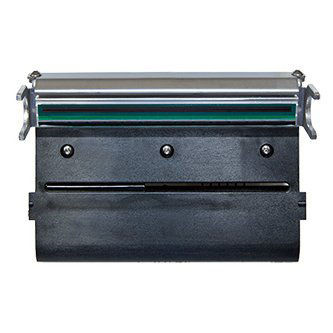
TSC 251243-001 Printhead 4" 203DPI Thermal Transfer
251243-001
Deployment Scenarios
Small Retail or Office
Low-volume retail (under 500 shipping labels/day) or office applications use desktop direct-thermal printers. Recommended: 4-inch desktop DT printer at 203 DPI, USB plus optional Ethernet for shared printing, 5-inch roll capacity, and shipping-label drivers for UPS/FedEx/USPS. For occasional long-life labels (asset tags), specify a DT+TT desktop with resin ribbon capability. Pair with handheld scanners for verification.
Warehouse Shipping Dock
Active shipping docks run 1,000-5,000 labels/day and require network-shared printers with media runs that last a shift. Recommended: mid-industrial 4-inch or 6-inch DT printer at 203 DPI, 8+ ips print speed, 8-inch media capacity, Ethernet + USB with WMS integration, peel-and-present module for operator workflow. Place one printer per pack station for parallel throughput. Pair with mobile computers and industrial printers.
Manufacturing Line
Production lines printing product labels at 2,000-8,000/day require thermal transfer for durable labels that survive handling, packaging, and end-customer environments. Recommended: industrial TT printer at 300 DPI, 6-8 ips, wax-resin ribbons for chemical and abrasion resistance, serial and Ethernet for PLC integration, cutter or applicator integration. Use resin ribbons only for outdoor or chemical-exposed labeling. Pair with matched labels and ribbons from the same vendor.
Mobile Picker and Forklift
Pickers and forklift operators labeling in-aisle need portable printers on belt clips or vehicle mounts. Recommended: 3-4 inch mobile DT printer, Wi-Fi and Bluetooth for handheld printing integration, 8-hour battery, drop-rated construction, vehicle charging dock for forklift-mounted units. Pair with Android mobile computers for WMS integration. For replenishment labels, keep a desktop TT printer at the pick zone for long-life bin labels.
Healthcare and Pharmacy
Pharmacy, compounding, and medical device labeling has strict content and durability requirements. Recommended: 300 DPI TT printer with resin ribbon for chemical-resistant labels that survive handling and sterilization, FDA UDI GS1 DataMatrix support, integration with pharmacy management software (Epic, Rx30, PioneerRx), and USB connectivity for dedicated workstation use. For IV bag labeling, specify cold-environment-rated labels and verify ribbon compatibility with IV fluids. Pair with healthcare-grade scanners for verification at dispense.
RFID Integration
Retail inventory tracking, return logistics, and asset management use RFID encoding alongside printing. Recommended: RFID-enabled label printer (Zebra RZ/ZT series, SATO, TSC) that prints and encodes simultaneously, supports EPC Gen2 inlay labels, integrates with WMS for serialization, and provides encoding verification. Budget for inlay-compatible labels separately; they run 5-10x standard label cost. Deploy in tandem with dedicated RFID readers at checkpoints.
More Top-Selling Label Printers
Additional label printer models for various volumes and applications.
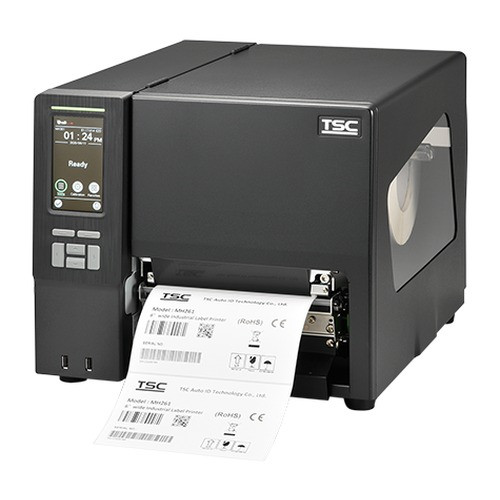
TSC 258706-001 Printhead 8" 203 DPI Thermal Transfer
258706-001
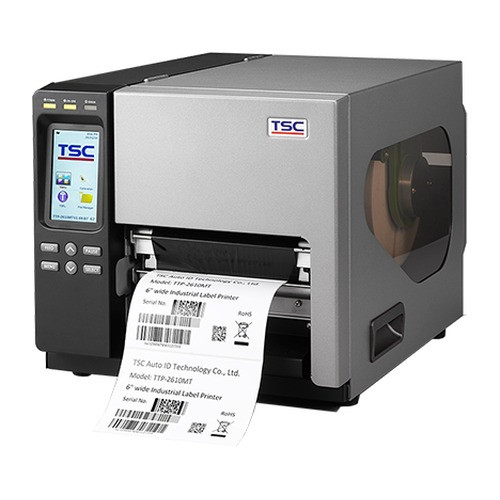
TSC 258706-002 Thermal Transfer Printhead 300 DPI
258706-002
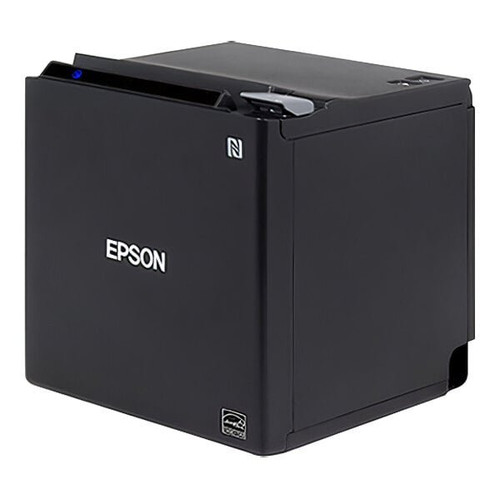
Epson C31CK50022 M30III 3" Thermal Receipt Printer
C31CK50022
Epson C31CJ57032 TM-T88VII Thermal Receipt Printer
C31CJ57032
Common Mistakes to Avoid
- Using direct thermal for long-life labels. DT labels fade in 6-24 months. Asset tags, product serial labels, and anything expected to last over a year should be thermal transfer with appropriate ribbon.
- Specifying desktop printers for warehouse volume. Desktop units rated 1,000 labels/day fail in 6-9 months at 3,000/day. Always size the printer to peak volume plus 30% headroom.
- Buying the wrong ribbon type. Wax ribbons smear under solvents and abrasion. Wax-resin is the mid-grade balance. Resin is for outdoor, cold, chemical, or autoclave labels. Test the ribbon against your actual environment before standardizing.
- Skipping 300 DPI when small text or dense 2D codes are required. 203 DPI cannot reliably produce 5pt text or small GS1 DataMatrix. Testing with actual artwork reveals the requirement before deployment.
- Overlooking connectivity in multi-station deployments. USB-only printers tether to one workstation. Shipping docks and shared label stations require Ethernet with dedicated IP and WMS driver support.
- Mismatching labels to the printer. Generic third-party labels often run thinner than OEM media, causing printhead wear and media jams. For printers under warranty, use the recommended media from the manufacturer. See matched labels and media for compatibility.
- Not budgeting for printhead replacements. Printheads are consumable items. Industrial printers typically need head replacement every 1M-3M inches of print. Budget accordingly or expect unplanned downtime.
What to Ask Your Integrator
- What is the projected daily label volume per printer, and does that fall within 60-70% of the printer duty cycle?
- Is the label method (DT vs TT) matched to label life expectancy and environmental exposure?
- What ribbon grade (wax, wax-resin, resin) matches the actual operating environment?
- Are the specified printers compatible with the WMS, ERP, or pharmacy management system drivers?
- For GS1, UDI, or hazmat compliance: has the label output been verified against the standard using a compliant verifier?
- How will mobile printers be charged and maintained on the floor?
- What is the replacement cycle for printheads, platen rollers, and ribbons? Is there a spare-parts kit on site?
- Is label media sourced from the printer manufacturer or a qualified third party? Is there a testing protocol for new media lots?
Quick Comparison: Label Printer Tiers
| Specification | Desktop / Low Volume | Mid-Volume Industrial | High-Volume Industrial |
|---|---|---|---|
| Duty Cycle | Up to 1,000 labels/day | 3,000 - 10,000 labels/day | 10,000+ labels/day |
| Print Method | Direct thermal (DT) primary | Thermal transfer (TT) + DT | TT with full media handling |
| Print Width | 2 - 4 in | 4 - 6 in | 4 - 8.5 in |
| Print Speed | 4 - 6 ips | 8 - 10 ips | 12 - 14 ips |
| Resolution (DPI) | 203 DPI | 203 or 300 DPI | 300 or 600 DPI for tiny text |
| Media Capacity | 5 in outer roll | 8 in outer roll | 8 in roll + fanfold tray |
| Connectivity | USB + optional Ethernet | USB + Ethernet + Wi-Fi | USB + Ethernet + Serial + Parallel |
| Construction | Plastic case | Die-cast metal frame | Full metal with safety interlocks |
| Typical Price Range | $300 - $800 | $800 - $2,500 | $2,500 - $8,000+ |
Frequently Asked Questions
What's the difference between direct thermal and thermal transfer printers?
Direct thermal (DT) printers print by heating a chemically treated label, requiring no ribbon, and are ideal for short-life labels like shipping, receipts, and inventory tags that last under 6 months. Thermal transfer (TT) printers melt a wax or resin ribbon onto the label, producing permanent, scratch and chemical-resistant prints suitable for asset tags, outdoor labels, and product labels lasting years. Dual-mode printers do both. DT is cheaper per label without ribbon cost, TT lasts longer but adds ribbon expense.
What resolution do I need for barcode labels?
203 dpi (8 dots/mm) handles standard barcodes, shipping labels, and text down to 6-point font, adequate for 90% of applications. 300 dpi (12 dots/mm) provides crisp small barcodes, small text, graphics, and logos, required for healthcare, electronics, and small-label applications like jewelry tags. 600 dpi handles ultra-small codes on circuit boards, laboratory samples, and dense 2D symbologies. Resolution also affects print speed: higher dpi typically prints slower, so balance quality against throughput needs.
How do I choose between desktop, industrial, and mobile label printers?
Desktop printers print 1,000-5,000 labels per day, fit on a counter, and handle 4-inch maximum label width, suitable for retail, light shipping, and small warehouses. Industrial printers handle 10,000+ labels per day with heavy-duty print heads, metal chassis, and larger ribbon capacity, built for manufacturing, distribution centers, and pharmaceutical lines. Mobile printers clip to a belt or vehicle, print 2-4 inch labels on demand via Bluetooth or Wi-Fi, ideal for field service, receiving, and in-aisle picking.
What connectivity options should my label printer have?
USB is universal for direct PC connection. Ethernet enables network sharing across multiple workstations. Wi-Fi 802.11ac or Wi-Fi 6 supports mobile carts and printers that move between zones. Bluetooth is standard on mobile printers for pairing with handhelds and phones. Serial (RS-232) remains useful for legacy POS integration. For high-volume sites, look for printers with all four plus a built-in web interface for queue management and driver-free printing from iOS and Android via AirPrint or Mopria.
How do I pick the right label size and material?
Label size is driven by the barcode type and text requirements: a UPC-A barcode needs at least 1.15 inches wide at 100% scale. Material choice depends on environment: paper works for indoor, short-term use; polypropylene resists moisture for outdoor shipping; polyester handles heat, chemicals, and UV for long-term asset tags; synthetic resin ribbons with polyester labels survive years outdoors and in harsh industrial environments. Test your label/ribbon combination on the actual printer before committing to a large order.
What's the total cost of ownership for label printing?
TCO includes printer (one-time), media (labels), ribbons (TT only), print heads (replaceable wear item), and service. Desktop printers cost $200-600 upfront with print heads lasting 1-3 years at moderate volume. Industrial printers cost $1,500-4,500 with print heads lasting 3-6 months at high volume. Media costs $5-20 per roll of 500-1,000 labels. Ribbons cost $5-15 per roll of 1,500 feet. Budget 3-10 cents per label at scale, then multiply by annual label volume to estimate operating cost.
Ready to Size Your Label Printer?
Share your daily label volume, label content (shipping, product, RFID, compliance), print life requirements, and workstation mix. We will recommend the right printer class, ribbon grade, and connectivity for each station.