
How to Choose the Right Barcode Scanner
A technical buyer's guide for warehouse managers, logistics directors, IT teams, and system integrators who select scanning hardware for inventory management, order fulfillment, asset tracking, and shipping operations. Covers scan engine type, symbology support, scan range, connectivity, environmental ratings, and ergonomics.
In This Guide
A barcode scanner is the primary input device for warehouse management systems. Every pick, pack, receive, and ship operation flows through it. A scanner that misreads, fails to read, drops connections, or dies mid-shift does not just slow down one worker; it creates data integrity problems that propagate through your entire inventory and order management system.
Key Specifications Explained
Scan Engine: 1D Laser vs. 2D Imager
1D Laser scanners read traditional linear barcodes (UPC, Code 128, Code 39, ITF) by sweeping a laser beam. Fast, inexpensive, and reliable for standard labels. Cannot read 2D barcodes, screens, or damaged labels.
2D Area imagers capture a complete image and decode with software. Read every 1D barcode plus all 2D symbologies, barcodes on screens, and damaged labels. Can also capture images for proof-of-delivery and OCR. The standard recommendation for any new deployment. Browse corded industrial scanners for fixed workstations or cordless industrial scanners for mobile workflows.
Symbology Support
Common warehouse symbologies:
- UPC/EAN: Retail product identification
- Code 128: High-density alphanumeric for shipping and carton labels (GS1-128)
- Code 39: Government, military, and automotive parts
- ITF-14: Numeric-only for outer case/carton labels
- Data Matrix: 2D matrix for small part marking, electronics, and pharma serialization
- QR Code: Asset tracking, work orders, and digital documentation
- PDF417: Shipping labels, driver licenses, boarding passes
Enable only the symbologies you use. Disabling others improves decode speed and eliminates cross-read errors.
Scan Range: Standard vs. Extended vs. Long
Standard (contact to 18 in.): Typical for handheld scanning at arm's length.
Extended (2-5 ft.): Upper shelves, pallet labels, conveyor cartons without reaching or bending.
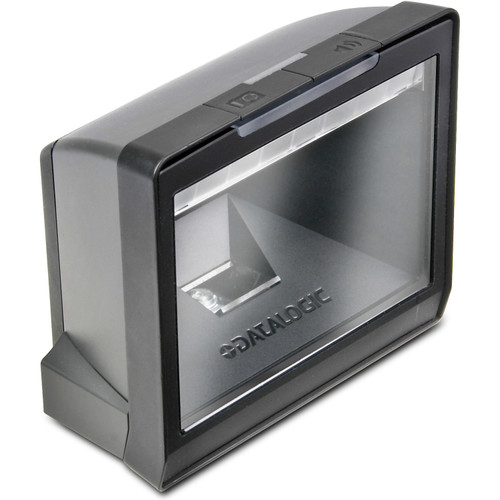
Long range (5-50+ ft.): Overhead warehouse location labels and high-bay racking. Specialized tools, not general-purpose scanners. Do not over-specify range — long-range scanners are significantly more expensive and less ergonomic for close-range repetitive work. For pack-out stations, presentation scanners auto-trigger on barcode presentation. For conveyor lines, fixed-mount scanners read labels in motion without operator intervention.
Connectivity: Corded, Bluetooth, and Wi-Fi
Corded (USB or RS-232): Zero latency, zero battery management. Most reliable for fixed workstations. USB HID mode requires no driver installation.
Bluetooth (Class 1, 30-100 ft.): 40,000-80,000+ scans per charge. Ideal for mobile picking, receiving, and put-away.
Wi-Fi (802.11 a/b/g/n/ac/ax): Direct network connection for real-time data without intermediary device. Requires robust wireless infrastructure. Shorter battery life than Bluetooth. For all-in-one devices with built-in scanning, computing, and connectivity, consider mobile computers that combine scanner and terminal in a single unit.
Environmental Ratings: IP and Drop Spec
- 4-foot drop: Office and light commercial. Not sufficient for warehouse.
- 6-foot drop: Standard general warehouse scanning.
- 8-foot drop: Forklift-mounted and elevated scanning.
- 10+ foot / MIL-STD-810G: Military-grade for extreme environments.
IP54 minimum for general warehouse. IP65 for food processing, cold storage, and outdoor docks. IP67 for full washdown. Cold storage operations at -22°F need scanners with heated scan windows and cold-rated batteries.
Battery Life and Shift Coverage
A typical industrial Bluetooth scanner delivers 50,000-80,000 scans per charge, covering a standard 8-hour shift. For two or three shifts, you need hot-swappable batteries with a charging rotation, or enough cradle time between shifts. A scanner that dies at hour 6 of an 8-hour shift interrupts your data capture chain.
Ergonomics and Form Factor
Workers performing 5,000-10,000+ scans per shift need a scanner that does not cause fatigue. Key factors: weight (under 8 oz handheld, under 12 oz pistol-grip), center-of-gravity near the hand, light consistent trigger pull, rubber overmold for gloves. Presentation scanners (hands-free, auto-trigger) eliminate trigger fatigue and increase throughput 20-30% at pack-out stations. Pair wireless scanners with charging docks and cradles for shift-change battery rotation.
Featured Barcode Scanners
Top-selling products in this category, selected by our technical team.
Deployment Scenarios
Warehouse Receiving Dock
Inconsistent label quality from every supplier, varying symbologies, damaged labels. 2D imager with extended range, Bluetooth paired with ruggedized tablet, IP54 minimum, 6-foot drop spec. Configure aggressive decode timeout for fast throughput. The Datalogic PowerScan 9600 2D Scanner is built for demanding dock environments with its ultra-rugged housing and extended range.
Pick/Pack/Ship: High Volume
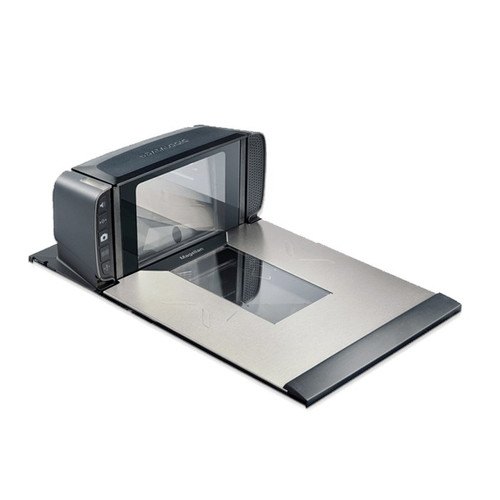
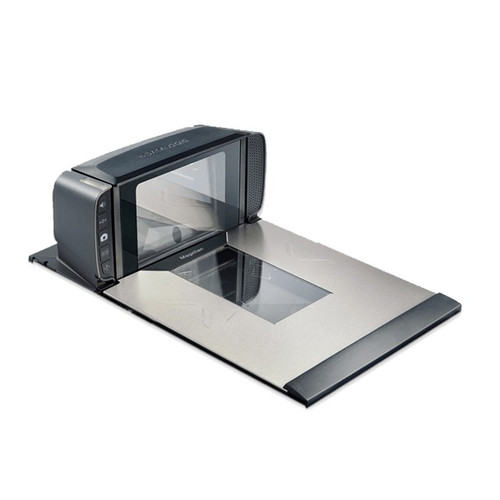
Lightweight 2D imager with standard range, Bluetooth paired with wrist-mounted terminal, under 6 oz, 60,000+ scan battery life. For pack stations, a hands-free presentation scanner like the Datalogic Magellan 9400i Fixed Scanner-Scale increases throughput 20-30% over manual trigger scanning. Use label printers at each pack station for shipping labels.
Cold Storage / Freezer
-20°F to -4°F demands heated scan windows, operating temp below -22°F, cold-rated batteries, glove-compatible grips. Consider wearable ring scanners for hands-free operation. Budget 30-40% more per scanner. Pair cold storage scanners with rugged mobile computers rated for sub-zero operation.
Manufacturing Floor: Direct Part Marking
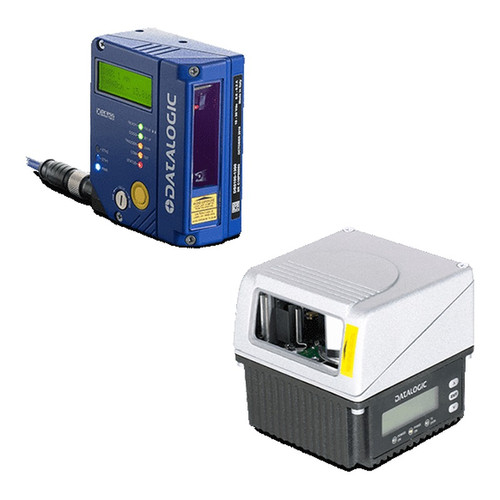
Data Matrix codes laser-etched or dot-peened onto metal, plastic, or glass. Low-contrast, as small as 3mm. Requires DPM-optimized decode algorithms and illumination. Verify the scanner reads your specific marking method on your specific material before deploying. A fixed-mount scanner like the Datalogic Matrix 220 Industrial Scanner handles high-speed DPM reads on production lines.
More Scanning Solutions
Top-selling products in this category, selected by our technical team.

Common Mistakes to Avoid
- Deploying 1D laser scanners on a new system. 2D imagers read every 1D barcode and add 2D capability. Cost difference is often under $50/unit at volume.
- Ignoring ergonomics for high-volume scanning. A scanner 2 oz heavier or with a stiffer trigger adds measurable fatigue across a 10,000-scan shift. See our cordless scanners for lightweight wireless options. Test with your actual workers first.
- Specifying standard scanners for cold storage. A standard scanner at -20°F fogs immediately, loses battery capacity, and may crack from thermal shock.
- Not configuring symbology filtering. Leaving all symbologies enabled increases decode time and introduces cross-read errors.
- Underestimating battery attrition. Lithium-ion degrades over charge cycles. A 70,000-scan battery may deliver 50,000 after a year. Plan replacement at 12-18 months.
- Buying consumer-grade for industrial use. A $200 scanner lasting 6 months costs more over 3 years than a $500 industrial scanner rated for the environment.
What to Ask Your Integrator
- Can you provide demo units for testing on our actual labels and environment for at least one full shift?
- What is the decode rate (successful scans per second) on our specific barcode types?
- What is the total cost of ownership per scanner over 3 years, including batteries, cradles, and replacements?
- What is the warranty coverage, and does it include accidental damage?
- How is the scanner managed at scale? Is there central configuration and firmware management for 50+ devices?
- What is the expected battery replacement cycle and cost per battery?
- Does the scanner integrate natively with our WMS/ERP, or does it require middleware? If throughput requirements exceed barcode capability, consider RFID systems that read hundreds of items per second.
Quick Comparison: Barcode Scanner Tiers
| Specification | Light Duty | General Warehouse | Ultra-Rugged / Specialty |
|---|---|---|---|
| Scan Engine | 2D imager (standard) | 2D imager (extended range) | 2D imager (long range / DPM) |
| Scan Range | Contact to 14 in. | Contact to 5 ft. | 2 ft. to 50+ ft. |
| Connectivity | USB corded | Bluetooth + cradle | Bluetooth / Wi-Fi dual mode |
| Drop Spec | 4 ft. onto concrete | 6 ft. onto concrete | 8-10 ft. / MIL-STD-810G |
| IP Rating | IP42 | IP54 - IP65 | IP65 - IP67 |
| Operating Temp | 32°F to 122°F | 14°F to 122°F | -22°F to 140°F |
| Battery Life | N/A (corded) | 50,000 - 80,000 scans | 60,000 - 100,000+ scans |
| Typical Price | $150 - $300 | $300 - $700 | $700 - $2,000+ |
Frequently Asked Questions
What's the difference between 1D and 2D barcode scanners?
1D scanners (laser or linear imager) read traditional linear barcodes like UPC, Code 39, and Code 128 found on retail products and inventory labels. 2D scanners (area imagers) read both 1D barcodes and 2D codes like QR codes, Data Matrix, PDF417, and Aztec used for driver's licenses, boarding passes, mobile tickets, and healthcare. 2D imagers also read from phone screens, which 1D lasers cannot. Buy 2D unless your entire workflow is limited to standard 1D retail barcodes, since 2D adds versatility at a modest price premium.
Should I choose corded, cordless, or mobile computer scanners?
Corded handheld scanners cost $100-300, work at a single station (checkout, shipping desk), and never need charging. Cordless Bluetooth scanners cost $200-600 and let users move 30-100 feet from the base for bulky items or large workspaces. Mobile computers combine a scanner with an onscreen app, handle inventory and picking across a warehouse, and cost $1,000-3,500. Match the tool to workflow: fixed-station checkouts use corded, shipping and receiving use cordless, and warehouse operations use mobile computers.
What scan range do I need?
Standard range scanners read from 2-24 inches, sufficient for retail and healthcare. Extended range models read 2-5 feet, useful for boxes on conveyors or pallets at shoulder height. Long-range DPM (direct part mark) and laser scanners read barcodes from 10-50 feet for warehouse rack picking without a ladder. If you need to read high-up rack labels, specifically ask about scan distance at the label size in your facility. Long-range capability costs $500-1,500 more but saves huge time on pallet picking.
What's an IP rating for scanners and why does it matter?
IP (Ingress Protection) ratings measure dust and water resistance. IP42 is basic splash and dust resistance for office or light retail use. IP54 survives heavier splashes and dust accumulation, common for healthcare and manufacturing. IP65 withstands water jets and complete dust sealing, needed for food processing and cold storage. IP67 is submersible up to 1 meter for fisheries, outdoor, and rugged industrial environments. Higher IP ratings add $100-400 but prevent costly failures when scanners are dropped in liquid or dust.
How do I connect scanners to my POS or WMS?
Most scanners operate as HID (keyboard emulation) devices via USB, meaning they type the scanned barcode wherever the cursor is active, compatible with any POS or WMS. For more advanced integration, scanners support serial (RS-232) or OPOS drivers for retail systems. Cordless scanners connect to a USB base station that appears as HID. Some enterprise scanners offer Wi-Fi or Bluetooth direct to handhelds running custom apps. Always confirm your POS or WMS vendor officially supports your scanner model for warranty and support reasons.
Can one scanner read damaged or dirty barcodes?
2D area imagers significantly outperform laser 1D scanners on damaged, wrinkled, poorly printed, or partially obscured barcodes because they capture an entire image and decode with error correction. Look for scanners rated for DPM (Direct Part Mark) if you scan laser-etched or dot-peened codes on metal. For healthcare, scanners with Disinfectant-Ready Housing (DRH) handle frequent cleaning with harsh chemicals. When barcode quality varies across your supply chain, upgrade to premium area imagers from Zebra, Honeywell, or Datalogic for best first-scan read rates.
Ready to Choose Your Barcode Scanners?
Share your scanning volume, environment conditions, connectivity needs, and symbology requirements. We will recommend the right scanner class and form factor for each workflow.