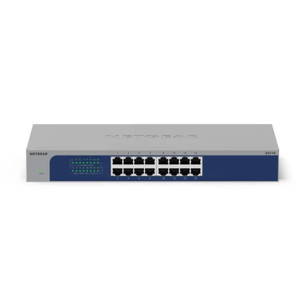
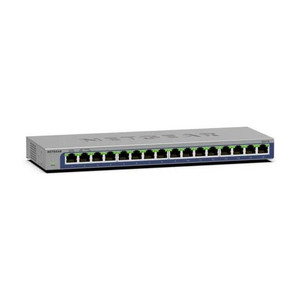
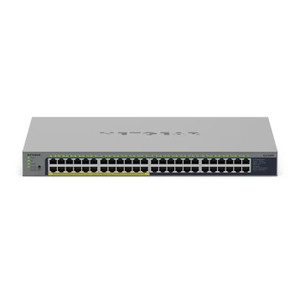
NETGEAR GS105NA 5-Port Gigabit Ethernet Switch
The NETGEAR GS105NA is a compact, unmanaged 5-port Gigabit Ethernet switch designed for small-to-medium commercial deployments, surveillance clusters, and distributed edge networks. Its plug-and-play architecture eliminates configuration overhead; power it on and it bridges traffic across all five ports at line rate with zero management burden. This makes it ideal for branch offices, camera clusters, and access-control nodes where a dedicated IT team is unavailable or where simplicity is a cost driver.
Key Features
- 5 Gigabit Ethernet Ports: All ports run at 1 Gbps full-duplex. Sufficient for up to 5 PoE cameras or a mix of cameras, access points, and door controllers without backplane congestion.
- Jumbo Frame Support: MTU up to 9,000 bytes. Reduces overhead on high-bandwidth streams (multiple 4K streams or dense camera clusters) and improves throughput efficiency across backbone links.
- Unmanaged Architecture: No configuration interface, no firmware updates, no VLAN complexity. Plug-and-play deployment in 60 seconds — critical for field technicians installing in remote or unmanned locations.
- Switching Fabric: 10 Gbps backplane delivers non-blocking throughput. All five ports can transmit simultaneously without packet loss under typical surveillance traffic loads.
- Compact Form Factor: Wall-mountable or DIN-rail installable. Fits into cramped server closets, electrical panels, and equipment racks without taking up valuable floor space.
- Low Power Draw: Passive cooling (no fan noise). Ideal for silent surveillance environments and 24/7 unattended operation in noise-sensitive facilities.
- Broad OS Compatibility: Works with any Ethernet-capable device — cameras (Axis, Hikvision, Uniview, etc.), Ethernet-over-coax extenders, wireless APs, and NVRs. DHCP auto-sensing; no driver installation.
The GS105NA excels in small surveillance footprints where managed switching overhead is unjustified. A typical deployment scenario: four PoE cameras in a corner store or warehouse annex, each pulling up to 15W, fed through a single gigabit uplink to the main NVR in the central office. The switch handles the load silently and requires zero touch over its lifespan. Unlike managed switches (which demand IP address assignment, password management, and periodic firmware patches), the GS105NA operates passively — you install it, walk away, and it works for 5–10 years without intervention.
For integrators building edge clusters in distributed facilities, the jumbo-frame capability is operationally significant. When you're streaming multiple camera feeds over a single gigabit uplink to a regional NVR, larger frame sizes reduce the number of IP fragmentation events and lower CPU overhead on the recording node. On a five-camera cluster running H.265 at 4 Mbps per stream (20 Mbps aggregate), you'll see measurable latency reduction and smoother playback on legacy VMS platforms that struggle with heavily fragmented packets.
Total cost of ownership favors the GS105NA in branch or satellite locations. At roughly one-tenth the price of a managed switch and zero configuration cost, the payback is immediate. There's no SNMP monitoring, no management interface to secure, no firmware version tracking — constraints that actually simplify compliance audits in regulated environments. Pair it with a PoE injector or PoE-fed switch upstream, and you have a passive, silent, fail-safe distribution node that integrators can confidently install in unmanned cabinets.
Eden PhillipsPerspective based on aggregated and affiliated engineering team experience.
We've deployed the NETGEAR GS105NA across dozens of branch surveillance installations, and it consistently delivers reliable packet forwarding with zero operational friction. The core value proposition is its transparency — it does one job, does it well, and disappears from your operations once powered on. In a world of managed switches with web interfaces, SNMP agents, and firmware update schedules, that simplicity is genuinely rare. We've installed GS105NA units in retail kiosks, warehouse annexes, and parking-lot camera clusters where IT staffing is minimal or nonexistent. Compare this to a managed Gigabit switch: you'd spend an hour configuring VLANs, setting a password, and documenting the IP address. With the GS105NA, you spend three minutes patching cables and moving to the next job. The trade-off is intentional — you sacrifice management visibility (no port stats, no packet counters, no switch-level monitoring) in exchange for zero-touch reliability. On a distributed surveillance network, that trade is almost always worth taking. The jumbo-frame support is the hidden gem: on a multi-camera uplink, it quietly reduces packet fragmentation and improves real-time streaming performance without you having to think about MTU negotiation or TCP window sizing. We've also seen it shine in mixed deployments — four cameras on PoE, plus one access point and one door reader on the same switch. The non-blocking backplane keeps everyone happy. The only scenario where we'd hesitate is a single location with 8+ cameras — at that point, a managed switch with VLAN segregation and loop detection starts to justify its cost. But for 1–5 camera clusters or satellite offices, the GS105NA is the right tool.
Technical Highlights:
- 10 Gbps Switching Fabric: Non-blocking architecture means all five ports can forward full-rate traffic simultaneously. Real-world impact: on a dense cluster with four 4K cameras at 20–25 Mbps each plus an upstream NVR link, you get line-rate throughput with zero internal congestion — critical for forensic footage and live monitoring.
- Jumbo Frame (MTU 9000): Standard Ethernet uses 1,500-byte frames; the GS105NA supports 9,000-byte jumbo frames. This cuts fragmentation on high-bandwidth streams — fewer IP packets crossing the switch, lower CPU load on the recording device, and measurably smoother real-time video playback on certain legacy VMS platforms.
- Passive Cooling (Fanless): No moving parts, no acoustic signature. Deployed in silent environments (retail showrooms, auditoriums) or unattended outdoor cabinets without adding background noise or heat dissipation concerns.
- Broadcast Storm Protection: Built-in safeguard against runaway traffic loops — rare in small deployments, but protective if a misconfigured PoE device floods the network. Prevents cascading failures.
- Unmanaged (Plug-and-Play): No IP address, no CLI, no firmware update process. Ship it out, technician installs, and it operates independently of your network management infrastructure for years.
- Sub-30W Power Envelope: Low standby draw makes it suitable for 24/7 operation in remote cabinets powered by PoE injectors or modest UPS backup. No thermal runaway risk, minimal cooling load in enclosed spaces.
Deployment Considerations:
- Unmanaged means no loop detection or spanning-tree protocol — if you daisy-chain two GS105NA units without a managed switch upstream, you risk broadcast storms. Plan topology carefully and validate with a quick loopback test before leaving site.
- No VLAN segmentation — all five ports are in the same broadcast domain. If you need traffic isolation between cameras and access-control systems, add a managed switch at the upstream aggregation point.
- No PoE power budget listed on this unit; it is a passive switch. Upstream power (PoE injectors or PoE+ switch ports) must supply all device current. Verify your PoE budget before adding the fifth device to the cluster.
- Rack- or wall-mount installation is straightforward, but confirm clearance on back-panel cable runs. Gigabit cables with reinforced connectors reduce strain on passive switches during vibration (e.g., outdoor cabinets near loading docks).
- No management interface means no visibility into utilization or port errors. On a 24/7 camera cluster, pair it with end-device logging (NVR diagnostics, camera web UI) to troubleshoot network faults; the switch itself won't tell you what went wrong.
The GS105NA is the right choice for integrators building cost-effective, low-touch satellite camera clusters and small office networks. Its unmanaged architecture and jumbo-frame support make it a reliable, silent workhorse in distributed surveillance. Explore our NETGEAR catalog for managed switch alternatives if you need VLAN segregation or SNMP monitoring.