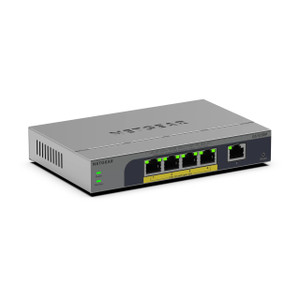
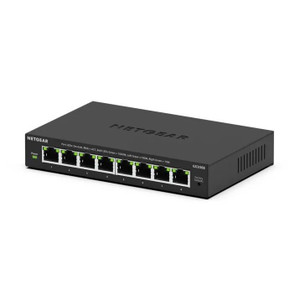
NETGEAR GS348TP-200NAS 48-Port Managed Gigabit Rackmount Switch
Overview
The GS348TP-200NAS is a 48-port managed gigabit network switch built for enterprise deployments where reliable switching capacity and flexible management are non-negotiable. This rackmount unit combines 48 copper gigabit ports with 4 fiber SFP slots, delivering the port density and connectivity mix most security integrators need when consolidating edge devices—cameras, access controllers, wireless access points—onto a single backbone infrastructure.
The switch ships with 104 Gbps total switching bandwidth, which translates to: if you're pushing full-line-rate traffic across multiple ports simultaneously, you have enough fabric capacity to avoid bottlenecks. The 52 Gbps switching fabric capacity ensures traffic between port groups moves without contention, important in installations where cameras are pulling continuous streams and access panels are polling readers in real time.
Port configuration and throughput
The GS348TP-200NAS delivers 48 × 10/100/1000 BASE-T RJ45 ports plus 4 SFP fiber slots. Practically speaking: 45 ports for standard copper runs to your IP cameras, NVRs, and edge devices, plus 4 slots for single-mode or multimode fiber uplinks to a core switch or between buildings. That flexibility matters when your camera count grows or you need to bridge distances longer than 100 meters without expensive active extenders.
Every port negotiates full gigabit speed to compatible endpoints. In typical security deployments running H.265 or H.264 streams from mid-resolution cameras (2–5 MP), a single gigabit port won't saturate; you can safely run 4–6 concurrent HD streams per port before bandwidth becomes a limiting factor. The 104 Gbps switching capacity means the switch doesn't become the chokepoint even when traffic patterns spike across multiple port groups.
PoE delivery
The unit provides a 55W PoE budget across all ports. That's tight if you're powering 48 devices simultaneously—most devices draw 5–15W, so in practice you'll power roughly 4–11 cameras or wireless access points on PoE without secondary PoE injector support. For installations exceeding this budget, you'll layer in supplemental injectors or dedicated power supplies for high-draw devices. The 55W figure is a per-port aggregate, not per-port limit—the switch will not enforce per-port power caps, so oversubscription is possible if you're not careful with device selection.
Management and monitoring
The GS348TP-200NAS is a managed switch, not a dumb hub. It supports Access Control Lists (ACLs) for traffic filtering, multicast VOIP features for prioritizing voice traffic, and standard network management protocols. This means you can isolate camera traffic from administrative networks, police bandwidth to prevent a rogue stream from starving other services, and monitor port health through a web GUI or CLI. Energy-efficient design reduces operational costs during extended deployments, lowering your long-term power budget.
Environmental ratings
Operating temperature range is 0–40°C (32–104°F). This covers most indoor data closets and climate-controlled equipment rooms. If your switch room isn't heated or cooled year-round—such as an uninsulated utility building or outdoor cabinet—verify ambient conditions stay within spec. The unit weighs 1.34 lbs, a practical form factor for standard 19-inch relay racks alongside your NVR, UPS, and patch panels.
Installation notes
The GS348TP-200NAS mounts in a standard 19-inch equipment rack. Run CAT5e or CAT6 cable to your edge devices; for long runs over 100 meters between buildings or to remote camera arrays, use the SFP fiber slots with appropriate transceivers. Plan your PoE allocation upfront—tally the power draw of every camera, wireless AP, and powered access point before provisioning to avoid over-subscribing the 55W budget. If you exceed the budget, supplement with midspan injectors or dedicated 12VDC supplies for high-draw devices.
Frequently Asked Questions
Q: Can I upgrade the GS348TP-200NAS firmware?
A: Yes. Firmware updates are available through NETGEAR support channels and typically delivered via web GUI or CLI. Consult your NETGEAR representative for release notes and compatibility details.
Q: Does the GS348TP-200NAS support VLAN tagging?
A: Yes. The managed switch supports VLAN configuration via ACL and standard management interfaces, allowing you to segment camera traffic, access control, and administrative networks on separate broadcast domains.
Q: What transceivers work with the SFP slots?
A: The four SFP slots accept standard single-mode and multimode fiber transceivers. Verify compatibility with your chosen transceiver vendor and your fiber cabling (SMF or MMF). Contact NETGEAR support for approved transceiver part numbers if you're unsure.
Q: Is the 55W PoE budget sufficient for all 48 ports at maximum load?
A: No. The 55W budget is an aggregate limit. If you need to power more than 4–11 devices simultaneously via PoE, supplement with midspan injectors or dedicated power supplies for the highest-draw devices (pan-tilt-zoom cameras, high-power access points).
Q: What is the warranty on the GS348TP-200NAS?
A: Consult your authorized NETGEAR distributor for specific warranty terms. Most NETGEAR enterprise switches carry a one-year limited hardware warranty, with extended plans available.
Q: Can the GS348TP-200NAS be managed remotely?
A: Yes. The switch supports web-based GUI access, CLI via SSH/Telnet, and SNMP for remote monitoring and configuration. Assign a static IP address and ensure network access policies allow management traffic to reach the switch's management interface.
I've deployed the GS348TP-200NAS in mid-size security integrations where you need solid gigabit switching without the complexity or cost of high-end chassis systems. The 104 Gbps bandwidth and 48-port density make it practical for consolidating edge devices—cameras, wireless APs, access control panels—onto a single backbone. The 55W PoE budget is the real constraint; understand it upfront or you'll find yourself adding midspan injectors during commissioning.
Technical Highlights:
- 104 Gbps switching bandwidth: Eliminates backplane bottlenecks when traffic patterns spike across multiple ports. In practice, this means 4–6 concurrent HD video streams per port without hitting switching limits.
- 48 × 1 Gbps ports plus 4 SFP slots: Flexible enough for both copper-based edge devices and fiber uplinks to core switches or inter-building trunks. No need to swap hardware if your topology changes.
- 55W aggregate PoE budget: Sufficient for 4–11 simultaneous PoE devices; anything beyond that requires supplemental injectors. This is not a limitation if you plan correctly—it just requires discipline during BOM development.
- ACL and multicast VOIP support: True management allows traffic segmentation (camera VLAN isolated from admin VLAN) and bandwidth policing to prevent a rogue stream from starving other services.
Deployment Considerations:
- Verify the switch's operating temperature range (0–40°C) matches your equipment room conditions. Uninsulated utility buildings or outdoor cabinets may require active climate control.
- The 55W PoE budget is an aggregate across all ports—NETGEAR will not enforce per-port limits, so oversubscription is possible. Tally device power draws during the BOM phase to avoid surprises.
- If you're running fiber uplinks, ensure your transceiver selection (SMF vs. MMF) matches your cabling plant. Single-mode (SMF) extends to 10+ km; multimode (MMF) to ~300m depending on wavelength.
The GS348TP-200NAS is your workhorse for mid-tier security deployments where you need reliable switching, managed VLAN segmentation, and a practical mix of copper and fiber ports. It's not overpowered, but it's built to last and won't require a hardware refresh when you add another camera or access point. Size it for your PoE requirements early, and you'll avoid retrofit complexity.