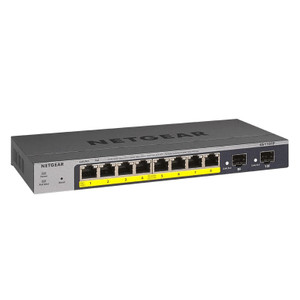
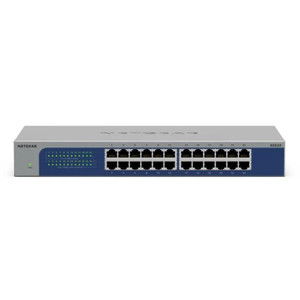
NETGEAR GS105P-300NAS 5-Port Gigabit PoE+ Unmanaged Switch
Overview
The NETGEAR GS105P-300NAS is a compact, unmanaged network switch purpose-built for space-constrained installations where straightforward Gigabit connectivity and PoE power delivery matter more than complex management features. Five Gigabit Ethernet ports means you can wire up to five devices — typically wireless access points, IP cameras, or network appliances — without requiring software configuration, VLAN setup, or monitoring overhead. Unmanaged operation translates to zero learning curve and reliable plug-and-play behavior, a real advantage when you're deploying across retail floors, warehouses, or small office branches where IT staff may not be on-site.
Port configuration and throughput
Each of the five ports operates at Gigabit speed (1000 Mbps), delivering enough bandwidth for most small-scale surveillance and IoT deployments. For IP camera feeds, one Gigabit port easily carries multiple 1–5MP camera streams simultaneously; even a couple of 4K cameras at 30 fps won't saturate a single port. The unmanaged architecture means no backplane congestion or latency surprises — traffic flows directly between ports at line rate. If you're deploying the GS105P-300NAS in a warehouse automation or security integrator scenario, expect to fill three or four ports with cameras and leave one or two for expansion or a management connection.
PoE delivery
All five ports support PoE+ (802.3at/af), which means the switch can inject power directly into compatible devices over standard Ethernet cable — no separate power supply runs needed. PoE+ budgets roughly 30W per port on enterprise switches; on compact five-port models like this one, real-world per-port headroom varies depending on total load. The practical benefit: you eliminate physical power cords in cramped ceiling cavities or on high shelving, cut installation labor, and simplify troubleshooting if a camera loses power (swap one cable, not two). However, if you're running power-hungry PTZ cameras (60–90W each), a single GS105P-300NAS won't supply all five ports simultaneously — you'll need to calculate total load and either split cameras across multiple switches or provision a dedicated high-power PoE injector for the most demanding devices.
Management and monitoring
This is an unmanaged switch, which means no web interface, no SNMP traps, no port statistics, and no way to monitor link status remotely. You get physical LED indicators per port to confirm connectivity — that's it. For small deployments (under 10 devices), that simplicity is an asset; for larger camera networks requiring health monitoring and alerting, you'll rely on your NVR or VMS to track camera uptime rather than the switch itself.
Environmental ratings
The GS105P-300NAS carries industrial-grade operating temperatures, meaning it will function reliably in uncontrolled spaces — warehouses without HVAC, outdoor cabinets with temperature swings, or retail storage rooms. If your installation faces humidity, salt spray, or dusty air, check the specific IP/IK ratings in the manufacturer documentation; compact switches like this are typically rated for standard indoor environments but may not withstand direct rain or submersion without a rated enclosure.
Installation notes
The GS105P-300NAS supports both wall and ceiling mounting, giving you flexibility when space is tight. Mount it near the devices it's servicing to minimize cable runs and reduce voltage drop over PoE lines. Verify power budget before connecting all five ports simultaneously — if total device draw exceeds the switch's PoE budget, one or more ports will shut down automatically to prevent damage, leaving you with a partial outage. Plan for that in your installation: either spread the load across two switches or confirm the combined wattage of all devices before deployment.
What's in the Box
No package contents were specified in the manufacturer documentation provided. Contact the vendor or manufacturer for details on included mounting hardware, cables, or documentation.
Frequently Asked Questions
Q: Can the GS105P-300NAS power a PTZ camera and four fixed IP cameras at the same time?
A: Not reliably. PTZ cameras typically consume 40–90W; four fixed cameras at 5–15W each would push total demand beyond the switch's PoE budget. For mixed PTZ and fixed deployments, use two GS105P units or a higher-capacity managed PoE switch.
Q: Does the GS105P-300NAS require any configuration?
A: No. It's unmanaged, so plug in power and Ethernet — no setup needed. All ports are active immediately.
Q: What's the warranty on the GS105P-300NAS?
A: Five years, limited. Covers hardware defects but not accidental damage or normal wear.
Q: Will the GS105P-300NAS work in outdoor environments?
A: The industrial temperature range supports cold and heat, but the switch itself is not IP-rated for direct rain or dust. Mount it inside a weatherproof enclosure if deploying outdoors.
Q: Can I daisy-chain multiple GS105P units?
A: Yes. Each switch adds five more ports. Connect them with a standard Gigabit cable; no special configuration required.
Q: Is the GS105P-300NAS NDAA-compliant?
A: Check with the vendor for NDAA Section 889 certification if your project requires it. Specifications provided do not confirm compliance.
The NETGEAR GS105P-300NAS is exactly what it claims to be: a five-port plug-and-play Gigabit switch with PoE on all ports. No surprises, no hidden management overhead, no firmware updates to babysit. If you're integrating a small camera system into a retail location or wiring up a warehouse camera cluster without IT infrastructure onsite, this switch removes friction from the deployment.
Technical Highlights:
- Five Gigabit Ethernet ports with PoE+ on all ports: Means up to five devices can draw power over the same cable that carries network traffic. Real-world limit: roughly 40–60W total depending on load balancing — enough for two to four fixed cameras or one low-power PTZ, but not a high-demand array.
- Unmanaged architecture: Zero configuration. Plug in, power on, watch LEDs blink. No VLAN headaches, no SNMP debugging — traffic flows directly between ports at line rate.
- Industrial temperature range: Survives cold warehouses and hot attics without throttling or shutdown, unlike consumer-grade switches.
Deployment Considerations:
- PoE budget is the real constraint. Calculate total wattage before wiring all five ports. If you underestimate load, the switch will shut down a port to protect itself — a silent failure that frustrates troubleshooting.
- No management visibility means you can't monitor link speed, port errors, or loop detection from the switch itself. Your NVR or VMS will catch most problems (dead camera feeds), but a faulty Ethernet cable between the switch and a camera may only show as a 'no signal' alarm rather than a port fault.
Best fit: warehouse camera installs, small retail branches, industrial IoT clusters, and any deployment where simplicity and reliability matter more than remote monitoring. If you need managed features like VLAN segmentation, port mirroring, or SNMP alarms, look at the same vendor's managed GS110 or GS115 lineup instead — but expect to configure it.