
Showing Results for Wireless Access Points
-
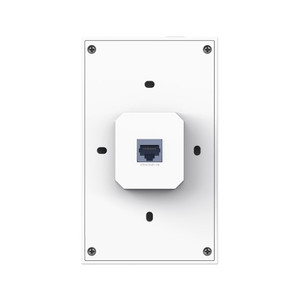
TP-Link EAP655-WALL AX3000 Wall-Plate Dual-Band Wi-Fi 6 AP
Flush-mount, dual-band 802.11ax access point built for in-wall deployment in commercial and warehouse facilities
- AX3000 dual-band Wi-Fi 6 wall-plate access point
- Flush 143 x 86 mm mount for low-profile commercial install
- Omada SDN Controller or Omada app management
Usually Ships in 2-3 Weeks Free shipping over $499$134.99 -
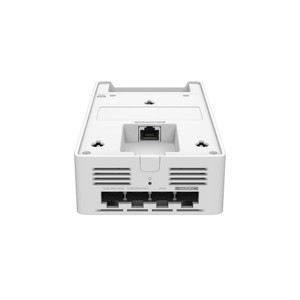
TP-Link EAP775-WALL BE11000 Wall Plate Wi-Fi 7 Access Point
Wall-plate access point engineered for enterprise deployments where ceiling clutter or structural constraints make overhead mounting impractical
- BE11000 tri-band Wi-Fi 7 wall-plate access point
- In-wall mount where ceiling install is impractical
- WPA3 security with central Omada SDN management
In stock · Ships same business day Free shipping over $499$189.99 -
Save $4.01

Ubiquiti ACB-AC WiFi 5 Access Point
Dual-band WiFi 5 access point with 4 Gigabit ports and PoE output
- Dual-band WiFi 5 delivers 866.7 Mbps on 5 GHz for cameras and file transfers.
- Four Gigabit Ethernet ports; one outputs 24V PoE to power downstream devices.
- UISP remote management centralizes provisioning and monitoring across all sites.
In stock · Ships same business day Free shipping over $499$79.00 $74.99 Save $4.01 -
Save $0.01

Ubiquiti ACB-ISP Wireless Access Point
2.4 GHz WiFi AP with 24V PoE in/out for small deployments
- 300 Mbps 802.11b/g/n at 2.4 GHz covers VoIP and light automation traffic.
- Dual power inputs—24V PoE or Micro-USB—integrate into existing site infrastructure.
- UISP remote management enables provisioning and firmware updates without site visits.
In stock · Ships same business day Free shipping over $499Add to quote$29.00 $28.99 Save $0.01 -
Save $0.01

Ubiquiti AFI-INS-R-US Wireless Access Point
Dual-band 802.11ac router with onboard touchscreen for edge deployments
- Dual-band 802.11ac (2.4/5 GHz) with load balancing supports mixed-device environments.
- Onboard touchscreen configures DHCP, NAT, and firewall rules without CLI or remote IT access.
- Single appliance combines Gigabit WAN/LAN routing and WiFi, reducing edge-site hardware count.
In stock · Ships same business day Free shipping over $499Add to quote$99.00 $98.99 Save $0.01 -
Save $0.01

Ubiquiti B-DB-AC-US Dual-Band AC Wireless Access Point
Outdoor dual-band AC access point with PoE power for distributed deployments
- Dual-band 802.11ac (2.4 GHz + 5 GHz) reduces co-channel interference in dense deployments.
- PoE (802.3af) powered at 8W eliminates AC mains runs on poles, rooftops, and towers.
- Rated -40 to 70°C with ESD protection ±24 kV for harsh outdoor installations.
In stock · Ships same business day Free shipping over $499$99.00 $98.99 Save $0.01 -
Save $0.01

Ubiquiti IW-HD-BK-3 In-Wall HD Access Point Cover (3-Pack)
Protective covers for UniFi In-Wall HD APs, standard drywall mount
- Three-pack covers shield UniFi In-Wall HD APs from dust and contact damage.
- Mounts to standard 1-gang electrical wall boxes for flush, retrofit-ready installs.
- Rated for -10 to 60°C operation with CE, FCC, and IC certifications included.
In stock · Ships same business day Free shipping over $499$38.00 $37.99 Save $0.01 -
Save $0.01
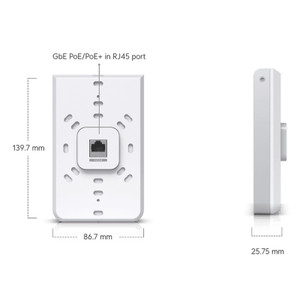
Ubiquiti IW-HD-CF-3 Customized encasing for In-Wall HD.
In-wall encasing for UniFi In-Wall HD access points
- Mounts UniFi In-Wall HD APs flush in standard drywall with no visible hardware.
- Lightweight 0.1 lb construction requires no wall reinforcement for cavity install.
- Encasing material preserves RF performance — no signal degradation through drywall.
In stock · Ships same business day Free shipping over $499Add to quote$38.00 $37.99 Save $0.01 -
Save $0.01

Ubiquiti IW-HD-CT-3 Customized encasing for In-Wall HD.
Flush in-wall encasing for UniFi In-Wall HD access points
- Flush wall-mount design eliminates exposed cabling and antenna hardware at the install point.
- Impact-resistant polymer housing protects the AP during installation and ongoing building occupancy.
- Fits standard North American wall cavities; compatible with new construction and retrofit deployments.
In stock · Ships same business day Free shipping over $499Add to quote$38.00 $37.99 Save $0.01 -
Save $0.01

Ubiquiti IW-HD-MB-3 Customized encasing for In-Wall HD
Plastic in-wall encasing for UniFi In-Wall HD access points
- Flush-mount plastic housing integrates UniFi In-Wall HD APs into standard drywall cavities.
- Built-in cable channels simplify PoE runs and prevent pinch points during drywall closure.
- At 0.1 lb, requires no added structural support in wood-stud or metal-stud framing.
In stock · Ships same business day Free shipping over $499Add to quote$38.00 $37.99 Save $0.01 -
Save $0.01

Ubiquiti IW-HD-WD-3 Wood cover for IW-HD
Wood-finish cover for IW-HD access point blends into interior décor
- Wood-finish enclosure integrates IW-HD visually into hospitality and office interiors.
- Tool-free fit-over installation requires no wiring changes or hardware modifications.
- Indoor-rated cover preserves full RF performance and existing IW-HD mounting hardware.
In stock · Ships same business day Free shipping over $499Add to quote$38.00 $37.99 Save $0.01 -
Save $0.01

Ubiquiti LOCO5AC-US 5GHz Outdoor Access Point
Compact 5GHz outdoor AP for point-to-point links, powered over Ethernet
- Passive PoE (24V included) eliminates remote AC power runs, cutting deployment cost.
- Dual 10/100/1000 Mbps ports support inline bridging without additional switching hardware.
- Rated -40 to 70°C with ±24kV ESD protection for reliable outdoor operation year-round.
In stock · Ships same business day Free shipping over $499Add to quote$49.00 $48.99 Save $0.01 -
Save $1.01
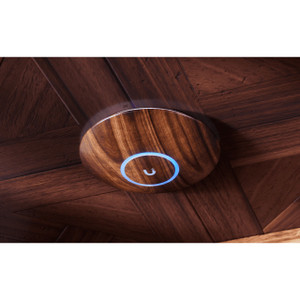
Ubiquiti NHD-COVER-FABRIC-3 Fabric Cover - 3-Pack
Fabric design covers for nanoHD access points—3 pack
- Fabric finish replaces stock nanoHD casing with no network reconfiguration required.
- Three-pack quantity reduces per-unit cost across multi-zone or multi-building deployments.
- RF performance is fully preserved—fabric material does not degrade wireless range or signal.
In stock · Ships same business day Free shipping over $499$49.00 $47.99 Save $1.01 -
Save $0.01
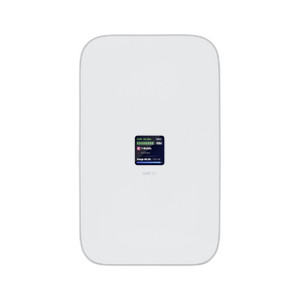
Ubiquiti U5G-MAX A high-performance 5G (3.4 Gbps) modem
Enterprise 5G modem with 3.4 Gbps throughput, PoE powered
- Delivers 3.4 Gbps 5G NSA downlink with 4G LTE fallback for uninterrupted WAN uptime.
- PoE-powered at 14.5W via single 2.5 GbE RJ45, eliminating AC runs to remote sites.
- NDAA-compliant with FCC, AT&T, T-Mobile, and Verizon certs for gov-restricted deployments.
In stock · Ships same business day Free shipping over $499$430.00 $429.99 Save $0.01 -
Save $0.01

Ubiquiti U5G-MAX-OUTDOOR 5G Modem
Outdoor 5G modem with 3.4 Gbps throughput, -40°C to +65°C rated
- Delivers 3.4 Gbps 5G NSA downlink with automatic fallback to LTE for uninterrupted WAN.
- Single 2.5 GbE PoE port (802.3af, 14.5W) eliminates dual-cable runs to the enclosure.
- IPX6-rated aluminum enclosure handles −40°C to +65°C and 91N wind load at 200 km/h.
In stock · Ships same business day Free shipping over $499Add to quote$430.00 $429.99 Save $0.01 -

Ubiquiti U6+ WiFi 6 Access Point
WiFi 6 ceiling AP with PoE power and UniFi management
- WiFi 6 (802.11ax) improves spectral efficiency, reducing latency in high-density deployments.
- PoE 802.3af power eliminates dedicated electrical runs, simplifying ceiling and wall installs.
- At Ø160×33 mm and 0.91 lb, flush-mounts to ceilings or walls with hardware included.
In stock · Ships same business day Free shipping over $499$148.99 -

Ubiquiti U6-ENTERPRISE WiFi 6E Ceiling Access Point
WiFi 6E tri-band ceiling AP for 600+ clients and 10.2 Gbps throughput
- Tri-band 802.11ax delivers 10.2 Gbps aggregate across 6 GHz, 5 GHz, and 2.4 GHz.
- Supports 600+ concurrent clients via 10 spatial streams and 4×4 MU-MIMO per high-speed band.
- Single PoE+ (802.3at) cable powers the unit at 22W—no separate power run required.
In stock · Ships same business day Free shipping over $499$322.99 -

Ubiquiti U6-ENTERPRISE-IW UniFi 6 Access Point
WiFi 6E indoor AP with PoE+ single-cable deployment
- Tri-band WiFi 6E delivers up to 4.8 Gbps across 2.4, 5, and 6 GHz bands.
- Single 2.5 GbE PoE+ cable powers the AP and feeds four downstream GbE ports.
- Handles 600+ simultaneous clients across 115 m² with NDAA-compliant hardware.
In stock · Ships same business day Free shipping over $499Add to quote$343.99Add to quote$343.99 -
Save $0.01

Ubiquiti U6-EXTENDER UniFi 6 Access Point
WiFi 6 wall outlet extender covers 1,250 sq ft with 4.8 Gbps
- Delivers 4.8 Gbps on 5 GHz Wi-Fi 6 across 1,250 ft² from a standard duplex outlet.
- Supports 250+ concurrent clients via 4×4 MIMO, 6 spatial streams, and fast roaming (802.11r/k/v).
- Enterprise access control via RadSec, dynamic RADIUS VLANs, and VLAN isolation; NDAA compliant.
In stock · Ships same business day Free shipping over $499Add to quote$149.00 $148.99 Save $0.01 -

Ubiquiti U6-IW WiFi 6 In-Wall Access Point with PoE Switch
WiFi 6 in-wall AP with integrated 4-port switch and PoE output
- Dual-band WiFi 6 delivers 4.8 Gbps on 5 GHz for 250+ concurrent clients.
- Integrated 4-port GbE switch with PoE+ output eliminates a separate wall switch.
- NDAA-compliant, mounts in standard wall cavity, rated -30 to 60 °C for tough sites.
In stock · Ships same business day Free shipping over $499$207.99 -

Ubiquiti U6-MESH-PRO WiFi 6 Dual-Band Access Point
WiFi 6 outdoor mesh AP, 2.4 Gbps 5GHz, IPX6 weatherproof
- WiFi 6 mesh access point with 2x2 MU-MIMO per band
- IPX6 outdoor-rated for perimeter and yard coverage
- PoE-powered, 9W draw for low-budget switch ports
In stock · Ships same business day Free shipping over $499$223.99 -

Ubiquiti U6-MESH-US WiFi 6 Access Point
WiFi 6 mesh AP with 5.3 Gbps throughput, PoE powered for outdoor reach
- WiFi 6 (802.11ax) delivers 5.3 Gbps aggregate throughput across 2.4 GHz and 5 GHz bands.
- PoE 802.3af powered at 13W eliminates AC runs to remote wall or pole mount locations.
- Rated -30 to 60°C with IP-rated enclosure; covers 140 m² per node in outdoor mesh deployments.
In stock · Ships same business day Free shipping over $499$215.99 -

Ubiquiti U6-PRO WiFi 6 Dual-Band Access Point
WiFi 6 access point for 250+ devices across 1,500 ft² with 5.3 Gbps
- Handles 250+ concurrent clients at 5.3 Gbps across a single 1,500 ft² zone.
- IP54-rated, -30 to 60°C range suits warehouse and manufacturing deployments.
- 8 SSIDs per radio enable guest, IoT, and production traffic isolation on one AP.
In stock · Ships same business day Free shipping over $499$183.99 -
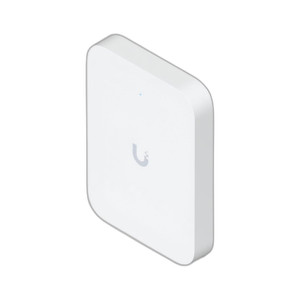
Ubiquiti U7-IW-US WiFi 7 In-Wall Access Point
WiFi 7 in-wall AP with integrated 2.5 GbE switch, PoE+ powered
- WiFi 7 (802.11be) dual-band delivers higher throughput to dense client environments.
- Integrated 2.5 GbE PoE switch eliminates a separate upstream switch, cutting install labor.
- Single PoE+ (802.3at, 30W) run powers the AP and carries data, simplifying retrofit cabling.
In stock · Ships same business day Free shipping over $499$167.99 -

Ubiquiti U7-LITE-US WiFi 7 Access Point
WiFi 7 ceiling AP with 2.5 GbE uplink for dense deployments
- 2.5 GbE uplink eliminates backhaul bottlenecks in high-density AP deployments.
- WiFi 7 (802.11be) with 4 spatial streams reduces per-client congestion in dense environments.
- 13W PoE (802.3af) power removes dedicated AC runs; covers up to 1,250 ft² per unit.
In stock · Ships same business day Free shipping over $499$112.99 -
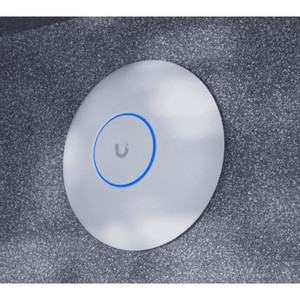
Ubiquiti U7-LR-US WiFi 7 Access Point
WiFi 7 ceiling AP with 5 spatial streams for medium-to-large coverage
- WiFi 7 (802.11be) with 5 spatial streams cuts latency for real-time IoT and scanning apps.
- Single 2.5 GbE PoE port (802.3af, 14W) simplifies cabling in ceiling-mount deployments.
- Rated -30 to 50°C and CE/FCC/IC certified for enterprise, warehouse, and outdoor-adjacent installs.
In stock · Ships same business day Free shipping over $499Add to quote$180.99Add to quote$180.99 -
Save $0.01
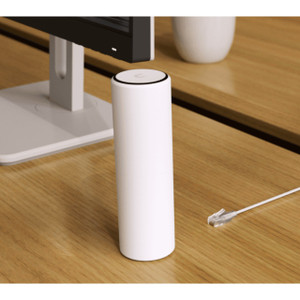
Ubiquiti U7-MESH-US UniFi 7 Access Point
Wi-Fi 7 compact mesh access point for distributed enterprise deployments
- Wi-Fi 7 (802.11be) delivers higher throughput and lower latency than Wi-Fi 6.
- Wireless mesh backhaul eliminates copper/fiber runs in hard-to-wire deployments.
- At 1.0 lb, fits ceiling tiles and wall cavities; managed via UniFi cloud or on-prem.
In stock · Ships same business day Free shipping over $499Add to quote$214.00 $213.99 Save $0.01 -

Ubiquiti U7-OUTDOOR UniFi 7 Access Point
WiFi 7 outdoor access point with 4.3 Gbps 5 GHz and IPX6 weatherproofing
- WiFi 7 dual-band delivers 4.3 Gbps (5 GHz) + 688 Mbps (2.4 GHz) for 250+ clients.
- IPX6-rated UV-stabilized enclosure handles salt fog, humidity, and -30 to 60°C operation.
- 2.5 GbE PoE+ uplink eliminates GbE bottleneck on dense outdoor or mesh backhaul links.
In stock · Ships same business day Free shipping over $499Add to quote$223.99Add to quote$223.99 -
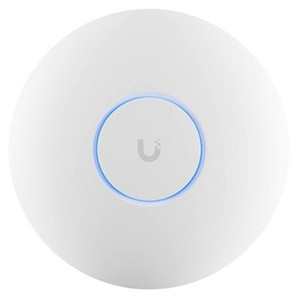
Ubiquiti U7-PRO WiFi 7 Access Point
WiFi 7 tri-band ceiling AP with 5.8 Gbps peak, 300+ clients
- Tri-band WiFi 7 delivers 5.8 Gbps on 6 GHz for dense surveillance and IoT loads.
- Supports 300+ concurrent clients on a single PoE+ ceiling unit drawing only 21W.
- 2.5 GbE uplink and dynamic VLAN assignment simplify segmented enterprise deployments.
In stock · Ships same business day Free shipping over $499Add to quote$215.99Add to quote$215.99 -
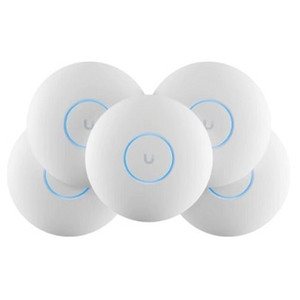
Ubiquiti U7-PRO-5-US UniFi 7 Access Point
WiFi 7 ceiling AP with 6 GHz band and 6 spatial streams for enterprise scale
- 802.11be WiFi 7 across 2.4/5/6 GHz keeps 6 GHz clear of legacy interference.
- Six spatial streams support high client density in offices, schools, and warehouses.
- PoE+ (802.3at) power eliminates separate ceiling runs, cutting retrofit labor cost.
In stock · Ships same business day Free shipping over $499Add to quote$1,025.99Add to quote$1,025.99 -

Ubiquiti U7-PRO-MAX WiFi 7 Access Point
WiFi 7 access point with 8 streams across three bands for 500+ clients
- WiFi 7 three-band (2.4/5/6 GHz) with 8 spatial streams supports 500+ concurrent clients.
- 6 GHz band delivers up to 5.8 Gbps clean throughput in congested RF environments.
- PoE+ powered (25W, 44–57V DC) with NDAA compliance simplifies enterprise deployment.
In stock · Ships same business day Free shipping over $499$312.99 -

Ubiquiti U7-PRO-OUTDOOR-US WiFi 7 Outdoor Access Point
WiFi 7 outdoor AP with 5.8 Gbps 6 GHz tri-band for campus sites
- 6 GHz band delivers 5.8 Gbps at 320 MHz channels, reducing airtime contention in dense deployments.
- IPX6-rated enclosure and -30 to 60°C operating range handle outdoor installation without added protection.
- Single 2.5 GbE PoE+ port provides full-speed backhaul and power without a separate electrical run.
In stock · Ships same business day Free shipping over $499Add to quote$316.99Add to quote$316.99 -

Ubiquiti U7-PRO-WALL WiFi 7 Wall-Mount Access Point
WiFi 7 wall-mount AP, 5.8 Gbps 6 GHz, 300+ clients, PoE+
- Tri-band WiFi 7 delivers up to 5.8 Gbps on 6 GHz for low-latency real-time traffic.
- 2.5 GbE PoE+ uplink (802.3at, 22W max) prevents wired bottlenecks at 20–50 users.
- Flush wall-mount form factor (150×103×36 mm) supports 300+ concurrent clients, NDAA compliant.
In stock · Ships same business day Free shipping over $499$223.99 -

Ubiquiti U7-PRO-XG UniFi 7 Access Point
WiFi 7 access point with 5.8 Gbps 6 GHz and 10 GbE uplink
- 10 GbE uplink handles 6-stream WiFi 7 aggregate throughput without backhaul bottlenecks.
- Supports 300+ concurrent clients across 1,500 sq ft—suited for high-density enterprise deployments.
- 802.11r fast roaming and RADIUS-over-TLS authentication simplify secure enterprise rollouts.
In stock · Ships same business day Free shipping over $499Add to quote$216.99Add to quote$216.99 -
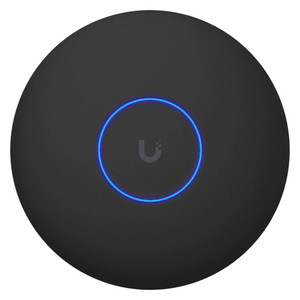
Ubiquiti U7-PRO-XG-B-US UniFi 7 Access Point
WiFi 7 ceiling AP with 10 GbE uplink and PoE+ power
- Tri-band WiFi 7 (2.4/5/6 GHz) delivers 10 Gbps aggregate for high-density deployments.
- 10 GbE primary uplink with 5G/2.5G/1G fallback ports eliminates wired bottlenecks.
- Single PoE+ cable powers ceiling installations, removing AC infrastructure requirements.
In stock · Ships same business day Free shipping over $499Add to quote$225.99Add to quote$225.99 -
Save $0.01
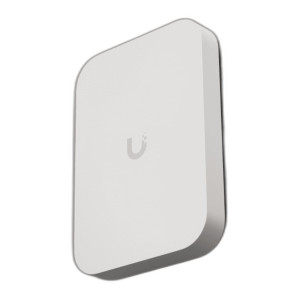
Ubiquiti U7-PRO-XG-WALL-US WiFi 7 Wall-Mount Access Point
WiFi 7 wall-mount AP with selectable 1/2.5/10 GbE uplink
- Tri-band WiFi 7 (2.4/5/6 GHz) reduces airtime contention in dense IoT deployments.
- Selectable 1/2.5/10 GbE uplink matches existing backbone without overprovisioning ports.
- PoE+ (802.3at, 30 W) powered — no local power supply needed for wall-mount installs.
In stock · Ships same business day Free shipping over $499$301.00 $300.99 Save $0.01