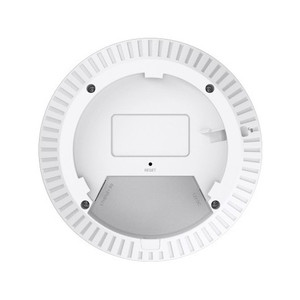
TP-Link EAP655-WALL AX3000 Wall-Plate Wi-Fi 6 Access Point
Overview
The EAP655-WALL is a flush-mount, dual-band 802.11ax access point built for in-wall deployment in commercial and warehouse facilities. It consolidates wireless coverage and network connectivity into a single wall-mounted unit, fitting standard US and EU junction boxes without requiring separate ceiling-mount APs or cable runs through building cavities. Aggregate throughput of 3000 Mbps (574 Mbps on 2.4 GHz + 2402 Mbps on 5 GHz) handles concurrent device density in modern facilities without channel saturation. The EAP655-WALL eliminates the need for bridging cables and external power injectors in retrofit installations.
Compatibility
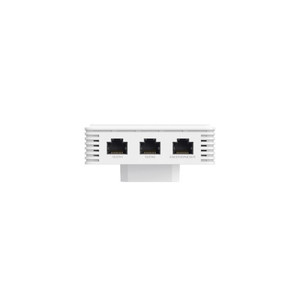
One gigabit uplink port (UPLINK+PoE) connects to core network infrastructure; three gigabit downlink ports enable local wired device connections (surveillance recorders, access control panels, gate controllers) to draw power and data from the same source. IEEE 802.3af/at PoE support (15.4–30W input) powers the AP itself; PoE passthrough on downlink ports allows powered devices to operate without separate injectors, reducing cable runs in retrofit scenarios. MU-MIMO, band steering, and load-balancing distribute traffic across bands, lowering latency for real-time IoT and camera feeds. Centralized management via Omada SDN Controller or cloud-native Omada App enables firmware updates, VLAN segmentation, and guest network isolation across multiple sites—critical for multi-facility warehouse or distribution networks where IT standardization is mandatory.
Installation Notes
Physical dimensions are 143 × 86 × 42.6 mm; verify junction box depth before ordering. Detach the faceplate with a Phillips screwdriver. Connect the Ethernet cable inside the junction box to an RJ45 plug, then connect to the UPLINK+PoE port—position the cable to avoid strain. Insert and tighten the enclosed screws. The AP requires a PoE source (PSE) supporting 802.3af/at that complies with PS2 (IEC/EN 62368-1) or Limited Power Source (LPS) (IEC/EN 60950-1). Press and hold the LED/Wi-Fi button for 5 seconds until the LED flashes to restore factory defaults. LED indicators: solid = normal operation; off = abnormal/power loss; flashing twice = initialization complete; flashing once per second = firmware upgrade in progress.
What's in the Box
- 1x EAP655-WALL access point
- 1x quick installation guide
- Mounting screws (enclosed)