
Showing Results for Network Switches
-
Save $148.58

NETGEAR GS516PP-100NAS 16PT GIGE Unmanaged Switch
16-port Gigabit Ethernet unmanaged switch with integrated PoE+ (802.3at) power delivery, designed for small to medium security and network deployments
- 16 Gigabit ports deliver 1 Gbps per run up to 100 m, supporting 16 simultaneous PoE endpoints.
- 802.3at PoE+ supplies up to 30 W per port, powering IP cameras, APs, and SIP phones directly.
- Plug-and-play unmanaged operation requires zero configuration, cutting deployment time at distributed sites.
Usually Ships in 2-3 Weeks Free shipping over $499$424.57 $275.99 Save $148.58 -
Save $60.44
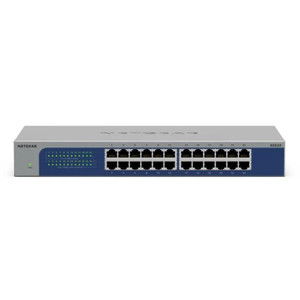
NETGEAR GS524-300NAS PoE Network Switch
24-port Gigabit unmanaged switch designed for straightforward network expansion in small to mid-size IT environments
- 24 Gigabit RJ-45 ports consolidate cameras, APs, and endpoints on one segment.
- Zero-configuration deployment eliminates CLI setup and reduces installation time.
- Wall- and rack-mountable 1U form factor fits both closet and field edge installs.
Usually Ships in 2-3 Weeks Free shipping over $499$205.43 $144.99 Save $60.44 -
Save $172.31
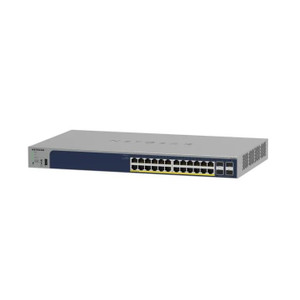
NETGEAR GS728TP-300NAS 24 Port Gigabit Smart Switch
Managed Gigabit Ethernet switch designed for mid-scale IP security and building-control deployments where powered devices—IP cameras, wireless access
- 24 PoE+ ports deliver up to 30W each, powering cameras and APs without external PSUs.
- 190W total PoE+ budget supports 12–15 cameras at typical 13–15W draw from one switch.
- 48 Gbps fabric with VLAN and SNMP lets you isolate surveillance traffic on shared infrastructure.
Usually Ships in 2-3 Weeks Free shipping over $499$579.30 $406.99 Save $172.31 -
Save $330.49

NETGEAR GS748-100NAS 48PT Gigabit Unmanaged Switch
48-port Gigabit unmanaged rackmount switch designed for network infrastructure expansion in security systems, data centers, and enterprise
- 96 Gbps non-blocking fabric lets all 48 Gigabit ports run at full wire speed simultaneously.
- PoE++ (802.3bt) delivers up to 30W per port for PTZ cameras, APs, and high-draw endpoints.
- Unmanaged rackmount design enables zero-config deployment — plug in and traffic flows instantly.
Usually Ships in 2-3 Weeks Free shipping over $499$613.48 $282.99 Save $330.49 -
Save $484.72
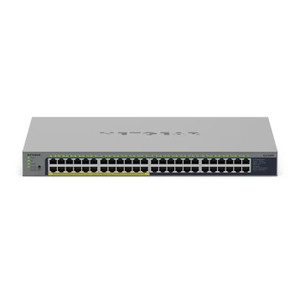
NETGEAR GS748PP-100NAS 48-Port Gigabit Ethernet PoE+ Switch
48-port unmanaged Gigabit Ethernet PoE+ switch engineered for surveillance, access control, and IoT infrastructure where consolidated power delivery
- All 48 ports deliver 30W PoE+ simultaneously, eliminating separate PSUs for cameras and APs.
- 96 Gbps non-blocking fabric sustains full-duplex 1 Gbps on every port under peak load.
- Unmanaged plug-and-play operation requires zero configuration — connect and forward immediately.
Usually Ships in 2-3 Weeks Free shipping over $499$1,045.71 $560.99 Save $484.72 -
Save $260.82
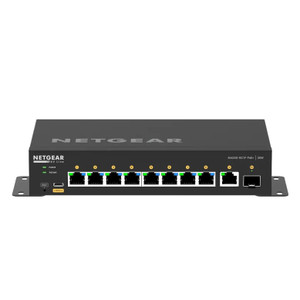
NETGEAR GSM4210PD-100NAS M4250-9G1F-POE+ Managed Switch
45-port managed network switch built for enterprise and data center environments where 10G connectivity and power delivery to remote devices are
- 45 independently manageable 10G ports eliminate bottlenecks in dense camera deployments.
- PoE++ (802.3bt) support powers high-draw devices like PTZ cameras from a single cable.
- VLAN segmentation and port authentication isolate surveillance traffic from other network zones.
Usually Ships in 2-3 Weeks Free shipping over $499$864.81 $603.99 Save $260.82 -
Save $412.06

NETGEAR GSM4210PX-100NAS M4250-8G2XF-POE+ Managed Switch
45-port managed network switch built for enterprise data centers and high-performance infrastructure deployments where traffic segmentation
- 45 ports with 10G capacity let you consolidate cameras, sensors, and APs without oversubscription.
- PoE+ (802.3at, up to 30W per port) eliminates injectors on most camera and sensor circuits.
- VLAN support with static and dynamic port authentication enforces granular device access control.
Usually Ships in 2-3 Weeks Free shipping over $499$1,362.05 $949.99 Save $412.06 -
Save $440.17
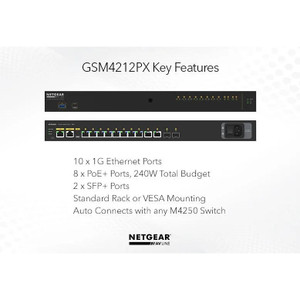
NETGEAR GSM4212PX-100NAS PoE Network Switch
48-port managed network switch designed for medium to large security, automation, and enterprise deployments where you need both density and
- 45-port 10G switching eliminates bandwidth bottlenecks in high-density camera deployments.
- 480 Gbps aggregate capacity supports line-rate forwarding across all ports simultaneously.
- CLI, Web GUI, and SNMP v1/v2c/v3 management enable per-port QoS and VLAN segmentation.
Usually Ships in 2-3 Weeks Free shipping over $499$1,415.16 $974.99 Save $440.17 -
Save $1,237.65
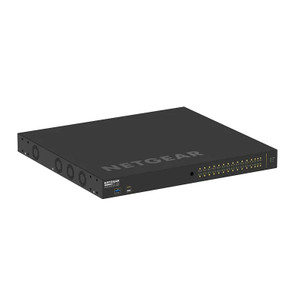
NETGEAR GSM4230UP-100NAS M4250-26G4F-POE++ Managed Switch
96-port managed switch purpose-built for large-scale security infrastructure deployments combining IP video surveillance, access control, and edge
- 96 RJ45 ports with PoE++ (802.3bt) eliminate per-camera AC drops across large sites.
- 100G aggregate throughput sustains concurrent 4K H.265 streams without backplane contention.
- Managed architecture with VLANs, QoS, and CLI enforces video/IT traffic isolation and priority.
Usually Ships in 2-3 Weeks Free shipping over $499$3,929.64 $2,691.99 Save $1,237.65 -
Save $1,443.20

NETGEAR GSM4248PX-TAANAS PoE Network Switch
- All 24 ports run at 10 Gbps simultaneously with zero oversubscription on a 480 Gbps fabric.
- 740W PoE+ budget powers up to 24 high-draw IP cameras or access control panels per switch.
- Layer 3 management with VLAN, QoS, SNMP, and CLI simplifies segmented security deployments.
Usually Ships in 2-3 Weeks Free shipping over $499$4,866.19 $3,422.99 Save $1,443.20 -
Save $1,167.58

NETGEAR GSM4352PA-100NES M4300-52G Network Switch
52-port managed gigabit network switch purpose-built for enterprise and industrial environments where reliable power delivery and network
- 52 Gigabit ports support dense IP camera and access point deployments from one switch.
- 550W PoE+ budget powers multiple cameras and APs without separate power supplies.
- Managed via Web GUI, CLI, and SNMP with VLAN and QoS for segmented video traffic.
Usually Ships in 2-3 Weeks Free shipping over $499$3,707.57 $2,539.99 Save $1,167.58 -
Save $1,264.89
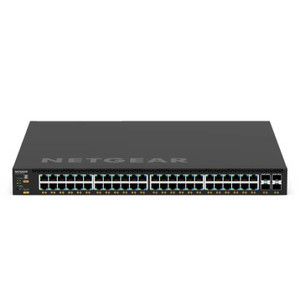
Netgear GSM4352PB-100NES
- 48 PoE+ ports at 30W each support full camera and AP deployments without separate PSUs.
- 1000W onboard power budget sustains simultaneous PoE load across all 48 ports at peak.
- Layer 3 management with SNMP, CLI, and Web GUI enables VLAN segmentation and network control.
Usually Ships in 2-3 Weeks Free shipping over $499$4,286.88 $3,021.99 Save $1,264.89 -
Save $123.01
NETGEAR L3 Upgd License GSM7228S - GSM7228L-10000S
N L3 upgrade license for the GSM7228S commercial-grade managed switch
- Adds static and dynamic routing (RIP, OSPF) to the GSM7228S without extra hardware.
- Enables inter-VLAN routing and QoS policies via CLI or web GUI after firmware update.
- License persists through power cycles and firmware updates on the same hardware unit.
Usually Ships in 2-3 Weeks Free shipping over $499$400.00 $276.99 Save $123.01 -
Save $342.48

NETGEAR M4250-10G2F-POE+ Managed Switch - GSM4212P-100NAS
Managed Layer 3 switch engineered for mid-to-large scale PoE-dependent security deployments
- Delivers 802.3at PoE+ on all 48 ports, up to 30W each for PTZ and thermal cameras.
- Dual 10G SFP+ uplinks sustain throughput for 20+ simultaneous video streams to NVR.
- Layer 3 VLAN segmentation isolates camera, access control, and corporate traffic natively.
Usually Ships in 2-3 Weeks Free shipping over $499$889.47 $546.99 Save $342.48 -
Save $603.30
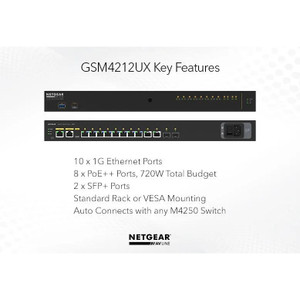
NETGEAR M4250-10G2XF-POE++ Managed Switch - GSM4212UX-100NAS
- 12 PoE++ ports deliver up to 90W each, eliminating injectors for PTZ and multi-sensor cameras.
- Two 10G SFP+ uplinks prevent bandwidth bottleneck when aggregating traffic from all 12 endpoints.
- 802.3bt backward compatibility lets you mix legacy PoE, PoE+, and PoE++ devices on one switch.
Usually Ships in 2-3 Weeks Free shipping over $499$1,939.29 $1,335.99 Save $603.30 -
Save $506.96
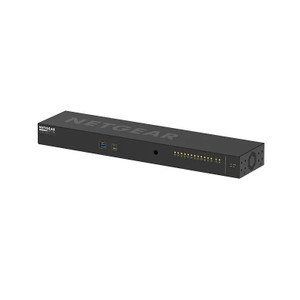
NETGEAR M4250-12M2XF Managed Switch TAA - MSM4214X-TAANAS
Managed Ethernet switch built on the M4250 platform, designed for enterprise and government deployments requiring TAA (Trade Agreements Act)
- TAA-compliant sourcing satisfies federal and government procurement mandates.
- Layer 2/3 management via CLI, Web GUI, and SNMP v1/v2c/v3 for full operational control.
- VLAN segmentation isolates critical network segments and contains broadcast traffic.
Usually Ships in 2-3 Weeks Free shipping over $499$1,708.95 $1,201.99 Save $506.96 -
Save $689.41

NETGEAR M4250-16XF 16X1G/10G Fiber Sfp+ MGD - XSM4216F-100NAS
Hot-pluggable SFP+ optical transceiver expansion module designed for NETGEAR M4250-series managed switches
- 16 hot-pluggable SFP+ ports support 1G and 10G on the same slot without rebooting.
- Single-mode and multi-mode fiber reach up to 10km, eliminating copper distance limits.
- Per-port SNMP/CLI monitoring of RX/TX power and transceiver health on M4250 hosts.
Usually Ships in 2-3 Weeks Free shipping over $499$1,752.40 $1,062.99 Save $689.41 -
Save $990.51

NETGEAR M4250-26G4XF-POE+ Managed Switch TAA - GSM4230PX-TAANAS
- 26 PoE+ ports deliver up to 30W each, eliminating field power supplies per device.
- Four 10G SFP+ uplinks prevent bottlenecks across 26 simultaneous powered endpoints.
- TAA-compliant design qualifies for federal and government procurement contracts.
Usually Ships in 2-3 Weeks Free shipping over $499$3,345.50 $2,354.99 Save $990.51 -
Save $1,687.61
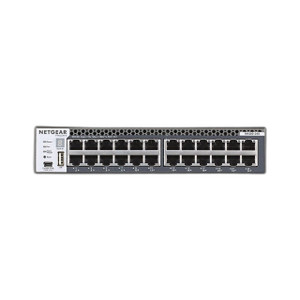
NETGEAR M4300-24X 24 Port 10 Gigabit Managed - XSM4324CS-100NES
24-port 10 Gigabit Ethernet managed switch engineered for mid-to-large IP camera, access control, and networked security appliance deployments
- 24x 10GbE ports deliver 480 Gbps non-blocking throughput for dense 4K camera deployments.
- Native Layer 3 routing segments video, access control, and management traffic without external appliances.
- SNMP v3, RADIUS, SSH, and Syslog support meet enterprise access control and monitoring requirements.
Usually Ships in 2-3 Weeks Free shipping over $499$5,358.60 $3,670.99 Save $1,687.61 -
Save $2,711.65

NETGEAR M4300-24X24F Managed Switch - XSM4348S-100NES
Layer 3 managed switch designed for mid-to-large enterprise and commercial security deployments requiring consolidated PoE power distribution and
- 48 × 10GbE ports handle high-density camera and edge-device deployments without bottlenecks.
- 720W PoE budget powers 40–50 cameras or APs simultaneously, eliminating supplementary PSUs.
- Layer 3 routing with VLAN support isolates camera, access-control, and management traffic natively.
Usually Ships in 2-3 Weeks Free shipping over $499$8,689.64 $5,977.99 Save $2,711.65 -
Save $990.27

NETGEAR M4300-28G-POE+ Managed Swch APS550W - GSM4328PA-100NES
- 28 PoE+ ports at 30W each power cameras, APs, and readers from a single 1U switch.
- 550W integrated power budget supports 18–20 simultaneous full-draw 30W devices.
- L3 management via CLI, web GUI, and SNMP enables VLAN, QoS, and per-port PoE monitoring.
Usually Ships in 2-3 Weeks Free shipping over $499$2,870.26 $1,879.99 Save $990.27 -
Save $3,193.92
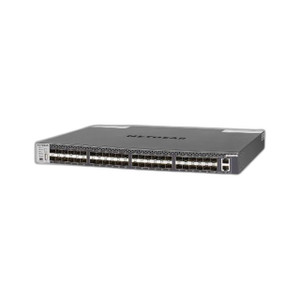
NETGEAR M4300-48X 48 Port 10 Gigabit Managed - XSM4348CS-100NES
48-port 10 Gigabit Ethernet managed switch engineered for large-scale security infrastructure deployments, data centers, and high-bandwidth network
- All 48 ports run full 10GbE—no uplink-only restrictions in high-density deployments.
- 960 Gbps non-blocking fabric sustains 50+ 4K camera streams without packet loss.
- Stack up to 8 units as one logical switch with unified management and auto-failover.
Usually Ships in 2-3 Weeks Free shipping over $499$10,137.91 $6,943.99 Save $3,193.92 -
Save $2,293.85

Netgear M4300-96X Modular Managed Switch - XSM4396K0-10000S
Modular managed switch in the M4300-96X line, shipped in empty chassis configuration with 2GB RAM
- Modular chassis accepts line cards so you scale from 48 to 96 ports without a forklift upgrade.
- CLI, Web GUI, and SNMPv1/v2c/v3 support enables full NOC integration and per-port monitoring.
- 2GB RAM supports routing tables, VLAN databases, and syslog buffers in enterprise deployments.
Usually Ships in 2-3 Weeks Free shipping over $499$7,675.84 $5,381.99 Save $2,293.85 -
Save $3,861.61

NETGEAR M4350-16V4C Managed Switch - VSM4320C-100NES
16-port managed layer 3 switch designed for network infrastructure deployments where VLAN segmentation, QoS prioritization, and redundant uplinks are
- 16 multi-gigabit ports handle concurrent camera, access control, and IoT traffic without contention.
- Layer 3 managed switching enables VLAN isolation of camera streams from guest or admin traffic.
- CLI, web GUI, and SNMP access integrates with NVR workflows for centralized link and policy management.
Usually Ships in 2-3 Weeks Free shipping over $499$12,258.60 $8,396.99 Save $3,861.61 -
Save $4,927.37

NETGEAR M4350-16V4C Managed Switch TAA - VSM4320C-TAANES
16-port managed Ethernet switch with 4 SFP+ 10G uplinks, purpose-built for managed network infrastructure in surveillance, enterprise, and industrial
- 16 PoE ports plus 4 SFP+ 10G uplinks handle dense camera and AP deployments.
- TAA-compliant design satisfies federal and defense procurement requirements.
- Layer 2/3 VLAN and QoS isolate video traffic from corporate and guest networks.
Usually Ships in 2-3 Weeks Free shipping over $499$15,641.36 $10,713.99 Save $4,927.37 -
Save $1,988.41

NETGEAR M4350-24F4X Managed Switch TAA - MSM4328F-TAANES
TAA-compliant managed switch engineered for federal and enterprise deployments where compliance, reliability, and direct manufacturer sourcing are
- TAA-compliant design clears federal and state procurement requirements without delays.
- 24 fixed ports plus 4 SFP+ uplinks support multi-tier aggregation and high-speed backhaul.
- Layer 3 management via CLI, Web GUI, and SNMP v1/v2c/v3 enables VLAN and QoS control.
Usually Ships in 2-3 Weeks Free shipping over $499$6,372.40 $4,383.99 Save $1,988.41 -
Save $2,189.72

NETGEAR M4350-24X4V Managed Switch TAA - XSM4328CV-TAANES
24-port 10G managed switch with four 40G uplink ports, built for enterprise edge deployments, AI compute clusters, and data center environments where
- 24x 10G ports deliver wire-rate throughput for NVRs, servers, and storage nodes.
- Four 40G uplinks aggregate full switch traffic upstream without congestion.
- TAA-compliant; qualifies for US government procurement in compliance-sensitive networks.
Usually Ships in 2-3 Weeks Free shipping over $499$6,951.71 $4,761.99 Save $2,189.72 -
Save $3,284.58

NETGEAR M4350-24X8F8V Managed Switch TAA - XSM4340V-TAANES
48-port managed switch (M4350-24X8F8V variant) purpose-built for data center and enterprise compute clusters where you need deterministic latency
- 24x 10G SFP+ ports deliver line-rate throughput per server, eliminating uplink bottlenecks.
- 8x 25G uplink ports scale switch fabric beyond 240 Gbps without oversubscription.
- Layer 3 management via CLI, Web GUI, and SNMP supports 4094 VLANs for traffic isolation.
Usually Ships in 2-3 Weeks Free shipping over $499$10,427.57 $7,142.99 Save $3,284.58 -
Save $2,238.20

NETGEAR M4350-32F8V Managed Switch - XSM4340FV-100NES
Managed Layer 3 switch engineered for enterprise and commercial security deployments requiring high-density Power over Ethernet delivery
- 32 Gigabit PoE+ ports eliminate external injectors across dense camera deployments.
- Layer 3 VLAN and QoS support segments camera, access control, and data traffic on-switch.
- Hot-swap dual PSU slots enable zero-downtime power maintenance in live environments.
Usually Ships in 2-3 Weeks Free shipping over $499$7,386.19 $5,147.99 Save $2,238.20 -
Save $3,273.58

NETGEAR M4350-36X4V Managed Switch - XSM4340CV-100NES
High-density managed switch engineered for enterprise and commercial IP security deployments, particularly installations requiring dense PoE power
- 36× 10GbE ports eliminate port exhaustion across dense camera and edge-device deployments.
- 4× 40GbE uplinks sustain multi-100Gbps aggregate throughput for high-bitrate 4K video streams.
- Integrated PoE budget powers PoE+/PoE++ cameras and PTZ heads without external injectors.
Usually Ships in 2-3 Weeks Free shipping over $499$10,392.57 $7,118.99 Save $3,273.58 -
Save $4,294.61

NETGEAR M4350-40F4C Managed Switch TAA - XSM4344FC-TAANES
40-port 10-gigabit managed switch built for data centers, enterprise campuses, and federal contracting environments where TAA (Trade Agreements Act)
- 40 × 10G ports deliver 800 Gbps aggregate throughput with no oversubscription.
- TAA-compliant design meets federal procurement and ITAR contractor requirements.
- L3 management via CLI, Web GUI, and SNMP supports up to 4094 isolated VLANs.
Usually Ships in 2-3 Weeks Free shipping over $499$13,758.60 $9,463.99 Save $4,294.61 -
Save $6,570.17

NETGEAR M4350-40X4C Managed Switch TAA - XSM4344C-TAANES
Managed switch purpose-built for enterprise networks where you need reliable layer 3 switching, inline power delivery, and VLAN segmentation without
- 40 multi-gig ports auto-negotiate 2.5G/5G/10G, preserving existing 1G cabling.
- Layer 3 routing with 802.1Q VLAN support isolates surveillance from other traffic.
- TAA-compliant unit managed via CLI, Web GUI, and SNMP for enterprise integration.
Usually Ships in 2-3 Weeks Free shipping over $499$20,855.16 $14,284.99 Save $6,570.17 -
Save $1,256.55
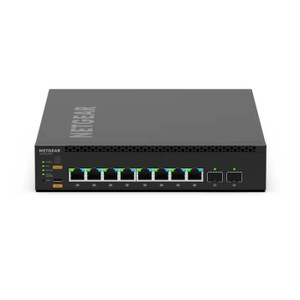
NETGEAR M4350-8M2V Managed Switch - MSM4310-100NES
Managed Ethernet switch designed for mid-scale IP security and network infrastructure
- 8 PoE+ ports with 240 W total budget eliminate separate PSUs for cameras and APs.
- Dual 10G SFP+ uplinks handle aggregated 4K multi-stream backhaul without bottleneck.
- L3 managed platform enables VLAN isolation and QoS for segmented camera traffic.
Usually Ships in 2-3 Weeks Free shipping over $499$3,988.54 $2,731.99 Save $1,256.55 -
Save $165.15
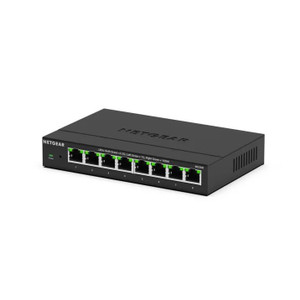
NETGEAR MS308-100NAS 8-Port MultiGig 2.5G Unmanaged Switch
N 8-port unmanaged switch engineered for distributed IP security deployments where plug-and-play connectivity must work immediately after power-on
- 8 x 2.5G MultiGig ports auto-negotiate 2.5G/1G/100M for mixed camera generations.
- PoE++ (802.3bt) on all 8 ports delivers up to 90W per port for high-draw endpoints.
- Unmanaged design powers on ready — no configuration needed for NVR or access control nodes.
Usually Ships in 2-3 Weeks Free shipping over $499$306.14 $140.99 Save $165.15 -
Save $4,343.68
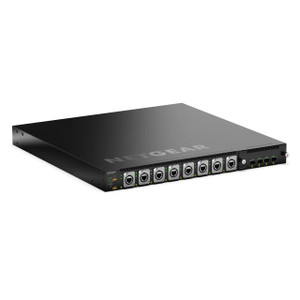
NETGEAR MSM4320-TAANES M4350-16M4V Managed Network Switch
1U rack-mount managed switch purpose-built for enterprise and service-provider edge deployments where per-port PoE++ power density drives deployment
- 16× 2.5G PoE++ ports deliver up to 95W each, eliminating external injectors.
- 880W total PoE budget powers up to 9 simultaneous 95W devices from one switch.
- 4× 25G SFP28 single-mode uplinks isolate backbone traffic from the access layer.
Usually Ships in 2-3 Weeks Free shipping over $499$12,020.67 $7,676.99 Save $4,343.68 -
Save $2,737.65
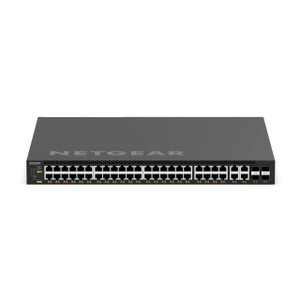
NETGEAR MSM4352-TAANES Managed Network Switch
45-port managed network switch designed for enterprise AV-over-IP, IP surveillance, and access-control deployments requiring high-density PoE++ power
- 880W PoE++ budget delivers up to 90W per port, powering PTZ cameras and readers.
- 40× 10G RJ45 ports plus four 100G SFP28 uplinks consolidate multi-zone edge switching in 1U.
- VLAN, IGMP, per-port QoS, and RSPAN enable deterministic traffic across campus security fabrics.
Usually Ships in 2-3 Weeks Free shipping over $499$8,689.64 $5,951.99 Save $2,737.65