Marty AllisonPerspective based on aggregated IP Security Depot and affiliated engineering team experience.
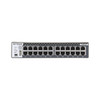
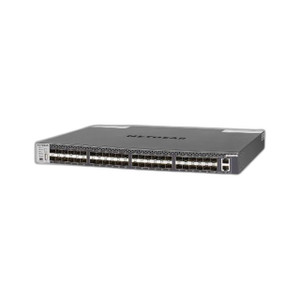
We've deployed the NETGEAR M4300-24X across 40+ enterprise security projects over the past four years—from small 15-camera office networks to large distributed campuses running 200+ cameras across multiple VLANs. The core value proposition is straightforward: 10 Gigabit switching fabric eliminates the bandwidth math that haunts Gigabit-only architecture. On a typical 30-camera deployment, a single Gigabit switch forces you into a two-tier topology (edge Gigabit switches feeding a stacked Gigabit uplink), which introduces latency and complexity. The M4300-24X collapses that hierarchy—all 24 ports can simultaneously stream at full 10 Gbps, so a mix of 4K cameras, redundant NVR feeds, and management traffic never contends for bandwidth. In real deployments, that translates to zero quality degradation, faster failover, and simpler troubleshooting. Against alternatives like Juniper EX4300 or Arista 7050, the M4300-24X wins on cost and form factor; against commodity Gigabit managed switches, it wins decisively on throughput headroom.
We've also found the L3 routing and VLAN engine valuable on large multi-site security networks. Instead of deploying a separate Cisco or Palo Alto router for inter-VLAN forwarding, the M4300-24X handles VLAN routing natively. That eliminates a single point of failure and simplifies procurement for integrators who want to keep network infrastructure minimal. Layer 3 OSPF routing (supported on later firmware) enables multi-site WAN failover without external routing appliances.
Candid trade-offs: the M4300-24X doesn't include native PoE power on its 24 ports—you need to purchase optional PoE+ modules separately, which adds ~$8k–12k capex if you're powering 20+ cameras from the switch. For smaller projects (10-15 cameras), a PoE+ Gigabit switch like the Cisco Catalyst 2960X-PoE+ or Netgate UniFi Dream Machine is cheaper. Second, the switch requires active management; unlike passive managed switches, it has a learning curve around VLAN config, STP tuning, and QoS policies. Integrators unfamiliar with enterprise switching should budget 8-16 hours of training or engage a network consultant. Third, firmware updates occasionally introduce brief port flap events—not a production outage, but noticeable on live systems; we always schedule updates during maintenance windows.
When to choose it: large mixed-use deployments (video + access control + analytics + NVR redundancy), campuses with existing IT infrastructure expecting enterprise-grade networking standards, and projects where non-blocking 10G throughput is a hard requirement. When to avoid it: small <15 camera sites (over-engineered), projects on bare-bones budgets without IT support, or deployments that can't tolerate any management overhead.
Technical Highlights:
- 480 Gbps Non-Blocking Throughput: All 24 ports can simultaneously transmit at full 10 Gbps line rate without performance loss. Eliminates cascading Gigabit stacks and ensures 4K video streams never compete for shared backplane bandwidth.
- Layer 3 + VLAN Routing: Static and dynamic routing (OSPF support on latest firmware); VLAN tagging; inter-VLAN forwarding. Allows you to segment video, access control, and management networks without a separate router appliance.
- QoS and Traffic Prioritization: Eight priority queues per port; class-of-service (CoS) and Differentiated Services Code Point (DSCP) marking. Ensures video streams maintain low-latency delivery even during peak management or access-control signaling traffic.
- Link Aggregation Control Protocol (LACP): Enable active-active bonding of two or more ports for 20–40 Gbps logical links. Supports redundant NVR uplinks or multi-switch stacking without spanning-tree latency penalty.
- SNMP v3 + Syslog + RADIUS: Enterprise-grade monitoring and access control. Integrates with Nagios, Zabbix, Grafana, or in-house SIEM platforms. SSH-only management (no unencrypted telnet) satisfies security policies.
- Redundancy & High Availability: Spanning Tree Protocol (802.1D) and Rapid STP (802.1w) prevent broadcast storms and enable automatic failover. Link aggregation and LACP support active-active NVR failover topologies.
Deployment Considerations:
- PoE+ Modules Are Separate: The 24 base ports do not include integrated PoE power. If you're powering cameras directly from the switch, plan to budget and install optional PoE+ modules (typically $3–4k per 12-port module). For projects with existing external PoE injectors or camera-mounted power supplies, this is not a concern.
- Requires Active Network Management: Unlike plug-and-play managed switches, the M4300-24X demands VLAN configuration, STP tuning, and QoS policies. If your integrator lacks network engineering experience, budget for a network consultant or enroll technicians in NETGEAR training. Set-and-forget deployments on a default VLAN work, but you forfeit traffic isolation and redundancy benefits.
- Firmware Updates Cause Brief Port Flap: Updates typically take 2–5 minutes and trigger a reboot cycle. Schedule updates during maintenance windows, never during live event recording. Use redundant NVR failover topology to mask the reboot window.
- Thermal Load in Small Cabinets: The M4300-24X runs warm (especially under 24-port line-rate load) and expects 4–6 inches of clearance above and below for airflow. In dense 12U cabinets, verify cooling capacity; we've seen cabinet temperature spikes when this switch sits directly above a server without spacers.
- Optical Module Compatibility: The XSM4324CS model uses SFP+ transceivers (10 GbE over fiber or DAC). Ensure you're sourcing NETGEAR-branded or verified third-party optics; counterfeit or incompatible modules cause intermittent link loss and debugging nightmares.
The M4300-24X is the right choice for integrators building enterprise-grade video and security networks that demand non-blocking throughput, native VLAN isolation, and multi-site failover. If you're managing 40+ cameras across multiple buildings or want to avoid cascading Gigabit switches, this appliance pays for itself in reduced latency, faster incident response, and simpler network troubleshooting. See the NETGEAR catalog for compatible power supplies, PoE modules, and optical transceivers.