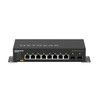
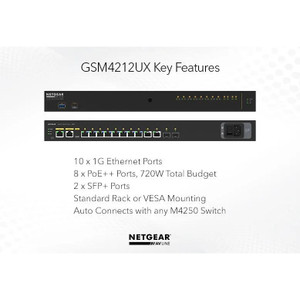
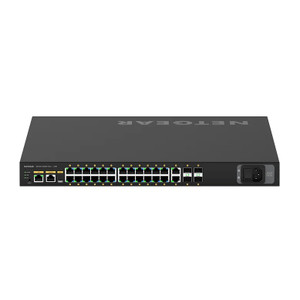
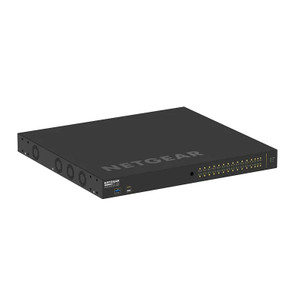
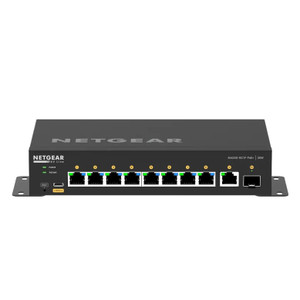
NETGEAR GSM4210PX-100NAS 45-Port 10G Managed Switch
Overview
The NETGEAR GSM4210PX-100NAS is a 45-port managed network switch built for enterprise data centers and high-performance infrastructure deployments where traffic segmentation, redundancy, and deterministic bandwidth allocation matter. With 10G connectivity across multiple interfaces, this switch delivers the throughput needed to handle sustained multi-camera video streams, warehouse automation sensors, and access control systems without bottlenecking.
Manageable architecture means you can configure policies centrally — critical when deploying dozens of security cameras or automated systems across a large facility. The GSM4210PX-100NAS supports both static and dynamic port authentication, giving you granular control over which devices can attach and at what bandwidth.
Port configuration and throughput
45 total ports with 10G capability across key uplink and distribution tiers. This port density is valuable in warehouse automation and multi-building security deployments where you're consolidating traffic from dozens of access points, edge sensors, and wireless access points onto a single managed backbone. The combination of high port count and 10G speeds means you won't need to oversubscribe links — each port has genuine 10G capacity, not a shared or split backplane.
PoE delivery
Includes POE+ power delivery capability, eliminating the need for separate PoE injectors on many camera or sensor circuits. POE+ (IEEE 802.3at, up to 30W per port) supports mid-power devices such as PTZ cameras, dual-lens surveillance units, and industrial sensors. For higher-power endpoints, you can still deploy external midspans or dedicated power supplies, but the native POE+ on the GSM4210PX-100NAS reduces cable runs and footprint in overhead or wall-cavity installations.
Management and monitoring
Multicast policing prevents rogue video streams or broadcast storms from consuming bandwidth. VLAN support enables logical network segmentation — a common requirement in security deployments where camera networks, access control, and general IT traffic must remain isolated for compliance or performance reasons. Static and dynamic port authentication means you can lock down which devices attach to which ports, either by fixed assignment (ideal for permanent camera installations) or through 802.1X dynamic negotiation (useful in shared or temporary network environments).
Environmental ratings
Designed for climate-controlled data center and server room deployment. Confirm operating temperature and humidity ranges with the manufacturer datasheet if you intend to install this switch in an outdoor equipment enclosure or harsh environment — the GSM4210PX-100NAS is not rated for direct exposure to temperature swings, moisture, or corrosive atmospheres.
Installation notes
As a managed switch of this scale, plan for rack mounting in a standard 19-inch cabinet. Verify available AC power (enterprise switches of this class typically draw 300–500W depending on port utilization and PoE load). Coordinate with your network operations team on management access — default credentials must be changed immediately, and you'll want SNMP, syslog, and centralized monitoring configured before the switch goes into production. For security integrations, confirm that your video management system (VMS) or access control platform can query switch port status via SNMP if you need automated alerting on cable disconnects or PoE faults.
What's in the Box
Manufacturer package documentation not provided in available evidence. Contact the vendor or refer to the unit label for exact contents.
Frequently Asked Questions
Q: Does the GSM4210PX-100NAS support SNMP monitoring?
A: Yes. As a managed switch, it supports SNMP for remote monitoring and alerting. Confirm SNMP version and MIB support with your monitoring platform before deployment.
Q: Can I use this switch in an outdoor or non-climate-controlled environment?
A: The GSM4210PX-100NAS is rated for indoor, climate-controlled installation. For outdoor cabinet or harsh-environment deployments, verify operating temperature and humidity specifications with the manufacturer or consider environmental enclosures with active cooling.
Q: What is the total PoE+ power budget available?
A: Specific aggregate PoE power budget not listed in available evidence. Consult the manufacturer datasheet or specification sheet to confirm total PoE+ capacity — this is critical when calculating how many high-power cameras or sensors you can attach.
Q: Is this switch NDAA Section 889 compliant?
A: Compliance status not specified in available evidence. If you have a federal or NDAA-restricted procurement requirement, verify directly with NETGEAR or your specialty distributor.
Q: How many VLANs can the GSM4210PX-100NAS support?
A: VLAN count limit not provided in available evidence. Industry-standard managed switches typically support 4094 VLANs (the IEEE 802.1Q limit), but confirm this with the manufacturer specification sheet.
Q: What is the warranty on the GSM4210PX-100NAS?
A: A lifetime limited warranty is listed in retailer documentation. Confirm coverage scope (hardware defect vs. labor/shipping) and any support SKU requirements with NETGEAR or your distributor.
The GSM4210PX-100NAS hits a specific niche: you need 45 ports of 10G switching with native PoE+ and multicast control, and you're willing to accept a managed-only platform (no unmanaged sibling for budget-conscious installs). It's a solid choice if you're consolidating camera streams and sensor traffic from multiple buildings or security zones onto a backbone switch, but it's overkill if you're just connecting 8–12 cameras to a single closet.
Technical Highlights:
- 45-port 10G architecture: No shared backplane bottleneck. Each port gets genuine 10G capacity, so you can run four 2MP cameras at full frame rate on each port simultaneously without bandwidth contention — meaningful when you're recording 24/7 across dozens of cameras and can't afford late-night playback lag.
- Native POE+ (IEEE 802.3at): Up to 30W per port eliminates external midspans on most mid-power PTZ cameras and multi-sensor units. Saves cabling labor, reduces single points of failure in the power distribution chain, and simplifies RMA workflows.
- Multicast policing and VLAN support: Prevents rogue video streams or broadcast loops from saturating the uplink. Static and dynamic port authentication lets you enforce network segmentation, so a compromised access point can't spray traffic into the camera VLAN.
Deployment Considerations:
- Total PoE+ power budget not disclosed in available specs — you must confirm this before committing to a camera count and power density. If the aggregate budget is tight (say, 360W total), you'll be limited to roughly 12 high-power cameras, forcing you into a hybrid topology with external midspans anyway.
- This is a managed-only platform. If your team has no network engineering depth and you need a plug-and-play switch, you'll either need to hire a contractor for setup or choose an unmanaged alternative (which sacrifices VLAN and multicast control).
- Confirm SNMP and syslog integration with your VMS or security operations center before deployment. Without remote port-status monitoring, you lose visibility into cable disconnects, PoE faults, and rogue-port events until someone physically walks to the cabinet.
The GSM4210PX-100NAS fits large-scale warehouse automation, multi-tenant security deployments, or campus-wide camera backbone scenarios where you're consolidating 40+ edge devices and need deterministic bandwidth guarantees. For smaller sites or single-building installs, evaluate a 24-port or 32-port variant in the same family.