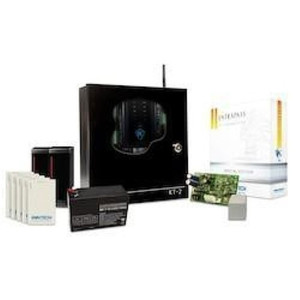
Kantech SK-SE-1M-SCM EntraPass Special Edition Starter Kit
Overview
The SK-SE-1M-SCM is a bundled access control starter kit pairing Kantech's EntraPass Special Edition software with multi-technology smart card readers capable of handling both proximity (125 kHz) and smart card credentials (13.56 MHz DESFire/MIFARE). This kit solves the migration problem: if you're running proximity cards today but need smart card security tomorrow, the multi-technology readers let you phase in the upgrade without replacing hardware. The 1-meter cable configuration supports typical controller-to-reader runs in small-to-mid-size facility deployments—office buildings, educational institutions, or multi-building campuses where centralized EntraPass software manages cardholder records, access policies, and audit logs.
Compatibility
The kit integrates with Kantech KT-1 and KT-400 access control controllers via RS-485 serial communication. Multi-technology reader capability means existing proximity card infrastructure can coexist with new smart card deployments; credential migration happens at your pace, not all at once. EntraPass software manages the end-to-end workflow—cardholder administration, credential assignment, door/zone control, and real-time monitoring across networked controllers.
Installation Notes
RS-485 connection requires standard twisted-pair wiring between reader and controller. The 1-meter cable length accommodates wall-mounted or door-frame reader installations within one meter of the KT-1/KT-400. All communication—credential-to-reader, reader-to-controller, controller-to-EntraPass software—uses AES-128 encryption, eliminating unencrypted credential transit. System operates on 12VDC, supplied via the controller or compatible power module. No additional encryption or credential management infrastructure is required beyond what the kit provides.
What's in the Box
- EntraPass Special Edition software license
- Multi-technology smart card readers (proximity + smart card capable)
- 1-meter RS-485 reader cable
- Installation and configuration documentation