
Best Industrial Label Printers for Warehouses
Industrial thermal label printers for high-volume warehouse labeling — metal build, large media rolls, fast throughput, and network connectivity.

Karl Wilson
Warehouse & Mobile Computing Specialist · Working integrator
Bottom line
For high-volume warehouse labeling, prioritize thermal transfer resolution, media roll capacity, and network integration — the wrong spec in any of those three columns will bottleneck your line. The Honeywell PX940 and Sato CL4NX-class units are well-suited for demanding 24/7 environments needing wired LAN reliability, while the Brother TJ4520TN and Sato WWCLP3B01 add Wi-Fi for floor deployments where cabling is impractical. Match throughput requirements and label width to your highest-volume application first, then layer in connectivity.
What This Setup Needs
Industrial label printers all look similar on a spec sheet, but warehouse environments expose the differences fast. Before you quote, pin down these factors — getting one wrong means a return or a line stoppage.
- Print Resolution (DPI): 203 dpi handles most shipping labels, bin locations, and barcodes cleanly. Step up to 300 or 600 dpi if you're printing small QR codes, fine-pitch GS1 barcodes, or pharmaceutical-grade labels where scanners reject low-contrast output.
- Throughput and Duty Cycle: Industrial-class printers are rated for continuous or near-continuous operation. Confirm the manufacturer's rated duty cycle matches your shift volume — a printer spec'd for light industrial use will overheat and fail on a three-shift DC floor.
- Connectivity — Wired vs. Wi-Fi: Wired Ethernet (10/100 or Gigabit) is the default choice for fixed print stations: lower latency, no RF interference from forklifts or dock doors, and easier to secure on a VLAN. Wi-Fi matters when you're dropping a printer at a mobile pack station, a receiving dock that lacks a drop, or a satellite location — confirm 802.11ac (Wi-Fi 5) or better to avoid throughput stalls in busy RF environments.
- Media Roll Capacity and Core Size: Larger roll diameters mean fewer changeovers per shift. Verify the printer accepts your media core size (1-inch vs. 3-inch) and maximum roll OD before you buy — mismatch forces you to hand-rewind or buy an outboard media holder.
- Label Width: Most warehouse applications run 4-inch wide media. If you label pallets, totes, or cartons with 6-inch labels, confirm the print width spec before purchasing — not all industrial units go beyond 4 inches without a separate model.
- Operating Temperature Range: Standard units are rated to roughly 5–40 °C (41–104 °F). Cold-storage warehouses, loading docks in winter climates, or outdoor staging areas can push below that floor. If your environment dips below 41 °F, confirm the printer's rated low-end or budget for an enclosure.
- Interface and Host Compatibility: USB Host ports let you attach a keyboard or barcode scanner directly for standalone operation without a PC. RS-232 matters if you're integrating with legacy WMS terminals or weigh-scale systems. Confirm your WMS or ERP print driver supports the printer's command language (ZPL, SBPL, EPL, etc.) before deployment.
Our Picks
Selected from our catalog by spec-fit. All channel-direct and factory-new — not ranked by price.
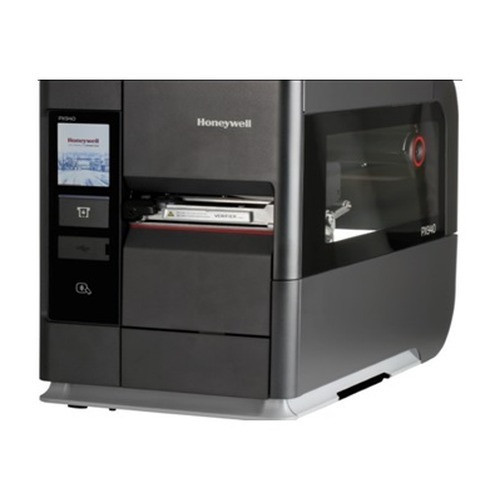
Honeywell PX940
Industrial
The Honeywell PX940 is well-suited for fixed, high-throughput wired LAN print stations where uptime and environmental resilience are the top priorities — its industrial-class build and 5–40 °C operating range make it a strong fit for general warehouse and distribution center floors running continuous label output.
View product →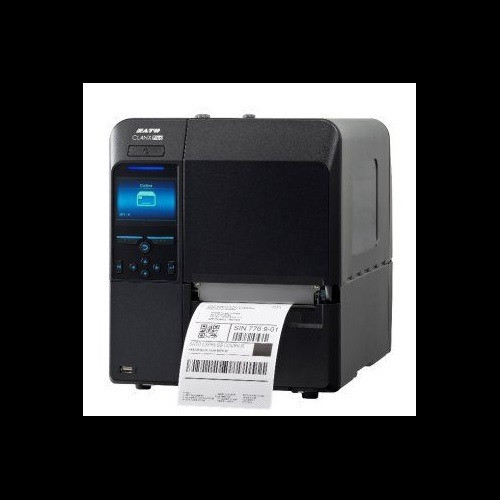
Sato WWCLP3B01-WAR
Industrial
The Sato WWCLP3B01 with AC/DC power and Wi-Fi connectivity is a strong fit when you need to place an industrial-class printer at a mobile pack station, a receiving dock without a dedicated network drop, or any location where running Ethernet cable is impractical — wireless connectivity removes the cabling constraint without stepping down to a desktop-class unit.
View product →
Sato WM8430031
Industrial 203dpi
The Sato WM8430031 at 203 dpi with wired Ethernet and a 41–104 °F operating range is well-suited for standard warehouse labeling tasks — shipping labels, bin locations, and compliance barcodes — at a fixed wired print station where clean network integration and proven industrial duty cycles matter more than high-resolution output.
View product →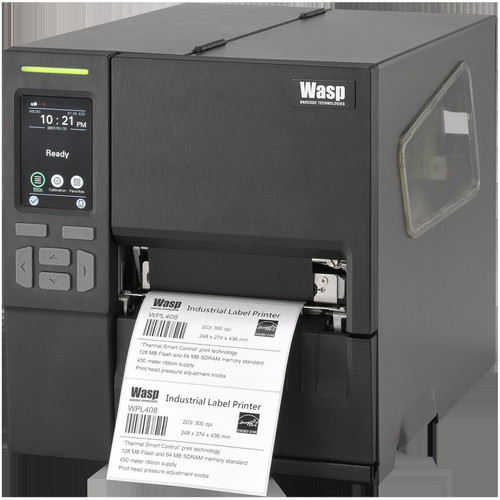
Wasp WPL408
Industrial
The Wasp WPL408 (USB 2.0, RS-232, Ethernet 10/100) is a strong fit for warehouses integrating with mixed-generation infrastructure — the RS-232 port handles legacy WMS terminals and weigh-scale systems while Ethernet covers modern network printing, making it practical in environments where not every station has been fully modernized.
View product →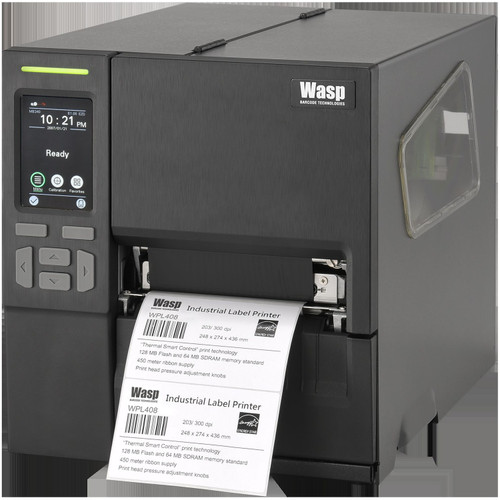
Wasp WPL408
Industrial
This Wasp WPL408 configuration adds USB Host to the RS-232, USB 2.0, and Ethernet 10/100 port set, making it well-suited for semi-standalone deployments where an operator needs to attach a barcode scanner or keyboard directly to the printer without a dedicated PC — a practical fit for receiving stations or small satellite print points.
View product →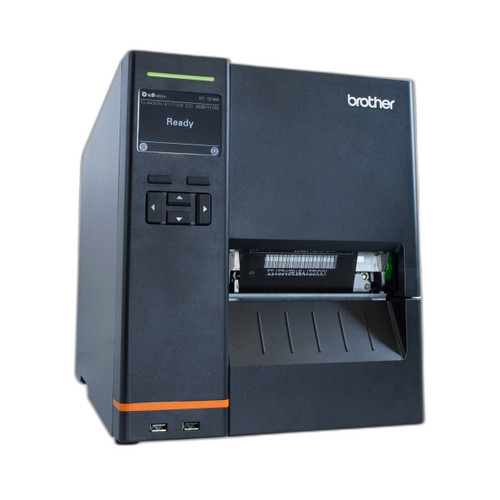
Brother TJ4520TN
Industrial
The Brother TJ4520TN stands out for its 4.5-inch print width, built-in display, and dual-mode connectivity (Wi-Fi plus wired Ethernet, USB, and RS-232C), making it well-suited for operations that label slightly wider media — pallet placards, wide carton labels, or 4x4 compliance tags — and need the flexibility to run wired at a fixed station or wireless on a mobile cart without swapping hardware.
View product →Frequently Asked Questions
What's the difference between 203 dpi and 300 dpi for warehouse barcode labels?
203 dpi is the standard for most warehouse barcodes — shipping labels, bin locations, GS1-128 carton codes — and scans reliably at typical read distances. 300 dpi becomes necessary when your labels are small (under 1 inch tall), the barcode modules are very narrow (high-density QR or DataMatrix), or your scanner rejections climb above acceptable thresholds. Upgrading resolution also slightly reduces rated print speed, so only go to 300 dpi when your application genuinely requires it.
Do I need Wi-Fi or is wired Ethernet better for a warehouse printer?
Wired Ethernet is the more reliable choice for fixed print stations: it eliminates RF interference from forklifts, dock door openers, and adjacent Wi-Fi networks, and it's easier to segment on a dedicated VLAN for security. Wi-Fi is the right call when you're placing a printer at a mobile pack station, a dock door without a cable drop, or a pop-up fulfillment area. If you choose Wi-Fi, verify the access point coverage and confirm the printer supports at minimum 802.11n — ideally 802.11ac — to avoid throughput stalls under load.
Can these printers run 24/7 in a three-shift distribution center?
Industrial-class printers are designed for sustained duty cycles that desktop units can't match — heavier print mechanisms, larger media paths, and better thermal management. That said, 'industrial class' is a category designation, not a guaranteed duty cycle number; check the specific model's rated volume per day or per month in the manufacturer's datasheet and compare it against your actual print volume. Running any printer consistently above its rated duty cycle will shorten head life and increase roller wear.
What label command language do I need to check for WMS compatibility?
The most common languages are ZPL/ZPL II (Zebra), SBPL (Sato), and EPL (older Zebra/Eltron). Your WMS or ERP print driver must support — or be able to generate — the command language your printer accepts. Most enterprise WMS platforms support ZPL natively; Sato printers often support SBPL and may offer ZPL emulation. Before purchasing, confirm with your WMS vendor which languages their print driver outputs and match that against the printer's supported language list in the spec sheet.
Will these printers work in a cold-storage or refrigerated warehouse?
The units listed here carry standard operating temperature ratings starting at approximately 41 °F (5 °C), which covers most ambient warehouse environments but not refrigerated or freezer storage. If your operating area runs below 41 °F — cold chain, produce coolers, or outdoor dock staging in winter climates — you'll need either a printer with a rated low-end below freezing or a heated enclosure to keep the unit within its specified thermal range. Thermal transfer printing itself is well-suited for cold-storage labels since the resin ribbon bonds better to synthetic label stock in low-temperature environments than direct thermal does.
What does USB Host on a label printer actually do?
USB Host allows the printer to act as the controller rather than the peripheral — meaning you can plug a USB barcode scanner, keyboard, or USB drive directly into the printer instead of into a PC. This enables standalone operation: an operator can scan a barcode or type a value at the printer itself to trigger a label without a connected computer. It's particularly useful at receiving docks, pick-and-pack stations, or any location where deploying a full PC is impractical or cost-prohibitive.
Related Resources
- Label Printer comparisons — head-to-head spec matchups
- Label Printer Buying Guide
- Best Desktop Label Printers for Shipping
- All product comparisons
Speccing this for a project?
Send us your requirements and our senior specialists will confirm specs, compatibility, availability and pricing — free, usually within one business day. Channel-direct, factory-new, serving commercial integrators since 2014.
Get a Free QuoteComparing for a project?
Send us the models you are weighing and our team will confirm specs, compatibility, availability, and pricing — free, usually within one business day.