
Best Desktop Label Printers for Shipping
Desktop thermal label printers for shipping and small-office labeling — 4-inch direct-thermal printing, compact footprint, and easy media loading.

Karl Wilson
Warehouse & Mobile Computing Specialist · Working integrator
Bottom line
For high-volume shipping departments that need fleet management and wired reliability, the Zebra ZT4-series industrial-grade desktops are the spec leaders; for small-office and mixed-connectivity environments, the Brother TD4-series strikes the best balance of interface flexibility and compact footprint; and for operations standardizing on SATO media ecosystems, the WD212 pair covers both wired and wireless deployments. Match your connectivity mandate and daily print volume to the right tier before buying — all six models print 4-inch labels, but their duty cycles, interface breadth, and management capabilities differ meaningfully.
What This Setup Needs
Desktop thermal label printers for shipping and small-office use look similar on spec sheets but diverge sharply on the factors that drive total cost of ownership. Here is what working integrators and facility managers should evaluate before committing to a platform:
- Connectivity stack: Wired-only models (USB/Serial/LAN) cost less and suit fixed workstations where cable runs are stable. Wi-Fi and Bluetooth BLE add flexibility for shared-floor use, cart deployments, and BYOD print workflows — but also introduce network planning overhead (SSID, VLAN, IP reservation). Confirm whether your ERP or shipping platform can drive the printer over the interfaces it actually ships with.
- Print width vs. label stock: A nominal 4-inch print width (4.0" or 4.3") determines whether you can run standard 4×6 shipping labels, wider compliance labels, or wristbands. A 4.3" print width gives slightly more usable margin on full-bleed label designs; a 4.0" unit is perfectly adequate for all standard carrier label formats.
- Resolution (203 dpi vs. higher): 203 dpi is the industry floor for 1D barcodes and readable shipping labels. If you print dense 2D QR codes, small-font compliance text, or GS1 DataMatrix, consider whether a higher-resolution option in the same family is available — 203 dpi can produce readable but visually coarser output on fine-detail graphics.
- Duty cycle and media load mechanism: Desktop thermal printers are rated for light-to-moderate daily volumes, typically up to a few thousand labels per day. If your operation runs hundreds of shipments per hour across a sustained shift, verify the model's rated duty cycle and whether it supports an easy-load or linerless media path to minimize operator downtime at the roll.
- Direct thermal vs. thermal transfer: Direct-thermal models (no ribbon) reduce consumable cost and mechanical complexity — ideal for short-life shipping labels. Thermal transfer produces more durable, smear-resistant print for asset tags, cold-chain labels, or outdoor use. Confirm which print technology each model uses before ordering media.
- Driver and SDK ecosystem: Brother, Zebra, and SATO each maintain their own Windows/Mac/Linux driver stacks and SDKs. Zebra's ZPL is the de-facto standard accepted natively by most WMS, ERP, and carrier-integration platforms; Brother uses its own ESC/P-derived language (with ZPL emulation on some models); SATO uses SBPL/SZPL. If your software team is standardized on ZPL templates, verify emulation support before deploying a non-Zebra unit.
- Power supply and physical footprint: Confirm whether the AC adapter is internal or external (a wall-wart adds desk clutter and replacement complexity). Verify the printer's physical depth and weight if it will share a tight packing-station shelf with a scale and scanner.
Our Picks
Selected from our catalog by spec-fit. All channel-direct and factory-new — not ranked by price.
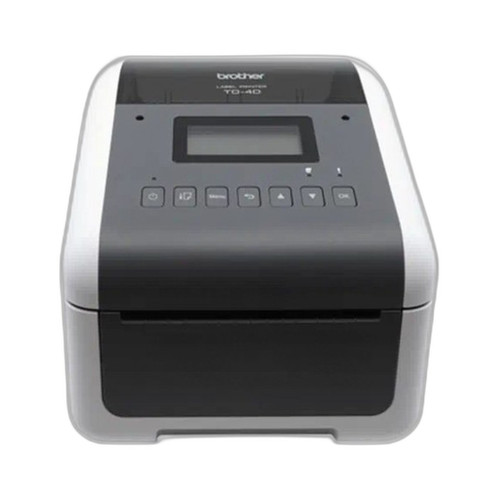
Brother TD4550DNWB
Desktop
The Brother TD4550DNWB is well-suited for shared small-office or light-warehouse deployments where operators need the flexibility to connect via USB, Serial, LAN, Bluetooth BLE, or Wi-Fi from a single unit — its 4.3" print width and front-panel display make it a strong fit when multiple users or mobile devices need to drive the same printer without re-cabling.
View product →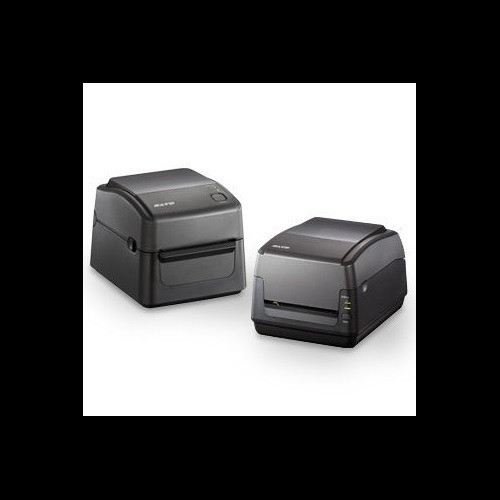
Sato WD212-409DN-EX1-2
Desktop 203dpi
The SATO WD212-409DN-EX1-2 is a strong fit for operations already standardized on SATO media and SBPL/SZPL label templates, offering a compact AC/DC desktop footprint with Wi-Fi connectivity at 203 dpi — a practical choice when you need wireless placement flexibility without stepping up to a higher-cost platform.
View product →
Brother TD4420DNC
Desktop
The Brother TD4420DNC is well-suited for fixed packing stations where all connectivity is wired — USB, Serial, and LAN cover every typical workstation scenario — and the 4.3" print width handles standard 4×6 carrier labels comfortably; it is a cost-effective choice when Bluetooth and Wi-Fi are unnecessary and reliability of a cabled connection is the priority.
View product →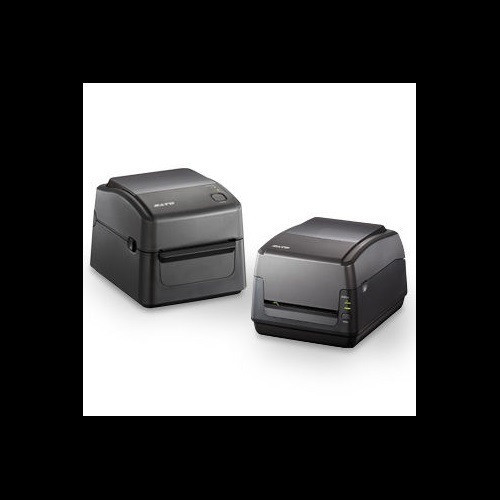
Sato WD212-409DW-EX1-2
Desktop 203dpi
The SATO WD212-409DW-EX1-2 is a strong fit when a Wi-Fi-enabled desktop is required within the SATO ecosystem, sharing the same 203 dpi AC/DC platform as the DN variant but targeting wireless-first environments — useful for packing stations where running a LAN cable is not practical.
View product →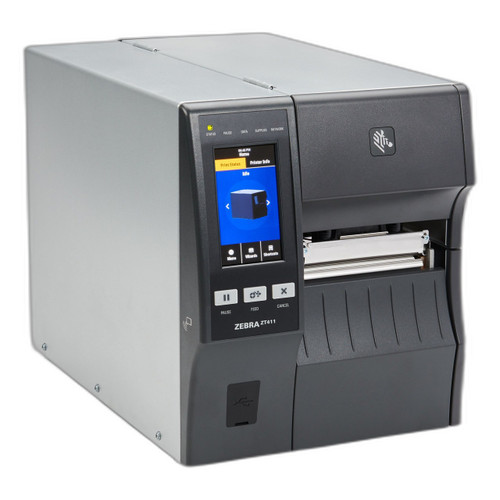
Zebra ZT41142-T01000GA
Desktop
The Zebra ZT41142-T01000GA is well-suited for higher-volume shipping and compliance labeling where ZPL compatibility with existing WMS or ERP templates is non-negotiable — its 203 dpi resolution, Wi-Fi connectivity, and support for both 4" and 6" print widths make it a strong fit for operations that need to scale label formats without swapping hardware.
View product →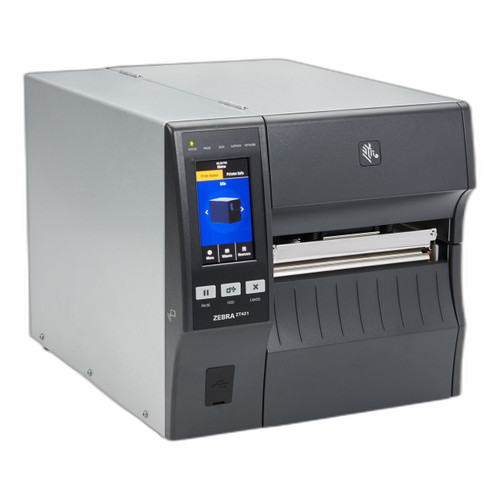
Zebra ZT42162-T01000GA
Desktop
The Zebra ZT42162-T01000GA is a strong fit for fixed high-throughput packing lines where wired LAN reliability is preferred and ZPL-native integration with carrier or warehouse management systems is already in place — the 4"/6" dual print width at 203 dpi gives it flexibility across standard shipping and wider compliance label formats on the same unit.
View product →Frequently Asked Questions
Do I need a thermal transfer ribbon for shipping label printers?
Not for standard carrier shipping labels. The major shipping formats (UPS, FedEx, USPS 4×6) are designed for direct-thermal printing, which requires no ribbon and reduces consumable cost. Thermal transfer is worth specifying only if your labels need to survive heat, moisture, chemical exposure, or long outdoor life — such as asset tags or cold-chain packaging. Verify which print technology a specific model uses before ordering label stock, since direct-thermal and thermal-transfer media are not interchangeable.
Will these printers work with UPS WorldShip, FedEx Ship Manager, ShipStation, or other shipping platforms?
Most major shipping platforms support ZPL-based Zebra printers natively and typically include Brother drivers as well. SATO models are well-supported but may require downloading the SATO Windows driver separately or confirming SZPL emulation mode is enabled. Before deployment, verify your specific software version's printer compatibility list — and if your platform generates ZPL templates, the Zebra ZT4-series models will require the least integration effort.
What label stock should I buy for a 4-inch direct-thermal printer?
For standard parcel shipping, 4×6 inch direct-thermal fanfold or roll stock on a 1" or 1.5" core is the most common format and is widely available from major suppliers. Match the roll outer diameter to the printer's maximum media capacity spec to avoid frequent roll changes on high-volume days. Avoid generic no-name media on any thermal printer — low-quality coatings wear the printhead faster and can void manufacturer warranty on some models.
What is ZPL and does it matter which brand I choose?
ZPL (Zebra Programming Language) is the label-description language developed by Zebra and has become the de-facto standard accepted natively by the vast majority of WMS, ERP, and carrier-integration platforms. If your operation generates ZPL label files, a Zebra printer will render them without any translation layer. Brother printers support ZPL emulation on some models (confirm per SKU), and SATO supports SZPL emulation — both work in practice, but native ZPL on Zebra hardware eliminates a compatibility variable worth removing in production environments.
How do I connect a Wi-Fi label printer to a corporate network?
Wi-Fi thermal printers typically support WPA2-Personal or WPA2-Enterprise (802.1X) authentication, but the specific security modes vary by model — verify the spec sheet before assuming enterprise RADIUS authentication is supported. Configuration is usually done via a web-based admin interface over the initial wired LAN connection or via a setup utility. Plan for a static IP reservation or DHCP reservation on your network so the printer's address does not change between shifts, and ensure your print server or shipping software is pointed at the correct IP.
Can I use these printers for labels other than shipping, such as asset tags or product labels?
Yes — all models listed are general-purpose label printers that support varying label widths and lengths beyond the 4×6 shipping format. For asset tags, product identification, or small retail price labels, you will want to confirm the minimum label length the printer supports and whether your label design software (Bartender, NiceLabel, ZebraDesigner, Brother P-touch Editor, etc.) can target the model. Note that if those alternate labels require durability beyond what direct-thermal provides, you will need a thermal-transfer capable model and the appropriate ribbon and media.
Related Resources
- Label Printer comparisons — head-to-head spec matchups
- Label Printer Buying Guide
- Best Industrial Label Printers for Warehouses
- All product comparisons
Speccing this for a project?
Send us your requirements and our senior specialists will confirm specs, compatibility, availability and pricing — free, usually within one business day. Channel-direct, factory-new, serving commercial integrators since 2014.
Get a Free QuoteComparing for a project?
Send us the models you are weighing and our team will confirm specs, compatibility, availability, and pricing — free, usually within one business day.