
UPS Buying Guide for Network & Security Systems
How to size a UPS for network switches, NVRs and access control — VA/watt capacity, online vs line-interactive topology, runtime, form factor and network management cards.

Eden Phillips
Networking & Infrastructure Specialist · Working integrator
Bottom line
Sizing a UPS for network and security infrastructure starts with calculating your actual watt load — not just VA — and matching topology to uptime requirements: online double-conversion for NVRs and access control panels that cannot tolerate even milliseconds of switchover delay, line-interactive for switches and edge devices where a brief transfer is acceptable. Add 20–25% headroom above your calculated load, factor in desired runtime at that load, and choose a form factor and management interface that fits your rack and monitoring workflow.
How to Choose
Choosing a UPS for network switches, NVRs, and access control equipment involves more than picking a VA rating off a shelf. The following factors drive the right decision for commercial security and IT infrastructure:
- VA vs. Watts (Power Factor): VA is the apparent load; watts is the real load your equipment draws. Most network/security gear has a power factor of 0.6–0.9. A 1500VA UPS with a 0.9 power factor delivers ~1350W — always check the watt rating, not just VA, and sum the nameplate wattage of every connected device with 20–25% headroom for inrush and future expansion.
- Topology — Online Double-Conversion vs. Line-Interactive: Online double-conversion (true online) continuously runs load off the inverter; the battery is always in the circuit, so switchover time is zero milliseconds. This is the correct choice for NVRs writing video to disk, access control panels, and anything whose firmware or hardware is damaged by even a brief voltage dropout. Line-interactive UPS units use an AVR (automatic voltage regulation) transformer to handle sags/surges and switch to battery only on a full outage — transfer time is typically 2–6 ms, which is acceptable for managed switches, wireless APs, and most IP cameras, and the topology is more efficient and less expensive at equivalent VA.
- Runtime at Your Load: Runtime is a function of battery capacity and actual watt draw — manufacturers publish runtime curves, not flat numbers. A 1500VA unit running at 300W will last far longer than the same unit at 1200W. If you need 20+ minutes for an orderly NVR shutdown or to bridge a generator start, verify the runtime curve at your specific load, and factor in battery age (capacity degrades ~20% by year 3–4).
- Form Factor — Rack vs. Tower vs. Desktop: 2U rack-mount units integrate cleanly into equipment racks and allow cable management; tower/desktop units suit small closets, desktop NVRs, or Ubiquiti-style edge deployments without a full rack. Convertible rack/tower units give flexibility for staged deployments.
- Network Management Card (NMC) / SNMP Support: For any remotely managed site, SNMP-capable UPS units allow your NMS or BMS to monitor battery health, load percentage, input voltage, and trigger graceful OS shutdowns before batteries are exhausted. USB and serial ports cover single-server or local-shutdown scenarios; SNMP/network cards are required for multi-device or remote-site visibility.
- Input/Output Voltage and Outlet Configuration: Confirm the UPS input voltage matches your panel (120V in North America for most of these units). Count the battery-backed outlets vs. surge-only outlets — access control panels and NVRs should always land on battery-backed receptacles; monitors or printers can go on surge-only to preserve runtime for critical loads.
- Scalability and Battery Replacement: For critical infrastructure, prefer units with hot-swappable or field-replaceable battery cartridges — downtime for a battery swap on an NVR UPS is operationally unacceptable. Confirm replacement battery availability and cost (typically 3–5 year replacement cycle) before specifying a unit.
Models to Consider
Selected from our catalog by spec-fit. All channel-direct and factory-new — not ranked by price.
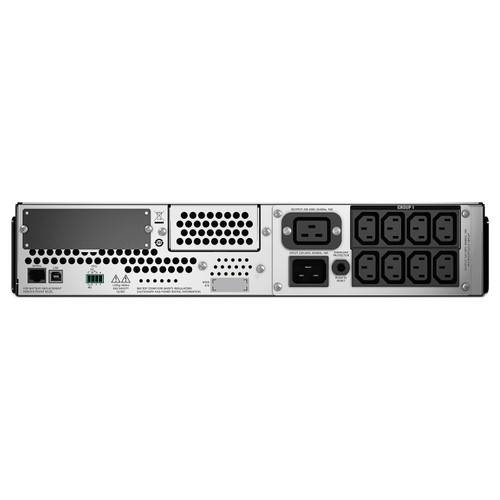
APC by Schneider Electric SMT3000RMI2U
3000VA
The SMT3000RMI2U is a 3000VA line-interactive Smart-UPS in a 2U rack form factor, well-suited for mid-size IDF closets hosting a stack of PoE switches, a rack-mount NVR, and an access control panel — its VA headroom handles the aggregate load of multiple devices simultaneously, and APC's Smart-UPS line supports optional network management cards for SNMP monitoring across managed sites.
View product →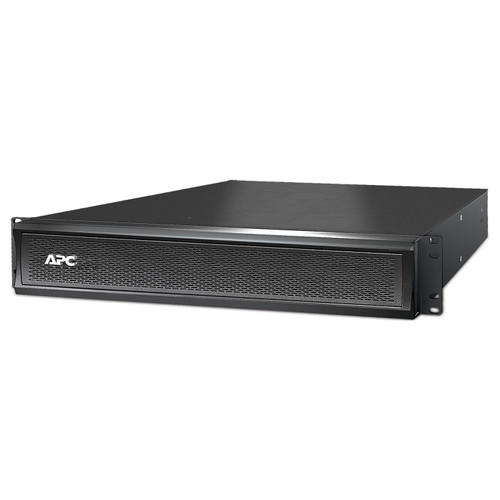
APC by Schneider Electric SMX1500RMI2U
1500VA
The SMX1500RMI2U is a 1500VA rack-mount Smart-UPS X unit, a strong fit for single-rack deployments protecting a mid-range NVR and two to four PoE switches where line-interactive topology and APC's extended runtime options (it supports external battery packs) are priorities alongside a manageable 2U footprint.
View product →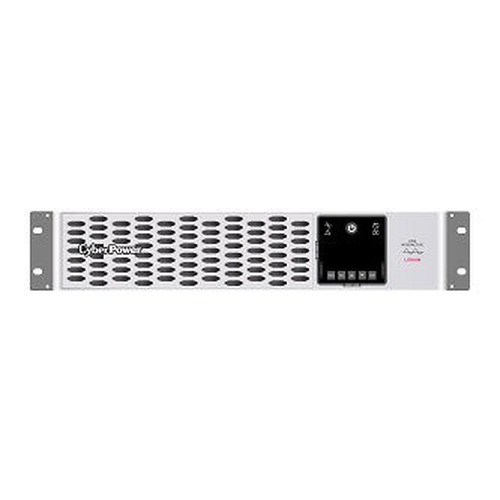
CyberPower PRL1500RT2UC
1500VA
The CyberPower PRL1500RT2UC is a 1500VA rack/tower convertible unit rated for 32–104°F operating environments, well-suited for budget-conscious deployments in IT closets or small equipment rooms where the convertible form factor allows initial tower use and later rack integration as the installation scales.
View product →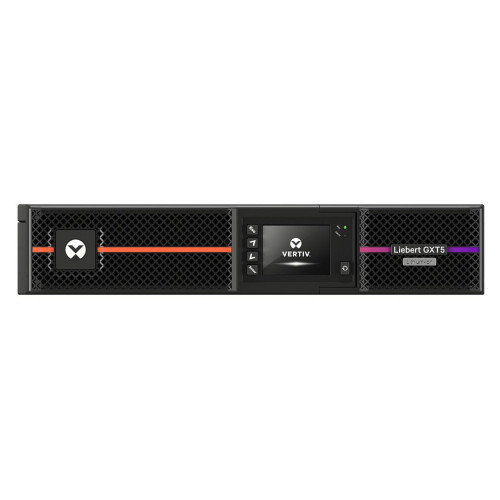
Vertiv GXT5-3000LVRT2UXL
3000VA
The Vertiv GXT5-3000LVRT2UXL is a 3000VA online double-conversion UPS with USB, serial, and SNMP connectivity built in, making it a strong fit for critical NVR and access control head-end installations that require zero-millisecond transfer time, native SNMP management without add-on cards, and 120V AC rack-mount form factor in a 2U chassis.
View product →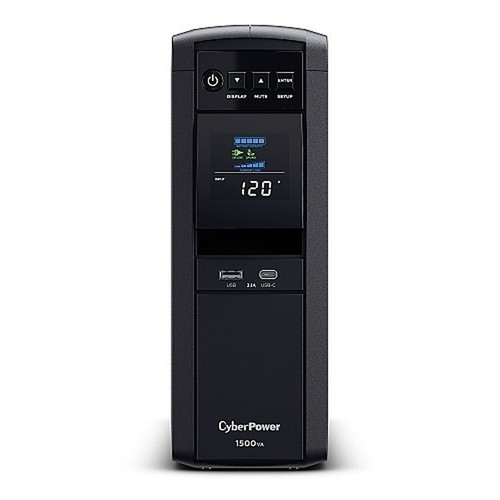
CyberPower PR1000RTXL2UC
1000VA
The CyberPower PR1000RTXL2UC is a 1000VA rack/tower unit operating across 32–104°F, well-suited for protecting a single managed switch, a small access control panel, or a low-power NVR in a satellite or edge closet where space and budget are constrained but basic battery backup and AVR are required.
View product →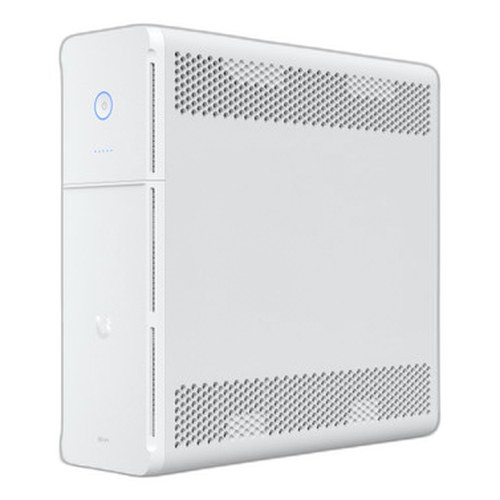
Ubiquiti UPS-TOWER-US
1kVA
The Ubiquiti UPS-TOWER-US is a 1kVA desktop-form-factor UPS with wired connectivity and a single port output, well-suited for Ubiquiti edge deployments — a single UniFi Dream Machine, small switch, or access point cluster at a remote site or small branch where a rack is not present and tight integration with the Ubiquiti ecosystem is the priority.
View product →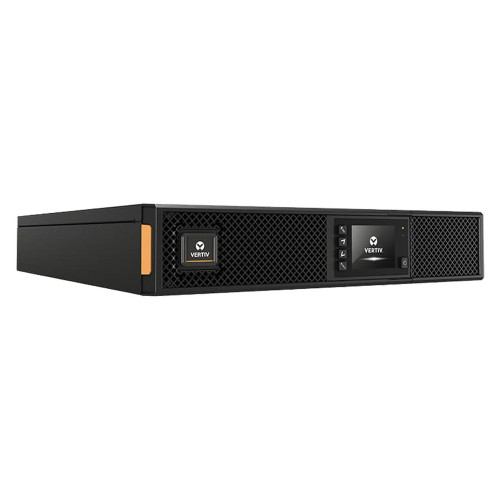
Vertiv GXT5-500LVRT2UXL
500VA
The Vertiv GXT5-500LVRT2UXL is a 500VA online double-conversion unit with USB, RS485, and RS232 connectivity in a 2U rack/tower chassis, well-suited for protecting a single low-draw device — an access control panel, a serial-connected door controller, or a small network appliance — where online topology and serial management ports matter more than raw capacity.
View product →Frequently Asked Questions
How do I calculate what size UPS I need for my NVR and switches?
Add up the watt draw (not VA) of every device you plan to connect — use nameplate ratings or a kill-a-watt meter for real measured values. Multiply that total by 1.25 to leave 20–25% headroom for inrush current and future devices. Then choose a UPS whose watt rating (not just VA) meets or exceeds that figure. For example, an NVR drawing 80W plus two PoE switches at 60W each totals 200W — a 1000VA unit rated at 900W covers this comfortably; a unit rated at only 600W at 1000VA would not.
What is the difference between online double-conversion and line-interactive UPS, and which do I need for security systems?
A line-interactive UPS uses an AVR transformer to regulate voltage during sags and surges, and switches to battery only during a full outage — transfer time is typically 2–6 ms. An online double-conversion UPS runs the load off the inverter 100% of the time, so transfer time is literally zero; the battery is always in the circuit. For NVRs actively writing video, access control panels, and any device whose firmware can be corrupted by a sub-cycle voltage gap, online double-conversion is the correct topology. Line-interactive is generally acceptable for managed switches, cameras, and other devices that tolerate a brief interruption.
How long will a UPS run my equipment during a power outage?
Runtime depends on the UPS battery capacity and your actual watt load — it is not a fixed number. Every manufacturer publishes runtime curves at various load levels; always look up your specific load on that curve rather than relying on the headline spec. As a rough example, a 1500VA unit at 20% load (around 150–200W) may run 60–90 minutes, while the same unit at 80% load may run only 8–12 minutes. Also plan for battery aging: capacity typically drops 15–25% by the third or fourth year, which directly reduces runtime.
Do I need a network management card in my UPS for a commercial security installation?
For any site with remote monitoring or multiple UPS units, a network management card (NMC) that supports SNMP is strongly recommended — it lets your NMS or BMS poll battery state, load percentage, input voltage, and runtime remaining without someone physically checking the unit. It also enables automatic graceful shutdowns of connected servers or NVRs before the battery is exhausted. For a small single-site deployment with a single server and on-site staff, a USB connection to the host NVR for shutdown scripting may be sufficient, but SNMP becomes essential as site count grows.
Can I add more runtime to a rack-mount UPS without replacing the whole unit?
Many commercial rack-mount UPS platforms — particularly in the APC Smart-UPS X and Vertiv GXT5 lines — support external battery modules (EBMs) that connect to the main unit and increase battery capacity without replacing the UPS itself. This is the preferred approach for installations where extended runtime is needed (generator bridge scenarios, remote sites with long utility restoration times). Confirm before specifying that the specific model you choose supports EBMs and what the maximum number of attached modules is.
What outlet configuration should I look for when protecting mixed security and IT loads?
Choose a UPS with enough battery-backed outlets to cover every critical device: NVR, access control panel, managed switches, and any powered device whose loss would create a life-safety or security gap. Surge-only outlets (present on many units) are fine for non-critical loads like monitors or label printers — connecting them there preserves battery runtime for the critical circuit. Count your device count before selecting a unit and verify the battery-backed outlet count matches your critical load count, not just the total outlet count.
Related Resources
- UPS comparisons — head-to-head spec matchups
- Best UPS for a Network Rack or NVR
- All product comparisons
Speccing this for a project?
Send us your requirements and our senior specialists will confirm specs, compatibility, availability and pricing — free, usually within one business day. Channel-direct, factory-new, serving commercial integrators since 2014.
Get a Free QuoteComparing for a project?
Send us the models you are weighing and our team will confirm specs, compatibility, availability, and pricing — free, usually within one business day.