
Best Barcode Scanners for Warehouse Receiving
Scanners for warehouse receiving and put-away — rugged 2D imaging, cordless freedom of movement or long-range for racking, and tolerance for drops and dust.

Karl Wilson
Warehouse & Mobile Computing Specialist · Working integrator
Bottom line
For warehouse receiving and put-away, prioritize rugged 2D imaging (handles damaged or low-contrast labels), cordless or long-tether freedom, and a drop/IP rating matched to your floor conditions. A corded presentation scanner covers a fixed receiving desk efficiently, while a Bluetooth or wearable form factor wins on the floor where workers need both hands free. Match the scanner's connectivity and interface to your existing WMS terminals or mobile infrastructure before finalizing.
What This Setup Needs
Warehouse receiving and put-away punish the wrong scanner fast — labels arrive damaged, pallets are head-height, and scanners hit concrete. Here's what actually separates a solid fit from a costly mismatch:
- 2D area imaging vs. laser: Receiving handles GS1-128, QR, Data Matrix, and PDF417 barcodes from multiple suppliers. A 2D area imager reads all of them plus damaged, wrinkled, or low-contrast labels that a linear laser fails on — non-negotiable for inbound freight.
- Cordless freedom vs. fixed-desk use: At a receiving dock with a dedicated terminal, a corded scanner is simpler and eliminates charging logistics. On the floor during put-away or cycle counts, Bluetooth or Wi-Fi untethers the worker and eliminates cable snag on racking.
- Drop rating and IP ingress protection: Warehouse floors average 5–6 ft drop events. Look for devices rated to at least 5 ft / 1.5 m on concrete and an IP rating of IP52 minimum — IP65 if your dock sees moisture, hose-down, or outdoor staging.
- Read range and high-density decode: Standard density works at arm's length. High-density (HD) optics resolve tightly packed GS1 codes on small items or components. Extended-range optics matter when workers are scanning from a forklift or reading rack labels from 10+ feet.
- Interface and WMS integration: Most WMS terminals expect USB HID (keyboard wedge) or RS-232. Bluetooth scanners add an SPP or HID Bluetooth profile for wireless terminals. Confirm your terminal OS and port before purchasing — mismatched interfaces require adapters that add latency and failure points.
- Battery and duty cycle: A cordless scanner doing 1,000–2,000 scans per shift needs a battery rated well above that with charge time that fits your break schedule. Wearable form factors must also survive a full 8–10 hour shift without a mid-day swap if you run a single-shift operation.
- Ergonomics and workflow fit: A pistol-grip corded unit is natural at a desk but tiring if carried for hours. Wearable ring scanners or glove-mount units free both hands for handling boxes, dramatically reducing motion during put-away — measurable in picks-per-hour on high-volume floors.
Our Picks
Selected from our catalog by spec-fit. All channel-direct and factory-new — not ranked by price.
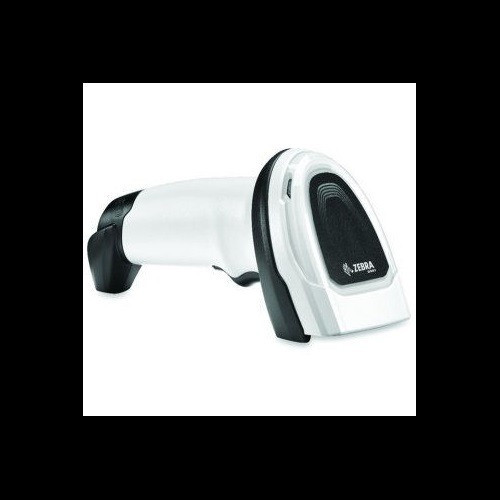
Zebra DS8108
Corded 2D
The Zebra DS8108 is a corded 2D presentation/handheld hybrid well-suited for a fixed receiving desk where a worker alternates between hands-free sweep scanning and manual trigger scans — its operating range of 32° to 122°F covers most dock environments without concern for temperature extremes near loading doors.
View product →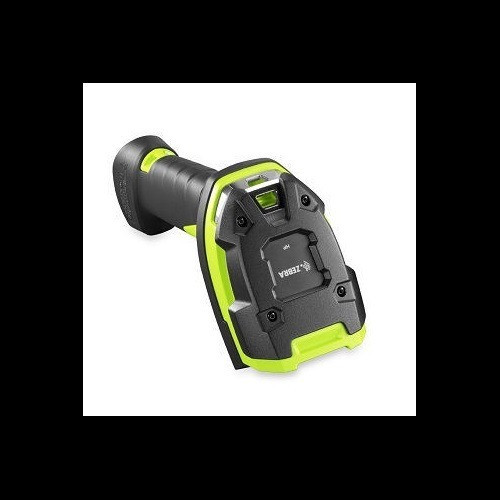
Zebra DS3608
Corded 2D
The Zebra DS3608 in High Density configuration is a strong fit when your inbound freight includes densely printed GS1-128 or small-label components that standard optics struggle with — its rugged industrial corded build is engineered for the abuse of a receiving dock rather than a retail counter.
View product →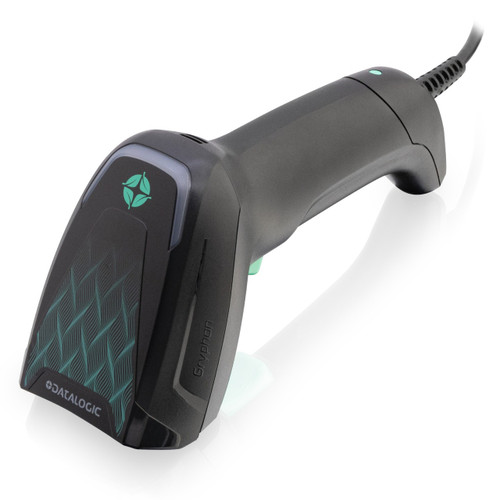
Datalogic GBT4600-HC-BTK1-HP
Corded 2D
The Datalogic GBT4600-HC with Bluetooth 5.2 Classic and Low Energy is well-suited for a receiving or put-away workflow where the worker roams within Bluetooth range of a base station or paired terminal — IP52 ingress protection handles light dust and splashes, and the dual USB/RS-232/Bluetooth interfaces give flexibility across older WMS terminals and modern USB hosts.
View product →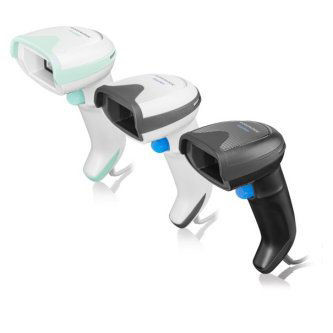
Datalogic GD4590-HCK10-HDR-B
Corded 2D
The Datalogic GD4590 with Bluetooth 4.0 and IP52 is a solid fit for receiving operations that need a corded primary connection but occasional Bluetooth flexibility, particularly where USB and RS-232 terminal compatibility is a hard requirement alongside moderate environmental protection.
View product →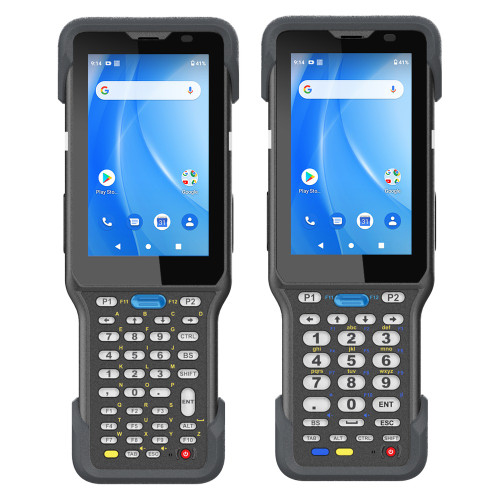
Unitech HT730-LJ6122BG
Wearable/Ring
The Unitech HT730 wearable with Wi-Fi, Bluetooth, and dual-SIM 4G is a strong fit for high-velocity put-away and pick operations where hands-free scanning translates directly into throughput — the wearable form factor eliminates the pick-up/put-down motion of a pistol-grip scanner, and integrated Wi-Fi with cellular fallback keeps the worker connected across large or multi-building warehouse footprints.
View product →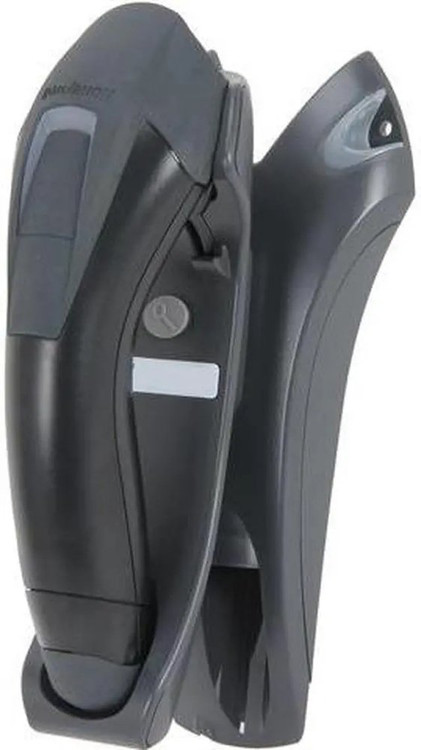
Honeywell 1202G-2USB-5BF-N
Corded 2D
The Honeywell 1202G with Bluetooth 4.2, USB output, and an IP65 ingress rating is well-suited for dock and staging areas exposed to moisture, dust, or hose-down conditions where IP52-rated alternatives would be marginal — the cable-included configuration means it ships ready to pair to a USB host as a Bluetooth HID device without additional accessories.
View product →Frequently Asked Questions
Do I need a 2D barcode scanner for warehouse receiving, or will a 1D laser scanner work?
For most modern receiving operations, 2D imaging is the right call. Inbound freight increasingly includes GS1-128 stacked codes, QR codes on packing slips, and PDF417 on shipping labels — none of which a 1D laser can decode. 2D area imagers also handle damaged, low-contrast, and wrinkled labels far better than laser scanners, which require a clean line to read. Unless your supplier base is locked to simple Code 128 labels with no exceptions, a 2D imager eliminates the scanner as a bottleneck at the dock.
Bluetooth vs. Wi-Fi barcode scanner — which is better for warehouse use?
Bluetooth scanners pair directly to a nearby terminal or host device and are ideal when the worker stays within roughly 30 feet of a fixed workstation — simpler to deploy, no wireless infrastructure required. Wi-Fi scanners connect to your existing warehouse network and can roam across the entire building, making them the right fit for put-away, cycle counts, or any task that takes a worker far from a single terminal. If your operation already has solid Wi-Fi coverage and a WMS that supports networked clients, Wi-Fi wins on mobility; if you're adding scanners to a receiving desk with an existing terminal, Bluetooth is typically lower-friction.
What IP rating should a barcode scanner have for a warehouse dock?
IP52 is the minimum practical floor for a receiving environment — it blocks dust ingress sufficient to cause failure and resists light water spray from cleaning or condensation. If your dock is exposed to direct hose-down, high humidity, outdoor staging, or rain blowing through open bay doors, look for IP65 or better, which is fully dust-tight and jet-water resistant. Never conflate IP rating with drop rating — a scanner can be IP65 but not survive a 5-foot concrete drop; check both specs independently for your environment.
How do I connect a Bluetooth barcode scanner to a Windows PC or WMS terminal?
Most Bluetooth barcode scanners support HID (Human Interface Device) profile, which means the host PC sees the scanner as a Bluetooth keyboard — no driver needed, works natively with any WMS that accepts keyboard input. Some scanners also support SPP (Serial Port Profile) for applications that expect a COM port, which requires a driver or virtual COM port utility. Check your WMS vendor's scanner compatibility list first; if it lists specific Honeywell, Zebra, or Datalogic models, those have validated HID or SPP configurations that avoid integration surprises.
What is high-density (HD) scanning and when do I need it in a warehouse?
High-density optics use a tighter focal length and finer resolution sensor to read barcodes with very small bar widths — typically X-dimensions under 5 mils. In a warehouse context, you need HD decode when your inbound items carry component-level labels (electronics, medical, or industrial parts), GS1 DataBar Expanded codes on small retail units, or tightly packed codes on documentation. Standard-density scanners will miss or misread these under normal warehouse lighting. If your receiving mix is primarily large-format shipping labels on boxes, standard density is sufficient and costs less.
Can a wearable ring scanner handle a full warehouse shift, and what should I watch for?
Wearable scanners are engineered for extended wear, but battery life, comfort, and scan reliability under motion are the real variables to validate. For an 8–10 hour shift, confirm the battery capacity and rated scan count per charge from the spec sheet — and budget for a spare battery or charging station if the rated life is marginal. Ergonomically, ring and glove-mount scanners significantly reduce repetitive motion strain versus pistol-grip units during put-away, but workers need a short adaptation period to adjust trigger positioning. Also verify the wearable's scan engine can read your label stock from the angles and distances typical of your racking — some wearable imagers have a narrower read range than a handheld unit.
Related Resources
- Barcode Scanner comparisons — head-to-head spec matchups
- Barcode Scanner Buying Guide
- All product comparisons
Speccing this for a project?
Send us your requirements and our senior specialists will confirm specs, compatibility, availability and pricing — free, usually within one business day. Channel-direct, factory-new, serving commercial integrators since 2014.
Get a Free QuoteComparing for a project?
Send us the models you are weighing and our team will confirm specs, compatibility, availability, and pricing — free, usually within one business day.