
Best VMS for Commercial Surveillance
VMS is the software layer where cameras, users, workflows, and integrations come together. The choice matters: a strong VMS makes a mediocre camera lineup usable; a weak VMS makes a premium camera investment feel expensive. This guide walks through the VMS platforms we actually recommend by use case.
Bottom Line
For most commercial deployments: Hanwha Wisenet WAVE (included with XRN/PRN NVRs) covers small-to-mid business needs with strong mobile apps. Milestone XProtect Essential+ or Professional+ for multi-site operators. Genetec Security Center for enterprise with access-control integration. Axis Camera Station for Axis-centric deployments. Cloud-native (Verkada, Rhombus) for ops teams prioritizing simplicity over customization.
Our team works with commercial VMS across small-business to enterprise scale.
Best For
- IT directors comparing VMS platforms
- Security directors evaluating multi-site VMS needs
- Facility managers responding to a VMS upgrade requirement
- Integrators specifying VMS standards across clients
Not For
- Residential or consumer surveillance
- Cloud-only deployments without any on-premise components
In This Guide
What Matters in a Commercial VMS
Mobile app quality. Users access VMS through mobile apps more than through the desktop client. App quality drives actual utilization.
Role-based access and audit trail. Individual user accounts, role-based permissions, logging every login/playback/export.
Camera brand compatibility. ONVIF Profile T support for mixed-vendor; vendor-specific integrations for analytics and PTZ features.
Access control integration. Camera-on-badge-event workflows are standard commercial. Genetec and Milestone handle this natively.
Analytics and AI. People counting, dwell, occupancy, object detection, plate recognition. Increasingly baseline, not premium.
Federation across sites. Multi-site operators need single-pane management. Milestone and Genetec do this well.
Cybersecurity. TLS encryption, cert management, role-based audit, firmware update workflow.
Export workflow. Fast, documented, integrity-metadata-included for investigation and subpoena response.
VMS Picks by Use Case
Small business / single-site (under 16 cameras): Hanwha Wisenet WAVE, included free with XRN/PRN NVRs. Strong mobile apps, role-based access, sufficient for most deployments.
Standard commercial (16-48 cameras, single-site): Hanwha Wisenet WAVE or Milestone XProtect Essential+. WAVE for Hanwha-centric; Essential+ for mixed-vendor.
Multi-site commercial (2-10 sites): Milestone XProtect Professional+ with federation. Manage cameras across sites from a single interface.
Enterprise commercial / campus (10+ sites or 500+ cameras): Genetec Security Center or Milestone XProtect Expert/Corporate. Enterprise federation, analytics, access control.
Cannabis compliance: Milestone XProtect or Genetec with audit-trail focus. Hanwha WAVE works for smaller operators.
School districts: Genetec Security Center or Milestone XProtect with lockdown integration. Larger districts benefit from the federation model.
Retail chain: Milestone XProtect with POS-exception integration. Centralized loss-prevention monitoring.
Cloud-first ops team: Verkada or Rhombus for simplicity over customization.
On-Premise vs Cloud VMS
On-premise VMS (Milestone, Genetec, Wisenet WAVE):
Pros: one-time license cost, no ongoing per-camera cloud fees, full control of data, faster for large camera counts, works without internet.
Cons: requires server hardware and maintenance, IT skills needed, upgrade cycles are manual.
Cloud VMS (Verkada, Rhombus, Eagle Eye, Arcules):
Pros: no server to manage, automatic updates, mobile-first design, works across sites without federation setup, faster deployment.
Cons: ongoing per-camera subscription fees ($30-$100/camera/month); internet dependency; cloud-vendor lock-in; limited customization; data storage policy depends on vendor.
Hybrid (on-prem recording + cloud management):
Some platforms (Genetec Mission Control, Milestone XProtect with cloud extension) combine on-prem recording with cloud management. Gives mobile-first experience with local data storage. Best of both for many operators.
VMS Anchor Products (Hanwha Wisenet WAVE)
Hanwha NVRs include Wisenet WAVE VMS free. For Milestone or Genetec deployments, VMS is licensed separately.
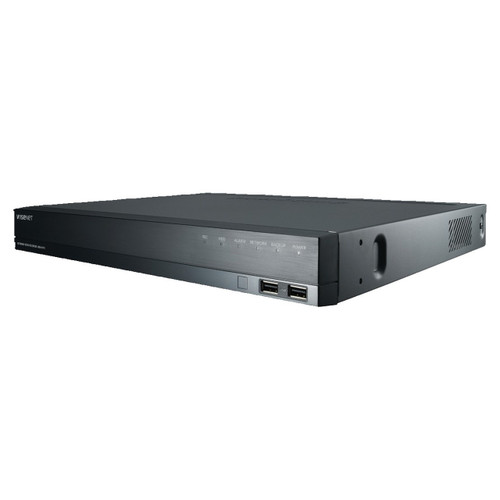
Hanwha
Hanwha XRN-820S 8-Channel 4K Network Video Recorder
XRN-820S
Includes Hanwha Wisenet WAVE free. Strong mobile apps for owner/manager remote access.
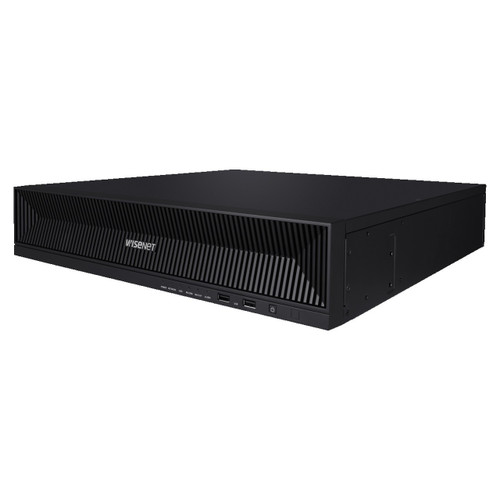
Hanwha
Hanwha XRN-1620B2 16-Channel 4K NVR
XRN-1620B2
Includes Wisenet WAVE for standard commercial deployments.
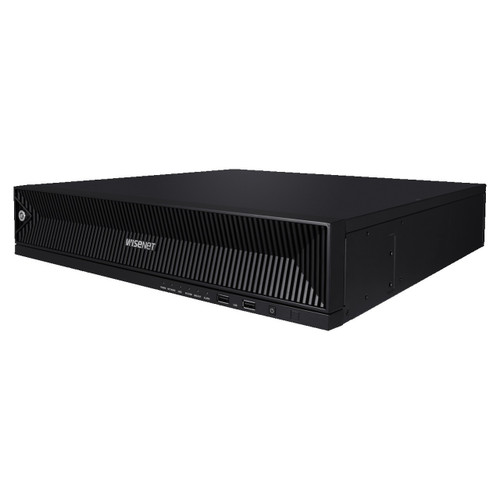
Hanwha
Hanwha PRN-3200B2 32CH 8K 400Mbps H.265 AI NVR
PRN-3200B2
Includes WAVE Enterprise for compliance-heavy and AI-driven deployments.
Also Consider
Axis-centric all-in-one.
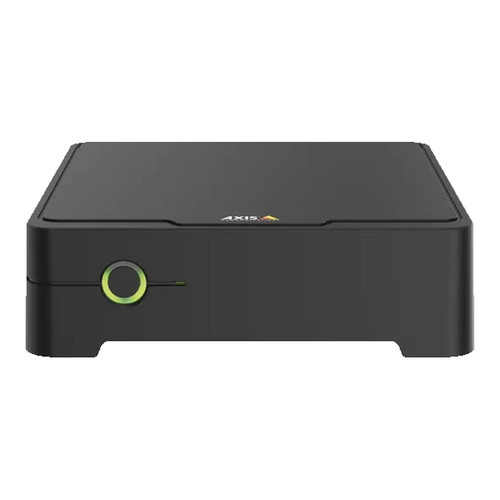
Axis
Axis S3008 Mk II 8TB Network Video Recorder - 02766-004
02766-004
Axis S3008 Mk II with Axis Camera Station included.
Frequently Asked Questions
What's the best VMS for a small business?
Hanwha Wisenet WAVE, included free with Hanwha XRN/PRN NVRs. Strong mobile apps, role-based access, sufficient for most small deployments.
Is cloud VMS worth the subscription fee?
For ops teams prioritizing simplicity over customization, yes. Cloud VMS eliminates server maintenance and provides mobile-first experience. Monthly cost ($30-$100 per camera per month) adds up at scale; most multi-site operators find on-prem more cost-effective.
What about Verkada or Rhombus?
Cloud-first VMS with integrated cameras. Good for ops teams that want camera + VMS as a single service. More expensive per camera than on-prem alternatives; vendor lock-in is a consideration.
Can Milestone run Axis and Hanwha cameras on the same VMS?
Yes. Milestone has certified integrations with Axis, Hanwha, i-PRO, Bosch, Pelco, and many others. ONVIF Profile T covers basic support; vendor-specific integrations add analytics.
Do I need enterprise VMS for 3 locations?
Helpful but not essential. Milestone Professional+ with federation handles 3-10 locations well. Below 3 locations, most operators run per-site WAVE or similar.
No Bots, Just Experts
No bots, just experts. Free pre-sales support for every customer — product questions, BOM quotes, compatibility checks, price confirmation — typically answered within one business day. Paid services available like full system design, remote installation, and more. Got a list of products? Free BOM quote. Need help figuring out what to buy? Buy engineering time by the hour — $175/hour, qty 1 = 1 hour. Tell us about your project, we scope how many hours it needs, you purchase that quantity. Hardware buyers get up to one hour ($175) credited back against their order as a thank-you.