
Network Switch Buying Guide for IP Cameras & PoE
How to choose a network switch for IP cameras, access control and PoE devices — managed vs unmanaged, port count, PoE/PoE+/PoE++ power budget, uplinks and VLAN segmentation.

Eden Phillips
Networking & Infrastructure Specialist · Working integrator
Bottom line
Choosing the right PoE switch for an IP camera or access control system comes down to four numbers: port count, per-port power class, total power budget, and operating temperature range. Match those four to your device load, then decide whether you need managed features like VLANs and QoS — unmanaged switches are simpler to deploy but give you no traffic isolation or remote diagnostics. The SKUs listed here cover everything from a 5-port outdoor micro-closet feed to a 48-port core aggregation switch, so spec your site load first and let the numbers drive the selection.
How to Choose
Network switches for IP cameras and access control are not commodity gear — a mismatch between your PoE power budget and actual device draw is the single most common cause of random camera reboots and door-controller dropouts in the field. Work through these factors in order before quoting a switch.
- PoE Standard and Per-Port Power Class: IEEE 802.3af (PoE) delivers up to 15.4 W per port; 802.3at (PoE+) delivers up to 30 W; 802.3bt (PoE++) delivers up to 60–90 W. PTZ cameras, multi-sensor cameras, and high-security card readers with heaters often need PoE+ or PoE++. Verify the power class on every powered device (PD) before choosing a switch — under-classed ports will either refuse to power the device or throttle it unpredictably.
- Total Switch Power Budget: Add up the worst-case wattage of every PD on the switch — not the port maximum, the actual device spec. A 24-port PoE+ switch may advertise 370 W total; if you hang 24 × 25 W cameras on it you need 600 W and you will see brownouts. Real-world rule of thumb: plan for 70–80% budget utilization maximum, and derate further in hot enclosures.
- Port Count and Uplink Speed: Count every IP device that needs a switch port — cameras, door controllers, intercoms, wireless APs, encoders, NVRs. Add 20% headroom for future expansion. Uplinks matter too: a 24-port PoE switch feeding an NVR and a core switch needs at least a 1 Gbps uplink; high-resolution multicamera sites with 4K streams should consider switches with SFP or 10 G uplinks to avoid uplink saturation.
- Managed vs. Unmanaged: Unmanaged switches are plug-and-play and appropriate for small, isolated camera-only closets. Managed switches add 802.1Q VLANs (critical for isolating camera traffic from corporate IT), QoS/DSCP prioritization (keeps video streams smooth under load), IGMP snooping (reduces multicast flooding), port mirroring for diagnostics, and SNMP/web monitoring. Any installation touching a corporate LAN or requiring cybersecurity compliance should use a managed switch.
- Operating Temperature Range: Indoor IT-room switches are typically rated 0°C–50°C. Outdoor enclosures, parking structures, loading docks, and unheated cabinets routinely see −20°C to −40°C in winter and 60°C+ in summer. Spec the extended-temp model from the start — retrofitting a frozen switch mid-winter is expensive. Several switches in this lineup are rated to −40°C, which covers virtually every North American outdoor application.
- Enclosure, Form Factor, and Ingress Protection: Rack-mount switches belong in a conditioned IDF. DIN-rail and wall-mount switches fit surveillance-specific metal enclosures. IP66-rated switches can be mounted directly in outdoor NEMA 4X enclosures or even on a wall without a separate cabinet — this eliminates a box, a lock, and a cabling run on small satellite sites.
- Alarm I/O and Special Integrations: Some surveillance-specific switches include dry-contact alarm inputs/outputs. These let the switch report cabinet intrusion, temperature faults, or link-loss events directly to a VMS or alarm panel — eliminating a separate I/O module and simplifying wiring on remote nodes.
Models to Consider
Selected from our catalog by spec-fit. All channel-direct and factory-new — not ranked by price.
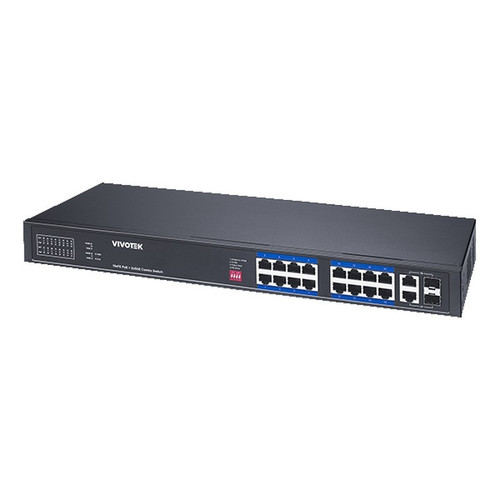
Vivotek IHT-1271
8-Port PoE
The Vivotek IHT-1271 is well-suited for small outdoor or industrial camera nodes where ambient temperature swings are severe — its −40°C to +75°C rating covers unheated enclosures and rooftop cabinets where a standard IT switch would fail, and PoE+ class output handles IR cameras and access readers without a mid-span injector.
View product →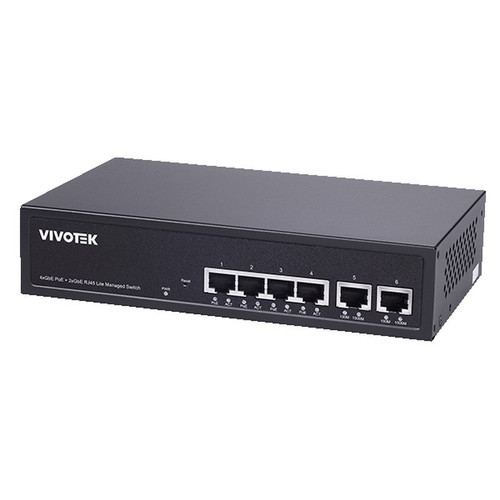
Vivotek GEV-288A-370
24-Port PoE
The Vivotek GEV-288A-370 is a strong fit for mid-size surveillance closets requiring a full 24-port PoE deployment in a conditioned space; its 370 W power budget supports a dense mix of PoE+ cameras and supporting devices, and the −10°C to +50°C rating covers most temperate indoor-to-light-industrial environments.
View product →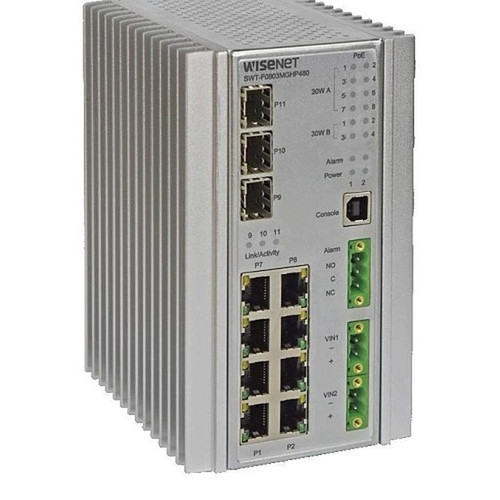
Hanwha SWT-F11MGHP
11-Port PoE
The Hanwha SWT-F11MGHP is well-suited for hardened satellite nodes where both extreme temperatures and high-wattage devices coexist — ports 1–4 deliver 60 W PoE++ output (covering PTZ cameras or heated housings) while ports 1–8 support standard 30 W PoE+ devices, and the built-in alarm I/O lets the switch report fault conditions directly to a VMS or panel without additional hardware.
View product →
Hanwha SWT-G11MGHP
11-Port PoE
The Hanwha SWT-G11MGHP is a strong fit for rugged 11-port deployments at outdoor or industrial sites where the −40°C to +75°C temperature range is the primary driver and a flexible AC/DC dual-power input is needed for redundant or solar-backed power architectures.
View product →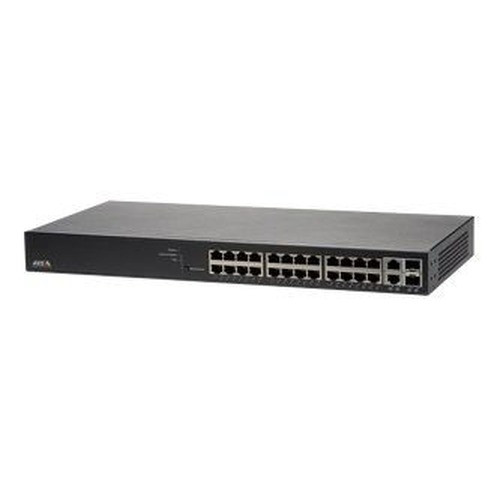
Axis T8524
24-Port PoE
The Axis T8524 is well-suited for integrators building Axis-native surveillance infrastructure — as a 24-port PoE+ managed switch it pairs cleanly with Axis cameras and door controllers, and its managed feature set supports the VLAN segmentation and QoS configuration that Axis Device Manager and AXIS Camera Station expect in a properly hardened network design.
View product →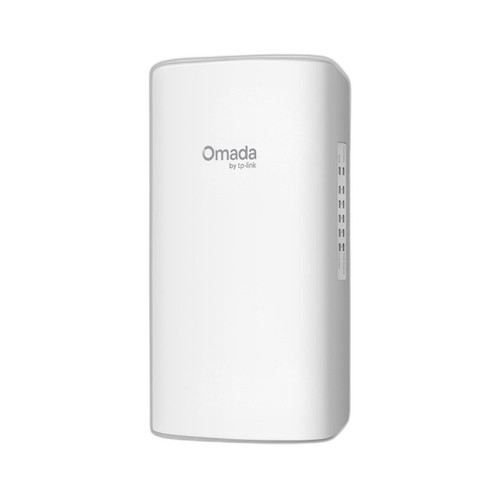
TP-Link SG2005P-PD
5-Port non-PoE
The TP-Link SG2005P-PD is a strong fit for micro-closet or junction-box installations where space and budget are constrained — its IP66 rating allows direct outdoor or wash-down mounting without a separate enclosure, the 5-port Gigabit interface handles a small camera cluster or access control satellite node, and the −40°C to +60°C rating covers North American outdoor conditions year-round.
View product →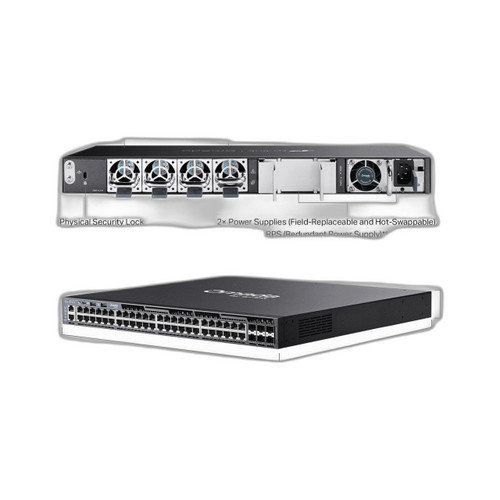
TP-Link SG6654XHP
48-Port non-PoE
The TP-Link SG6654XHP is well-suited for large-site aggregation layers where a high port-density managed core is needed — 48 PoE+ RJ45 ports combined with 6 high-speed uplink interfaces makes it a practical distribution switch for enterprise campus or warehouse-scale camera and access control deployments where a single managed layer must feed dozens of IP devices while maintaining VLAN segmentation and uplink throughput.
View product →Frequently Asked Questions
How do I calculate the PoE power budget I need for my camera system?
List every powered device and find its maximum PoE draw in watts from the datasheet — not the port maximum, the actual device consumption. Sum those values across all ports you intend to use simultaneously. Add 15–20% headroom for startup inrush and future devices. Compare that total against the switch's advertised power budget; if your load exceeds roughly 75–80% of the rated budget, step up to the next model or split across two switches.
Do I need a managed switch for IP cameras or will unmanaged work?
Unmanaged switches are acceptable for small, isolated camera-only networks that never touch a corporate LAN and have no cybersecurity compliance requirement. The moment cameras share infrastructure with business systems — or your customer's IT team is involved — you need a managed switch so you can isolate camera traffic on a dedicated VLAN, apply QoS to protect video streams, and monitor port status remotely. Most commercial integrators default to managed switches on all but the smallest standalone jobs.
What is the difference between PoE, PoE+ and PoE++ for security cameras?
IEEE 802.3af (PoE) provides up to 15.4 W at the port — sufficient for basic fixed cameras and most card readers. IEEE 802.3at (PoE+) delivers up to 30 W, covering IR cameras, pan-tilt-zoom cameras, multi-sensor cameras, and door controllers with electric strike power. IEEE 802.3bt (PoE++, also called 4PPoE) delivers 60–90 W per port, which is required for high-power PTZ cameras, cameras with built-in heaters, and some video analytics appliances. Always check the device's IEEE power class in its datasheet before specifying a switch.
Can I use a PoE switch in an outdoor or unheated enclosure?
Only if the switch is rated for the expected ambient temperature range. Standard data-center or office switches are typically rated 0°C to 50°C and will fault or fail in freezing conditions. For outdoor cabinets, parking structures, or unheated industrial spaces, you need a switch rated to at least −20°C, and ideally −40°C for northern climates. Several switches in this lineup carry a −40°C lower limit, making them suitable for direct deployment in hardened outdoor enclosures without supplemental heating.
How many cameras can I connect to one switch?
The physical limit is the number of PoE-capable ports. The practical limit is whichever comes first: available PoE power budget or uplink bandwidth. On a 24-port switch with a 370 W budget, you might be limited to 12–15 high-power cameras before the budget is exhausted, even though ports remain open. On a bandwidth basis, 24 cameras at 8 Mbps each is 192 Mbps of sustained video traffic — well within a 1 Gbps uplink under normal conditions, but a site with 4K multi-stream cameras should plan for a 10 G uplink to avoid congestion.
Should I put IP cameras on a separate VLAN from my corporate network?
Yes, in virtually all commercial installations. Camera traffic is high-bandwidth and continuous, which can degrade latency-sensitive business applications if mixed on the same broadcast domain. More importantly, cameras are a frequent target for network intrusion — isolating them on a dedicated VLAN with restricted inter-VLAN routing limits lateral movement if a device is compromised. VLAN segmentation requires a managed switch and a router or Layer 3 switch to define access policies between the camera VLAN and the NVR or VMS server.
Related Resources
- Network Switch comparisons — head-to-head spec matchups
- Best PoE Switch for a 16-Camera Install
- Best PoE Switch for an 8-Camera System
- All product comparisons
Speccing this for a project?
Send us your requirements and our senior specialists will confirm specs, compatibility, availability and pricing — free, usually within one business day. Channel-direct, factory-new, serving commercial integrators since 2014.
Get a Free QuoteComparing for a project?
Send us the models you are weighing and our team will confirm specs, compatibility, availability, and pricing — free, usually within one business day.