
Best PoE Switch for an 8-Camera System
Choosing a PoE switch for an 8-camera IP system — 8 to 16 PoE ports, a PoE+ budget covering the cameras, and an uplink to the NVR or network.

Eden Phillips
Networking & Infrastructure Specialist · Working integrator
Bottom line
For a standard 8-camera IP deployment, match your switch port count and PoE budget to your camera draw first — most 30W PoE+ cameras leave little headroom on under-spec'd switches. If your install is outdoors or in an uncontrolled environment, prioritize rated operating temperature and IP enclosure rating over port count. For future-proofed or high-resolution systems where bandwidth matters, a managed 2.5G switch pays dividends over a traditional 100Mbps unmanaged unit.
What This Setup Needs
Selecting a PoE switch for an 8-camera IP system comes down to matching five hard electrical and environmental constraints before considering management features or price. Get any one of these wrong and you're back on-site pulling hardware.
- Total PoE power budget: Add up the worst-case wattage draw of every camera — PTZ cameras can pull 25–30W each, fixed domes typically 10–15W. If 8 cameras average 15W that's 120W minimum; a switch rated at 130W total gives you almost no thermal headroom and will throttle ports under load. Size your budget to 125–150% of calculated draw.
- Per-port PoE class: PoE (802.3af) delivers up to 15.4W per port; PoE+ (802.3at) delivers up to 30W. High-res multi-sensor cameras, pan-tilt drives, and cameras with built-in IR illuminators require PoE+. Confirm each camera's IEEE class before specifying the switch — a PoE-only port cannot safely power a PoE+ device.
- Port count and uplink capacity: An 8-camera system needs at minimum 8 PoE downstream ports plus at least one uplink to your NVR or core network. Gigabit or faster uplinks prevent the uplink from becoming a chokepoint — 8 cameras at 4K/H.265 can easily push 80–120 Mbps aggregate, and that number climbs with higher frame rates or multi-stream recording.
- Operating temperature range: Switches installed in outdoor enclosures, unheated equipment rooms, attics, or vehicle bays face temperatures that consumer-grade hardware cannot handle. Industrial-rated switches certified to -40°C cover the full North American climate envelope without supplemental heating; switches rated only to 0°C will fail in a cold Minnesota January or a hot Texas attic.
- IP/NEMA enclosure rating: If the switch mounts directly in a wet or dusty location — a parking-deck pedestal, a perimeter pole cabinet, a rooftop enclosure — you need a rated IP enclosure (IP67/IP68) or a separate weatherproof cabinet. An unrated switch in a splash-prone location is a warranty void and a liability.
- Managed vs. unmanaged: Unmanaged switches work fine for simple, flat camera networks. Managed switches add VLAN segmentation (keeping camera traffic off your corporate LAN), SNMP monitoring so your NMS detects a down port before a guard does, port-level PoE scheduling, and storm control. For any system with more than one VLAN boundary or where uptime SLAs matter, a managed Layer 2 switch is worth the premium.
- Bandwidth per port (10/100 vs. Gigabit vs. 2.5G): 100Mbps Fast Ethernet ports are sufficient for a single standard-resolution camera stream, but leave no room for dual-stream (main + sub), high frame rate, or multi-sensor cameras. Gigabit ports comfortably handle even 4K streams. 2.5G and 10G uplinks future-proof the switch for NVR upgrades or expanding camera counts without replacing the switch.
Our Picks
Selected from our catalog by spec-fit. All channel-direct and factory-new — not ranked by price.
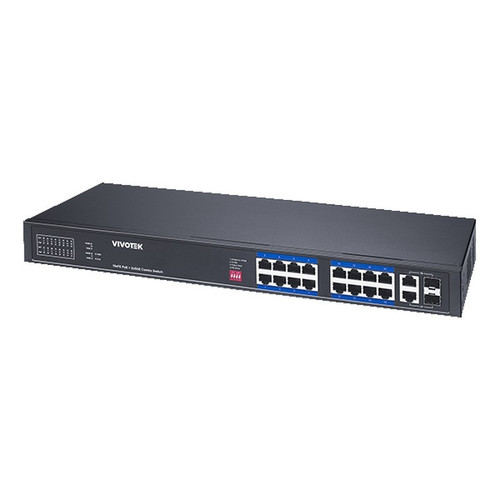
Vivotek IHT-1271
8-Port PoE
The Vivotek IHT-1271 is well-suited for installations in harsh thermal environments — its -40°C to 75°C operating range covers unheated enclosures, rooftop cabinets, and industrial spaces where standard commercial switches would fail. The 8-port PoE+ format maps cleanly to an 8-camera system without paying for unused ports.
View product →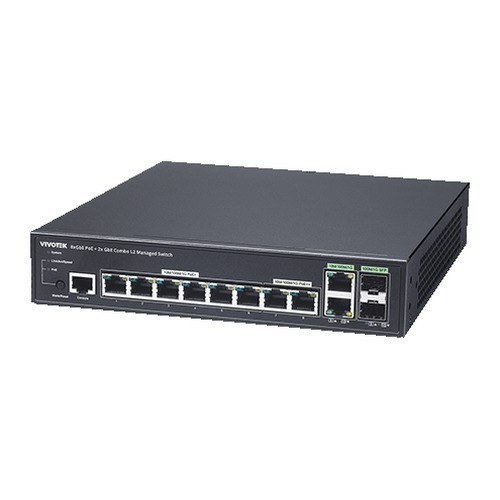
Vivotek GEV-108A-130
8-Port PoE
The Vivotek GEV-108A-130 is a strong fit when the switch must mount in a genuinely wet or outdoor-exposed location — its IP68 rating means it can be installed in direct-exposure pedestal enclosures or perimeter pole boxes that would destroy an unrated unit. With 130W total PoE+ budget across 8 ports, it covers a full camera array of standard PoE+ devices, and its -10°C to 50°C range handles most non-extreme outdoor deployments.
View product →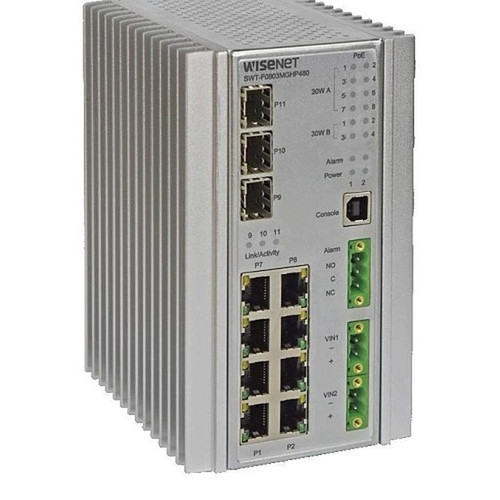
Hanwha SWT-F11MGHP
11-Port PoE
The Hanwha SWT-F11MGHP is well-suited for mixed-load camera systems where a subset of cameras — PTZ heads, multi-sensor units, or cameras with integrated heaters — demand higher per-port power: ports 1–4 are rated at 60W each, accommodating IEEE 802.3bt (PoE++) class devices, while ports 1–8 support standard 30W PoE+. The 11-port form factor also provides two or three spare ports for NVR direct-connect or a future camera without adding a second switch, and the -40°C to +75°C rating covers harsh enclosure environments.
View product →
Hanwha SWT-G11MGHP
11-Port PoE
The Hanwha SWT-G11MGHP is a strong fit for controlled-environment equipment rooms and IDF closets where you need a few spare PoE ports beyond a strict 8-port count — the 11-port configuration provides room for a dedicated NVR or AP connection alongside the full camera array, and the -40°C to +75°C industrial temperature rating adds resilience if the closet is not climate-controlled.
View product →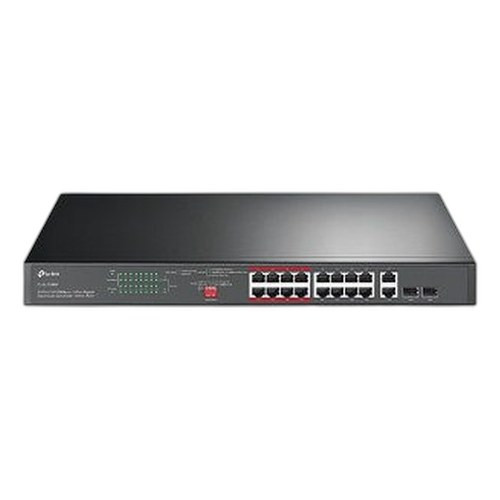
TP-Link SL1218MP
16-Port PoE
The TP-Link SL1218MP is well-suited for budget-conscious projects that anticipate camera count growth — 16 PoE ports provide room to double from 8 cameras to 16 without replacing the switch, and the dual Gigabit uplinks handle aggregate camera bandwidth cleanly. The Fast Ethernet (10/100Mbps) downstream ports are appropriate for standard-resolution and 1080p cameras, though buyers planning on 4K multi-sensor cameras should note the per-port bandwidth ceiling.
View product →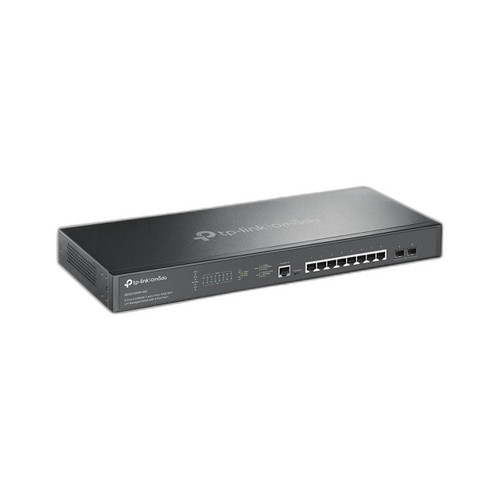
TP-Link SG3210XHP-M2
8-Port PoE
The TP-Link SG3210XHP-M2 is a strong fit for technically sophisticated deployments where future bandwidth headroom and full Layer 2 management are priorities — 8 ports at 2.5GBASE-T with dual 10G SFP+ uplinks handle 4K high-frame-rate and multi-sensor camera streams with significant margin to spare, and CLI/SNMP v1/v2c/v3/RMON support enables VLAN segmentation, port monitoring, and integration with enterprise NMS platforms. It is best deployed in a controlled rack environment by an integrator comfortable with CLI-based switch configuration.
View product →Frequently Asked Questions
How much PoE budget do I need for 8 IP cameras?
Calculate the maximum wattage of each camera under full load — not the idle draw — and add them together. A typical 8-camera system using PoE+ cameras at 15–25W each needs 120–200W of total switch budget. Always add a 25–30% safety margin above your calculated total, because PoE switches that run near their rated ceiling will throttle individual ports or refuse to power newly connected devices.
Do I need a managed switch for a camera system?
For a simple, dedicated camera VLAN on a standalone NVR with no integration into a corporate network, an unmanaged switch works and simplifies the install. If cameras share infrastructure with IT traffic, if you need VLAN isolation for security or compliance, or if your monitoring team needs SNMP visibility into port status, a managed switch is the right call. Managed switches also allow per-port PoE power cycling — useful for rebooting a frozen camera remotely without a site visit.
What is the difference between PoE, PoE+, and PoE++?
IEEE 802.3af (PoE) supplies up to 15.4W per port — sufficient for most fixed IP cameras and access readers. IEEE 802.3at (PoE+) supplies up to 30W, covering PTZ cameras, cameras with high-power IR, and multi-sensor heads. IEEE 802.3bt (PoE++) delivers up to 60W or 90W per port and is used for high-wattage PTZ drives, pan-tilt-zoom cameras with deicing heaters, and dual-radio access points. Verify your cameras' IEEE class before specifying the switch — a PoE-only port cannot safely deliver PoE+ wattage even if a device requests it.
Can I use a 100Mbps Fast Ethernet PoE switch for 4K IP cameras?
A single 4K H.265 camera at moderate compression typically streams a main channel at 8–16 Mbps, well within a 100Mbps port's physical limit. However, if you are running dual streams (main + sub for NVR and live view simultaneously), using high frame rates, or deploying multi-sensor cameras that aggregate multiple imagers over one cable, you can approach or saturate a 100Mbps port. For installations where 4K or multi-sensor cameras are specified, Gigabit or 2.5G ports eliminate bandwidth as a variable and are worth the modest cost difference.
What operating temperature rating do I need for an outdoor or unheated enclosure install?
For most North American outdoor installations — unheated equipment rooms, attic spaces, exterior pedestal enclosures — a switch rated to -40°C on the cold end and at least 60°C on the hot end is the safe specification. Switches rated only down to 0°C or -10°C will encounter condensation and cold-induced failures in northern climates during winter. If the switch mounts in a sealed outdoor enclosure with solar exposure, also check the maximum rated temperature, since enclosure interiors can exceed 60°C on a hot day.
Does the switch need to be in the same location as the NVR?
No. The switch can be placed at a distribution point closer to the cameras — reducing cable runs — while the NVR sits in a secure equipment room. Connect the switch to the NVR via a fiber or copper Gigabit or 10G uplink run. This topology is common in large facilities and parking structures where running individual camera cables hundreds of feet back to a central closet is impractical. Ensure the uplink between the switch and NVR has sufficient bandwidth for your full aggregate camera stream.
Related Resources
- Network Switch comparisons — head-to-head spec matchups
- Network Switch Buying Guide for IP Cameras & PoE
- Best PoE Switch for a 16-Camera Install
- All product comparisons
Speccing this for a project?
Send us your requirements and our senior specialists will confirm specs, compatibility, availability and pricing — free, usually within one business day. Channel-direct, factory-new, serving commercial integrators since 2014.
Get a Free QuoteComparing for a project?
Send us the models you are weighing and our team will confirm specs, compatibility, availability, and pricing — free, usually within one business day.