
Showing Results for Wireless Access Points
-

Ubiquiti U7-PRO-XGS WiFi 7 Ceiling Access Point
WiFi 7 ceiling AP with 10 GbE backhaul for 500+ concurrent clients
- 10 GbE uplink eliminates backhaul bottlenecks; falls back to 2.5/5 GbE during migration.
- Supports 500+ concurrent clients across 1,750 ft² — built for high-density warehouse floors.
- Dedicated spectral scanning radio enables live RF analysis without disrupting production traffic.
In stock · Ships same business day Free shipping over $499Add to quote$324.99Add to quote$324.99 -

Ubiquiti U7-PRO-XGS-B-US UniFi 7 Access Point
WiFi 7 ceiling AP with 10GbE uplink and dedicated RF scanning
- WiFi 7 (802.11be) 8-stream tri-band covers 2.4/5/6 GHz with legacy client support.
- 10/5/2.5/1 GbE multi-speed port eliminates backhaul bottlenecks on mixed-gen switches.
- PoE+ (802.3bt) powered from any compliant switch — no dedicated power infrastructure needed.
In stock · Ships same business day Free shipping over $499Add to quote$339.99Add to quote$339.99 -
Save $0.01
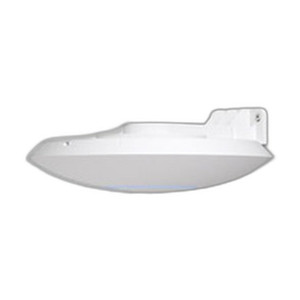
Ubiquiti UACC-LITE-AP-AM Access Point Lite Arm Mount
Wall arm bracket for UniFi compact APs—extends coverage from fixed mount points
- Arm extension offsets APs from walls, eliminating backplane RF absorption at fixed mount points.
- Compatible with UniFi Lite compact AP form factors; bracket locks into the AP locking notch.
- Installs on wall, ceiling, or rack surfaces using standard fasteners—no proprietary tools needed.
In stock · Ships same business day Free shipping over $499$20.00 $19.99 Save $0.01 -
Save $23.81

Ubiquiti UAP-AC-HD-5-US UniFi Access Point
802.11AC Wave 2 AP for high-density enterprise deployments
- 2533 Mbps aggregate dual-band throughput handles dense concurrent client loads.
- PoE+ powered at 90W per unit; plan PoE switch for 450W aggregate across 5 APs.
- Centralized UniFi controller synchronizes RF policy and roaming across all 5 units.
In stock · Ships same business day Free shipping over $499Add to quote$335.80 $311.99 Save $23.81 -
Save $32.01

Ubiquiti UAP-AC-HD-US High-Density Outdoor Access Point
802.11ac outdoor AP for high-density client zones, 2533 Mbps aggregate
- 802.11ac Wave 2 MU-MIMO delivers 2533 Mbps aggregate across dense outdoor client zones.
- Dual 10/100/1000 Ethernet ports support wired uplink redundancy and daisy-chain deployment.
- PoE+ (802.3at, 44–57 VDC) powers the unit via existing UniFi switches—no local AC needed.
In stock · Ships same business day Free shipping over $499$349.00 $316.99 Save $32.01 -
Save $0.01

Ubiquiti UAP-AC-M-5-US UniFi Access Point
Dual-band 802.11AC access point for mid-scale deployments
- 1750 Mbps dual-band throughput supports 20–50 concurrent clients per AP.
- Single Gigabit PoE port per unit eliminates dedicated AC runs across all 5 APs.
- UniFi Controller manages all 5 APs centrally—firmware, roaming, and guest nets.
In stock · Ships same business day Free shipping over $499Add to quote$480.00 $479.99 Save $0.01 -
Save $0.01
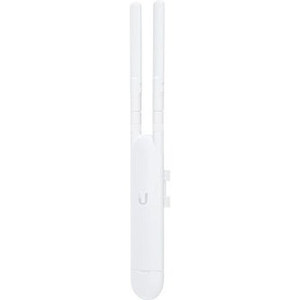
Ubiquiti UAP-AC-M-US WiFi 5 Access Point
Compact outdoor WiFi 5 AP with PoE+ power for distributed coverage
- 867 Mbps 802.11AC dual-band throughput suits mid-density enterprise and retail deployments.
- PoE+ input eliminates dedicated electrical runs for wall or pole mounts in hard-to-reach sites.
- Rated -30 to 70 °C with CE/FCC/IC certifications for compliant indoor and outdoor installs.
In stock · Ships same business day Free shipping over $499Add to quote$99.00 $98.99 Save $0.01 -
Save $0.01
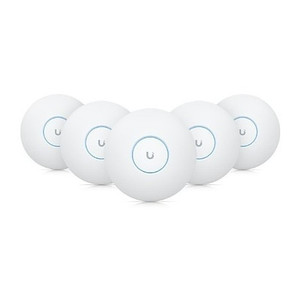
Ubiquiti UAP-AC-PRO-5-US WiFi 5 Access Point
Dual-band WiFi 5 AP for indoor/outdoor with 1750 Mbps throughput
- Dual-band 802.11ac delivers 1750 Mbps combined to support 50–300 concurrent clients.
- Single Cat5e/Cat6 run via 802.3at PoE+ eliminates separate power drops at mount points.
- Rated for –10 to 50 °C operation with wall, ceiling, and rack mount options included.
In stock · Ships same business day Free shipping over $499$699.00 $698.99 Save $0.01 -
Save $0.01
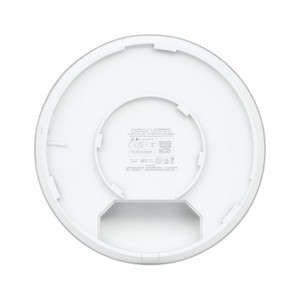
Ubiquiti UAP-AC-PRO-US Dual-Band 802.11ac Access Point
Outdoor dual-band 802.11ac AP with 1.75 Gbps throughput and PoE+ power
- 1.75 Gbps dual-band throughput (450 Mbps / 1.3 Gbps) handles concurrent multi-user loads.
- PoE+ (802.3at) eliminates AC outlet runs—single cable delivers power and data at the mount.
- Two Gigabit ports support uplink redundancy or daisy-chain expansion with no extra switching.
In stock · Ships same business day Free shipping over $499$149.00 $148.99 Save $0.01 -
Save $532.01

Ubiquiti UAP-AC-SHD-5-US Dual-Band 802.11ac Access Point
802.11ac Wave 2 dual-band AP with Multi-User MIMO for dense deployments
- Wave 2 MU-MIMO serves multiple clients simultaneously, sustaining throughput in 20+ device deployments.
- Dual 10/100/1000 Ethernet ports support wired uplink and daisy-chain without additional switching hardware.
- PoE+ (802.3at) input at 44–57 VDC eliminates local power runs; mounts to wall, ceiling, or rack.
In stock · Ships same business day Free shipping over $499$2,649.00 $2,116.99 Save $532.01 -
Save $144.01

Ubiquiti UAP-AC-SHD-US Wave2 802.11ac Access Point
Wave2 802.11ac dual-band AP with PoE power, UniFi-managed
- Wave2 MU-MIMO dual-band radio supports concurrent 2.4 GHz and 5 GHz client loads.
- Dual Gigabit Ethernet ports enable wired uplink plus daisy-chain without a separate switch.
- PoE+ (802.3at) powered over 44–57 VDC; no local AC outlet required at the install point.
In stock · Ships same business day Free shipping over $499$549.00 $404.99 Save $144.01 -
Save $0.01

Ubiquiti UAP-BEACONHD-US UniFi MeshPoint Access Point
Compact cylindrical mesh AP for tight spaces, PoE powered
- Cylindrical MeshPoint form factor fits wall cavities and ceiling voids where standard APs won't.
- 802.3af PoE eliminates separate power runs, simplifying cabling in constrained or retrofit spaces.
- UniFi Controller management centralizes config and policy enforcement across all deployed radios.
In stock · Ships same business day Free shipping over $499Add to quote$129.00 $128.99 Save $0.01 -
Save $0.01
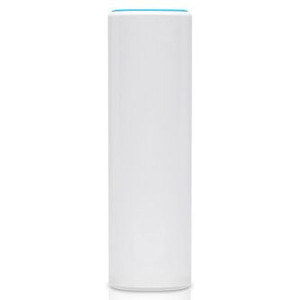
Ubiquiti UAP-FLEXHD-US UniFi Access Point
Compact ceiling-mount AP for tight spaces, UniFi-managed
- Compact Ø159 mm body mounts on wall, ceiling, pole, or tabletop without structural reinforcement.
- Single 10/100/1000 PoE (802.3af) port simplifies cabling—no separate power injector or outlet needed.
- Auto-adopts into UniFi Controller, pulling SSID and VLAN policy across multi-site deployments instantly.
In stock · Ships same business day Free shipping over $499$179.00 $178.99 Save $0.01 -
Save $31.01
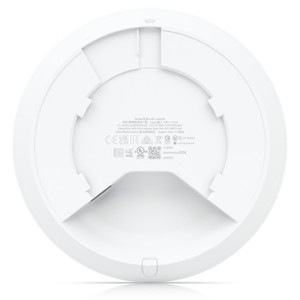
Ubiquiti UAP-NANOHD-3-US UniFi Access Point
802.11ac dual-band access point in compact ceiling/wall form
- 4x4 MU-MIMO dual-band 802.11ac Wave 2 handles 50+ concurrent clients without contention.
- 802.3at PoE+ powered—single Ethernet run delivers data and power, no AC outlet needed.
- Low-profile ceiling/wall mount form factor integrates without structural modification.
In stock · Ships same business day Free shipping over $499Add to quote$527.00 $495.99 Save $31.01 -
Save $59.01
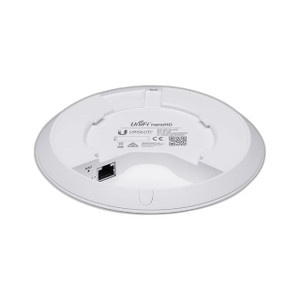
Ubiquiti UAP-NANOHD-5-US 802.11ac Wave 2 Access Point
802.11ac Wave 2 AP with 4x4 MU-MIMO for multi-client environments
- 4x4 MU-MIMO Wave 2 serves multiple clients simultaneously without shared-channel degradation.
- Single GbE port powers via 802.3af PoE (44–57 VDC), eliminating local power runs.
- Ceiling/wall mount with included kits suits indoor deployments rated to 70 °C.
In stock · Ships same business day Free shipping over $499$900.00 $840.99 Save $59.01 -
Save $24.01
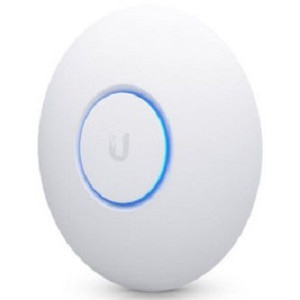
Ubiquiti UAP-NANOHD-US WiFi 5 Access Point
Compact WiFi 5 AP with standard PoE for distributed deployments
- WiFi 5 dual-band 802.11ac Wave 2 access point
- Compact nano form factor for ceiling or desk mount
- IEEE PoE-powered via UniFi switch
In stock · Ships same business day Free shipping over $499Add to quote$181.00 $156.99 Save $24.01 -

Ubiquiti UDB-PRO-SECTOR 5 GHz PtMP Wireless Bridge
5 GHz point-to-multipoint bridge serving 50+ clients across 5+ km
- Connects 50+ clients at up to 5 km on 5 GHz 802.11ac, eliminating point-to-point sprawl.
- IPX6-rated enclosure survives 200 km/h wind loads; operates from -40 to 60 °C outdoors.
- Passive PoE (42.5–57 V, 6 W) over a single GbE RJ45 simplifies pole-mount deployment.
In stock · Ships same business day Free shipping over $499Add to quote$219.99Add to quote$219.99 -
Save $0.01
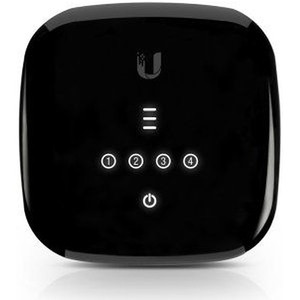
Ubiquiti UF-WIFI-US Wall-Mountable Wireless Access Point
Wall-mount WiFi AP with 4 Gigabit ports and GPON fiber support
- Four built-in Gigabit ports eliminate the need for a separate switch in small deployments.
- 2.488 Gbps aggregate throughput sustains concurrent wired and wireless traffic without bottlenecks.
- GPON support and PoE (30W) simplify fiber backhaul integration with a single wall-mount device.
In stock · Ships same business day Free shipping over $499$79.00 $78.99 Save $0.01 -
Save $0.01

Ubiquiti UF-WIFI6 WiFi 6 GPON Access Point
WiFi 6 GPON access point—fiber termination + wireless in one unit
- Terminates GPON fiber and delivers WiFi 6 in one unit—no separate ONT required.
- Four GbE LAN ports support wired NAS, cameras, and switches at predictable latency.
- 2.4 Gbps downstream / 1.2 Gbps upstream GPON throughput matches current fiber tiers.
In stock · Ships same business day Free shipping over $499$99.00 $98.99 Save $0.01 -
Save $0.01
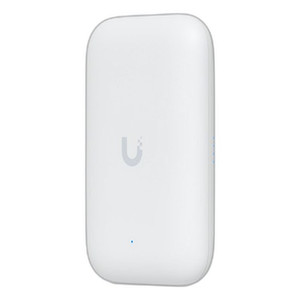
Ubiquiti UK-ULTRA Compact Indoor/Outdoor WiFi 5 Access Point
Compact WiFi 5 AP rated IPX6 for pole mount in harsh outdoor sites
- IPX6-rated UV-polycarbonate housing survives rain, salt spray, and −40 to 60 °C extremes.
- 8W max draw runs on existing 802.3af PoE switches — no infrastructure upgrades required.
- 866.7 Mbps on 5 GHz and 300 Mbps on 2.4 GHz fit into 137 × 84 × 34 mm for tight pole mounts.
In stock · Ships same business day Free shipping over $499Add to quote$89.00 $88.99 Save $0.01 -
Save $0.01

Ubiquiti UMR UniFi LTE Mobile WiFi Router
Compact managed mobile router for field ops and temporary sites
- Aluminum enclosure handles outdoor and vehicle-mount deployments at just 148 g.
- CLI, Web GUI, and SNMP support fits directly into existing enterprise management stacks.
- DIN rail and wall mount hardware included for rapid field installation without extra hardware.
In stock · Ships same business day Free shipping over $499$199.00 $198.99 Save $0.01 -
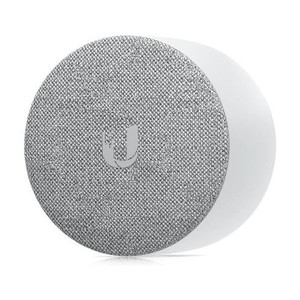
Ubiquiti UP-CHIME Wireless Access Point
Wi-Fi audio alert device for UniFi Protect camera events
- Plugs into any 120V outlet—no wired chime infrastructure or special tools required.
- Managed entirely via UniFi Protect App; supports Web v2.0+, iOS v1.6.2+, Android v1.6.0+.
- Lightweight at 0.35 lb, making repositioning straightforward when optimizing Wi-Fi coverage.
In stock · Ships same business day Free shipping over $499Add to quote$67.99Add to quote$67.99 -
Save $0.01

Ubiquiti UWB-XG WiFi 5 Access Point 1500 Clients 10 GbE
WiFi 5 AP with 1500+ client capacity and 10 GbE uplink
- Three 4x4 MIMO radios at 1.7 Gbps each support 1500+ concurrent clients.
- 10 GbE ICM uplink prevents backhaul bottlenecks in multi-radio dense deployments.
- PoE++ (802.3bt) powered at 31W max; rated -40 to 70°C for harsh environments.
In stock · Ships same business day Free shipping over $499$1,499.00 $1,498.99 Save $0.01 -
Save $0.01
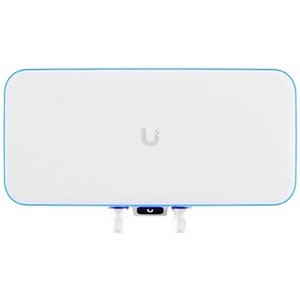
Ubiquiti UWB-XG-US UniFi WiFi BaseStation XG
External WiFi 6 basestation with PoE power for rooftop and perimeter deployment
- PoE++ (802.3bt) power eliminates AC runs to rooftops, walls, or remote perimeter zones.
- Operates from -40 to 70°C, supporting year-round outdoor deployment in harsh climates.
- Single UniFi Controller manages VLANs, band steering, and firmware across all units.
In stock · Ships same business day Free shipping over $499$1,499.00 $1,498.99 Save $0.01 -

Ubiquiti UX7 10G Cloud Gateway with WiFi 7
10G gateway with WiFi 7 for high-speed branches and dense wireless
- 10GbE WAN and 2.5GbE LAN ports handle fiber uplinks without port-speed bottlenecks.
- IDS/IPS throughput of 2.3 Gbps keeps threat inspection inline at high-speed branch circuits.
- WiFi 7 radios support 300+ devices across 6 GHz, 5 GHz, and 2.4 GHz in mixed deployments.
In stock · Ships same business day Free shipping over $499$225.99 -
Save $0.01

Ubiquiti WM-W WiFiMan Wizard Handheld WiFi Survey Tool
Pocket-sized WiFi survey tool for UniFi site deployment and diagnostics
- Dual-band 2.4/5 GHz radios deliver real-time AP discovery and roaming diagnostics on-site.
- IP55-rated polycarbonate housing withstands dust and light rain for outdoor and warehouse surveys.
- 32 g pocket form factor with USB-C charging lets technicians survey without laptop dependency.
In stock · Ships same business day Free shipping over $499Add to quote$99.00 $98.99 Save $0.01