
TP-Link SG3452XMPP vs TP-Link SG3452XP: Specification Comparison
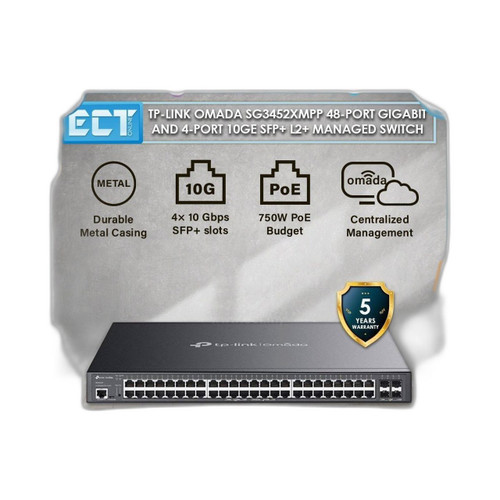
Both products are TP-Link Omada L2+ managed switches in the same 1U rackmount form factor, sharing identical port counts (48× Gigabit RJ45 plus 4× 10GE SFP+), identical switching capacity, and the same Omada SDN management platform. The key decision axis for installers is PoE architecture: the SG3452XMPP delivers PoE++ (802.3bt) on eight ports at up to 90 W per port with a 750 W total budget, while the SG3452XP tops out at PoE+ (802.3at) across all 48 ports with a 500 W total budget and adds perpetual PoE and fast PoE port modes.
In This Guide
- Which switch handles high-draw PoE devices and what is the total power budget?
- Where can each switch be physically installed and what are the environmental limits?
- What management and integration capabilities do these switches provide?
- Which should you choose: the SG3452XMPP or the SG3452XP?
- Side-by-Side Specs
- FAQ
Which switch handles high-draw PoE devices and what is the total power budget?
The SG3452XMPP is specified at PoE++ (802.3bt), supporting up to 90 W per port on its designated high-power ports, with a total PoE budget of 750 W. Its spec lists 8 PoE++ ports at 90 W each and 40 PoE+ ports at 30 W each. This matters for PTZ cameras, multi-radio Wi-Fi 6E APs, and IP intercoms that draw 60–90 W. Total typical power consumption is listed as 90 W (non-PoE chassis draw), separate from the 750 W PoE budget.
The SG3452XP caps at PoE+ (802.3at), meaning no single port can exceed 30 W. Its total PoE budget is 500 W across all 48 ports, with a rated power consumption of 500 W at full PoE load. It adds two operational modes absent from the XMPP spec sheet: perpetual PoE (port stays powered during switch reboot, keeping cameras online) and fast PoE (accelerated device power-up). These modes are noted in the SG3452XP spec only; the SG3452XMPP spec does not list them.
For deployments mixing fixed cameras (15–25 W) with high-draw PTZ or multi-sensor cameras (60–90 W), the SG3452XMPP's 750 W budget and 90 W per-port ceiling are the deciding factor. For all-fixed-camera or standard AP deployments where no device exceeds 30 W, the SG3452XP's 500 W budget across 48 ports may cover the load while adding perpetual and fast PoE capabilities.
Where can each switch be physically installed and what are the environmental limits?
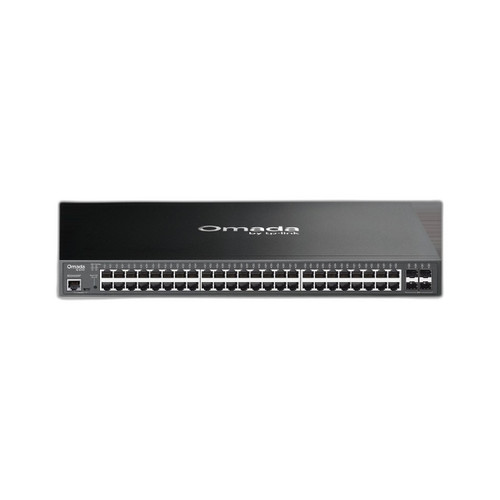
Both switches share the same physical footprint: 440 × 330 × 44 mm (17.3 × 13.0 × 1.7 in), 1U rackmount. The SG3452XMPP spec lists only Rack as the mount type. The SG3452XP spec lists Wall, Ceiling, and Rack as mount options, suggesting the vendor documents additional mounting flexibility for the XP model, though both are 1U rack-format units.
Operating temperature ranges differ. The SG3452XMPP is rated 0 °C to 40 °C (32 °F to 104 °F). The SG3452XP is rated −5 °C to 45 °C (23 °F to 113 °F), a 5 °C wider range on both ends. For installations in unheated closets, outdoor enclosures, or warm equipment rooms, the SG3452XP's broader thermal tolerance is a concrete advantage.
Power input is identical on both: 100–240 V AC, 50/60 Hz. Both units include USB connectivity per their specs. Neither spec lists an MTBF figure or fan count.
What management and integration capabilities do these switches provide?
Both switches are L2+ managed and support TP-Link's Omada SDN platform. The SG3452XP spec explicitly lists three management modes: Standalone, Omada Cloud, and Omada On-Premises Controller. The SG3452XMPP spec lists Standalone or Omada SDN centralized, without separately enumerating cloud versus on-premises controller as distinct modes—though the Omada SDN platform typically encompasses both. Buyers who need a contractually documented cloud-management option should verify with TP-Link for the XMPP.
Both switches specify 802.1x port authentication with RADIUS/TACACS+ support for network access control. Both carry 32 MB Flash and 512 MB DRAM. The SG3452XP spec includes an ONVIF notation (Yes), which is atypical for a network switch and likely refers to ONVIF-aware VLAN or discovery features; the SG3452XMPP spec does not list ONVIF. The SG3452XMPP spec notes Trap/Inform and Password Recovery under management; these granular SNMP details are absent from the SG3452XP spec as provided.
Switching capacity and forwarding rate are identical across both models: 176 Gbps and 130.94 Mpps. SFP+ uplink capability is the same: 4× 1/10GE SFP+ slots compatible with single-mode and multimode fiber modules. Neither spec lists a stacking protocol or maximum stack size.
Which should you choose: the SG3452XMPP or the SG3452XP?
Our take: The SG3452XMPP is the stronger choice when the deployment includes any device requiring more than 30 W per port — PTZ cameras, multi-radio APs, or high-draw intercoms. Its 802.3bt PoE++ capability delivers up to 90 W per port versus the SG3452XP's 30 W ceiling, and its total PoE budget is 750 W versus 500 W, a 50% increase that matters when fully loading 48 ports. However, the SG3452XP operates across a wider temperature range (−5 °C to 45 °C versus 0 °C to 40 °C), supports documented perpetual PoE and fast PoE port modes not listed in the XMPP spec, and explicitly documents cloud and on-premises controller management modes. For standard fixed-camera or AP deployments where no device exceeds 30 W and the installation environment runs cold or warm, the SG3452XP covers the load while adding camera-continuity features. Both models run on the Omada SDN platform with identical throughput.
Side-by-Side Comparison
Spec-for-spec, from manufacturer data.
| Specification | TP-Link SG3452XMPP | TP-Link SG3452XP |
|---|---|---|
| MPN | SG3452XMPP | SG3452XP |
| PoE Standard | 802.3af/at/bt (PoE++) | 802.3af/at (PoE+) |
| Max PoE Per Port | 90 W (PoE++) | 30 W (PoE+) |
| Total PoE Budget | 750 W | 500 W |
| High-Power Port Count | 8× PoE++ at 90 W | — (not specified) |
| Standard PoE Port Count | 40× PoE+ at 30 W | 48× PoE+ at 30 W |
| Perpetual / Fast PoE | — (not listed in spec) | Yes (perpetual PoE + fast PoE) |
| Gigabit RJ45 Ports | 48 | 48 |
| 10GE SFP+ Uplinks | 4× 1/10GE SFP+ | 4× 10GE SFP+ |
| Switching Capacity | 176 Gbps | 176 Gbps |
| Packet Forwarding Rate | 130.94 Mpps | 130.94 Mpps |
| Operating Temperature | 0 °C to 40 °C | −5 °C to 45 °C |
| Mount Type (per spec) | Rack | Wall; Ceiling; Rack |
| Management Modes | Standalone or Omada SDN | Standalone; Omada Cloud; Omada On-Premises |
| ONVIF (per spec) | — (not listed) | Yes |
| Memory (Flash / DRAM) | 32 MB Flash / 512 MB DRAM | 32 MB Flash / 512 MB DRAM |
Frequently Asked Questions
Which should you choose: the SG3452XMPP or the SG3452XP?
The SG3452XMPP is the stronger choice when the deployment includes any device requiring more than 30 W per port — PTZ cameras, multi-radio APs, or high-draw intercoms. Its 802.3bt PoE++ capability delivers up to 90 W per port versus the SG3452XP's 30 W ceiling, and its total PoE budget is 750 W versus 500 W, a 50% increase that matters when fully loading 48 ports. However, the SG3452XP operates across a wider temperature range (−5 °C to 45 °C versus 0 °C to 40 °C), supports documented perpetual PoE and fast PoE port modes not listed in the XMPP spec, and explicitly documents cloud and on-premises controller management modes. For standard fixed-camera or AP deployments where no device exceeds 30 W and the installation environment runs cold or warm, the SG3452XP covers the load while adding camera-continuity features. Both models run on the Omada SDN platform with identical throughput.
Can the SG3452XMPP power PTZ cameras that draw 60–90 W?
Yes, per its spec. The SG3452XMPP supports PoE++ (802.3bt) with up to 90 W per port on its high-power ports, making it compatible with PTZ cameras and other devices that exceed the 30 W limit of PoE+. The SG3452XP tops out at 30 W per port (PoE+/802.3at) and cannot power devices above that threshold.
Will cameras stay online if the SG3452XP reboots?
The SG3452XP spec lists perpetual PoE as a supported mode, which keeps port power active during a switch reboot so connected cameras remain online through the cycle. The SG3452XMPP spec does not list perpetual PoE; buyers requiring this feature should confirm its availability with TP-Link before specifying the XMPP.
Which switch is better suited for an unheated or warm equipment room?
The SG3452XP is specified to operate from −5 °C to 45 °C, giving it a 5 °C advantage at both ends of the thermal range compared to the SG3452XMPP's 0 °C to 40 °C rating. For installations in unheated closets, unconditioned spaces, or equipment rooms that run hot, the SG3452XP's wider operating temperature range is the documented differentiator.
More Network Switch Comparisons
- TP-Link SG6654XHP vs Ubiquiti USW-PRO-MAX-48
- TP-Link SG6654XHP vs Ubiquiti USW-PRO-48
- TP-Link SG6654XHP vs TP-Link SG3452XMPP
- TP-Link SG6654XHP vs TP-Link SG3452XP
- TP-Link SG3452XMPP vs Ubiquiti USW-48
- TP-Link SG3452XMPP vs Ubiquiti USW-PRO-MAX-48
Network Switch Buying Guides
Get a Second Opinion on Your Camera Choice
Share your site layout, coverage goals, and budget. Our team will validate the camera selection, flag anything we would change, and recommend products that match the use case.