
Best Managed PoE Switch for a Small Business
A managed PoE switch for a small business — VLANs, per-port PoE control and monitoring, 8 to 24 ports for cameras, phones and access points.

Eden Phillips
Networking & Infrastructure Specialist · Working integrator
Bottom line
For a small business deploying cameras, VoIP phones, and wireless APs, the right managed PoE switch comes down to port count, per-port watt budget, VLAN flexibility, and whether the gear lives indoors or in a harsh environment. Match the switch's total PoE power budget to your connected device load with at least 20–25% headroom, verify it supports 802.1Q VLANs and per-port PoE scheduling or shutdown, and size port count to your current device count plus near-term growth. The products here span 8 to 24 ports and cover everything from climate-controlled server rooms to outdoor enclosures running at -40°C.
What This Setup Needs
Managed PoE switches for small business security and AV deployments are not commodity gear — the wrong choice means re-cabling, locked-out cameras, or a switch that browns out when every port is loaded. Here are the factors that actually determine whether a switch fits your project.
- Total PoE power budget vs. actual device draw: Manufacturers advertise per-port watt ratings (802.3af = 15.4 W, 802.3at/PoE+ = 30 W, 802.3bt/PoE++ = 60–90 W), but the switch's total power pool is shared across all ports simultaneously. Add up the real consumption of every connected device — not the port maximum — and size the switch budget to that sum plus 20–25% headroom for inrush current and future additions.
- Per-port PoE control and monitoring: True managed PoE switches let you enable, disable, reboot, and monitor power on individual ports via the management interface. This is how you remotely power-cycle a locked-up camera without rolling a truck, enforce PoE scheduling (cameras off overnight on a low-security zone), and set per-port power limits to protect budget-class devices.
- VLAN support (802.1Q tagged + untagged): Separating cameras onto a dedicated VLAN — isolated from the voice and data network — is a baseline security requirement in most commercial deployments. Confirm the switch supports 802.1Q VLANs with trunk ports (for uplinks to your router or core switch) and access ports (for endpoints). QoS/DSCP marking for VoIP is a bonus worth checking if phones are on the same switch.
- Uplink capacity and speed: Edge PoE switches typically uplink to a core or router at 1 Gbps. For a 24-port PoE switch feeding HD cameras, verify the uplink ports are Gigabit (not Fast Ethernet) and check whether the switching fabric is non-blocking — a switch with 24× 100 Mbps PoE ports and only one 1 Gbps uplink will be a bottleneck under sustained multicamera recording load.
- Operating temperature range: Indoor managed rooms and low-voltage closets typically sit between 15°C and 35°C — almost any switch works. But outdoor enclosures, garages, manufacturing floors, and unheated stairwells can swing from -20°C to 60°C+ seasonally. Switches rated to -40°C are designed for those environments; a standard commercial indoor switch will fail or throttle outside its rated range.
- Management interface and ecosystem fit: Evaluate whether the switch's management platform (web GUI, SNMP, CLI, cloud dashboard) matches your team's skill level and existing tools. Camera-vendor-branded switches often integrate PoE watchdog and device-discovery features that are genuinely useful for single-vendor camera deployments, but they may limit flexibility in mixed-brand environments.
- Port count and mix — plan for growth: A rule of thumb for small business: never deploy a switch at more than 70–75% port utilization at install. An 8-port switch is right for a small zone or a single closet; 24 ports covers a full floor or building with room to grow. Also note port speed mix — some value-tier switches combine Fast Ethernet PoE access ports with only Gigabit uplinks, which constrains per-camera bandwidth to 100 Mbps max.
Our Picks
Selected from our catalog by spec-fit. All channel-direct and factory-new — not ranked by price.
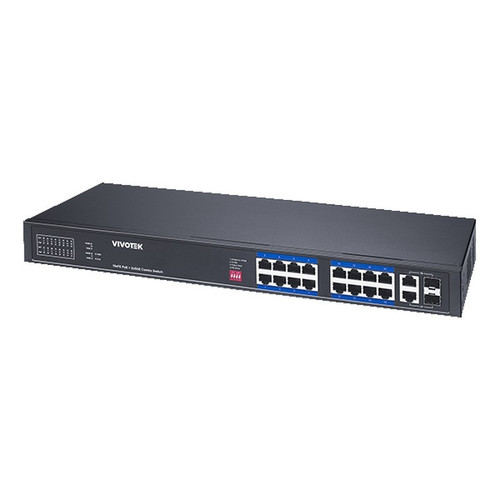
Vivotek IHT-1271
8-Port PoE
The Vivotek IHT-1271 is an 8-port PoE+ managed switch rated to -40°C–75°C, making it a strong fit for compact deployments in harsh environments — think outdoor enclosures, unheated utility rooms, or industrial spaces — where you need VLAN segmentation and per-port PoE control in a small footprint without compromising on temperature tolerance.
View product →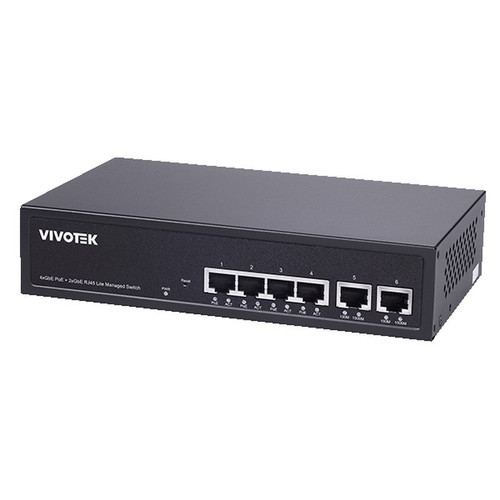
Vivotek GEV-288A-370
24-Port PoE
The Vivotek GEV-288A-370 is a 24-port PoE managed switch well-suited for mid-size indoor commercial deployments — a full floor of cameras, APs, and phones — where the priority is port density and integration within a Vivotek-centric surveillance ecosystem; its -10°C–50°C rating covers standard conditioned telecom rooms and indoor closets.
View product →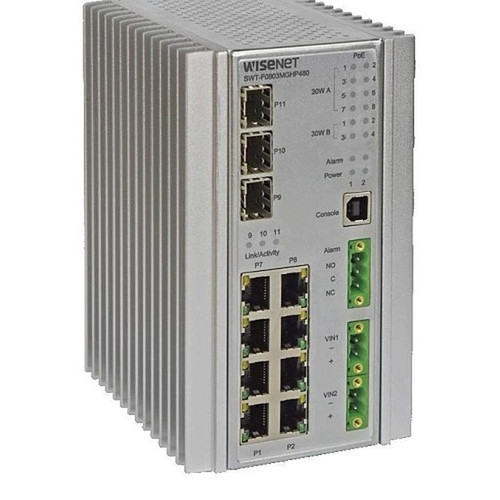
Hanwha SWT-F11MGHP
11-Port PoE
The Hanwha SWT-F11MGHP is an 11-port PoE managed switch with a standout per-port power profile — ports 1–4 deliver up to 60 W each (suitable for PoE++ PTZ cameras or multi-radio APs) and all eight PoE ports support 30 W — plus AC/DC dual-power input and a -40°C to +75°C operating range, making it a strong fit for demanding outdoor or industrial small-zone deployments where high-draw devices and environmental extremes are both in play.
View product →
Hanwha SWT-G11MGHP
11-Port PoE
The Hanwha SWT-G11MGHP is an 11-port PoE managed switch rated to -40°C–75°C with AC/DC input flexibility, well-suited for small hardened deployments in Hanwha camera environments where you need ruggedized operation and managed PoE control in a compact chassis without the high-watt-per-port overhead of the F11MGHP.
View product →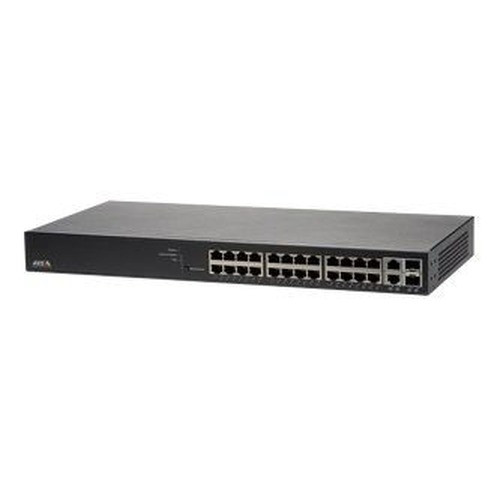
Axis T8524
24-Port PoE
The Axis T8524 is a 24-port PoE+ managed switch designed to integrate natively with Axis camera ecosystems — including PoE watchdog and AXIS Camera Station management — making it a well-suited choice for mid-size all-Axis deployments in conditioned indoor environments (0°C–50°C) where simplified device discovery and vendor-stack cohesion matter as much as raw port count.
View product →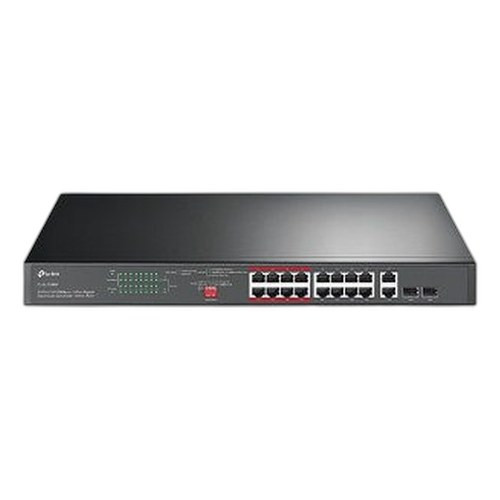
TP-Link SL1218MP
16-Port PoE
The TP-Link SL1218MP is a 16-port managed PoE switch combining 16× Fast Ethernet PoE access ports with 2× Gigabit uplinks, making it a practical fit for budget-conscious small business installations with primarily 1080p or lower-resolution cameras and standard PoE devices — where total port count and manageability matter more than per-port Gigabit throughput — in standard indoor environments.
View product →Frequently Asked Questions
How do I calculate the PoE power budget I need?
List every device you plan to connect and look up its actual power consumption (not the port maximum) from the spec sheet — a typical IP camera draws 7–12 W, a dual-band AP 15–20 W, and a VoIP phone 3–5 W. Sum those figures, then choose a switch whose total PoE budget exceeds that sum by at least 20–25%. For example, 12 cameras at 10 W each = 120 W draw; you want a switch with at least a 150 W PoE budget. Undersizing the budget means the switch will either deny power to later-connected devices or throttle all ports.
Do I really need a managed switch, or will an unmanaged PoE switch work for cameras?
For a pure single-VLAN camera deployment with no other device types, an unmanaged PoE switch can technically work. But as soon as you add VoIP phones, wireless APs, or any compliance requirement to isolate camera traffic, you need 802.1Q VLAN support — which is a managed-only feature. Managed switches also give you per-port PoE reboot (critical for remotely recovering locked cameras), port-level power monitoring, and SNMP visibility into switch health, all of which pay for themselves quickly in reduced truck rolls.
What is the difference between PoE, PoE+, and PoE++ and which do I need?
IEEE 802.3af (PoE) delivers up to 15.4 W per port — adequate for most fixed IP cameras and VoIP phones. 802.3at (PoE+) delivers up to 30 W, covering PTZ cameras, dual-radio APs, and video intercoms. 802.3bt (PoE++, also called 4PPoE) delivers 60–90 W per port and is needed for high-performance PTZ cameras, multi-radio tri-band APs, or thin-client terminals. Check the power requirements of your highest-draw device first, then confirm the switch's per-port maximum meets or exceeds it — a PoE switch cannot power a PoE++ device beyond its port watt ceiling.
Can I use a camera-vendor-branded switch (Vivotek, Hanwha, Axis) with cameras from other brands?
Yes — these are standards-based 802.3af/at switches and will power and pass traffic for any IEEE-compliant PoE device regardless of brand. The vendor-specific benefit is ecosystem integration: features like automatic PoE watchdog reboot tied to camera liveness detection or one-click device discovery in the vendor's VMS work best within the same brand family. In mixed-brand deployments you lose those conveniences but retain all standard managed switching functionality.
When does the operating temperature rating actually matter for switch selection?
It matters whenever the switch will be installed outside a climate-controlled space. Standard commercial switches are typically rated to 0°C–50°C, which covers most indoor IT closets. If you're mounting in an outdoor enclosure, rooftop cabinet, unheated warehouse, parking garage, or vehicle, ambient temperatures can easily fall to -20°C or below in winter — at which point a standard switch may fail to boot, throttle performance, or degrade over time. Switches rated to -40°C use industrial-grade components and wider-range power supplies specifically designed for those conditions.
How many ports should I buy — do I need exact fit or should I over-buy?
A practical guideline is to deploy at no more than 70–75% port utilization at initial installation. An 8-port switch supporting 6 devices leaves room for one more device and a management uplink; a 24-port switch supporting 16 devices gives you a comfortable growth runway. Factor in uplink ports (one or two ports will be consumed connecting to your router or core switch) and any out-of-band management ports when counting usable PoE access ports — the marketed port count often includes those uplinks.
Related Resources
- Network Switch comparisons — head-to-head spec matchups
- Network Switch Buying Guide for IP Cameras & PoE
- Best PoE Switch for a 16-Camera Install
- Best PoE Switch for an 8-Camera System
- All product comparisons
Speccing this for a project?
Send us your requirements and our senior specialists will confirm specs, compatibility, availability and pricing — free, usually within one business day. Channel-direct, factory-new, serving commercial integrators since 2014.
Get a Free QuoteComparing for a project?
Send us the models you are weighing and our team will confirm specs, compatibility, availability, and pricing — free, usually within one business day.