
Best PoE Switch for a 32-Camera Install
Sizing PoE for a 32-camera system — 32+ PoE ports (two 24-port switches or a 48-port), a large PoE+ power budget, and 10G uplinks to the recorder.

Eden Phillips
Networking & Infrastructure Specialist · Working integrator
Bottom line
Powering 32 cameras reliably means either a single 48-port PoE+ switch with a large enough power budget to cover your full simultaneous load, or a pair of 24-port switches each delivering at least 370W — plus 10G uplinks to prevent the recorder from becoming a bottleneck. Verify total camera wattage before purchasing: a 32-camera IR PTZ deployment can demand 400–600W of PoE budget, while a fixed-lens low-power install may sit comfortably under 300W. Factor in VLAN, QoS, and storm-control support as non-negotiables on any surveillance network.
What This Setup Needs
Sizing a PoE switch for a 32-camera install is an exercise in power math, port count, and uplink bandwidth — get any one wrong and you'll either trip breakers, drop frames, or throttle your NVR feed. Here's what to evaluate before you buy:
- Total PoE Power Budget: Add up the maximum wattage of every camera at the port — IR PTZ cameras can draw 25–30W each under IEEE 802.3at (PoE+), while fixed domes may draw 7–12W. A 32-camera system at moderate draw (~15W average) needs roughly 480W of budget; never run a switch at 100% of rated budget, budget 80% as your working ceiling.
- Port Count and Headroom: A 24-port switch covers half the install — plan two units with separate uplinks, or step up to a 48-port model. Leave spare ports: cameras get added, access control readers land on the same switch, and a port buffer prevents an emergency recabling job later.
- Uplink Speed to the Recorder: Each 1080p H.265 stream runs roughly 2–4 Mbps; 32 cameras aggregate to 64–128 Mbps minimum, much more with 4K or multi-stream. A single 1G uplink can technically carry this, but 10G uplinks to the NVR eliminate headroom anxiety and support storage-tier growth without a forklift upgrade.
- PoE Standard — 802.3af vs. 802.3at vs. 802.3bt: Virtually all modern IP cameras are PoE+ (at/30W); PTZ and multi-sensor cameras increasingly require PoE++ (bt/60–90W). Confirm per-port maximums match your camera fleet — a switch rated 802.3at cannot power a 60W bt device reliably even if the budget math works out.
- VLAN, QoS, and Storm Control: Camera traffic must be isolated from corporate LAN on a dedicated VLAN. QoS (DSCP/802.1p) prioritizes video streams over management traffic. Broadcast storm control is mandatory — a failing camera or rogue device on an unmanaged switch can take down an entire NVR recording session.
- Operating Temperature and Form Factor: Data-closet installs (climate-controlled) accept the standard 0–50°C commercial range. Outdoor enclosures, warehouses, loading docks, or rooftop IDFs need an extended-temp (-10°C or lower) rated unit — never assume a standard commercial switch survives an unheated equipment room in a northern climate.
- Redundancy and Management: Look for SNMP/web-GUI management for remote port cycling (critical for rebooting frozen cameras without a truck roll), SFP+ uplink slots for fiber runs to the NVR, and RSTP/MSTP for ring or dual-uplink topologies if uptime is a contract requirement.
Our Picks
Selected from our catalog by spec-fit. All channel-direct and factory-new — not ranked by price.
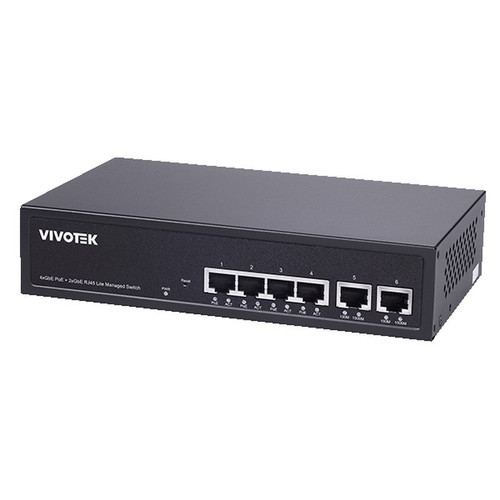
Vivotek GEV-288A-370
24-Port PoE
The Vivotek GEV-288A-370 is a 24-port PoE+ switch with a 370W budget and an extended operating range down to -10°C, making it well-suited as one half of a two-switch 32-camera deployment where the IDF is in an unconditioned space — warehouse, parking structure, or rooftop cabinet — where a standard commercial switch would fall out of spec in winter.
View product →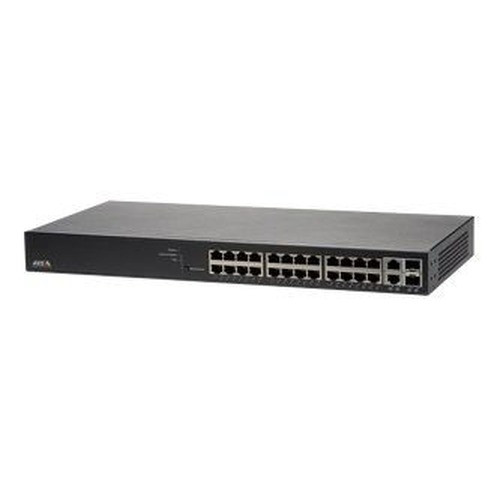
Axis T8524
24-Port PoE
The Axis T8524 is a 24-port PoE+ switch purpose-built for Axis surveillance environments, and it is a strong fit when your 32-camera install is split across two IDFs, each feeding an Axis NVR, and you want a switch whose management interface integrates natively with Axis Device Manager for unified port-level monitoring and remote camera reboot without a separate SNMP toolset.
View product →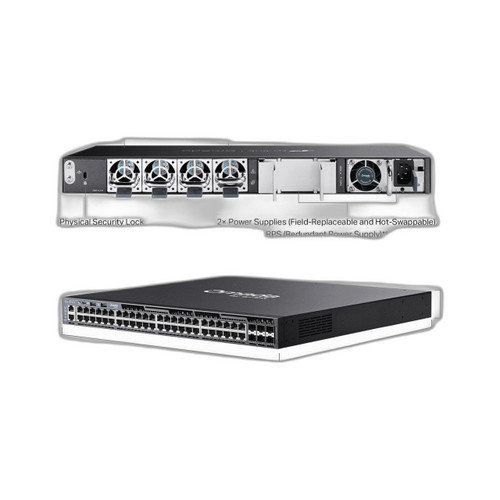
TP-Link SG6654XHP
48-Port non-PoE
The TP-Link SG6654XHP is a 48-port PoE+ switch with six 10G uplink slots, making it well-suited for a single-closet 32-camera install where you want all cameras on one managed chassis, substantial port headroom for future expansion, and multi-gigabit fiber uplinks to a high-channel-count NVR — confirm total PoE budget against your camera fleet's aggregate draw before committing to a single-switch design.
View product →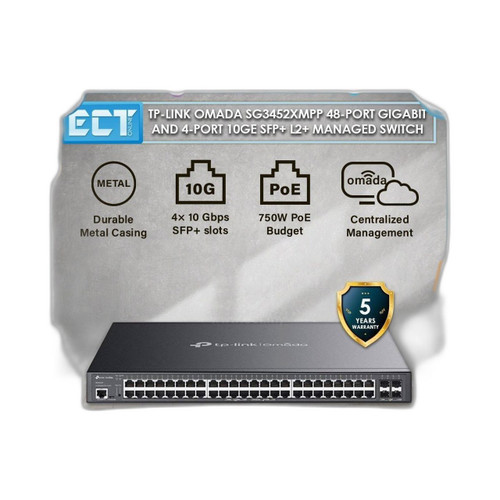
TP-Link SG3452XMPP
48-Port non-PoE
The TP-Link SG3452XMPP is a 48-port switch in the SG3000 managed series and is a strong fit when your 32-camera project calls for a single-chassis solution with Layer 2+ management — VLAN segmentation, QoS, and IGMP snooping for multicast video — in a budget-conscious deployment where a single managed 48-port unit is preferable to procuring and stacking two 24-port switches.
View product →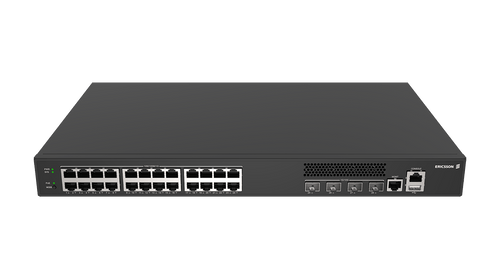
Cradlepoint SW2400P-GN
24-Port PoE
The Cradlepoint SW2400P-GN is a 24-port, 370W PoE switch in an industrial form factor rated for extended temperatures, making it well-suited for edge or field deployments — outdoor enclosures, transit hubs, or industrial sites — where ruggedized mounting and wide thermal tolerance matter as much as port count, and where it would pair with a second unit to cover all 32 camera drops.
View product →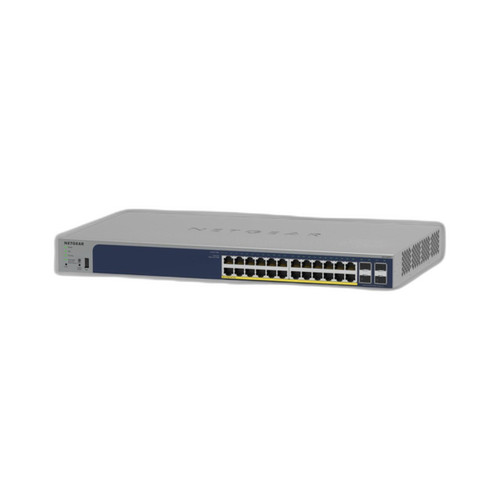
NETGEAR GS728TP-300NAS
24-Port non-PoE
The NETGEAR GS728TP-300NAS is a 24-port managed PoE switch rated at 190W and is a reasonable fit for a partial or phased 32-camera install where roughly half the cameras are low-power fixed domes (sub-10W each) and IT prefers NETGEAR's ProSAFE management ecosystem — note that its power budget and port count mean it must be paired with a second switch to cover a full 32-port deployment, and the aggregate PoE draw of higher-wattage cameras will require careful per-port budgeting.
View product →Frequently Asked Questions
Do I need one 48-port switch or two 24-port switches for 32 cameras?
Either architecture works, but they have different trade-off profiles. A single 48-port switch simplifies management, reduces inter-switch cabling, and typically delivers a larger pooled PoE budget — but it is a single point of failure. Two 24-port switches allow you to split the camera load across separate uplinks and separate power feeds, improving resilience; if one switch fails or loses power, only half the cameras go dark. For critical deployments, two switches on separate UPS circuits is the safer design even if it costs more.
How much total PoE wattage do I actually need for 32 cameras?
Start with your camera spec sheets — each lists maximum PoE draw, not average draw. A typical fixed-lens 4MP dome draws 8–12W; a PoE+ PTZ or IR bullet can draw 20–30W. Multiply per-camera max by 32 to get worst-case load, then divide by 0.8 to find the minimum rated switch budget (never run PoE switches at 100% capacity — thermal and transient headroom both erode at sustained maximum). A mid-range 32-camera install (15W average) needs roughly a 600W working budget across both switches, so 2× 370W switches covers it with margin.
Why do 10G uplinks matter if my cameras are only 1G PoE ports?
The bottleneck is almost never the camera-to-switch hop — it's the switch-to-NVR trunk. Thirty-two simultaneous 4K H.265 streams at 8 Mbps each aggregates to 256 Mbps, which fits a 1G uplink on paper, but add dual-stream (live view + recording), motion-burst bitrate spikes, NVR health polling, and management traffic, and a 1G uplink runs hot. A 10G SFP+ uplink gives you an 8–10× headroom buffer, supports 4K multi-sensor or panoramic cameras you may add later, and eliminates the uplink as the variable you're debugging during a frame-drop incident.
Can I mix PoE switch brands on the same camera network?
Yes — IP cameras communicate over standard Ethernet and PoE is a physical-layer IEEE standard, so brand interoperability at the protocol level is not a concern. What matters is that your management plane is consistent: if you're using VLAN segmentation and QoS policies, you'll want all switches running comparable managed-switch feature sets so policies can be mirrored across the stack. Mixing an unmanaged switch with a managed one on the same VLAN segment undermines storm control and QoS for the cameras on the unmanaged unit.
What is the difference between PoE, PoE+, and PoE++ for camera selection?
IEEE 802.3af (PoE) delivers up to 15.4W per port — sufficient for basic fixed cameras and most access control readers. IEEE 802.3at (PoE+) delivers up to 30W — the standard for IR cameras, dual-sensor cameras, and entry-level PTZ units. IEEE 802.3bt (PoE++) delivers up to 60W (Type 3) or 90W (Type 4) — required for high-power PTZ cameras, multi-sensor panoramic units, and cameras with integrated heaters. Always match switch port standard to camera requirement; a PoE+ switch will attempt to negotiate with a bt device but will cap power delivery and may cause the camera to underperform or fail to boot its heater circuit.
Do I need a managed switch, or will an unmanaged PoE switch work for 32 cameras?
For any install beyond a handful of cameras in a single room, a managed switch is the right call — not a luxury. Managed switches give you VLAN isolation (keeping camera traffic off the corporate LAN), QoS to prioritize video, IGMP snooping to handle multicast streams efficiently, and per-port PoE control so you can remotely power-cycle a frozen camera without dispatching a technician. Broadcast storms from a single misbehaving camera on an unmanaged switch have taken down entire recording systems; storm control on a managed switch contains the damage to one port.
Related Resources
- Network Switch comparisons — head-to-head spec matchups
- Network Switch Buying Guide for IP Cameras & PoE
- Best PoE Switch for a 16-Camera Install
- Best PoE Switch for an 8-Camera System
- All product comparisons
Speccing this for a project?
Send us your requirements and our senior specialists will confirm specs, compatibility, availability and pricing — free, usually within one business day. Channel-direct, factory-new, serving commercial integrators since 2014.
Get a Free QuoteComparing for a project?
Send us the models you are weighing and our team will confirm specs, compatibility, availability, and pricing — free, usually within one business day.