
TP-Link S4500-8GP vs Lantronix S2220-1014-NA: Specification Comparison
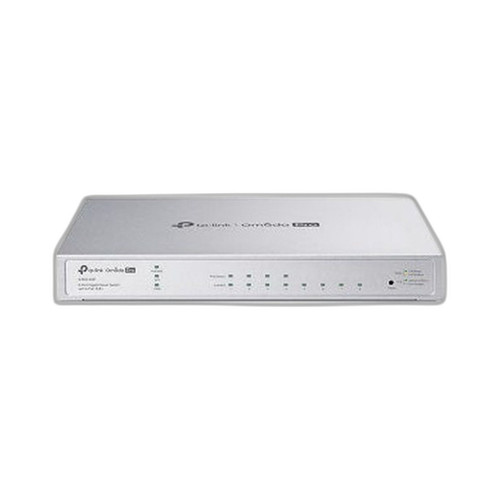
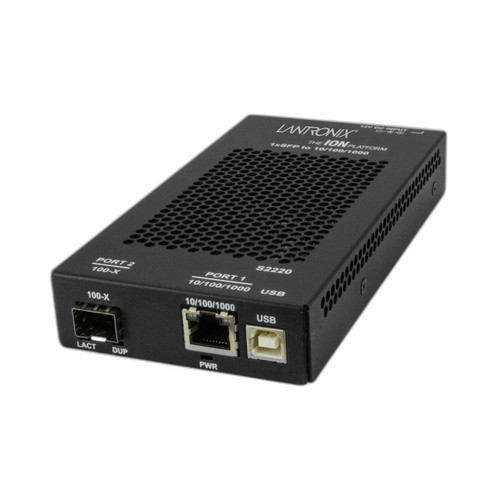
Both the TP-Link S4500-8GP and the Lantronix S2220-1014-NA are 8-port managed Gigabit switches aimed at physical-security and enterprise edge deployments. The TP-Link brings Layer 2+ management with four PoE+ ports and a 62 W budget, making it relevant to camera and AP power distribution. The Lantronix offers Layer 2 management with copper plus a 100BASE-LX10 single-mode fiber uplink path, but carries no PoE specification. Buyers choosing between them are weighing powered-device support against fiber backbone reach.
In This Guide
- Which switch can power cameras and access points, and how much PoE headroom does each provide?
- How do the switching fabric, throughput, and port counts compare for camera-fleet bandwidth?
- What management protocols, security features, and platform integrations does each switch support?
- Which should you choose: the S4500-8GP or the S2220-1014-NA?
- Side-by-Side Specs
- FAQ
Which switch can power cameras and access points, and how much PoE headroom does each provide?
The TP-Link S4500-8GP specifies four PoE+ ports compliant with 802.3af and 802.3at, with a total PoE budget of 62 W. The external power adapter is rated at 53.5 VDC / 1.31 A. This budget can realistically support four 802.3af cameras (≤15.4 W each) simultaneously, or a mix of cameras and 802.3at access points drawing up to 30 W each, subject to the 62 W ceiling.
The Lantronix S2220-1014-NA carries no PoE specification in the provided data. Buyers who need to power IP cameras, wireless APs, or IP phones at the edge must budget for separate midspan injectors or PoE-capable upstream switches if they select the Lantronix. This is a fundamental capability gap for surveillance-focused deployments where inline power delivery is expected.
How do the switching fabric, throughput, and port counts compare for camera-fleet bandwidth?
The TP-Link S4500-8GP provides a 16 Gbps non-blocking switching capacity (the spec field also lists 20 Gbps in one entry, but the primary and repeated value is 16 Gbps) across 8 x 10/100/1000BASE-T RJ45 ports and 2 SFP uplink slots. The 32 MB flash storage supports onboard configuration retention. At full Gigabit on all 8 ports, the theoretical aggregate is 16 Gbps, consistent with the stated fabric.
The Lantronix S2220-1014-NA specifies 8 x 10/100/1000BASE-T copper ports and adds a 100BASE-LX10 single-mode fiber uplink via SC connector with a reach of up to 10 km. No switching fabric or throughput figure is provided in the supplied specifications. The fiber uplink is a meaningful differentiator for building-to-building or campus backhaul scenarios, but the absence of a rated switching capacity makes a direct throughput comparison impossible.
What management protocols, security features, and platform integrations does each switch support?
The TP-Link S4500-8GP is designated as an Omada Pro device, indicating compatibility with TP-Link's Omada SDN controller ecosystem for centralized policy, VLAN, and monitoring. The specified management features include SNMP Trap/Inform, 802.1X port-based access control, ACL, DoS Defense, and EEE (Energy Efficient Ethernet). Management access is available via Web GUI and CLI. The 'Smart' and 'L2+' designation implies static routing or additional Layer 3-lite capabilities beyond baseline Layer 2.
The Lantronix S2220-1014-NA is described as Layer 2 managed with VLAN support, traffic prioritization, and remote monitoring. No specific SNMP version, 802.1X support, ACL capability, or named controller platform is referenced in the provided specifications. The 2-year warranty is explicitly stated; no warranty term is provided for the TP-Link in the supplied data.
Which should you choose: the S4500-8GP or the S2220-1014-NA?
Our take: The S4500-8GP is the stronger choice when inline PoE delivery, SDN controller integration, and richer Layer 2+ security features are priorities. It provides a documented 62 W PoE+ budget across 4 ports and 802.3at compliance — the S2220-1014-NA has no stated PoE capability, which is a hard disqualifier for camera or AP edge closets without supplemental injectors. The TP-Link also names 802.1X, ACL, and DoS Defense as discrete features; the Lantronix specification does not enumerate equivalent controls. Where the Lantronix has an edge is fiber backbone reach: its 100BASE-LX10 single-mode uplink covers up to 10 km, useful for inter-building links — a reach the TP-Link's SFP slots could match only if appropriate single-mode SFP modules are installed, a specification the provided TP-Link data does not confirm. Choose the S4500-8GP for powered-device edge deployment within the Omada ecosystem; consider the S2220-1014-NA where fiber backhaul distance is the primary requirement and PoE is not needed.
Side-by-Side Comparison
Spec-for-spec, from manufacturer data.
| Specification | TP-Link S4500-8GP | Lantronix S2220-1014-NA |
|---|---|---|
| Product Type | Smart Gigabit Switch (L2+) | 8-Port Managed Gigabit Switch (L2) |
| Total Copper Ports | 8 x 10/100/1000BASE-T | 8 x 10/100/1000BASE-T |
| PoE Support | 802.3af/at (4 ports) | — |
| PoE Budget | 62 W | — |
| PoE Standard | 802.3at (PoE+) / 802.3af | — |
| Uplink / Fiber Slots | 2 x SFP | 100BASE-LX10 single-mode (SC) |
| Fiber Reach | Not specified | Up to 10 km |
| Switching Capacity | 16 Gbps | — |
| Management Level | Layer 2+ (Smart) | Layer 2 Managed |
| Controller Platform | Omada Pro (TP-Link SDN) | — |
| SNMP | SNMP Trap/Inform | — |
| 802.1X / ACL | 802.1X, ACL, DoS Defense | — |
| VLAN Support | Yes (implied L2+) | Yes |
| Flash Storage | 32 MB | — |
| Power Supply | 53.5 VDC / 1.31 A External Adapter | — |
| Warranty | — | 2-Year |
Frequently Asked Questions
Which should you choose: the S4500-8GP or the S2220-1014-NA?
The S4500-8GP is the stronger choice when inline PoE delivery, SDN controller integration, and richer Layer 2+ security features are priorities. It provides a documented 62 W PoE+ budget across 4 ports and 802.3at compliance — the S2220-1014-NA has no stated PoE capability, which is a hard disqualifier for camera or AP edge closets without supplemental injectors. The TP-Link also names 802.1X, ACL, and DoS Defense as discrete features; the Lantronix specification does not enumerate equivalent controls. Where the Lantronix has an edge is fiber backbone reach: its 100BASE-LX10 single-mode uplink covers up to 10 km, useful for inter-building links — a reach the TP-Link's SFP slots could match only if appropriate single-mode SFP modules are installed, a specification the provided TP-Link data does not confirm. Choose the S4500-8GP for powered-device edge deployment within the Omada ecosystem; consider the S2220-1014-NA where fiber backhaul distance is the primary requirement and PoE is not needed.
Can the S4500-8GP or S2220-1014-NA power IP cameras directly?
Only the S4500-8GP specifies PoE capability — four ports at 802.3at (up to 30 W per port) with a 62 W total budget. The S2220-1014-NA has no PoE specification in the provided data, so cameras would need external power or midspan injectors.
Which switch is better suited for connecting a remote building over fiber?
The Lantronix S2220-1014-NA specifies a 100BASE-LX10 single-mode fiber uplink via SC connector rated to 10 km. The TP-Link S4500-8GP includes 2 SFP slots, but the provided specifications do not confirm which SFP modules or fiber types are supported, making a direct fiber-reach comparison incomplete.
Does either switch support centralized network management software?
The TP-Link S4500-8GP is an Omada Pro device, explicitly designed for TP-Link's Omada SDN controller with SNMP Trap/Inform, 802.1X, and ACL support named in its specs. The Lantronix S2220-1014-NA lists VLAN, traffic prioritization, and remote monitoring, but names no specific controller platform or SNMP version in the provided data.
More Network Switch Comparisons
- TP-Link SG2210XMP-M2 vs Ubiquiti USW-FLEX-2.5G-8
- TP-Link SG2210XMP-M2 vs Comnet CNGE8MS
- TP-Link SG2210XMP-M2 vs Lantronix S2220-1014-NA
- TP-Link SG2210XMP-M2 vs TP-Link S4500-8GP
- TP-Link SG2210XMP-M2 vs TP-Link SG2008P
- TP-Link S4500-8GP vs Ubiquiti USW-FLEX-2.5G-8
Network Switch Buying Guides
Get a Second Opinion on Your Camera Choice
Share your site layout, coverage goals, and budget. Our team will validate the camera selection, flag anything we would change, and recommend products that match the use case.