
TP-Link DS1016GE vs TP-Link DS1016G: Specification Comparison
Both the DS1016GE and DS1016G are TP-Link Omada-branded 16-port Gigabit switches in a 1U rack-mount form factor, sharing an RJ45 interface and 1000 Mbps per-port speed. The critical differentiator is management capability: the DS1016GE is an Easy Smart (web-managed) switch supporting VLAN, QoS, and IGMP snooping, while the DS1016G is a plug-and-play unmanaged switch. Buyers cross-shopping these two are typically weighing whether their deployment requires network segmentation and traffic control versus zero-configuration simplicity.

In This Guide
- What level of network management and traffic control does each switch provide?
- How do switching capacity, forwarding rate, and MAC table size compare between the two models?
- How do the physical build, power requirements, and environmental ratings differ?
- Which should you choose: the DS1016GE or the DS1016G?
- Side-by-Side Specs
- FAQ
What level of network management and traffic control does each switch provide?
The DS1016GE is specified as a managed switch with a web interface supporting VLAN configuration, QoS prioritization, and IGMP snooping. These capabilities allow installers to segment camera traffic from other LAN traffic via VLANs, prioritize video streams using QoS policies, and optimize multicast video delivery through IGMP snooping — all standard requirements in multi-tenant or mixed-use security installations.
The DS1016G is specified as plug-and-play unmanaged with no VLAN, QoS, or IGMP snooping. It does provide two basic operating modes per its specs: Isolation Mode (ports 1–14, which blocks inter-port traffic for client isolation) and Loop Prevention (all ports). These are hardware-level features, not software-configurable policies. For deployments requiring nothing beyond layer-2 forwarding with minimal setup, this is sufficient; for anything requiring traffic segregation or multicast control, it is not.
How do switching capacity, forwarding rate, and MAC table size compare between the two models?
The DS1016G carries explicit throughput specifications: 32 Gbps switching capacity and 23.8 Mpps forwarding rate, with an 8K MAC address table and a maximum cable range of 100 m on UTP. These figures are consistent with a non-blocking 16-port Gigabit switch (16 ports × 2 directions × 1 Gbps = 32 Gbps line-rate).
The DS1016GE specs as provided do not include a switching capacity figure, forwarding rate, or MAC table size. The 16-port Gigabit architecture implies a similar theoretical 32 Gbps line-rate, but no confirmed spec is available for direct comparison. Buyers requiring verified throughput numbers for network design documentation will find the DS1016G's published specs more complete in this area.
How do the physical build, power requirements, and environmental ratings differ?
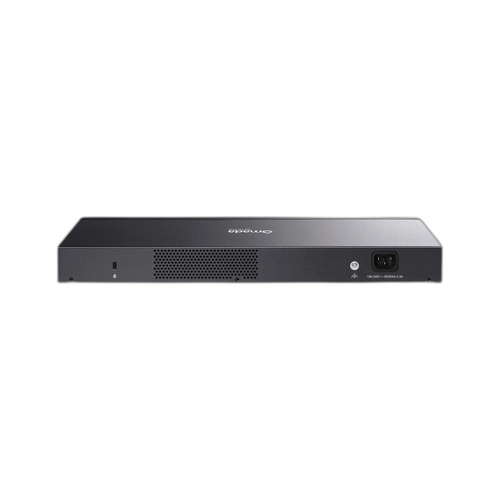
The DS1016G provides full dimensional data (440 × 140 × 44 mm), a stated power supply input of 100–240 VAC 50/60 Hz, a measured power consumption of 10.68 W at 220 V/50 Hz, an operating temperature range of 0°C to 40°C, a storage temperature range of −40°C to 70°C, and certifications of CE, FCC, and RoHS. The chassis is described as a 1U rackmount steel enclosure.
The DS1016GE specs describe a 1U 19-inch rack-mount form factor and wall-mount capability but provide no dimensional measurements, no input voltage specification, no power consumption figure, no operating temperature range, and no listed certifications. Installers sizing rack space, calculating PDU load, or verifying environmental compliance for the DS1016GE cannot do so from the available spec data alone.
Which should you choose: the DS1016GE or the DS1016G?
Our take: The DS1016GE is the stronger choice when the deployment requires VLAN segmentation, QoS traffic prioritization, or IGMP snooping-based multicast control, as it is the only model specified with those management capabilities. The DS1016G, by contrast, publishes a confirmed 32 Gbps switching capacity, 23.8 Mpps forwarding rate, and 8K MAC table — none of which are specified for the DS1016GE — making it easier to validate for network design. The DS1016G also provides complete power and environmental data (10.68 W, 0°C–40°C, CE/FCC/RoHS) that is absent from the DS1016GE spec sheet. For a simple, zero-configuration camera LAN where no traffic segmentation is needed, the DS1016G's plug-and-play operation and fully documented specs are practical advantages. For any installation requiring managed VLANs or multicast optimization, the DS1016GE is the appropriate selection.
Side-by-Side Comparison
Spec-for-spec, from manufacturer data.
| Specification | TP-Link DS1016GE | TP-Link DS1016G |
|---|---|---|
| SKU | DS1016GE | DS1016G |
| Product Type | 16-Port Gigabit Easy Smart Switch | 16-Port Gigabit Unmanaged Switch |
| Total Ports | 16 | 16 |
| Port Speed | 1000 Mbps | 1000 Mbps (10/100/1000) |
| Connector Type | RJ45 | RJ45 (Auto Negotiation / Auto MDI/MDIX) |
| Management | Web interface (VLAN, QoS, IGMP snooping) | Plug and Play — unmanaged |
| VLAN Support | Yes | No |
| QoS Support | Yes | No |
| IGMP Snooping | Yes | No |
| Switching Capacity | — | 32 Gbps |
| Forwarding Rate | — | 23.8 Mpps |
| MAC Address Table | — | 8K |
| Form Factor | 1U 19-inch rack-mount | 1U rack-mount (440 × 140 × 44 mm) |
| Power Supply Input | — | 100–240 VAC, 50/60 Hz |
| Power Consumption | — | 10.68 W (220 V / 50 Hz) |
| Operating Temperature | — | 0°C to 40°C (32°F to 104°F) |
| Storage Temperature | — | −40°C to 70°C (−40°F to 158°F) |
| Max Cable Range | — | 100 m (UTP) |
| Certifications | — | CE, FCC, RoHS |
| Special Modes | — | Isolation Mode (ports 1–14), Loop Prevention (all ports) |
Frequently Asked Questions
Which should you choose: the DS1016GE or the DS1016G?
The DS1016GE is the stronger choice when the deployment requires VLAN segmentation, QoS traffic prioritization, or IGMP snooping-based multicast control, as it is the only model specified with those management capabilities. The DS1016G, by contrast, publishes a confirmed 32 Gbps switching capacity, 23.8 Mpps forwarding rate, and 8K MAC table — none of which are specified for the DS1016GE — making it easier to validate for network design. The DS1016G also provides complete power and environmental data (10.68 W, 0°C–40°C, CE/FCC/RoHS) that is absent from the DS1016GE spec sheet. For a simple, zero-configuration camera LAN where no traffic segmentation is needed, the DS1016G's plug-and-play operation and fully documented specs are practical advantages. For any installation requiring managed VLANs or multicast optimization, the DS1016GE is the appropriate selection.
Can I configure VLANs or isolate camera traffic on the DS1016G?
Not via software management. The DS1016G is specified as unmanaged and does not support VLAN configuration. It does include a hardware-level Isolation Mode on ports 1–14 that blocks traffic between those ports, but this is not a configurable VLAN. The DS1016GE supports VLAN configuration through its web management interface.
Which switch has better-documented specs for a rack and power budget design?
The DS1016G. Its spec sheet provides physical dimensions (440 × 140 × 44 mm), power consumption (10.68 W), input voltage (100–240 VAC), operating temperature (0°C–40°C), certifications (CE, FCC, RoHS), switching capacity (32 Gbps), and forwarding rate (23.8 Mpps). The DS1016GE spec data as provided does not include dimensions, power draw, operating temperature, certifications, switching capacity, or forwarding rate.
Does either switch support PoE to power cameras directly?
Both products are flagged with a PoE attribute in the provided spec data, but neither spec sheet confirms a PoE power budget, PoE standard (802.3af/at/bt), or the number of PoE-capable ports. Buyers should verify PoE capability and budget directly against each product's official datasheet before specifying either unit to power cameras.
More Network Switch Comparisons
- TP-Link SG3218XP-M2 vs Ubiquiti USW-PRO-MAX-16
- TP-Link SG3218XP-M2 vs TP-Link DS1016G
- TP-Link SG3218XP-M2 vs TP-Link SG2218
- TP-Link DS1016G vs Ubiquiti USW-PRO-MAX-16
- TP-Link DS1016G vs TP-Link SG2218
- TP-Link SG2218 vs Ubiquiti USW-PRO-MAX-16
Network Switch Buying Guides
Get a Second Opinion on Your Camera Choice
Share your site layout, coverage goals, and budget. Our team will validate the camera selection, flag anything we would change, and recommend products that match the use case.