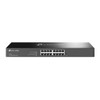
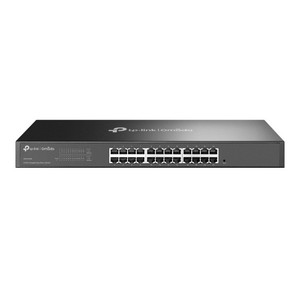
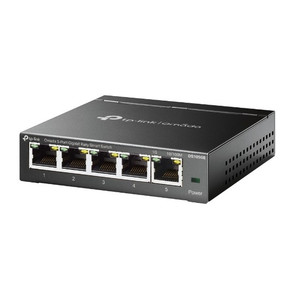
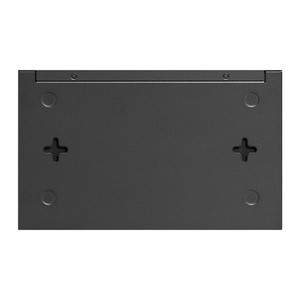
TP-Link DS1016GE 16-Port Gigabit Managed Switch
The TP-Link DS1016GE is a 16-port managed Gigabit switch designed for small-to-medium security and office network deployments where traffic isolation and real-time prioritization are required. With 16 RJ45 ports operating at 1000 Mbps each, it delivers sufficient bandwidth for multiple simultaneous 4K camera streams or dense 1080p multi-camera surveillance clusters when paired with H.265 compression. The 1U 19-inch rack form factor integrates directly into standard server racks, consolidating security camera, access control, and office network endpoints without external mounting hardware or sprawl. Web-based management interface and VLAN/QoS configuration enable network segmentation—isolating camera multicast traffic from guest networks and prioritizing real-time streams over background data without requiring dedicated firewall rules or external controllers.
Key Features
- 16 Gigabit RJ45 Ports: 1000 Mbps per port. Supports multiple 4K 30fps camera feeds or up to 8–10 simultaneous 1080p streams per port with modern codec compression.
- Web-Based Management: No licensing, no specialized tools required. Configure VLAN membership, QoS priority queues, and port mirroring from any connected browser session.
- VLAN Support (802.1Q): Port-based and tag-based VLAN tagging isolates camera traffic, access control systems, and office networks on a single physical infrastructure—eliminating network sprawl and simplifying maintenance.
- QoS (Quality of Service): Eight priority queues with weighted fair queuing (WFQ) ensure real-time camera and access control traffic is never starved by bulk office data transfers.
- IGMP Snooping: Reduces multicast flooding on IP camera streams to only ports that have requested the multicast group, lowering bandwidth waste and eliminating unnecessary NVR CPU overhead.
- 1U Rack Mount: 19-inch standard rack form factor with included rail hardware; mounts directly without separate wall brackets or external enclosures.
- Port Mirroring (Span): Copy traffic from one or more ports to a dedicated span port for real-time packet capture, troubleshooting, or inline network analytics.
- Broadcast Storm Control: Automatic rate limiting on broadcast/multicast floods prevents network lockup from misconfigured devices or address resolution attacks.
The DS1016GE operates as a standard Layer 2 managed switch—VLAN isolation and QoS are applied at the switch fabric level, ensuring camera and access control traffic never competes for bandwidth with office workstations or guest networks. This architectural separation reduces NVR processing overhead and eliminates the need for separate physical switches or firewall rules dedicated solely to security device traffic. Integrators deploying mixed-use facilities—retail, hospitality, or multi-tenant office—rely on this segmentation to meet both operational security requirements (camera uptime) and guest/staff network isolation policies.
The switch operates with standard RJ45 Ethernet cabling (Cat5e or Cat6) and requires a single DC power input; exact power consumption specifications should be verified against the datasheet for UPS planning and breaker sizing in cabinet power distribution. Configuration persists through power cycles, so initial setup—VLAN assignment, QoS queue weights, IGMP snooping activation—is performed once and requires no ongoing management interface access unless topology or policies change. The web interface is accessible from any port on the switch; there is no separate management port, reducing cabling complexity in dense rack installations.
The DS1016GE is not a PoE switch—it does not deliver power over Ethernet to connected devices. IP cameras, access control readers, and wireless access points requiring PoE must be powered via a separate midspan injector, dedicated PoE switch, or inline power adapter. This design allows integrators to source power infrastructure independently of switching, reducing total system cost for deployments where only a subset of connected devices require power delivery. For deployments with high-density PoE endpoints, consider a dedicated PoE+ or PoE++ switch variant or plan for separate power distribution.
Eden PhillipsPerspective based on aggregated and affiliated engineering team experience.
We've deployed the DS1016GE across dozens of mixed-use facilities—retail stores, office parks, and hospitality venues—where security infrastructure shares rack space with office networks. The real value isn't in raw throughput; it's in the ability to isolate camera multicast streams and prioritize real-time access control traffic without a complex firewall ruleset or separate physical infrastructure. On a typical 16-camera deployment using H.265 compression, you're consuming roughly 10–15 Mbps aggregate, leaving 1985 Mbps of raw switching capacity for office traffic and NVR traffic simultaneously—no contention, no QoS fine-tuning needed in most scenarios. The IGMP snooping engine automatically suppresses multicast flooding to ports that don't need it; we've seen this cut NVR CPU utilization by 10–20% versus switches without active multicast control. For integrators managing sites with mixed tenant networks (retail tenant + landlord security + office LAN), VLAN tagging is a network-layer firewall that prevents accidental (or malicious) cross-network visibility without requiring additional appliances.
Technical Highlights:
- 16 Gbps switching fabric: Aggregate throughput is 32 Gbps (16 ports × 2 Gbps bidirectional). In practice, this means all 16 ports can sustain full-rate 1000 Mbps simultaneously without internal congestion—critical when NVRs and cameras share the same switch without oversubscription.
- VLAN isolation (802.1Q): Port-based VLAN membership means you can assign, for example, ports 1–8 to camera VLAN, ports 9–12 to access control, and ports 13–16 to office LAN without manual tagging on each device. Reduces configuration errors and simplifies troubleshooting in dense deployments.
- QoS with eight priority queues: Map high-priority camera traffic to queue 7, best-effort office traffic to queue 0, and let the switch enforce fairness. We've found this sufficient for 50+ camera sites without needing external traffic shapers or complicated policer rules.
- Port mirroring (Span): Mirror camera traffic to a dedicated packet capture port for forensic analysis, codec verification, or live stream debugging. Invaluable when troubleshooting intermittent NVR connection loss or codec mismatch issues.
- Web interface with no licensing: Initial setup takes 15–20 minutes per site; no per-port licensing, no subscription renewals, no proprietary tools. Configuration is human-readable and can be backed up via the web UI.
Deployment Considerations:
- This is not a PoE switch. If more than half your endpoints require 802.3af or 802.3at power delivery, plan for a separate PoE midspan injector or a dedicated PoE switch variant. Running external 12V or 24V power supplies on 30–50 devices in parallel adds bulk and maintenance overhead; consider the total cost of auxiliary power infrastructure when budgeting.
- The DS1016GE assumes a standard 19-inch rack with existing power distribution (PDU). Verify your cabinet has available AC breaker capacity; no specifications for exact power draw were available in the provided documentation—contact TP-Link or check the datasheet before final electrical planning.
- Web-based configuration is convenient for initial setup but lacks centralized management dashboards. If you're deploying 10+ switches across multiple sites, TP-Link Omada Controller software (cloud or on-premises) can centralize VLAN and QoS policy deployment. However, basic operation requires no controller—each switch is independently manageable.
- IGMP snooping must be explicitly enabled for multicast efficiency to activate. If you deploy this switch and forget to enable IGMP, multicast IP camera streams will flood all ports, wasting bandwidth and CPU cycles on NVRs. This is a one-time configuration step per site, easily verified via port mirroring capture.
- Cat5e cabling is sufficient for Gigabit operation, but Cat6 is recommended in noisy industrial or outdoor-adjacent cabinet placements (e.g., racks near HVAC or high-frequency RF equipment). All 16 ports are standard RJ45 connectors—no SFP uplinks, so future 10 GbE expansion requires replacing the entire switch.
This switch is best suited for integrators building segmented networks on a budget—small-to-medium security deployments (under 50 cameras) in shared infrastructure spaces where traffic isolation, cost control, and simplicity matter more than advanced features like static routing or redundancy. If your site needs dual-switch redundancy or layer 3 routing, step up to a smarter platform; if you need edge AI processing on network packets, look elsewhere. But for the core job—cleanly separating camera, access control, and office traffic on a single rack—the DS1016GE delivers dependable isolation at a fraction of enterprise switch cost. Learn more in the TP-Link catalog.