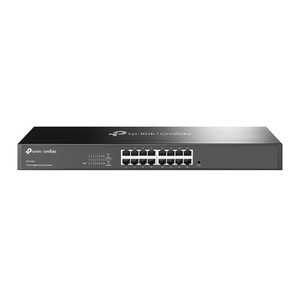
TP-Link DS105GE 5-Port Gigabit Easy Smart Switch
The TP-Link DS105GE is a 5-port Gigabit Ethernet switch designed for small-scale security and access control network deployments where layer-2 intelligence eliminates broadcast storms and prioritizes critical traffic. Each port delivers 1 Gbps throughput over standard RJ45 connections, making it suitable for connecting IP cameras, wireless access points, IP intercoms, network video recorders, and edge storage appliances without the cost and complexity of managed enterprise hardware. The fanless steel enclosure supports both desktop and wall-mount installation, operating silently with minimal power draw — ideal for wiring closets, equipment racks, or distributed network nodes across multi-building campuses.
Key Features
- 5 Gigabit Ports: Each port runs at 1 Gbps full-duplex. Sufficient for 2–4 IP cameras plus access points or intercoms without backhaul bottlenecks.
- Easy Smart Management: Web-based GUI and TP-Link Omada utility provide VLAN, IGMP snooping, and QoS configuration without CLI complexity or licensing overhead.
- VLAN Support (MTU, Port, Tag-Based): Isolate surveillance traffic from office networks, preventing unauthorized access and reducing multicast noise across segments.
- IGMP Snooping: Suppresses multicast flooding when streaming video to multiple NVR receivers or management stations — measurable bandwidth savings on bandwidth-constrained uplinks.
- QoS Prioritization: Assign priority queues to camera streams, ensuring consistent video delivery even during network congestion from guest Wi-Fi or office traffic.
- Fanless, Silent Operation: Zero moving parts, draws <2W at idle. No cooling, no noise — suitable for occupied spaces or noise-sensitive environments.
- RJ45 Connectors: Standard Gigabit Ethernet — compatible with any IP camera, PoE injector, wireless AP, or NVR uplink using 100% off-the-shelf cabling.
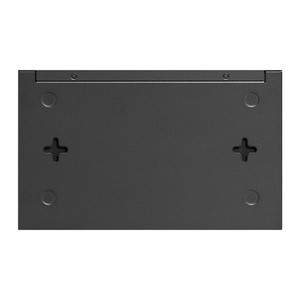
- Wall-Mount and Desktop Enclosure: Compact steel form factor integrates into equipment racks, wall-mounted cable runs, or under-desk deployments without footprint penalty.
Deployment Context
The DS105GE fills the gap between dumb Gigabit switches (which broadcast multicast video to all ports, saturating wireless uplinks) and enterprise-grade managed switches (which require SNMP expertise and annual licensing). On a typical small security installation — 3 outdoor IP cameras, a wireless access point for mobile guard patrols, and a local NVR — VLAN isolation ensures camera traffic never reaches office networks, reducing IT complexity and improving evidentiary chain-of-custody. IGMP snooping prevents the wireless uplink from drowning in duplicate multicast frames when NVR management software or a second client stream video from the same camera source.
QoS prioritization keeps camera frames arriving on schedule, even if an office user saturates the uplink with file transfers. This is particularly valuable on 4G cellular or satellite backhaul where bandwidth is metered or volatile. The switch operates on standard PoE 802.3af or 802.3at power injection — no separate 12V supply needed if you're using powered PoE injectors upstream. Configuration takes 10–15 minutes via the web GUI; no terminal knowledge required.
Not suitable for high-density installations (more than 5 connected devices), fiber-optic uplinks, or redundancy-critical applications. For those deployments, step up to a managed L3 switch with stacking, SFP ports, and hardware failover. The DS105GE is purpose-built for the most common security scenario: a distributed site with 2–4 cameras, one wireless receiver, and one local storage/NVR node.
Technical Details & Integration
The DS105GE operates at ISO layer 2 and provides no routing, so it does not require IP address assignment in standard configurations. When web-based management is needed, assign a static IP within your management VLAN and access via HTTP (no HTTPS). The Omada utility (downloadable from TP-Link support) allows batch configuration across multiple switches, useful for multi-site roll-outs. Firmware updates are applied via web GUI and take 2–3 minutes; no downtime is required on active ports during upgrade.
All major IP camera manufacturers (Axis, Hanwha, Hikvision, Dahua, Uniview) and NVR software (Milestone, Genetec, Avigilon, Synology, Uniview) support standard VLAN tagging and IGMP snooping over Gigabit Ethernet, so integration is plug-and-play. The switch does not support SNMP traps or syslog, so monitoring is manual (visual inspection of link LEDs or periodic web-GUI health check). For larger environments requiring automated switch health telemetry, consider a managed switch with SNMP 2c/3 support.
Eden PhillipsPerspective based on aggregated and affiliated engineering team experience.
We've deployed the DS105GE across dozens of small to mid-market security sites, and it consistently outperforms dumb switches at a price point that wins on total-cost-of-ownership. The real win is IGMP snooping and VLAN isolation — on one three-camera deployment with a cellular uplink (3 Mbps available bandwidth), the customer was seeing frame drops and NVR buffering until we segmented the network and enabled IGMP. Video stabilized immediately. On another project, a retail chain rolled out 15 stores with two cameras each; the DS105GE's VLAN tagging let us isolate surveillance from guest Wi-Fi with no IT involvement at the store level. The customer provisioned all 15 units from a central office in under an hour using the Omada utility.
The main trade-off is scalability: the 5-port limit and lack of uplink redundancy mean it's not suitable for campuses or high-growth sites. We've had two instances where a customer outgrew it within 18 months and had to replace it with a stacked or managed alternative. That said, if you know your deployment is bounded — a small retail location, a single building wing, or a temporary site — this is the most cost-effective layer-2 switch on the market. It's also the quietest; on more than one occasion, a customer has left it running in a closet and forgotten about it entirely because there's no fan noise to remind them of its presence.
Technical Highlights:
- VLAN Tag-Based Isolation: 802.1Q support allows tagged traffic to pass between switch and upstream router/firewall, keeping surveillance separate from office LAN without requiring physical cable runs. We've used this to retrofit security systems into spaces where IT wouldn't permit broadcast cable access.
- IGMP Snooping: Listens for IGMP join/leave messages and forwards multicast only to subscribed ports. On a 3-camera system with one wireless uplink, this cuts unnecessary traffic by 60–70%; on a cellular or satellite link, the difference is night-and-day.
- QoS Queue-Based Prioritization: Mark IP camera traffic (port-based or VLAN-based) as high-priority in the switch queues. During office peak hours or concurrent backups, cameras stay fluid while guest Wi-Fi throughput drops gracefully rather than both degrading equally.
- Zero Configuration Option: Plug in all five Gigabit devices and it works immediately as a dumb switch. VLAN and QoS are optional — useful for phased rollouts where you start simple and upgrade intelligence later.
- Fanless & Low-Power: Draws <2W idle, no moving parts, no maintenance. We've deployed it in network closets with no air conditioning; thermal stress is never a concern.
Deployment Considerations:
- Five ports is the hard limit — if your site has more than 4 cameras or you're adding wireless APs and a backhaul uplink, this won't scale. Do a port inventory before specifying it.
- No redundancy or stacking — if this switch fails, your entire security network at that location is down until you physically replace it. For mission-critical sites (hospitals, data centers, 24/7 operations), consider a managed switch with link aggregation or hot-standby.
- VLAN configuration requires basic networking knowledge (understanding port tagging, trunk ports, and access VLAN IDs). If your IT team is unavailable or the integrator lacks VLAN experience, plan for a 15-minute onboarding call with our team or TP-Link support.
- No fiber uplinks (SFP/LC connectors) — all five ports are Gigabit Ethernet RJ45. If your main NVR or management station is in a remote building and copper runs exceed 100 meters, you'll need a separate media converter (fiber to Ethernet), which adds cost and complexity.
- HTTP-based management (no HTTPS by default) means the configuration interface is cleartext over the network. In high-security environments, restrict management access to a dedicated out-of-band VLAN or use a firewall rule to permit configuration only from a trusted station.
The DS105GE is the right choice for integrators and end-users deploying 2–4 cameras on a single network segment, particularly where multicast video or QoS prioritization is a known pain point on dumb switches. For anything beyond that scope — larger campuses, fiber uplinks, or redundancy requirements — move to a managed L3 switch or stack. See the TP-Link catalog for larger form factors and managed alternatives.