
NETGEAR GS748PP-100NAS vs NETGEAR GS348PP-100NAS: Specification Comparison
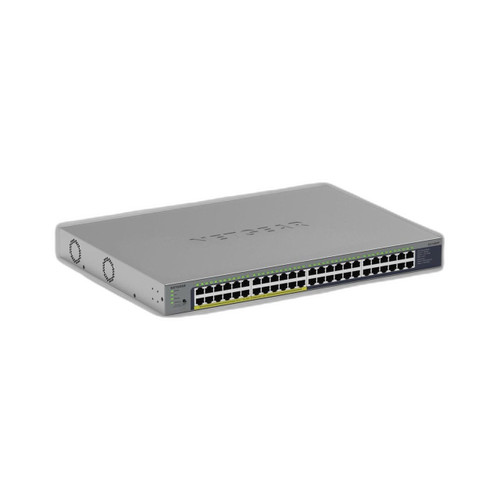
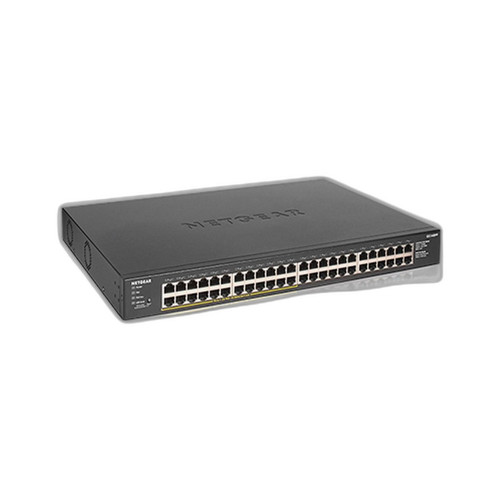
The NETGEAR GS748PP-100NAS and GS348PP-100NAS are both 48-port unmanaged Gigabit Ethernet PoE switches aimed at small-to-medium physical security and network deployments. Both support PoE++ (802.3bt) and deliver power to connected devices without a separate injector infrastructure. This comparison covers the three dimensions installers and IT buyers weigh most: power delivery and budget, build and environmental suitability, and port throughput and management capability.
In This Guide
- Which switch delivers more total PoE power, and how is that budget distributed across ports?
- How do the two switches differ in physical construction, form factor, and operating environment suitability?
- What throughput and management capabilities does each switch provide for surveillance and network traffic loads?
- Which should you choose: the GS748PP-100NAS or the GS348PP-100NAS?
- Side-by-Side Specs
- FAQ
Which switch delivers more total PoE power, and how is that budget distributed across ports?
The GS748PP-100NAS specifies a per-port PoE budget of 30 W across all 48 ports, with a stated non-blocking fabric of 96 Gbps. A per-port figure of 30 W aligns with 802.3at (PoE+); the switch also lists PoE++ (802.3bt) support, though the total system power budget is not provided in the supplied specifications. At 30 W × 48 ports the theoretical simultaneous draw ceiling would be 1,440 W, but no aggregate budget cap is stated — installers should verify the PSU rating from the datasheet before designing high-density deployments.
The GS348PP-100NAS states a total PoE power budget of 380 W. Its raw spec field lists PoE++ (802.3bt), while the card bullet describes 802.3at (PoE+) on 24 ports — this internal conflict in the supplied data means the active PoE standard and the number of powered ports cannot be confirmed without the product datasheet. At 380 W shared across however many PoE ports are active, the per-port average would be approximately 7.9 W if all 48 ports drew simultaneously, or roughly 15.8 W if only 24 ports are powered — both below the 30 W per-port figure cited for the GS748PP-100NAS.
For deployments requiring high per-port wattage — such as PTZ cameras, multi-radio Wi-Fi APs, or 90 W 802.3bt devices — the GS748PP-100NAS's 30 W per-port specification is the stronger stated figure. The GS348PP-100NAS's 380 W aggregate budget is a concrete, verifiable ceiling, giving budget-conscious installers a clear system-level power envelope, but the per-port headroom is substantially lower.
How do the two switches differ in physical construction, form factor, and operating environment suitability?
The GS748PP-100NAS specifies a metal chassis and a rack-mount form factor (1U rackmount/desktop). A metal enclosure provides better EMI shielding and mechanical durability in IDF closets and equipment racks. The storage temperature range is listed as –20° to 70°C (–4° to 158°F); operating temperature is not separately stated in the supplied specifications. The rack-mount form factor suits structured wiring closets and equipment racks standard in commercial surveillance and enterprise LAN installations.
The GS348PP-100NAS specifies a plastic housing with wall and ceiling mounting options. A plastic enclosure is lighter and lower cost but offers less EMI shielding and mechanical robustness than metal. The listing notes 'Industrial' under operating temperature, though no numeric range is given in the supplied specifications — installers should pull the datasheet to confirm the actual rated range before deploying in unconditioned spaces. Wall and ceiling mount options make it suitable for locations where a rack is unavailable, such as small branch offices or retail back-rooms.
For rack-based security closets and structured deployments, the GS748PP-100NAS's metal chassis and rack-mount form factor are the appropriate fit. For space-constrained or non-rack environments, the GS348PP-100NAS's wall/ceiling mounting options provide installation flexibility, though the plastic housing warrants consideration in high-vibration or high-EMI environments.
What throughput and management capabilities does each switch provide for surveillance and network traffic loads?
The GS748PP-100NAS specifies a non-blocking switching fabric of 96 Gbps. At 48 ports × 1 Gbps full-duplex, the theoretical line-rate requirement is 96 Gbps — the stated fabric matches this exactly, confirming non-blocking, head-of-line-blocking-free operation under full load. This is significant for high-density IP camera deployments where multiple simultaneous 4K streams must transit the switch without queuing delay. Management is unmanaged (plug-and-play); no VLAN, QoS, SNMP, or CLI configuration is available.
The GS348PP-100NAS does not provide a switching fabric or throughput figure in the supplied specifications. Port speed is listed as Gigabit (1 Gbps) across all 48 ports, but whether the backplane is blocking or non-blocking cannot be determined from the data provided. Management is also unmanaged. Several fields in the product data — including '100G speed,' 'WiFi 7,' and 'Antenna Gain' — appear to be cross-contaminated from an unrelated wireless product; these values are excluded from this comparison as inconsistent with a wired Gigabit switch.
For environments where verified non-blocking throughput is a procurement requirement — such as NVR-fed camera networks with continuous high-bitrate streams — the GS748PP-100NAS's explicit 96 Gbps non-blocking specification provides a confirmable performance baseline. The GS348PP-100NAS's throughput architecture cannot be evaluated from the supplied data.
Which should you choose: the GS748PP-100NAS or the GS348PP-100NAS?
Our take: The GS748PP-100NAS is the stronger choice when per-port PoE headroom, verified non-blocking throughput, and rack-mount metal construction are required. It specifies 30 W per port versus the GS348PP-100NAS's 380 W aggregate budget (implying roughly 7–16 W per port depending on active port count), a confirmed 96 Gbps non-blocking fabric versus no throughput figure for the GS348PP-100NAS, and a metal chassis versus the GS348PP-100NAS's plastic housing. The GS348PP-100NAS's 380 W stated total budget is a useful planning figure and its wall/ceiling mounting options suit non-rack installations, but its internal spec data contains significant inconsistencies (antenna gain, WiFi 7, 100G speed) that undermine confidence in the listing. Buyers requiring a high-density PoE camera switch in a structured rack environment should select the GS748PP-100NAS and verify its aggregate PSU rating from the datasheet. The GS348PP-100NAS is worth evaluating for low-power-per-port, non-rack deployments once its datasheet is consulted to resolve the spec conflicts.
Side-by-Side Comparison
Spec-for-spec, from manufacturer data.
| Specification | NETGEAR GS748PP-100NAS | NETGEAR GS348PP-100NAS |
|---|---|---|
| Port Count | 48 | 48 |
| Port Speed | 1 Gbps (Gigabit) | 1 Gbps (Gigabit) |
| PoE Standard (spec field) | PoE++ (802.3bt) | PoE++ (802.3bt) — conflicts with 802.3at in card bullet |
| PoE Per-Port Budget | 30 W | — (not stated; aggregate only) |
| Total PoE Power Budget | — (not stated; per-port only) | 380 W |
| Switching Fabric | 96 Gbps non-blocking | — (not provided in specs) |
| Management | Unmanaged | Unmanaged |
| Chassis Material | Metal | Plastic |
| Form Factor | Rack-mount / Desktop | Wall-mount / Ceiling-mount |
| Mount Type | Rack | Wall; Ceiling |
| Operating Temperature | — (storage: –20° to 70°C stated) | Industrial (no numeric range stated) |
| Warranty | — (not stated in specs) | 5 years |
| Compatible Use Case (per spec) | Enterprise | Surveillance |
| Uplink / SFP Ports | — (not stated in specs) | — (not stated in specs) |
| Dimensions | — (not provided) | — (not provided) |
| Datasheet Available | Yes (/content/product-datasheets/GS748PP-100NAS.pdf) | Yes (/content/product-datasheets/GS348PP-100NAS.pdf) |
Frequently Asked Questions
Which should you choose: the GS748PP-100NAS or the GS348PP-100NAS?
The GS748PP-100NAS is the stronger choice when per-port PoE headroom, verified non-blocking throughput, and rack-mount metal construction are required. It specifies 30 W per port versus the GS348PP-100NAS's 380 W aggregate budget (implying roughly 7–16 W per port depending on active port count), a confirmed 96 Gbps non-blocking fabric versus no throughput figure for the GS348PP-100NAS, and a metal chassis versus the GS348PP-100NAS's plastic housing. The GS348PP-100NAS's 380 W stated total budget is a useful planning figure and its wall/ceiling mounting options suit non-rack installations, but its internal spec data contains significant inconsistencies (antenna gain, WiFi 7, 100G speed) that undermine confidence in the listing. Buyers requiring a high-density PoE camera switch in a structured rack environment should select the GS748PP-100NAS and verify its aggregate PSU rating from the datasheet. The GS348PP-100NAS is worth evaluating for low-power-per-port, non-rack deployments once its datasheet is consulted to resolve the spec conflicts.
Is the GS748PP-100NAS or GS348PP-100NAS better for powering PTZ cameras or multi-radio APs that need 25–30 W per port?
Based on the supplied specifications, the GS748PP-100NAS is the better fit — it states 30 W per port, which meets the power requirement for high-wattage PoE devices. The GS348PP-100NAS specifies a total budget of 380 W shared across its PoE ports; the per-port headroom depends on how many ports are active simultaneously and whether the switch supports 802.3bt or only 802.3at — the supplied data contains a conflict between these two standards that the datasheet must resolve before committing.
Can either switch be installed outside a rack — for example, wall-mounted in a small office or retail location?
The GS348PP-100NAS lists wall and ceiling mounting as supported options, making it the more flexible choice for non-rack installations. The GS748PP-100NAS is specified as a rack-mount/desktop unit with a metal chassis; wall or ceiling mounting is not listed in its supplied specifications. If a rack is unavailable, the GS348PP-100NAS is the appropriate candidate — though installers should confirm the actual operating temperature range from the datasheet before deploying in unconditioned spaces.
Does either switch support VLANs, QoS, or remote management for segmenting camera traffic from the corporate LAN?
Neither switch supports VLANs, QoS, SNMP, or any form of remote management — both are specified as unmanaged. Traffic segmentation, storm control, and IGMP snooping are not available on either unit. Installers who need to isolate camera VLANs or prioritize surveillance traffic over office data should evaluate NETGEAR's managed switch lines (e.g., the M4250 or GS700 series) rather than either of these models.
More Network Switch Comparisons
- NETGEAR GS748PP-100NAS vs Ubiquiti USW-48-POE
- NETGEAR GS748PP-100NAS vs Ubiquiti USW-PRO-MAX-48-POE
- NETGEAR GS748PP-100NAS vs Ubiquiti USW-ENTERPRISE-48-POE
- NETGEAR GS748PP-100NAS vs Ubiquiti ES-48-500W
- Ubiquiti USW-48-POE vs NETGEAR GS348PP-100NAS
- Ubiquiti USW-48-POE vs Hanwha GS980M/52PS-10
Network Switch Buying Guides
Get a Second Opinion on Your Camera Choice
Share your site layout, coverage goals, and budget. Our team will validate the camera selection, flag anything we would change, and recommend products that match the use case.