
Ubiquiti USW-48-POE vs NETGEAR GS348PP-100NAS: Specification Comparison
Both the Ubiquiti USW-48-POE and NETGEAR GS348PP-100NAS are 48-port Gigabit PoE switches targeting access-layer deployments in surveillance, wireless, and IP device environments. The core comparison centers on PoE budget and port allocation, management depth, and physical build. The USW-48-POE is a managed switch with UniFi ecosystem integration; the GS348PP-100NAS is unmanaged with a higher stated PoE wattage. Buyers evaluating these will trade off network control and VLAN capability against raw PoE headroom and simplified deployment.
In This Guide
Which switch delivers more PoE power and to how many ports?
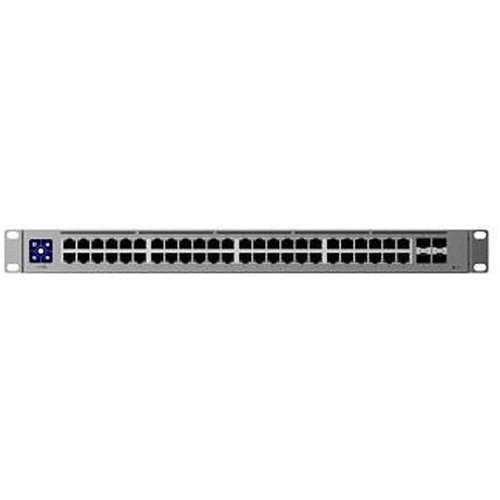
The USW-48-POE provides a 195W PoE budget across 32 of its 48 ports, with each port rated at up to 30W (802.3at / PoE+). The remaining 16 ports are standard Gigabit Ethernet with no PoE capability. In a 32-device deployment, the average available power per active PoE port is approximately 6.1W, meaning simultaneous full-load on all 32 ports would exceed the 195W ceiling and require power management.
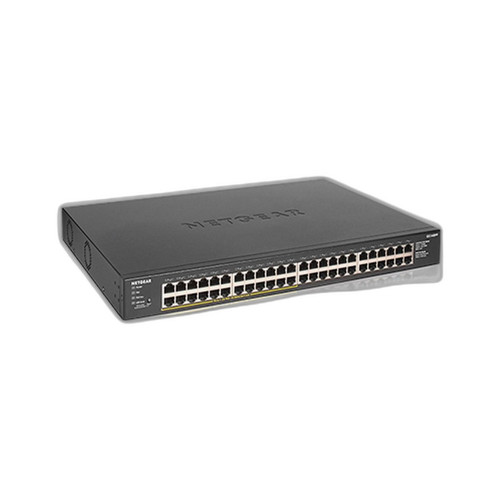
The GS348PP-100NAS carries a stated 380W PoE budget. Its spec data contains inconsistencies: the card bullets reference 24 PoE+ ports at 802.3at, while the product-level spec lists PoE++ (802.3bt) and 380W. The total PoE-capable port count is not definitively confirmed in the provided specs. Buyers should verify with the datasheet how many of the 48 ports are PoE-enabled and at what standard (802.3at vs 802.3bt) before specifying. On raw budget figures alone, the GS348PP-100NAS's 380W exceeds the USW-48-POE's 195W by 95W.
How do the two switches compare on throughput, forwarding rate, and switching fabric?
The USW-48-POE specifies a switching capacity of 104 Gbps, non-blocking throughput of 52 Gbps, and a forwarding rate of 77 Mpps. It also provides 4 x 1G SFP uplink ports, enabling fiber or uplink aggregation beyond the copper LAN segment. These figures are consistent with a fully non-blocking 48-port 1GbE design at wire speed.
The GS348PP-100NAS provides no throughput, switching capacity, or forwarding rate figures in the supplied specifications. One spec field lists '100G' under speed, which is inconsistent with the product description of a Gigabit switch and likely a data entry error. No SFP uplink ports are mentioned. Buyers requiring confirmed switching performance numbers for the NETGEAR unit should consult the manufacturer datasheet directly, as this comparison cannot substantiate those figures from the provided data.
What management, VLAN, and ecosystem integration does each switch offer?
The USW-48-POE is a fully managed switch integrating with Ubiquiti's UniFi controller platform. It supports 1,000 VLANs, and its 1.3-inch LCM color touchscreen provides local status visibility. Management is conducted over Ethernet via the UniFi software ecosystem, supporting centralized configuration, monitoring, and firmware updates. NDAA compliance is confirmed. Certifications listed include CE, FCC, IC, and Anatel.
The GS348PP-100NAS is specified as unmanaged. No VLAN support, CLI, web GUI, SNMP, or remote management capability is listed. Its 5-year warranty exceeds the USW-48-POE's listed manufacturer warranty, for which no specific term is provided. The GS348PP-100NAS specs also reference antenna gain values (4.1/4.6 dBi), WiFi 7, and ceiling/wall mounting options—attributes inconsistent with a rackmount wired switch and likely reflect data entry errors from a different product. NDAA compliance status for the GS348PP-100NAS is not stated.
Which should you choose: the USW-48-POE or the GS348PP-100NAS?
Our take: The USW-48-POE is the stronger choice when network management, VLAN segmentation, and ecosystem integration are required. It delivers confirmed 104 Gbps switching capacity, 77 Mpps forwarding rate, and 4 x 1G SFP uplinks—none of which are specified for the GS348PP-100NAS. The GS348PP-100NAS's stated 380W PoE budget is 95W higher than the USW-48-POE's 195W, which is a meaningful advantage for power-dense deployments, but its specification data contains multiple inconsistencies (WiFi 7 references, antenna gain figures, conflicting PoE port counts) that require datasheet verification before procurement. The GS348PP-100NAS suits small, flat networks where zero-configuration simplicity and higher PoE headroom outweigh management capability. The USW-48-POE is appropriate for UniFi-managed infrastructures requiring VLAN isolation, centralized monitoring, and confirmed wire-speed performance across a managed access layer.
Side-by-Side Comparison
Spec-for-spec, from manufacturer data.
| Specification | Ubiquiti USW-48-POE | NETGEAR GS348PP-100NAS |
|---|---|---|
| Total Ports | 48 x 1GbE + 4 x 1G SFP | 48 x Gigabit (SFP uplinks not specified) |
| PoE-Enabled Ports | 32 | Not definitively confirmed in provided specs |
| PoE Standard | PoE+ (802.3at) | PoE++ (802.3bt) listed; 802.3at also listed — inconsistent |
| PoE Budget | 195W | 380W |
| Max PoE per Port | 30W | Not specified |
| Switching Capacity | 104 Gbps | — |
| Non-Blocking Throughput | 52 Gbps | — |
| Forwarding Rate | 77 Mpps | — |
| Management | Managed (UniFi controller) | Unmanaged |
| VLAN Support | 1,000 VLANs | — |
| Form Factor | 1U Rack Mount | Wall / Ceiling mount (per specs; rack not listed) |
| Enclosure Material | SGCC Steel | Plastic |
| Power Supply | Internal, 240W AC/DC, 100–240V | Not specified |
| Operating Temperature | -5 to 40°C (23 to 104°F) | Listed as 'Industrial' — no range specified |
| NDAA Compliant | Yes | Not stated |
| Warranty | Manufacturer warranty (term not specified) | 5 years |
Frequently Asked Questions
Which should you choose: the USW-48-POE or the GS348PP-100NAS?
The USW-48-POE is the stronger choice when network management, VLAN segmentation, and ecosystem integration are required. It delivers confirmed 104 Gbps switching capacity, 77 Mpps forwarding rate, and 4 x 1G SFP uplinks—none of which are specified for the GS348PP-100NAS. The GS348PP-100NAS's stated 380W PoE budget is 95W higher than the USW-48-POE's 195W, which is a meaningful advantage for power-dense deployments, but its specification data contains multiple inconsistencies (WiFi 7 references, antenna gain figures, conflicting PoE port counts) that require datasheet verification before procurement. The GS348PP-100NAS suits small, flat networks where zero-configuration simplicity and higher PoE headroom outweigh management capability. The USW-48-POE is appropriate for UniFi-managed infrastructures requiring VLAN isolation, centralized monitoring, and confirmed wire-speed performance across a managed access layer.
Is the USW-48-POE or GS348PP-100NAS better for a mixed IP camera and wireless AP deployment?
The USW-48-POE is better suited for mixed deployments requiring traffic segmentation. Its 1,000-VLAN support allows cameras and APs to be isolated on separate network segments, and UniFi controller integration enables per-port PoE scheduling and monitoring. The GS348PP-100NAS is unmanaged and offers no VLAN capability, so all devices share a flat network. However, if the 380W PoE budget of the GS348PP-100NAS is confirmed accurate and your deployment exceeds the USW-48-POE's 195W ceiling, power budget may be the deciding constraint.
Can either switch power 802.3bt (PoE++) devices like multi-sensor cameras or PTZ units drawing over 30W?
The GS348PP-100NAS is listed as supporting PoE++ (802.3bt), which can supply up to 90W per port, though the per-port maximum and confirmed PoE-enabled port count are not definitively stated in the provided specs. The USW-48-POE supports PoE+ (802.3at) only, with a maximum of 30W per port. If your devices require more than 30W per port, the USW-48-POE cannot meet that requirement regardless of total budget.
Which switch is easier to deploy in a location without on-site IT staff?
The GS348PP-100NAS is unmanaged, requiring no configuration—plug in cables and the switch operates immediately. This makes it appropriate for remote or unstaffed sites where simplicity and zero-touch deployment are priorities. The USW-48-POE requires a UniFi controller (hardware or cloud-hosted) for initial adoption and configuration, which adds setup complexity but provides ongoing remote visibility and control.
More Network Switch Comparisons
- NETGEAR GS748PP-100NAS vs Ubiquiti USW-48-POE
- NETGEAR GS748PP-100NAS vs Ubiquiti USW-PRO-MAX-48-POE
- NETGEAR GS748PP-100NAS vs Ubiquiti USW-ENTERPRISE-48-POE
- NETGEAR GS748PP-100NAS vs Ubiquiti ES-48-500W
- NETGEAR GS748PP-100NAS vs NETGEAR GS348PP-100NAS
- Ubiquiti USW-48-POE vs Hanwha GS980M/52PS-10
Network Switch Buying Guides
Get a Second Opinion on Your Camera Choice
Share your site layout, coverage goals, and budget. Our team will validate the camera selection, flag anything we would change, and recommend products that match the use case.