
TP-Link SL2428P vs Ubiquiti USW-24: Specification Comparison
Both the TP-Link SL2428P and the Ubiquiti USW-24 are 24-port managed Layer 2 network switches designed for SMB and enterprise edge deployments supporting IP cameras, access points, and access control devices. The SL2428P brings PoE+ power delivery at 250 W over 10/100 Mbps access ports, while the USW-24 delivers full Gigabit access speeds across all 24 ports without PoE. Buyers evaluating these side-by-side are typically weighing inline power delivery against raw throughput and switching fabric headroom.
In This Guide
- Which switch delivers more port-level bandwidth and switching fabric capacity?
- Which switch is the right fit when inline power delivery and operating environment matter?
- How do these switches compare on management depth, VLAN capacity, and ecosystem integration?
- Which should you choose: the SL2428P or the USW-24?
- Side-by-Side Specs
- FAQ
Which switch delivers more port-level bandwidth and switching fabric capacity?
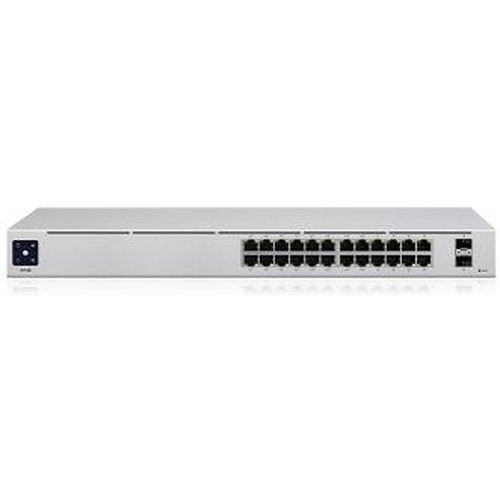
The USW-24 operates all 24 ports at Gigabit (1 Gbps) speed, backed by a 52 Gbps switching fabric and a 39 Mpps forwarding rate. Every connected device—camera, AP, or workstation—negotiates a full 1 Gbps link.
The SL2428P runs its 24 access ports at 10/100 Mbps, with only the 4 uplink ports reaching Gigabit speeds (2× RJ45 and 2× Combo RJ45/SFP). Its switching capacity is 12.8 Gbps at a 9.52 Mpps forwarding rate—roughly one-quarter the fabric of the USW-24. For high-bitrate camera streams or dense AP backhaul, the 100 Mbps access tier is the hard ceiling per port on the SL2428P.
Which switch is the right fit when inline power delivery and operating environment matter?
The SL2428P is the only model here that delivers PoE. Its 250 W total PoE+ budget (802.3af/at) supports up to 30 W per port, making it a direct power source for cameras, VoIP phones, and access controllers without separate injectors. Standby consumption is 8.9 W; fully loaded PoE draw reaches 250 W.
The USW-24 carries no PoE capability per its published specifications—a 'Power Watts: 30W' field appears in the source data, but the switch's own power consumption is listed at 25 W typical with a 36 W internal supply, and no per-port PoE budget is cited. Treating that field as per-port PoE output would contradict the non-PoE product class; installers requiring PoE must use the USW-24-POE variant or external injectors.
Operating temperature for the SL2428P is −5 °C to 50 °C; the USW-24 is rated −5 °C to 45 °C. Both accept universal 100–240 V AC input. The USW-24 specifies an SGCC steel enclosure; SL2428P enclosure material is not stated in the provided specs.
How do these switches compare on management depth, VLAN capacity, and ecosystem integration?
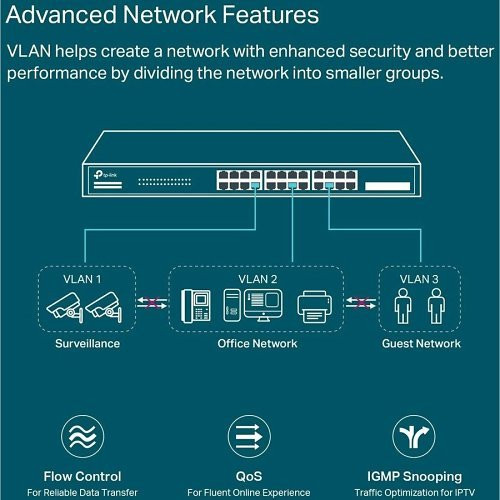
The SL2428P supports Omada cloud management, standalone web UI, CLI, SNMP, and RMON. Feature-set includes 802.1Q VLAN, STP/RSTP/MSTP, IGMP Snooping, QoS (802.1p/DSCP), ACL, LACP, Static Routing, 9 KB Jumbo Frames, and 802.1x/RADIUS/TACACS+ authentication. VLAN count per port is not explicitly stated in the provided specs. Onvif compliance is listed as Yes.
The USW-24 supports up to 1,000 VLANs and is managed natively through the UniFi Network application. Specific SNMP version, CLI access, or RMON support are not documented in the provided specifications. NDAA compliance is confirmed. Certifications include CE, FCC, IC, and Anatel.
Platform lock-in is a practical differentiator: the SL2428P integrates into the Omada SDN ecosystem, while the USW-24 is native to Ubiquiti's UniFi ecosystem. Cross-ecosystem management of either switch requires third-party SNMP tooling, if supported.
Which should you choose: the SL2428P or the USW-24?
Our take: The SL2428P is the stronger choice when the deployment requires inline PoE+ power delivery and the access-port bandwidth of 100 Mbps is sufficient per device. Its 250 W PoE+ budget at up to 30 W per port powers 24 cameras or APs without injectors, and its Omada SDN management adds cloud visibility absent from many budget PoE switches. By contrast, the USW-24 holds a decisive advantage in raw throughput: 52 Gbps fabric versus 12.8 Gbps, 39 Mpps versus 9.52 Mpps, and full Gigabit links on all 24 access ports—essential wherever high-bitrate 4K cameras, multi-gigabit APs, or NVR uplinks saturate 100 Mbps ceilings. The USW-24 carries no PoE capability per its published specs, so power must be delivered separately. Buyers already invested in UniFi should standardize on the USW-24 for throughput-heavy closets; those running Omada networks with camera- and AP-heavy edge deployments will find the SL2428P's PoE+ budget the more practical fit.
Side-by-Side Comparison
Spec-for-spec, from manufacturer data.
| Specification | TP-Link SL2428P | Ubiquiti USW-24 |
|---|---|---|
| Product Type | 24-Port 10/100 + 4-Port Gigabit PoE+ Managed Switch | 24-Port Gigabit Managed Switch (non-PoE) |
| Access Port Speed | 24× 10/100 Mbps | 24× 1,000 Mbps (Gigabit) |
| Uplink / Uplink Ports | 2× Gigabit RJ45 + 2× Combo Gigabit RJ45/SFP | Not specified in provided specs |
| SFP Slots | 2× Combo Gigabit RJ45/SFP | Not specified in provided specs |
| Switching Capacity | 12.8 Gbps | 52 Gbps |
| Forwarding Rate | 9.52 Mpps | 39 Mpps |
| Non-Blocking Throughput | Not specified in provided specs | 26 Gbps |
| PoE Standard | 802.3af/at (PoE+) | None per provided specs |
| PoE Budget | 250 W total | — |
| Max PoE Per Port | 30 W | — |
| Power Consumption (typical) | 8.9 W standby; 250 W with full PoE load | 25 W |
| Power Input | 100–240 V AC, 50/60 Hz | 100–240 V AC, 50/60 Hz |
| VLAN Support | 802.1Q VLAN (count not stated in provided specs) | Up to 1,000 VLANs |
| Operating Temperature | −5 °C to 50 °C (23 °F to 122 °F) | −5 °C to 45 °C (23 °F to 113 °F) |
| Management Platform | Omada SDN (cloud, web, CLI, SNMP, RMON) | UniFi Network Application |
| NDAA Compliant | Not specified in provided specs | Yes |
| Dimensions | 440 × 180 × 44 mm | 442 × 200 × 44 mm |
| ONVIF | Yes | Not specified in provided specs |
Frequently Asked Questions
Which should you choose: the SL2428P or the USW-24?
The SL2428P is the stronger choice when the deployment requires inline PoE+ power delivery and the access-port bandwidth of 100 Mbps is sufficient per device. Its 250 W PoE+ budget at up to 30 W per port powers 24 cameras or APs without injectors, and its Omada SDN management adds cloud visibility absent from many budget PoE switches. By contrast, the USW-24 holds a decisive advantage in raw throughput: 52 Gbps fabric versus 12.8 Gbps, 39 Mpps versus 9.52 Mpps, and full Gigabit links on all 24 access ports—essential wherever high-bitrate 4K cameras, multi-gigabit APs, or NVR uplinks saturate 100 Mbps ceilings. The USW-24 carries no PoE capability per its published specs, so power must be delivered separately. Buyers already invested in UniFi should standardize on the USW-24 for throughput-heavy closets; those running Omada networks with camera- and AP-heavy edge deployments will find the SL2428P's PoE+ budget the more practical fit.
Can the SL2428P power IP cameras and access points directly, or do I still need injectors?
Yes—the SL2428P delivers PoE+ (802.3af/at) on all 24 access ports with a 250 W total budget and up to 30 W per port, so cameras, APs, and access controllers can be powered directly without separate injectors, provided the total draw stays within 250 W.
Is the USW-24 fast enough for 4K IP camera streams across all 24 ports simultaneously?
The USW-24 provides full 1 Gbps links on all 24 ports and a 52 Gbps non-blocking fabric (26 Gbps non-blocking throughput, 39 Mpps forwarding rate), which is substantially more headroom than the SL2428P's 12.8 Gbps fabric and 100 Mbps access ports. For high-bitrate 4K streams, the USW-24's Gigabit access tier is the clear choice; note that it provides no PoE, so cameras must be separately powered.
Can I manage the SL2428P and USW-24 from the same dashboard?
No—the SL2428P is managed through TP-Link's Omada SDN platform (cloud, web UI, CLI, SNMP/RMON), while the USW-24 is managed through Ubiquiti's UniFi Network application. Neither switch's native controller manages the other; unified oversight would require a third-party NMS using SNMP, if supported by both devices in the target environment.
More Network Switch Comparisons
- TP-Link S5500-24GP4XF vs NETGEAR GS728TP-300NAS
- TP-Link S5500-24GP4XF vs Comnet CNGE24FX12TX12MSPOE
- TP-Link S5500-24GP4XF vs Ubiquiti USW-24
- TP-Link S5500-24GP4XF vs Ubiquiti USW-ENTERPRISEXG-24
- TP-Link S5500-24GP4XF vs TP-Link SL2428P
- TP-Link S5500-24GP4XF vs TP-Link SG3428XPP-M2
Network Switch Buying Guides
Get a Second Opinion on Your Camera Choice
Share your site layout, coverage goals, and budget. Our team will validate the camera selection, flag anything we would change, and recommend products that match the use case.