
Sato WWCT04241-WDN vs Brother TD4210D: Specification Comparison
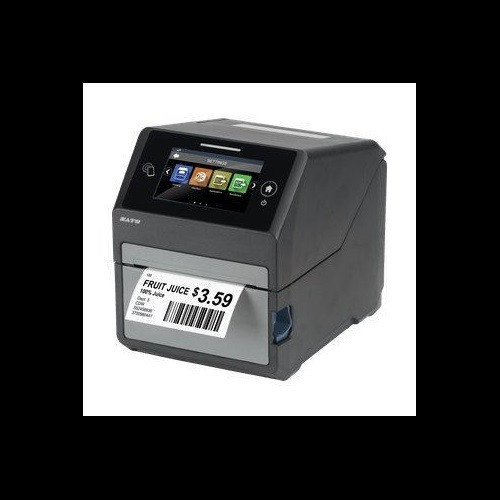
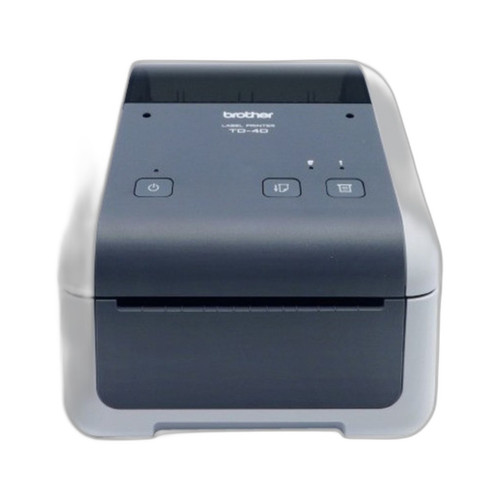
Both the Sato CT4-LX (WWCT04241-WDN) and the Brother TD4210D are desktop direct-thermal label and receipt printers targeting warehouse, logistics, and light industrial environments. They share a desktop form factor and direct-thermal print capability, making them genuine cross-shop candidates for buyers evaluating a 4-inch-class desktop printer. The comparison centers on print quality, connectivity breadth, and whether RFID encoding and thermal-transfer capability justify the Sato's added complexity and cost over the Brother's simpler, ribbon-free direct-thermal approach.
In This Guide
- Which printer delivers higher resolution and faster throughput for label and receipt production?
- Which printer offers broader connectivity and does either support RFID encoding?
- Which printer is better suited to IT-managed, multi-site, or industrial deployments?
- Which should you choose: the WWCT04241-WDN or the TD4210D?
- Side-by-Side Specs
- FAQ
Which printer delivers higher resolution and faster throughput for label and receipt production?
The Sato WWCT04241-WDN prints at 305 dpi versus the Brother TD4210D's 203 dpi — a 50% resolution advantage that matters for fine text, small barcodes, and dense QR codes on pharmaceutical or compliance labels. The Sato also prints at 8 ips compared to the Brother's 5 ips, a 60% speed advantage that compounds quickly in high-volume batch runs.
The Sato supports both direct thermal and thermal transfer print methods, giving operators the option to use ribbon-based printing for increased durability and chemical resistance on labels. The Brother TD4210D is direct thermal only (no ribbon), which reduces consumable complexity but limits label durability in harsh or high-temperature storage environments.
Max print width is narrowly wider on the Brother at 4.3 inches versus the Sato's 4.09 inches — a marginal difference that will only matter for applications requiring full-bleed 4.25-inch or wider label stock.
Which printer offers broader connectivity and does either support RFID encoding?
The Sato WWCT04241-WDN provides Ethernet, Wi-Fi, Bluetooth, and USB 2.0 connectivity. This four-interface stack supports both wired network integration and wireless mobility, relevant for cart-based or roaming label printing scenarios. The Brother TD4210D is limited to USB and RS-232 serial, with no Ethernet or wireless options listed in its specifications.
The Sato is the only model here with integrated UHF RFID encoding, operating at 860–960 MHz on the EPC Class 1 Gen 2 standard. This makes it suitable for pharmaceutical track-and-trace, asset tagging, and supply-chain RFID mandates. The Brother TD4210D has no RFID capability listed in its specifications.
The Sato also includes a 4.3-inch full-color touchscreen display and onboard memory (4 GB flash, 1 GB DDR3, 2 GB user storage), enabling standalone template management and operator interaction without a host PC. No display type or onboard memory is specified for the Brother TD4210D.
Which printer is better suited to IT-managed, multi-site, or industrial deployments?
The Sato WWCT04241-WDN specifies an operating temperature range of 32°F to 104°F (0°C to 40°C), providing a defined environmental envelope for deployment planning. The Brother TD4210D does not list an operating temperature range in the provided specifications, making it impossible to confirm suitability for cold-storage adjacent or hot-dock environments from spec alone.
The Sato's Ethernet and Wi-Fi connectivity directly support IT-managed network printing, SNMP monitoring, and centralized print-server integration. The Brother's USB and RS-232 interfaces require direct host attachment or a print server appliance, adding infrastructure overhead in multi-workstation or multi-site deployments.
The Sato carries a stated 1-year warranty. The Brother lists only 'Manufacturer Warranty' without a specified duration in the provided specifications. Buyers requiring defined SLA commitments for maintenance contracts should confirm the Brother's warranty term directly with the manufacturer or distributor.
Which should you choose: the WWCT04241-WDN or the TD4210D?
Our take: The WWCT04241-WDN is the stronger choice when print quality, network connectivity, or RFID encoding are requirements. Concretely: it prints at 305 dpi versus the TD4210D's 203 dpi (50% resolution advantage), at 8 ips versus 5 ips (60% throughput advantage), and adds integrated UHF 860–960 MHz EPC C1G2 RFID encoding absent entirely from the Brother. Its four-interface connectivity stack (Ethernet, Wi-Fi, Bluetooth, USB) versus the Brother's USB and RS-232 also makes it the only candidate for wireless or network-attached deployments. The TD4210D's case rests on simplicity: ribbon-free direct thermal, a marginally wider 4.3-inch print path, and lower operational overhead for basic receipt and label printing where 203 dpi is sufficient and RFID or network connectivity are not required — for example, single-workstation POS or light warehouse label stations on a budget.
Side-by-Side Comparison
Spec-for-spec, from manufacturer data.
| Specification | Sato WWCT04241-WDN | Brother TD4210D |
|---|---|---|
| Print Method | Direct Thermal / Thermal Transfer | Direct Thermal only |
| Print Resolution | 305 dpi | 203 dpi |
| Print Speed | 8 ips | 5 ips |
| Max Print Width | 4.09 in | 4.3 in |
| Connectivity | Ethernet, Wi-Fi, Bluetooth, USB 2.0 | USB, RS-232 Serial |
| RFID Encoding | UHF 860–960 MHz, EPC C1G2 | — |
| Display | 4.3-inch full-color touchscreen | — |
| Flash Memory | 4 GB | — |
| RAM | 1 GB DDR3 | — |
| User Storage | 2 GB | — |
| Max Media Width | 4.1 in | 4.3 in |
| Max Media Roll Diameter | 5 in | — |
| Max Ribbon Length | 984 ft | N/A (no ribbon) |
| Operating Temperature | 32°F to 104°F | Not specified |
| Power | AC 100–240V, 50/60Hz | Not specified |
| Warranty | 1 year | Manufacturer warranty (duration not specified) |
Frequently Asked Questions
Which should you choose: the WWCT04241-WDN or the TD4210D?
The WWCT04241-WDN is the stronger choice when print quality, network connectivity, or RFID encoding are requirements. Concretely: it prints at 305 dpi versus the TD4210D's 203 dpi (50% resolution advantage), at 8 ips versus 5 ips (60% throughput advantage), and adds integrated UHF 860–960 MHz EPC C1G2 RFID encoding absent entirely from the Brother. Its four-interface connectivity stack (Ethernet, Wi-Fi, Bluetooth, USB) versus the Brother's USB and RS-232 also makes it the only candidate for wireless or network-attached deployments. The TD4210D's case rests on simplicity: ribbon-free direct thermal, a marginally wider 4.3-inch print path, and lower operational overhead for basic receipt and label printing where 203 dpi is sufficient and RFID or network connectivity are not required — for example, single-workstation POS or light warehouse label stations on a budget.
Does either printer support RFID label encoding?
Only the Sato WWCT04241-WDN includes integrated UHF RFID encoding (860–960 MHz, EPC Class 1 Gen 2). The Brother TD4210D has no RFID capability listed in its specifications.
Can the Brother TD4210D connect to a network or print wirelessly?
No. Based on the provided specifications, the TD4210D supports USB and RS-232 serial connections only. The Sato WWCT04241-WDN supports Ethernet, Wi-Fi, Bluetooth, and USB 2.0.
Which printer produces sharper barcodes and finer label text?
The Sato WWCT04241-WDN prints at 305 dpi versus the Brother TD4210D's 203 dpi. For small 2D barcodes, dense text, or compliance labels requiring fine detail, the Sato's resolution advantage is significant. For standard shipping labels and receipts with larger barcodes, 203 dpi is typically sufficient.
More Label Printer Comparisons
- Brother TD4550DNWB vs Sato WWCT04241-WCN
- Brother TD4550DNWB vs Sato WWCT04241-NDR
- Brother TD4550DNWB vs Sato WT212-404CW-EX1-2
- Brother TD4550DNWB vs Sato WWCT04441-WDR
- Brother TD4550DNWB vs Brother TD4420DNC
- Brother TD4550DNWB vs Brother TD4410D
Label Printer Buying Guides
Get a Second Opinion on Your Camera Choice
Share your site layout, coverage goals, and budget. Our team will validate the camera selection, flag anything we would change, and recommend products that match the use case.