
Best Label Printers for E-Commerce Fulfillment
Label printers for e-commerce fulfillment — fast 4-inch shipping labels, high duty cycles for peak volume, and easy integration with shipping software.

Karl Wilson
Warehouse & Mobile Computing Specialist · Working integrator
Bottom line
For e-commerce fulfillment, choose based on duty cycle and integration depth: industrial-class printers (Honeywell PX940, Sato WWCLP3B01, Wasp WPL408) handle sustained peak volume with minimal downtime, while desktop models (Brother TD4550, Brother TD4420, Sato WD212) fit lower-volume or space-constrained operations. Match connectivity to your shipping software stack—most modern platforms support USB, Ethernet, and Wi-Fi equally well, but verify driver support before committing.
What This Setup Needs
Shipping label printers must survive high-volume days without failure, integrate cleanly with your fulfillment software, and produce clear, scannable output. Here's what separates reliable systems from false savings:
- Duty Cycle & Uptime: Industrial-class printers are rated for 500K–1M+ labels/month and designed for 24/7 operation; desktop models typically handle 10K–50K labels/month and work best in single-shift environments. Peak season volume will expose undersizing fast.
- Connectivity & Driver Support: USB and Ethernet are universal, but Wi-Fi adds flexibility if your dock or packing station is mobile. Verify your shipping platform (Shipstation, Stamps.com, EasyPost, etc.) explicitly supports your printer model before purchase—driver gaps are common with newer hardware.
- Print Resolution & Barcode Clarity: 203 dpi is industry standard for 4×6 labels and passes carrier scanners reliably. Higher resolution (300 dpi) matters only if you're printing dense QR codes or small text; it adds cost and slows throughput.
- Total Cost of Ownership: Industrial units cost 2–3× more upfront but use cheaper consumables and last 5–7 years without major repair. Desktop models are cheaper to buy but have higher per-label media costs and shorter lifespan under continuous use.
- Physical Footprint & Installation: Desktop models fit standard 24–30" benches; industrial units need dedicated space and often require AC-only power. Verify dock layout before spec'ing a large format printer that won't fit your workflow.
- Temperature & Environment: Standard operating range (5–40°C / 41–104°F) covers most climate-controlled warehouses, but verify if your facility runs cold overnight or lacks consistent HVAC during peak season.
- Media Handling & Replenishment: All 4-inch models use standard roll stock; pay attention to roll width and core size to avoid reeling down custom media. Industrial models often support heavier label stock (synthetic, polyester) that survives harsh shipping.
Our Picks
Selected from our catalog by spec-fit. All channel-direct and factory-new — not ranked by price.
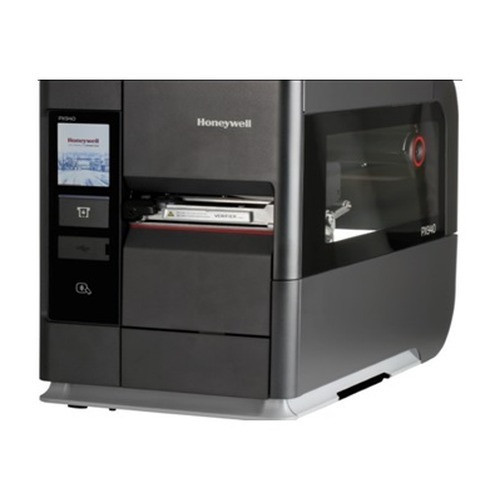
Honeywell PX940
Industrial
Honeywell PX940 is a heavy-duty industrial printer rated for sustained high-volume fulfillment—500K+ labels per month without thermal stress. Wired connectivity (USB/Ethernet via standard adapters) integrates with all major shipping platforms; its robust construction and minimal moving parts make it a strong fit for 24/7 dock operations where downtime costs money.
View product →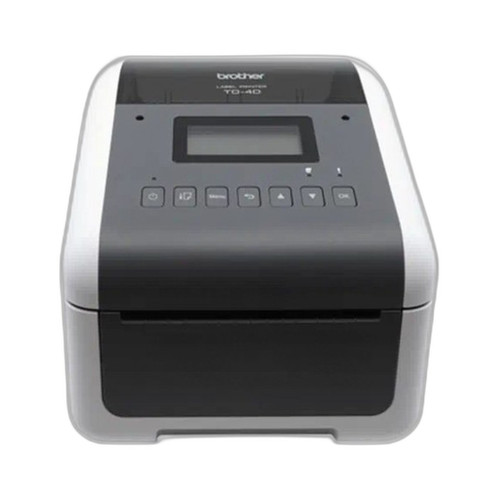
Brother TD4550DNWB
Desktop
Brother TD4550DNWB is a desktop-class printer with Wi-Fi and multi-interface support (USB, Bluetooth, LAN, Serial), making it a practical fit for small to mid-volume e-commerce operations (under 30K labels/month) where space or budget is constrained. Its display panel simplifies media setup without software.
View product →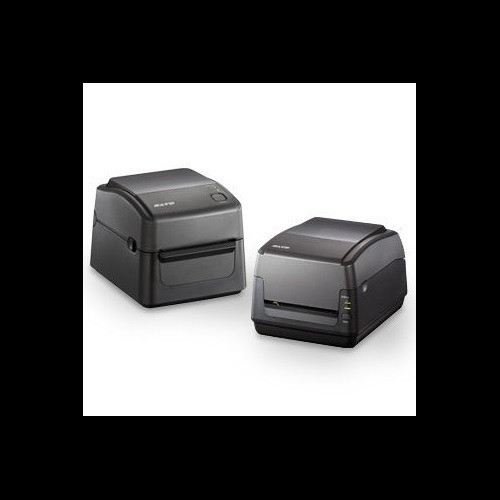
Sato WD212-409DN-EX1-2
Desktop 203dpi
Sato WD212 is a compact desktop printer at 203 dpi with AC/DC dual power and Wi-Fi, well-suited for smaller fulfillment setups or satellite packing stations that need reliable 4-inch output without the footprint or cost of industrial hardware.
View product →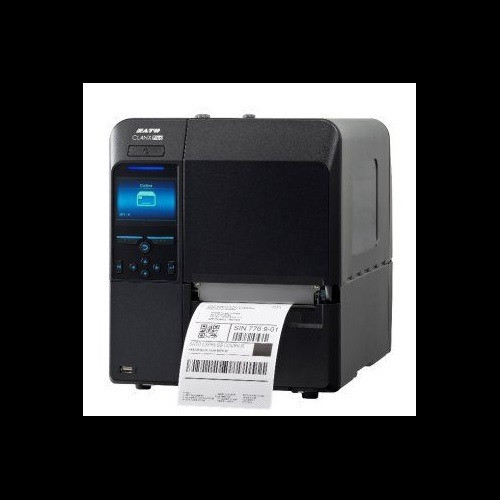
Sato WWCLP3B01-WAR
Industrial
Sato WWCLP3B01 is an industrial-class system with dual AC/DC power options and Wi-Fi connectivity, suited for warehouses that need network flexibility without tethering to a dock outlet. Strong durability and high-speed output make it well-suited for peak-season spikes in established fulfillment centers.
View product →
Brother TD4420DNC
Desktop
Brother TD4420DNC is a wired desktop printer with USB, Serial, and Ethernet connectivity—a solid baseline choice for cost-conscious small shippers who need proven compatibility with major platforms and don't require Wi-Fi or battery fallback.
View product →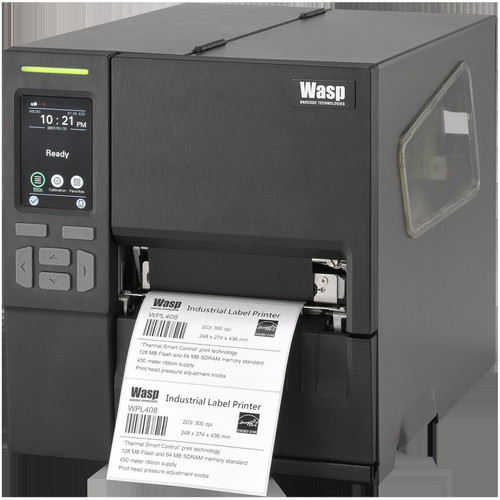
Wasp WPL408
Industrial
Wasp WPL408 is an industrial workhorse with triple connectivity (USB, RS-232, Ethernet) that plays well with legacy and modern shipping software alike. Its robust feature set and high duty cycle fit fulfillment operations that run continuous label streams across multiple shifts.
View product →Frequently Asked Questions
What print width do I actually need for shipping labels?
4.0 inches is the industry standard for 4×6 domestic shipping labels; 4.3 inches (Brother models) adds minimal benefit unless you print custom thermal labels with wide margins or QR codes. Verify your label stock and shipping carrier templates before choosing based on width alone—most carriers size labels to 4.0 inches, so extra width sits unused.
Can I use a desktop printer if I'm doing high volume?
Not sustainably. Desktop printers (Brother TD4420, TD4550, Sato WD212) are rated for 10K–50K labels per month and will overheat or fail if run continuously during peak season. If you exceed 30K labels/month regularly, invest in an industrial unit (PX940, WWCLP3B01, WPL408) to avoid mid-rush downtime and repair costs.
Do I need Wi-Fi if my printer sits on the dock?
Not required, but helpful. Wired Ethernet is more reliable in warehouse RF environments; Wi-Fi adds convenience for mobile label stations or when your dock layout changes. If your shipping software and dock PC are stationary, USB or Ethernet will work equally well and cost less. Choose Wi-Fi only if you need physical mobility or your dock layout is fluid.
Which printers work best with Shipstation, Stamps.com, or EasyPost?
All models listed here are supported by major platforms, but driver availability varies by OS (Windows/Mac/Linux) and platform version. Before purchasing, verify your specific shipping software version explicitly lists your chosen printer in its driver documentation—older desktop models sometimes lose support in platform updates, while industrial units maintain compatibility longer.
What's the real difference between 203 dpi and 300 dpi?
203 dpi is the standard for barcode scanning and passes all carrier validation; 300 dpi adds clarity for small fonts and dense QR codes but costs more and prints 20–30% slower. Unless you're printing packed-dense label fields or tiny text, 203 dpi is sufficient and faster for high-volume fulfillment.
How do I avoid being locked into expensive consumables?
All these printers use standard 4-inch roll stock (thermal paper or synthetic labels) available from multiple suppliers. Industrial units typically have lower per-label media costs because they use less heat and faster throughput. Check whether your printer uses proprietary ribbon cartridges or standard supplies before commit—industrial Honeywell, Sato, and Wasp systems almost always support third-party supplies, but verify with your supplier.
Related Resources
- Label Printer comparisons — head-to-head spec matchups
- Label Printer Buying Guide
- Best Industrial Label Printers for Warehouses
- Best Desktop Label Printers for Shipping
- All product comparisons
Speccing this for a project?
Send us your requirements and our senior specialists will confirm specs, compatibility, availability and pricing — free, usually within one business day. Channel-direct, factory-new, serving commercial integrators since 2014.
Get a Free QuoteComparing for a project?
Send us the models you are weighing and our team will confirm specs, compatibility, availability, and pricing — free, usually within one business day.