
Epson DS-30000 vs Epson S1000II-NW: Specification Comparison
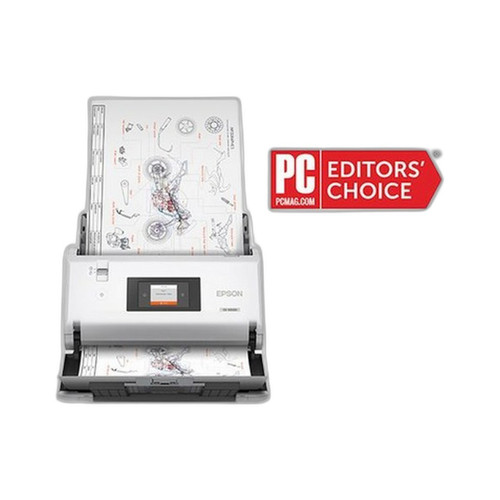
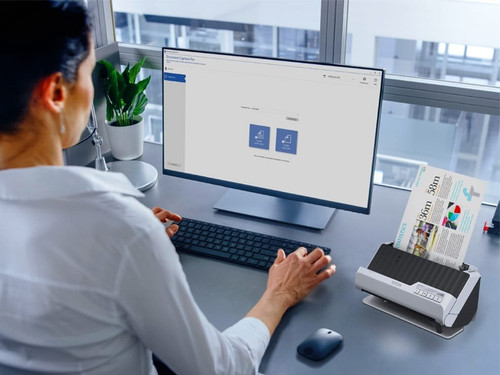
Both the Epson DS-30000 (B11B256201) and the Epson S1000II-NW (A41CL16012) are desktop document scanners with automatic document feeders, targeting office and workgroup environments. The DS-30000 is positioned as a high-volume departmental scanner, while the S1000II-NW is a compact desktop unit with network-sharing capability. This comparison evaluates throughput and duty cycle, connectivity and deployment flexibility, and physical integration factors to help buyers choose the right scanner for their workload and infrastructure.
In This Guide
- Which scanner delivers higher throughput and duty cycle for your daily scan volume?
- How do the connectivity options affect shared versus dedicated deployment scenarios?
- What are the physical footprint, software compatibility, and warranty differences buyers should weigh?
- Which should you choose: the DS-30000 or the S1000II-NW?
- Side-by-Side Specs
- FAQ
Which scanner delivers higher throughput and duty cycle for your daily scan volume?
The DS-30000 specifies a scan speed of 70 pages per minute (ppm) for both monochrome and color in duplex (single-pass) mode, with a rated daily duty cycle of 30,000 scans per day. This makes it explicitly designed for high-volume, continuous batch processing environments.
The S1000II-NW specifies 60 documents per minute (dpm) in single-pass mode and 50 images per minute (ipm) for ADF color scanning, with a separately noted ADF throughput of up to 25 ppm. No daily duty cycle figure is provided in the supplied specifications for the S1000II-NW.
Buyers running large daily scan volumes have a clear numeric reference point with the DS-30000's 30,000-scan duty cycle. The S1000II-NW's duty cycle is not specified in the provided data, which is a relevant gap for buyers evaluating workload capacity.
How do the connectivity options affect shared versus dedicated deployment scenarios?
The DS-30000 connects exclusively via USB 3.0. This limits it to a single dedicated workstation unless a USB sharing device or print server is added externally. USB 3.0 offers higher bandwidth than USB 2.0, which can benefit transfer speed for large scan jobs.
The S1000II-NW offers both USB 2.0 and Gigabit Ethernet (RJ-45), enabling direct network attachment. This allows the scanner to be shared across multiple users or workstations without requiring a dedicated host PC, which is a material advantage in workgroup or multi-user office deployments.
For centralized, networked document capture workflows, the S1000II-NW's Gigabit LAN port is a significant differentiator. The DS-30000's USB 3.0-only design suits a single high-throughput operator workstation. Neither model lists wireless connectivity in the provided specifications.
What are the physical footprint, software compatibility, and warranty differences buyers should weigh?
The DS-30000 weighs 16.5 lb. Physical dimensions are not provided in the supplied specifications. It carries a 3-year limited warranty per the datasheet field, though the top-level warranty field states 1 year — the datasheet figure of 3 years is the more detailed source and is noted as such.
The S1000II-NW has specified dimensions of 17.8" x 11.8" x 9.9" and a weight listed in the media weight field as approximately 16 lb (interpreted from the 60–120 g/m² media range description, which is a media spec, not a unit weight — actual unit weight is not explicitly stated). It supports TWAIN and ISIS drivers, Windows 10, Windows 10 IoT Enterprise, and Windows 11, and is RoHS compliant. Its warranty is stated as a 2-year limited in the U.S. and Canada with an optional extended service plan (EPPSDEXTA3).
The S1000II-NW provides explicit software driver compatibility (TWAIN and ISIS) and OS support data; equivalent software compatibility details are not listed in the DS-30000's provided specifications. The S1000II-NW also uses a CIS (Contact Image Sensor) — sensor type for the DS-30000 is not specified in the provided data.
Which should you choose: the DS-30000 or the S1000II-NW?
Our take: The DS-30000 is the stronger choice when a single operator or dedicated workstation must process very high daily scan volumes, given its rated 70 ppm duplex speed versus the S1000II-NW's 50 ipm ADF color throughput, and its explicitly documented 30,000-scan daily duty cycle for which no equivalent figure exists in the S1000II-NW's specifications. Conversely, the S1000II-NW is the stronger choice for shared workgroup deployments: its Gigabit Ethernet port enables direct network attachment without a dedicated host PC, a capability the DS-30000's USB 3.0-only interface does not provide. The S1000II-NW also carries a documented 2-year limited warranty (U.S./Canada) versus the DS-30000's datasheet-cited 3-year limited. Buyers on a Windows-centric environment gain explicit TWAIN/ISIS driver and OS compatibility data from the S1000II-NW specs; that data is absent for the DS-30000. Choose the DS-30000 for high-volume single-station capture; choose the S1000II-NW for shared, networked office workflows.
Side-by-Side Comparison
Spec-for-spec, from manufacturer data.
| Specification | Epson DS-30000 | Epson S1000II-NW |
|---|---|---|
| SKU | B11B256201 | A41CL16012 |
| Model | DS-30000 | S1000II-NW |
| Product Type | Document Scanner (ADF, Duplex) | Document Scanner (ADF, Desktop) |
| Scan Speed | 70 ppm (mono & color, duplex) | 50 ipm ADF color / 60 dpm single-pass |
| ADF Throughput (stated) | 70 ppm single-pass duplex | 25 ppm (ADF, per specs) |
| Daily Duty Cycle | 30,000 scans/day | — |
| Connectivity | USB 3.0 | USB 2.0, Gigabit Ethernet (RJ-45) |
| Network Capability | — | Yes (Gigabit LAN) |
| Form Factor | Desktop duplex scanner | Compact desktop |
| Sensor Type | — | CIS (Contact Image Sensor) |
| Dimensions | — | 17.8" x 11.8" x 9.9" |
| Weight | 16.5 lb | — |
| OS Compatibility | — | Windows 10, Windows 10 IoT Enterprise, Windows 11 |
| Driver Support | — | TWAIN and ISIS |
| Warranty | 3-year limited (datasheet) | 2-year limited (U.S./Canada); extended service available |
| Country of Origin | Indonesia | China |
Frequently Asked Questions
Which should you choose: the DS-30000 or the S1000II-NW?
The DS-30000 is the stronger choice when a single operator or dedicated workstation must process very high daily scan volumes, given its rated 70 ppm duplex speed versus the S1000II-NW's 50 ipm ADF color throughput, and its explicitly documented 30,000-scan daily duty cycle for which no equivalent figure exists in the S1000II-NW's specifications. Conversely, the S1000II-NW is the stronger choice for shared workgroup deployments: its Gigabit Ethernet port enables direct network attachment without a dedicated host PC, a capability the DS-30000's USB 3.0-only interface does not provide. The S1000II-NW also carries a documented 2-year limited warranty (U.S./Canada) versus the DS-30000's datasheet-cited 3-year limited. Buyers on a Windows-centric environment gain explicit TWAIN/ISIS driver and OS compatibility data from the S1000II-NW specs; that data is absent for the DS-30000. Choose the DS-30000 for high-volume single-station capture; choose the S1000II-NW for shared, networked office workflows.
Is the DS-30000 or S1000II-NW better for a busy mailroom scanning thousands of documents per day?
The DS-30000 is the specified choice for high-volume environments: it carries a documented daily duty cycle of 30,000 scans and a rated speed of 70 ppm in duplex mode. The S1000II-NW does not list a daily duty cycle in the provided specifications, and its ADF color throughput is rated at 50 ipm, making it better suited to moderate workloads.
Can the S1000II-NW be shared across multiple computers without a dedicated PC?
Yes, based on the provided specifications. The S1000II-NW includes Gigabit Ethernet (RJ-45) connectivity in addition to USB 2.0, allowing it to be placed on a network and accessed by multiple workstations. The DS-30000 lists only USB 3.0 connectivity, so it requires a directly connected host PC or an external USB-sharing solution.
Which scanner has the longer warranty, and does either offer an extended service option?
The DS-30000's datasheet specifies a 3-year limited warranty. The S1000II-NW's specifications state a 2-year limited warranty in the U.S. and Canada, with an optional extended service plan referenced by SKU EPPSDEXTA3. No extended service option is mentioned in the DS-30000's provided specifications.
More Barcode Scanner Comparisons
- Zebra DS8108-SR vs Zebra DS8108-SR
- Zebra DS8108-SR vs Zebra DS8108-HC
- Datalogic 931061345 vs Datalogic 931024111-00053
- Datalogic 931061335 vs Datalogic 931061345
- Datalogic 931061335 vs Datalogic 931024111-00053
- Datalogic 957022201-00053 vs Datalogic 931061345
Barcode Scanner Buying Guides
Get a Second Opinion on Your Camera Choice
Share your site layout, coverage goals, and budget. Our team will validate the camera selection, flag anything we would change, and recommend products that match the use case.