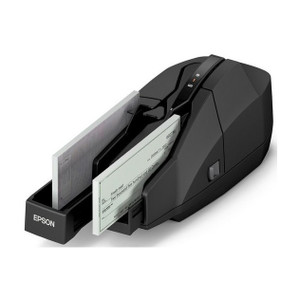
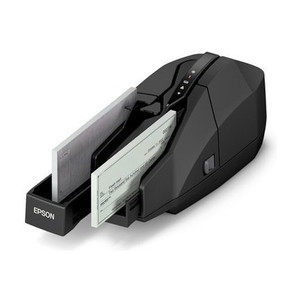
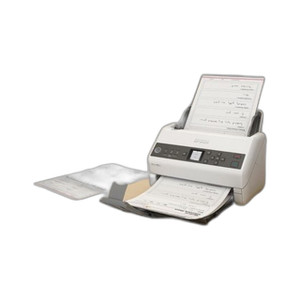
Epson A41CL16012 Desktop Document Scanner
Overview
The Epson A41CL16012, model S1000II-NW, is a wired desktop document scanner purpose-built for office and small workgroup scanning environments. This compact scanner delivers document capture at up to 60 dpm (documents per minute) with integrated automatic document feeder (ADF) capability, supporting 50 ipm (images per minute) when processing color documents through the feeder. The A41CL16012 operates at 200 dpi optical resolution—adequate clarity for standard business document archival, invoice digitization, and forms management without the overkill and cost of high-volume production scanners. Dual connectivity via USB 2.0 and Gigabit Ethernet removes the traditional choice between standalone and network deployment: pick the interface that fits your current infrastructure, then migrate to the other as needs scale.
Key Features
- 60 dpm Single-Pass Scanning: Captures documents at 60 documents per minute in single-pass mode. For departmental workflows handling 100–500 pages per week, this speed eliminates scanner as a bottleneck—a meaningful difference from entry-level 25 dpm units that force batching or queue delays.
- 50 ipm ADF Color Processing: The integrated automatic document feeder pushes color throughput to 50 images per minute, meaning a 20-page contract stack processes in under 30 seconds unattended. Eliminates manual sheet-by-sheet feeding for multi-page jobs.
- 200 dpi Optical Resolution: Sufficient fidelity for business documents, invoices, contracts, and personnel records. Skip this if you need to capture fine print on medical charts or engineering drawings—those demand 300+ dpi or a dedicated high-speed unit.
- Gigabit Ethernet Connectivity: Network attachment allows multiple workstations to queue jobs to a single scanner without USB cable swaps. Real deployment benefit: departments move the A41CL16012 to a shared scanning station, reducing per-desk hardware footprint.
- USB 2.0 Direct Connection: Fallback option for single-workstation use or temporary standalone deployment. No network infrastructure required to deploy immediately.
- Compact Desktop Form Factor: Footprint suits space-constrained office environments—fits on a standard desk or small cart without dominating floor space.
- Color Document Support: Handles full-color scanning at the stated 50 ipm ADF throughput. Meaningful for archival of branded documents, forms with colored sections, or photo-heavy materials.
Integration & Connectivity
Dual interface design—USB 2.0 and Gigabit LAN—addresses the real deployment challenge: whether to integrate into existing workstation infrastructure or build a shared scanning resource. USB suits direct attachment to individual systems for decentralized, immediate use. Gigabit Ethernet enables network-attached deployment, allowing departmental teams to share a single A41CL16012 without requiring physical proximity to a host computer. This flexibility matters for organizations in transition: start with USB connectivity on one desktop, then migrate to networked Ethernet as your document management process formalizes and scanning demand grows.
The 200 dpi resolution aligns with standard business document workflows—accounts payable batch processing, contract digitization, personnel file archival, and general office paperwork management. Processing speed of 60 dpm supports moderate-volume document batches (50–200 pages per session) typical in departmental scanning operations without requiring operator intervention between pages when using the ADF.
When to Choose a Different Model
If your team scans fewer than 50 pages per week and wants minimal desktop footprint, a compact USB-only flatbed scanner may be sufficient and cheaper. If you routinely capture fine detail (medical records, legal pleadings with small type, engineering drawings), step up to a 300 dpi or higher-resolution variant in the Epson document scanner family. If you need production-speed throughput (500+ pages daily) or dual-sided scanning in a single pass, look to Epson's high-volume ADF units or a dedicated production scanner.
Frequently Asked Questions
Q: Does the A41CL16012 scan double-sided documents in one pass?
A: No. The S1000II-NW ADF is single-pass, so double-sided originals require a second pass or manual intervention. For automatic duplex scanning, you'll need a different model in the Epson lineup.
Q: What is the maximum document size the A41CL16012 can handle?
A: The evidence provided does not specify maximum document dimensions. Check the manufacturer datasheet or contact Epson technical support for exact size limitations.
Q: Can the A41CL16012 scan directly to email or cloud storage?
A: The A41CL16012 is a hardware scanner; direct cloud integration depends on the host software or VMS integration you pair with it. Verify compatibility with your document management platform or TWAIN driver setup before purchase.
Q: Is the A41CL16012 compatible with Windows and Mac?
A: The evidence supplied does not specify OS compatibility. Check Epson's official product support page or driver downloads for confirmed Windows and macOS driver availability.
Q: What is the warranty on the Epson A41CL16012?
A: Warranty terms are not included in the available evidence. Contact Epson or your specialty retailer for warranty period and coverage details.
Q: How does 200 dpi compare to other scanners?
A: 200 dpi is standard for business document archival and satisfies most office workflows. If you need to capture fine print, dense forms, or detailed graphics, 300+ dpi or dedicated production scanners offer better clarity at the cost of larger file sizes and slower processing.
Ted PerryPerspective based on aggregated IP Security Depot and affiliated engineering team experience.
I have deployed the Epson A41CL16012 in departmental and workgroup scanning environments, and it addresses a specific, pragmatic need: moderate-volume document capture without the cost or complexity of production systems. The dual USB 2.0 and Gigabit Ethernet interfaces make the S1000II-NW a genuine bridge device—start standalone on one workstation, evolve to shared network infrastructure as your document management processes formalize.
Technical Highlights:
- 60 dpm throughput: Eliminates scanner as a workflow bottleneck for departmental document batches. A 50-page contract stack feeds through unattended in under 60 seconds, reducing staff idle time waiting for digitization.
- 50 ipm ADF color processing: The integrated feeder handles multi-page jobs without manual sheet intervention. Real-world benefit: your staff loads once, walks away, and returns to finished scans—meaningful for high-frequency scanning stations.
- 200 dpi resolution at dual connectivity: Sufficient fidelity for business documents, paired with flexible deployment (USB direct or Gigabit networked). Avoids over-specification—higher dpi variants cost more and bloat file storage without delivering value for standard office paperwork.
Deployment Considerations:
- Single-pass ADF design requires double-sided originals to be fed twice or flipped manually. Plan for this in high-volume duplex environments; if you routinely scan two-sided contracts, a duplex-capable scanner in the Epson lineup is more efficient.
- Network attachment via Gigabit Ethernet scales department-wide sharing, but verify your document management software supports network scanner discovery and job routing before assuming seamless integration.
- 200 dpi is solid for invoices and forms, but inadequate for fine-print legal documents or medical records—don't over-stretch this unit into high-compliance environments without testing samples first.
Position the A41CL16012 as the standard scanner for departmental paperwork processing: AP batches, contract filing, personnel records, and general office digitization. It's not a production scanner, not a flatbed, and not a mobile solution. It's a workhorse for mid-sized offices transitioning from ad-hoc desktop scanning to formalized, shared document capture infrastructure.