








Showing Results for Infrastructure
-
Save $0.01

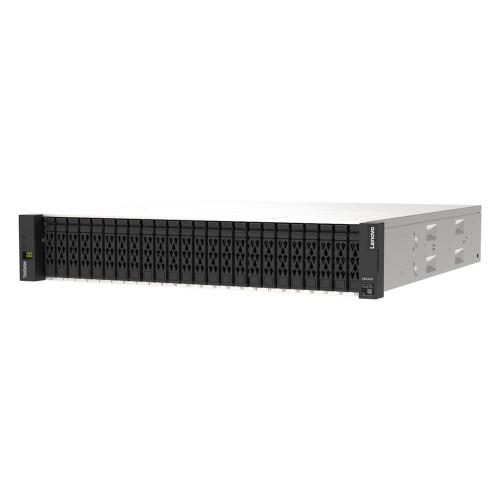
Lenovo 4XB7A88466 Thinksystem DE Series 15.36TB 1DWD 2.5 SSD SED 2U24
Usually Ships in 2-3 Weeks Free shipping over $499$10,399.00 $10,398.99 Save $0.01 -
Save $305.01

Lenovo 4XB7A90118 M.2 960GB NVMe SSD
960GB M.2 NVMe SSD built for ThinkSystem server platforms requiring fast, read-intensive storage in a compact form factor
Usually Ships in 2-3 Weeks Free shipping over $499$3,799.00 $3,493.99 Save $305.01 -
Save $3,823.01

Lenovo 4XB7A91176 30.72TB U.3 NVMe SSD
ThinkSystem 2.5-inch U.3 6500 ION 30.72TB Read Intensive NVMe PCIe 4.0 x4 hot-swap SSD built for data-dense, read-dominant server environments
Usually Ships in 2-3 Weeks Free shipping over $499$55,899.00 $52,075.99 Save $3,823.01 -
Save $0.01

Lenovo 4XB7A91776 Thinksystem 2.5IN U.2 PM9A3 7.68TB Read Intensive NVME PCIE 4.0 X4 HS SSD
Usually Ships in 2-3 Weeks Free shipping over $499$7,649.00 $7,648.99 Save $0.01 -
Save $2,447.01

Lenovo 4XB7A91777 Thinksystem 2.5IN U.2 PM9A3 15.36TB Read Intensive NVME PCIE 4.0 X4 HS SSD
Usually Ships in 2-3 Weeks Free shipping over $499$35,999.00 $33,551.99 Save $2,447.01 -
Save $1,172.01
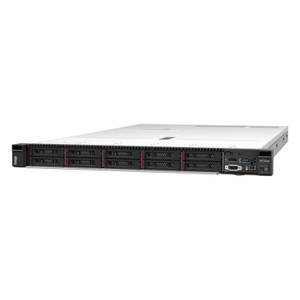
Lenovo 4XB7A93069 7.68TB Read Intensive NVMe SSD
7.68TB 2.5-inch U.2 hot-swap NVMe solid-state drive built around Samsung's PM9D3A controller and a PCIe 5.0 x4 host interface — the
Usually Ships in 2-3 Weeks Free shipping over $499$16,899.00 $15,726.99 Save $1,172.01 -
Save $271.01
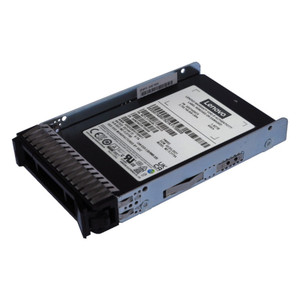
Lenovo 4XB7A93091 480GB Mixed Use SATA SSD
480GB 2.5-inch hot-swap solid-state drive from the Lenovo ThinkSystem storage line , built for mixed-use workloads in rack-mounted servers
Usually Ships in 2-3 Weeks Free shipping over $499$3,299.00 $3,027.99 Save $271.01 -
Save $407.01

Lenovo 4XB7A93092 960GB Mixed Use SATA SSD
2.5-inch hot-swap SATA 6Gb/s SSD from the ThinkSystem PM897A family, spec'd for mixed-use server workloads where you need a balance of sustained read
Usually Ships in 2-3 Weeks Free shipping over $499$5,299.00 $4,891.99 Save $407.01 -
Save $595.01
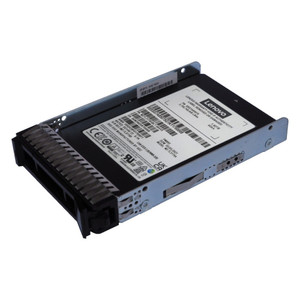
Lenovo 4XB7A93093 1.92TB Mixed Use SATA SSD
ThinkSystem-qualified 1.92TB 2.5-inch hot-swap solid-state drive designed for mixed-use workloads in Lenovo rack and tower server platforms
Usually Ships in 2-3 Weeks Free shipping over $499$9,099.00 $8,503.99 Save $595.01 -
Save $1,104.01

Lenovo 4XB7A93094 3.84TB Mixed Use SATA SSD
3.84TB hot-swap SATA 6Gb/s solid-state drive built for ThinkSystem server platforms running mixed read/write workloads — think database transaction
Usually Ships in 2-3 Weeks Free shipping over $499$15,899.00 $14,794.99 Save $1,104.01 -
Save $442.01

Lenovo 4XB7A93102 1.6TB U.2 NVMe SSD
1.6TB, 3.5-inch U.2 hot-swap solid-state drive built on the PM9D5A NVMe platform and wired to the host via PCIe 5.0 x4 — the current-generation
Usually Ships in 2-3 Weeks Free shipping over $499$6,499.00 $6,056.99 Save $442.01 -
Save $663.01
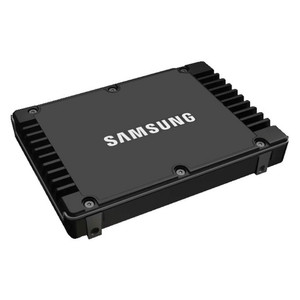
Lenovo 4XB7A93103 3.2TB U.2 NVMe SSD
3.2TB mixed-use NVMe solid-state drive built for Lenovo ThinkSystem servers , delivering PCIe 5.0 x4 bandwidth in a hot-swap 3.5-inch U.2 carrier
Usually Ships in 2-3 Weeks Free shipping over $499$10,099.00 $9,435.99 Save $663.01 -
Save $458.01

Lenovo 4XB7A93122 1.92TB U.2 NVMe SSD
1.92TB, hot-swap U.2 NVMe solid-state drive built for read-intensive server and workstation deployments where sequential throughput and random read
Usually Ships in 2-3 Weeks Free shipping over $499$6,399.00 $5,940.99 Save $458.01 -
Save $594.01
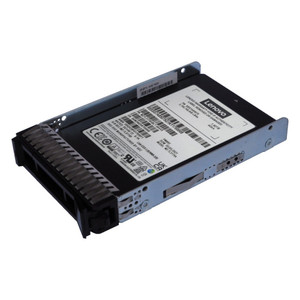
Lenovo 4XB7A93123 3.84TB NVMe SSD
3.84TB 2.5-inch U.2 NVMe SSD riding the PCIe 5.0 x4 interface — Lenovo's multi-vendor read-intensive drive engineered for ThinkSystem server
Usually Ships in 2-3 Weeks Free shipping over $499$8,399.00 $7,804.99 Save $594.01 -
Save $1,053.01
Lenovo 4XB7A93124 7.68TB U.2 NVMe SSD
7.68TB U.2 NVMe solid-state drive built for ThinkSystem servers running read-heavy enterprise workloads — think video surveillance repositories, AI
Usually Ships in 2-3 Weeks Free shipping over $499$15,499.00 $14,445.99 Save $1,053.01 -
Save $2,124.01

Lenovo 4XB7A93125 15.36TB U.2 NVMe SSD
15.36TB, 2.5-inch U.2 NVMe solid-state drive built for server and workstation storage environments where read throughput is the primary constraint
Usually Ships in 2-3 Weeks Free shipping over $499$31,599.00 $29,474.99 Save $2,124.01 -
Save $391.01
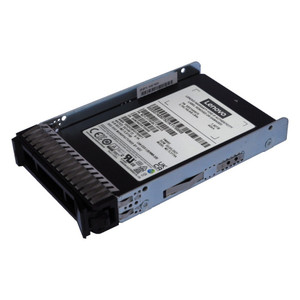
Lenovo 4XB7A93127 1.6TB NVMe SSD
1.6TB 2.5-inch U.2 NVMe solid-state drive built for mixed-use server and workstation workloads where both read throughput and write endurance matter
Usually Ships in 2-3 Weeks Free shipping over $499$6,099.00 $5,707.99 Save $391.01 -
Save $594.01

Lenovo 4XB7A93128 3.2TB NVMe SSD
3.2TB 2.5-inch U.2 NVMe solid-state drive built for ThinkSystem server platforms where mixed-use workloads — databases, virtualization, AI
Usually Ships in 2-3 Weeks Free shipping over $499$8,399.00 $7,804.99 Save $594.01 -
Save $1,053.01
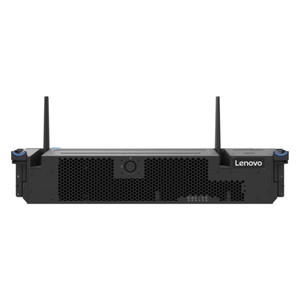
Lenovo 4XB7A93129 6.4TB U.2 NVMe SSD
6.4TB hot-swap U.2 NVMe SSD designed for ThinkSystem server platforms where storage throughput and capacity both matter
Usually Ships in 2-3 Weeks Free shipping over $499$15,499.00 $14,445.99 Save $1,053.01 -
Save $2,124.01
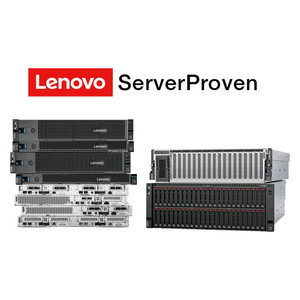
Lenovo 4XB7A93130 12.8TB U.2 NVMe SSD
12.8TB 2.5-inch U.2 hot-swap NVMe SSD built for mixed-use server and workstation workloads that demand both high capacity and consistent random I/O
Usually Ships in 2-3 Weeks Free shipping over $499$31,599.00 $29,474.99 Save $2,124.01 -
Save $409.01

Lenovo 4XB7A93131 1.92TB NVMe SSD
1.92TB E3.S form factor NVMe solid-state drive built for Lenovo ThinkSystem platforms running read-heavy workloads
Usually Ships in 2-3 Weeks Free shipping over $499$6,699.00 $6,289.99 Save $409.01 -
Save $476.01

Lenovo 4XB7A93480 Thinksystem 1.92TB NVMe SSD
1.92TB 2.5-inch U.2 NVMe solid-state drive built for ThinkSystem servers running read-heavy enterprise workloads — analytics databases, video
Usually Ships in 2-3 Weeks Free shipping over $499$6,999.00 $6,522.99 Save $476.01 -
Save $679.01
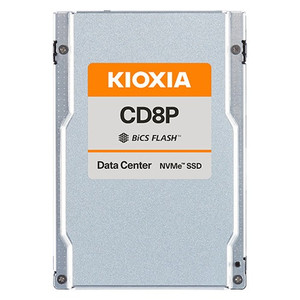
Lenovo 4XB7A93481 3.84TB NVMe SSD
3.84TB 2.5-inch U.2 NVMe solid-state drive built for ThinkSystem servers running read-heavy enterprise workloads — database query serving, VMS video
Usually Ships in 2-3 Weeks Free shipping over $499$9,999.00 $9,319.99 Save $679.01 -
Save $1,256.01
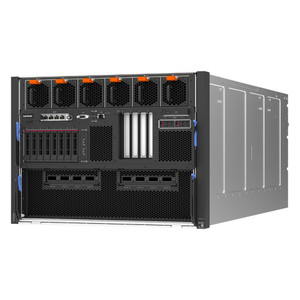
Lenovo 4XB7A93482 7.68TB U.2 NVMe SSD
7.68TB, 2.5-inch U.2 hot-swap NVMe SSD built on PCIe 5.0 x4 — Lenovo's current-generation enterprise storage component for ThinkSystem servers where
Usually Ships in 2-3 Weeks Free shipping over $499$17,799.00 $16,542.99 Save $1,256.01 -
Save $2,446.01

Lenovo 4XB7A93483 15.36TB NVMe SSD
15.36TB 2.5-inch U.2 NVMe SSD engineered for ThinkSystem servers running read-dominated workloads — database query offload, analytics platforms, AI
Usually Ships in 2-3 Weeks Free shipping over $499$35,299.00 $32,852.99 Save $2,446.01 -
Save $0.01
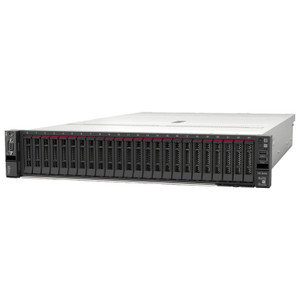
Lenovo 4XB7A93484 30.72TB U.2 NVMe SSD
30.72TB, 2.5-inch U.2 NVMe solid-state drive built for ThinkSystem servers running read-dominated workloads — think video surveillance archives, AI
Usually Ships in 2-3 Weeks Free shipping over $499$52,349.00 $52,348.99 Save $0.01 -
Save $0.01
Lenovo 4XB7A93785 16TB 3.5" HDD
16TB, 7.2K RPM, 3.5-inch hot-swap SATA 6Gb/s hard drive engineered for ThinkSystem servers
Usually Ships in 2-3 Weeks Free shipping over $499$2,009.00 $2,008.99 Save $0.01 -
Save $476.01

Lenovo 4XB7A93888 1.6TB Mixed Use NVMe SSD
1.6TB 2.5-inch U.2 NVMe solid-state drive built for ThinkSystem servers running mixed read/write workloads at enterprise scale
Usually Ships in 2-3 Weeks Free shipping over $499$6,999.00 $6,522.99 Save $476.01 -
Save $679.01
Lenovo 4XB7A93889 3.2TB U.2 NVMe SSD
3.2TB 2.5-inch U.2 NVMe SSD built for ThinkSystem servers running mixed read/write workloads — databases, virtualization hosts, and analytics tiers
Usually Ships in 2-3 Weeks Free shipping over $499$9,999.00 $9,319.99 Save $679.01 -
Save $1,256.01
Lenovo 4XB7A93890 6.4TB NVMe SSD
6.4TB enterprise NVMe SSD built for ThinkSystem server platforms where both read-heavy analytics workloads and sustained write-intensive operations
Usually Ships in 2-3 Weeks Free shipping over $499$17,799.00 $16,542.99 Save $1,256.01 -
Save $2,446.01
Lenovo 4XB7A93891 12.8TB Mixed Use NVMe SSD
12.8TB, 2.5-inch U.2 hot-swap NVMe SSD built for ThinkSystem servers running demanding mixed read/write workloads — think AI inference pipelines
Usually Ships in 2-3 Weeks Free shipping over $499$35,299.00 $32,852.99 Save $2,446.01 -
Save $542.01

Lenovo 4XB7A93892 1.92TB NVMe SSD
1.92TB hot-swap NVMe solid-state drive engineered for ThinkSystem servers running read-heavy enterprise workloads — database query acceleration, VDI
Usually Ships in 2-3 Weeks Free shipping over $499$7,299.00 $6,756.99 Save $542.01 -
Save $678.01
Lenovo 4XB7A93893 3.84TB NVMe SSD
3.84TB hot-swap U.2 NVMe drive built for read-intensive server and workstation workloads where throughput and consistent latency matter more than
Usually Ships in 2-3 Weeks Free shipping over $499$9,299.00 $8,620.99 Save $678.01 -
Save $1,461.01

Lenovo 4XB7A93894 7.68TB NVMe SSD
7.68TB 2.5-inch U.2 NVMe solid-state drive built for ThinkSystem servers running read-heavy enterprise workloads — think video surveillance
Usually Ships in 2-3 Weeks Free shipping over $499$21,499.00 $20,037.99 Save $1,461.01 -
Save $2,124.01
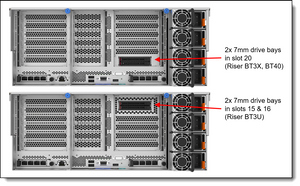
Lenovo 4XB7A93895 15.36TB U.2 NVMe SSD
15.36TB hot-swap U.2 NVMe solid-state drive engineered for read-heavy server workloads — think AI inferencing data sets, video surveillance storage
Usually Ships in 2-3 Weeks Free shipping over $499$31,599.00 $29,474.99 Save $2,124.01 -
Save $542.01
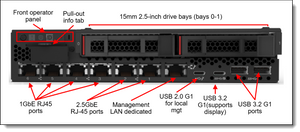
Lenovo 4XB7A93896 Thinksystem 1.6TB U.2 NVMe SSD
1.6TB U.2 hot-swap NVMe solid-state drive built for ThinkSystem servers running mixed-use workloads — environments where random I/O depth, not
Usually Ships in 2-3 Weeks Free shipping over $499$7,299.00 $6,756.99 Save $542.01