
TP-Link S5500-24GP4F vs Comnet CWX28F4T24MPB: Specification Comparison
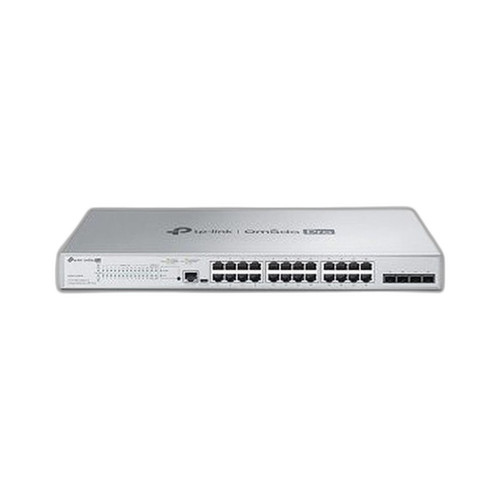
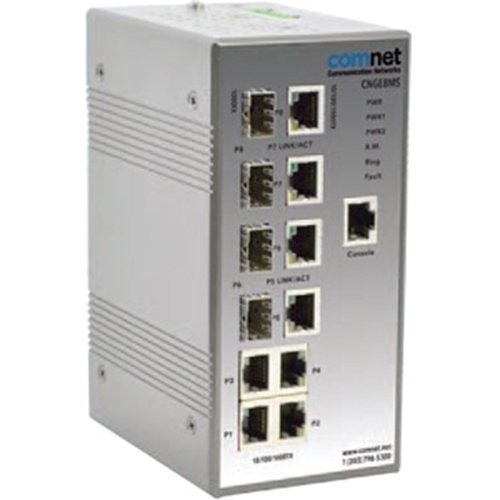
Both the TP-Link S5500-24GP4F and the Comnet CWX28F4T24MPB are 28-port managed Gigabit switches sharing an identical port layout: 24 copper 10/100/1000 Mbps RJ-45 ports with PoE, plus 4 fiber uplink slots. They target the same physical-security and enterprise-edge deployment scenarios—IP cameras, access-control panels, VoIP endpoints, and wireless APs—and are direct cross-shop candidates. The comparison below examines the three dimensions that matter most in this class: PoE power delivery, uplink capacity and compliance posture, and management depth.
In This Guide
- Which switch can actually power a full 24-camera or 24-AP deployment without running out of PoE budget?
- Which switch offers faster uplinks, regulatory compliance, and longer warranty coverage for government or enterprise buyers?
- Which switch provides richer Layer 2/Layer 3 management, security features, and integration into an existing network management platform?
- Which should you choose: the S5500-24GP4F or the CWX28F4T24MPB?
- Side-by-Side Specs
- FAQ
Which switch can actually power a full 24-camera or 24-AP deployment without running out of PoE budget?
The PoE budget is the single sharpest differentiator between these two switches. The Comnet CWX28F4T24MPB is rated for a 540 W total PoE budget across its 24 copper ports, with a per-port maximum of 90 W—sufficient to simultaneously power a dense mix of high-draw devices such as multi-sensor panoramic cameras, pan-tilt-zoom units, and Wi-Fi 6E access points without load-shedding.
The TP-Link S5500-24GP4F, by contrast, lists a total power consumption—and stated PoE budget—of only 58 W for all 24 PoE ports combined. While the switch supports the 802.3bt (PoE++) standard capable of delivering up to 95 W per port, the 58 W aggregate budget means that in a fully populated deployment, the average available power per port drops below 2.5 W—far below what any IP camera or AP requires. In practice, only a very small number of ports can power active devices simultaneously unless the provided specification is a clerical error (e.g., reflecting switch self-consumption only). Buyers should seek clarification from TP-Link's datasheet before specifying this switch in any multi-device PoE deployment.
On raw PoE capacity alone, the CWX28F4T24MPB's 540 W budget is 9.3× larger than the S5500-24GP4F's stated 58 W, making it the clear choice for power-hungry or fully loaded physical-security installations.
Which switch offers faster uplinks, regulatory compliance, and longer warranty coverage for government or enterprise buyers?
The Comnet CWX28F4T24MPB specifies a maximum speed of 10,000 Mbps (10G) on its fiber uplink ports, enabling high-throughput aggregation to a core switch or NVR backbone. The TP-Link S5500-24GP4F provides 4 Gigabit SFP uplink slots—capped at 1,000 Mbps per port—which can become a bottleneck when aggregating 24 PoE-attached cameras or APs generating concurrent HD video streams.
For regulated or government-funded deployments, the Comnet CWX28F4T24MPB carries both TAA (Trade Agreements Act) and NDAA (National Defense Authorization Act) compliance certifications as specified. The TP-Link S5500-24GP4F has no such compliance listed in the provided specifications, which may disqualify it from federal, state, or municipal procurement vehicles that mandate TAA/NDAA-compliant hardware.
Warranty coverage further separates the two: Comnet specifies a 5-year limited warranty. No warranty term is provided in the TP-Link S5500-24GP4F specifications supplied, leaving that term unconfirmed. The Comnet also specifies 19-inch rack mounting; the TP-Link's mounting format is not stated in the provided specs.
Which switch provides richer Layer 2/Layer 3 management, security features, and integration into an existing network management platform?
The TP-Link S5500-24GP4F is documented with an explicit and detailed management feature set: L2+ managed operation, 802.1Q VLAN, STP/RSTP/MSTP, IGMP Snooping, 802.1p/DSCP QoS, ACL, LACP (link aggregation), CLI, SNMP, Dual Image firmware, and 802.1x port-based authentication backed by RADIUS and TACACS+ servers. It integrates into the TP-Link Omada SDN (Software-Defined Networking) platform, which provides centralized zero-touch provisioning, topology visualization, and policy management via controller appliance or cloud portal.
The Comnet CWX28F4T24MPB is described in the provided specifications only as a 'Managed Switch' with no detail on supported protocols, VLAN depth, QoS capability, CLI availability, SNMP version, or integration with any NMS or SDN platform. Buyers requiring documented management capabilities must consult Comnet's full datasheet, as the supplied spec set does not confirm any specific management feature beyond the managed classification.
For integrators who require a clearly documented, multi-protocol management stack and Omada ecosystem integration out of the box, the TP-Link S5500-24GP4F provides a verifiable feature set. The Comnet's management capabilities cannot be evaluated from the provided specifications alone.
Which should you choose: the S5500-24GP4F or the CWX28F4T24MPB?
Our take: The CWX28F4T24MPB is the stronger choice when powering a fully loaded 24-port PoE physical-security deployment, connecting to a 10G aggregation core, or satisfying TAA/NDAA procurement requirements. Its 540 W PoE budget is 9.3× the TP-Link's stated 58 W, its fiber uplinks run at 10G versus the TP-Link's 1G SFP slots, and it carries explicit TAA and NDAA compliance with a 5-year limited warranty—none of which the S5500-24GP4F specs confirm. The S5500-24GP4F holds an advantage in documented management depth: its L2+ feature set (802.1Q VLAN, MSTP, LACP, ACL, RADIUS/TACACS+, SNMP, CLI, Dual Image) and Omada SDN integration are fully specified, whereas Comnet's management capabilities are unstated in the provided data. The TP-Link is best suited to smaller, Omada-ecosystem deployments with modest per-port power loads and no federal compliance requirement; the Comnet fits security integrators building dense, power-hungry installations under government or enterprise procurement rules.
Side-by-Side Comparison
Spec-for-spec, from manufacturer data.
| Specification | TP-Link S5500-24GP4F | Comnet CWX28F4T24MPB |
|---|---|---|
| Switch Type | L2+ Managed | Managed |
| Total Ports | 28 | 28 |
| Copper PoE Ports | 24 x Gigabit RJ-45 PoE++ | 24 x 10/100/1000 Mbps |
| Fiber Uplink Ports | 4 x Gigabit SFP | 4 x Fiber |
| Max Uplink Speed | 1 Gbps (per SFP port) | 10 Gbps (per fiber port) |
| PoE Standard | 802.3bt (PoE++) | Not stated in provided specs |
| Max PoE per Port | Up to 95 W (802.3bt) | 90 W |
| Total PoE Budget | 58 W | 540 W |
| Fiber Mode Support | Single-mode or multi-mode (SFP) | Not stated in provided specs |
| Rack Mounting | Not stated in provided specs | 19-inch |
| TAA / NDAA Compliant | Not stated in provided specs | Yes (TAA & NDAA) |
| Warranty | Not stated in provided specs | 5-Year Limited |
| Operating Temp | 0°C to 40°C | Not stated in provided specs |
| Authentication | 802.1x, RADIUS, TACACS+ | Not stated in provided specs |
| Management Protocols | CLI, SNMP, LACP, VLAN, STP/RSTP/MSTP, ACL, IGMP, QoS | Not stated in provided specs |
| SDN / Controller Platform | TP-Link Omada SDN | Not stated in provided specs |
Frequently Asked Questions
Which should you choose: the S5500-24GP4F or the CWX28F4T24MPB?
The CWX28F4T24MPB is the stronger choice when powering a fully loaded 24-port PoE physical-security deployment, connecting to a 10G aggregation core, or satisfying TAA/NDAA procurement requirements. Its 540 W PoE budget is 9.3× the TP-Link's stated 58 W, its fiber uplinks run at 10G versus the TP-Link's 1G SFP slots, and it carries explicit TAA and NDAA compliance with a 5-year limited warranty—none of which the S5500-24GP4F specs confirm. The S5500-24GP4F holds an advantage in documented management depth: its L2+ feature set (802.1Q VLAN, MSTP, LACP, ACL, RADIUS/TACACS+, SNMP, CLI, Dual Image) and Omada SDN integration are fully specified, whereas Comnet's management capabilities are unstated in the provided data. The TP-Link is best suited to smaller, Omada-ecosystem deployments with modest per-port power loads and no federal compliance requirement; the Comnet fits security integrators building dense, power-hungry installations under government or enterprise procurement rules.
Is the S5500-24GP4F or CWX28F4T24MPB better for powering a full rack of IP cameras?
Based on the provided specifications, the CWX28F4T24MPB is better suited. It carries a 540 W total PoE budget across 24 ports, sufficient to simultaneously power a dense mix of IP cameras and other high-draw endpoints. The S5500-24GP4F lists a total PoE budget of only 58 W, which—if accurate—would limit simultaneous powered devices to a very small number regardless of its 802.3bt per-port capability. Buyers should verify the TP-Link figure against the manufacturer's full datasheet before specifying it in a fully populated camera deployment.
Can either switch be used in a federal or government-funded project that requires TAA and NDAA compliance?
Only the Comnet CWX28F4T24MPB is listed as TAA and NDAA compliant in the provided specifications. The TP-Link S5500-24GP4F has no compliance certification listed in the supplied spec data, which would likely disqualify it from procurement vehicles—such as GSA schedules, DoD contracts, or state/local programs that mirror NDAA Section 889—that mandate compliant hardware.
Which switch is easier to manage and integrate into an existing network management system?
The TP-Link S5500-24GP4F has a fully documented management stack in the provided specifications: L2+ with 802.1Q VLAN, STP/RSTP/MSTP, LACP, ACL, IGMP Snooping, 802.1p/DSCP QoS, CLI, SNMP, RADIUS/TACACS+ authentication, and Omada SDN integration. The Comnet CWX28F4T24MPB is identified only as a 'Managed Switch' in the provided specs—no protocols, NMS compatibility, or management interface details are listed. Integrators who require a verifiable, documented management feature set should reference Comnet's full datasheet before making a selection.
More Network Switch Comparisons
- TP-Link S5500-24GP4F vs Transition Networks SM24DP4XA-NA
- TP-Link S5500-24GP4F vs TP-Link SG3428MP
- TP-Link SG3428MP vs Transition Networks SM24DP4XA-NA
- TP-Link SG3428MP vs Comnet CWX28F4T24MPB
- Transition Networks SM24DP4XA-NA vs Comnet CWX28F4T24MPB
Network Switch Buying Guides
Get a Second Opinion on Your Camera Choice
Share your site layout, coverage goals, and budget. Our team will validate the camera selection, flag anything we would change, and recommend products that match the use case.