
Sato WM8460241 vs Sato WWCLP3801-NAR: Specification Comparison
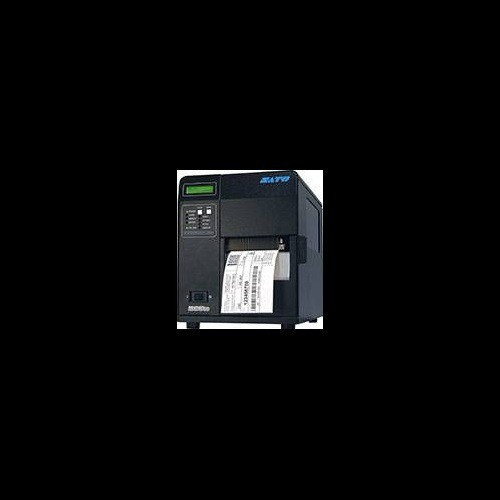
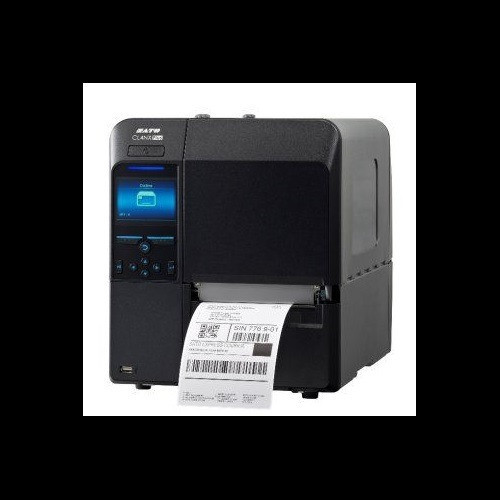
Both the Sato M84Pro (WM8460241) and the Sato CL4NX Plus 609dpi HF RFID (WWCLP3801-NAR) are industrial 4-inch direct thermal and thermal transfer label printers targeting warehouse, manufacturing, and logistics environments. They share the same print method options, similar form factors, and the same operating voltage range. Buyers choosing between them are typically evaluating print resolution, throughput speed, memory capacity, media handling range, wireless connectivity, and whether integrated RFID encoding is required for their labeling or asset-tracking workflow.
In This Guide
- Which printer delivers higher print resolution, faster throughput, and RFID encoding capability?
- How do onboard memory and user storage compare for label format and font libraries?
- What connectivity options and media handling ranges do these printers support?
- Which should you choose: the WM8460241 or the WWCLP3801-NAR?
- Side-by-Side Specs
- FAQ
Which printer delivers higher print resolution, faster throughput, and RFID encoding capability?
The WWCLP3801-NAR is spec'd at 609 dpi versus the WM8460241's 203 dpi — a 3× resolution advantage that directly affects barcode density, small-font legibility, and fine-detail graphics on labels. At 609 dpi the CL4NX Plus also prints at 14 ips, compared to 10 ips on the M84Pro, making it both sharper and faster in a single pass.
The WWCLP3801-NAR adds integrated HF RFID encoding at 13.56 MHz with auto-optimization — a capability entirely absent on the WM8460241. For workflows that require encoding smart labels, asset tags, or NFC-compatible media, the CL4NX Plus is the only option of the two. The M84Pro has no RFID spec listed in its data.
How do onboard memory and user storage compare for label format and font libraries?
Memory differences between these two printers are substantial. The WWCLP3801-NAR carries 256 MB SDRAM and 2 GB Flash, with 100 MB of user storage allocated for fonts, graphics, and formats. The WM8460241 is equipped with 16 MB SDRAM, 2 MB Flash, and 2 MB user storage — roughly 16× less SDRAM, 1,000× less Flash, and 50× less user storage than the CL4NX Plus.
For operations storing large font libraries, many label formats, or complex graphics templates on-device, the WWCLP3801-NAR's memory headroom is a decisive advantage. The M84Pro's 2 MB user storage is appropriate for simpler, lower-variety label jobs but will constrain environments with extensive on-printer format libraries or Unicode character sets.
What connectivity options and media handling ranges do these printers support?
The WM8460241 specs list Ethernet and USB as primary connectivity (the datasheet reference also notes RS-232C and Parallel). The WWCLP3801-NAR adds Wi-Fi to its Ethernet and USB interfaces, which the M84Pro does not include in its listed specs. For wireless printing environments or floor layouts where cabling is impractical, the CL4NX Plus has a documented advantage.
Media handling is similar but not identical. The WM8460241 accepts media widths from 1.0" to 4.5" on a 3" core with a maximum roll diameter of 8.6" and up to 1,968 ft of ribbon. The WWCLP3801-NAR accepts 0.87" to 5.04" media width, supports both 1" and 3" cores, and accommodates a 10" maximum roll diameter — larger roll capacity that reduces change intervals in high-volume operations. Both printers share a 1,968 ft maximum ribbon length and the same operating temperature range of 41°F to 104°F.
Which should you choose: the WM8460241 or the WWCLP3801-NAR?
Our take: The WWCLP3801-NAR is the stronger choice when print resolution, memory capacity, or integrated RFID encoding are decision factors. Its 609 dpi versus the WM8460241's 203 dpi supports denser barcodes and finer label detail; its 14 ips versus 10 ips delivers higher throughput; and its 256 MB SDRAM with 2 GB Flash dwarfs the M84Pro's 16 MB / 2 MB configuration, enabling extensive on-device format libraries. The integrated 13.56 MHz HF RFID encoder is a capability the M84Pro does not carry at all. The WM8460241 is the appropriate selection when RFID is not required, the workflow is straightforward, and the lower-resolution 203 dpi output meets barcode and text legibility standards — particularly where the M84Pro's listed RS-232C and Parallel interfaces are needed for legacy host system integration not supported by the CL4NX Plus's listed spec set.
Side-by-Side Comparison
Spec-for-spec, from manufacturer data.
| Specification | Sato WM8460241 | Sato WWCLP3801-NAR |
|---|---|---|
| MPN | WM8460241 | WWCLP3801-NAR |
| Print Resolution | 203 dpi | 609 dpi |
| Print Speed | 10 ips | 14 ips |
| Print Method | Direct Thermal / Thermal Transfer | Direct Thermal / Thermal Transfer |
| Max Print Width | 4.1" | 4.09" |
| RFID | — | HF 13.56 MHz (auto-optimization) |
| Connectivity | Ethernet, USB (RS-232C, Parallel per datasheet) | Ethernet, Wi-Fi, USB |
| Display | 3.5" Color LCD | 3.5" Full-Color LCD |
| SDRAM | 16 MB | 256 MB |
| Flash Memory | 2 MB | 2 GB |
| User Storage | 2 MB | 100 MB |
| Media Width Range | 1.0" to 4.5" | 0.87" to 5.04" |
| Core Sizes Supported | 3" | 1", 3" |
| Max Roll Diameter | 8.6" | 10" |
| Max Ribbon Length | 1,968 ft | 1,968 ft |
| Operating Temperature | 41°F to 104°F (5°C to 40°C) | 41°F to 104°F (5°C to 40°C) |
| Power Supply | AC 100-240V, 50/60Hz | AC 100-240V, 50/60Hz |
| Weight | 39.7 lb (11.0 kg) | 33 lb (15 kg) |
| Warranty | 1-year | 1-year |
Frequently Asked Questions
Which should you choose: the WM8460241 or the WWCLP3801-NAR?
The WWCLP3801-NAR is the stronger choice when print resolution, memory capacity, or integrated RFID encoding are decision factors. Its 609 dpi versus the WM8460241's 203 dpi supports denser barcodes and finer label detail; its 14 ips versus 10 ips delivers higher throughput; and its 256 MB SDRAM with 2 GB Flash dwarfs the M84Pro's 16 MB / 2 MB configuration, enabling extensive on-device format libraries. The integrated 13.56 MHz HF RFID encoder is a capability the M84Pro does not carry at all. The WM8460241 is the appropriate selection when RFID is not required, the workflow is straightforward, and the lower-resolution 203 dpi output meets barcode and text legibility standards — particularly where the M84Pro's listed RS-232C and Parallel interfaces are needed for legacy host system integration not supported by the CL4NX Plus's listed spec set.
Do I need the WWCLP3801-NAR if I'm not using RFID labels?
RFID aside, the WWCLP3801-NAR still offers 609 dpi versus 203 dpi resolution, 14 ips versus 10 ips print speed, substantially more onboard memory (256 MB SDRAM / 2 GB Flash vs 16 MB / 2 MB), a larger 10" max roll diameter versus 8.6", and built-in Wi-Fi. If any of those factors matter to your operation, the CL4NX Plus remains the stronger performer even in non-RFID deployments.
Which printer is better suited for high-volume warehouse label runs?
Based on the provided specs, the WWCLP3801-NAR has the edge for high-volume environments: its 14 ips print speed is 40% faster than the M84Pro's 10 ips, its 10" roll capacity means fewer media changes, and its 256 MB SDRAM supports more complex print jobs without pausing to process. The WM8460241 handles continuous runs within its 8.6" roll and 10 ips speed limits, which may be adequate for moderate-volume lines.
Is the WM8460241 or WWCLP3801-NAR a better fit for legacy host systems using serial or parallel interfaces?
The WM8460241's datasheet reference lists RS-232C and Parallel connectivity in addition to USB and Ethernet. The WWCLP3801-NAR's provided specs list only Ethernet, Wi-Fi, and USB — no serial or parallel interfaces are documented. If your host system requires RS-232C or Parallel connectivity, the WM8460241 is the only one of the two with those interfaces listed in its specifications.
More Label Printer Comparisons
- Honeywell PX940 vs Sato WWCLP3B01-WAR
- Honeywell PX940 vs Sato WWCLP3801-NAR
- Honeywell PX940 vs Sato WWCLP3801-WAR
- Honeywell PX940 vs Wasp WPL408
- Honeywell PX940 vs Honeywell PX4654-020
- Honeywell PX940 vs Honeywell PX6654-000
Label Printer Buying Guides
Get a Second Opinion on Your Camera Choice
Share your site layout, coverage goals, and budget. Our team will validate the camera selection, flag anything we would change, and recommend products that match the use case.