
Sato W2312-400CW-EX1 vs Sato W2312-400CN-EX1: Specification Comparison
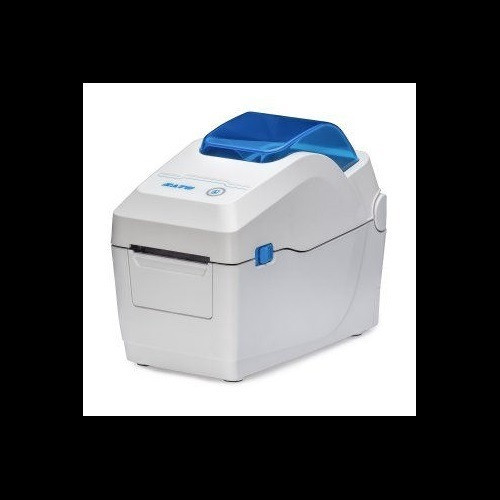
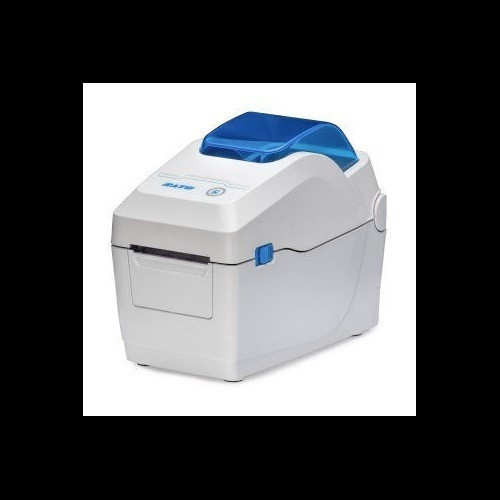
Both the Sato CT4-LX W2312-400CW-EX1 and the Sato WS2 W2312-400CN-EX1 are desktop direct-thermal label printers rated at 300 dpi, drawing from the same AC 100–240 V power standard and sharing Ethernet, Wi-Fi, Bluetooth, and USB connectivity. A buyer choosing between them is selecting within the same product class—compact desktop thermal label printers—but facing a meaningful trade-off between a wider-format, higher-memory unit with thermal-transfer capability and a narrower, lighter, cutter-equipped direct-thermal-only model.
In This Guide
Which printer handles wider labels and faster throughput?
The CT4-LX W2312-400CW-EX1 prints up to 4.09 inches wide at 8 ips, accommodating media from 1 inch to 4.1 inches wide. The WS2 W2312-400CN-EX1 is limited to a 2.2-inch maximum print width at 7 ips, with media ranging from 0.5 inches to 2.83 inches wide.
For applications requiring full-width shipping labels, compliance labels, or wristbands wider than 2.2 inches, the CT4-LX is the only option of the two. The WS2's narrower output is suited to receipt-style, asset-tag, or small product labels. The 1 ips speed advantage of the CT4-LX adds marginal throughput benefit in high-volume runs, though both printers share a 5-inch maximum media roll diameter and a 984 ft maximum ribbon length.
Print method is a critical differentiator: the CT4-LX supports both direct thermal and thermal transfer (ribbon-based), while the WS2 supports direct thermal only. Thermal transfer produces more durable, heat- and chemical-resistant output; direct thermal eliminates ribbon cost and replacement but is less durable.
How do memory capacity and operator interface compare?
The CT4-LX W2312-400CW-EX1 carries 4 GB Flash and 1 GB DDR3 RAM, with 2 GB of user storage. The WS2 W2312-400CN-EX1 specifies 256 MB Flash, 128 MB SDRAM, and 128 MB user storage—substantially less across all three memory metrics.
For operations that store large label template libraries, fonts, or graphics on-device, the CT4-LX's memory advantage is significant. The WS2's memory is adequate for simpler, single-template label printing but may constrain complex or multi-format deployments.
Display and usability differ as well. The CT4-LX ships with a 4.3-inch full-color touchscreen designed for guided operator workflows. The WS2 provides a 2.4-inch color LCD. Neither display size is specified as non-touch in the provided specs for the WS2, but the CT4-LX's larger display surface supports more complex menu navigation and operator guidance.
Which unit better fits space-constrained or high-convenience environments?
The WS2 W2312-400CN-EX1 is considerably more compact: 6.3 × 7.5 × 6.5 inches and 3.5 lbs. The CT4-LX W2312-400CW-EX1 measures 7.0 × 9.375 × 8.4375 inches and weighs 7.3 lbs—roughly twice the weight and meaningfully larger in every dimension.
The WS2 includes a built-in cutter and features tool-free printhead replacement, both of which reduce maintenance downtime. Neither of these features is listed in the CT4-LX specifications provided.
Operating temperature minimums differ by 9°F: the CT4-LX is rated from 32°F, while the WS2 is rated from 41°F. Both share a 104°F upper limit. Both printers accept media rolls up to 5 inches in outer diameter. The WS2 specifies a 1-inch media core; no core size is listed for the CT4-LX. The WS2 specifications also note Windows OS compatibility; the CT4-LX does not specify a supported operating system in the provided data.
Which should you choose: the W2312-400CW-EX1 or the W2312-400CN-EX1?
Our take: The W2312-400CW-EX1 is the stronger choice when print width, memory depth, or thermal-transfer durability are required; the W2312-400CN-EX1 is the better fit for compact, narrow-label, direct-thermal environments where physical footprint, weight, and built-in cutting matter most. Key spec deltas: the CT4-LX prints up to 4.09 inches wide versus the WS2's 2.2 inches; the CT4-LX carries 4 GB Flash and 1 GB DDR3 versus the WS2's 256 MB Flash and 128 MB SDRAM; and the CT4-LX supports thermal transfer in addition to direct thermal while the WS2 is direct thermal only. Conversely, the WS2 is 3.8 lbs lighter, occupies a smaller footprint, includes a built-in cutter, and offers tool-free printhead replacement. Buyers printing shipping labels, compliance labels, or ribbon-based durable tags should select the CT4-LX; buyers printing narrow asset tags or receipts in space-limited point-of-use locations will find the WS2 better suited.
Side-by-Side Comparison
Spec-for-spec, from manufacturer data.
| Specification | Sato W2312-400CW-EX1 | Sato W2312-400CN-EX1 |
|---|---|---|
| Model Series | CT4-LX | WS2 |
| SKU | W2312-400CW-EX1 | W2312-400CN-EX1 |
| Print Resolution | 300 dpi | 300 dpi |
| Print Speed | 8 ips | 7 ips |
| Max Print Width | 4.09" | 2.2" |
| Print Method | Direct Thermal / Thermal Transfer | Direct Thermal only |
| Flash Memory | 4 GB | 256 MB |
| RAM | 1 GB DDR3 | 128 MB SDRAM |
| User Storage | 2 GB | 128 MB |
| Display | 4.3" Full-Color Touchscreen | 2.4" Color LCD |
| Connectivity | Ethernet, Wi-Fi, Bluetooth, USB | Ethernet, Wi-Fi, Bluetooth, USB |
| Dimensions (W×D×H) | 7.0" × 9.375" × 8.4375" | 6.3" × 7.5" × 6.5" |
| Weight | 7.3 lbs | 3.5 lbs (1.6 kg) |
| Operating Temperature | 32°F to 104°F | 41°F to 104°F |
| Media Width Range | 1" to 4.1" | 0.5" to 2.83" |
| Built-in Cutter | — | Yes |
| Tool-free Printhead Replacement | — | Yes |
| Max Ribbon Length | 984 ft | 984 ft |
| Max Media Roll Diameter | 5" | 5" |
| Power Supply | AC 100–240 V, 50/60 Hz | AC 100–240 V, 50/60 Hz |
| Warranty | 1-year | 1-year |
Frequently Asked Questions
Which should you choose: the W2312-400CW-EX1 or the W2312-400CN-EX1?
The W2312-400CW-EX1 is the stronger choice when print width, memory depth, or thermal-transfer durability are required; the W2312-400CN-EX1 is the better fit for compact, narrow-label, direct-thermal environments where physical footprint, weight, and built-in cutting matter most. Key spec deltas: the CT4-LX prints up to 4.09 inches wide versus the WS2's 2.2 inches; the CT4-LX carries 4 GB Flash and 1 GB DDR3 versus the WS2's 256 MB Flash and 128 MB SDRAM; and the CT4-LX supports thermal transfer in addition to direct thermal while the WS2 is direct thermal only. Conversely, the WS2 is 3.8 lbs lighter, occupies a smaller footprint, includes a built-in cutter, and offers tool-free printhead replacement. Buyers printing shipping labels, compliance labels, or ribbon-based durable tags should select the CT4-LX; buyers printing narrow asset tags or receipts in space-limited point-of-use locations will find the WS2 better suited.
Is the W2312-400CW-EX1 or W2312-400CN-EX1 better for printing standard 4×6 shipping labels?
The W2312-400CW-EX1 (CT4-LX) is the correct choice. Its maximum print width of 4.09 inches accommodates a standard 4-inch-wide shipping label. The W2312-400CN-EX1 (WS2) tops out at 2.2 inches and cannot print a full 4×6 label.
Do both printers require a ribbon, or can they run ribbon-free?
The W2312-400CN-EX1 (WS2) is direct thermal only and requires no ribbon. The W2312-400CW-EX1 (CT4-LX) supports both direct thermal (ribbon-free) and thermal transfer (ribbon required). If your labels must resist heat, moisture, or chemicals, the CT4-LX's thermal transfer mode—with a ribbon up to 984 ft—provides that option; the WS2 does not.
Which model is easier to maintain in a high-turnover or field-support environment?
The W2312-400CN-EX1 (WS2) specifies tool-free printhead replacement, which directly reduces maintenance time and the skill level required for field service. The W2312-400CW-EX1 (CT4-LX) specifications provided do not list tool-free printhead replacement. The WS2 also includes a built-in cutter, eliminating a separate accessory for cut-label applications. Both carry a 1-year warranty.
More Label Printer Comparisons
- Sato WT302-403NN-EX1-2 vs Zebra ZT11143-D01000FZ
- Sato WT302-403NN-EX1-2 vs Sato W2312-400CN-EX1
- Sato WT302-403NN-EX1-2 vs Sato W2302-400DN-EX1
- Sato W2312-400CN-EX1 vs Zebra ZT11143-D01000FZ
- Sato W2312-400CN-EX1 vs Sato W2302-400DN-EX1
- Sato W2302-400DN-EX1 vs Zebra ZT11143-D01000FZ
Label Printer Buying Guides
Get a Second Opinion on Your Camera Choice
Share your site layout, coverage goals, and budget. Our team will validate the camera selection, flag anything we would change, and recommend products that match the use case.