
Sato WT302-403NN-EX1-2 vs Sato W2302-400DN-EX1: Specification Comparison
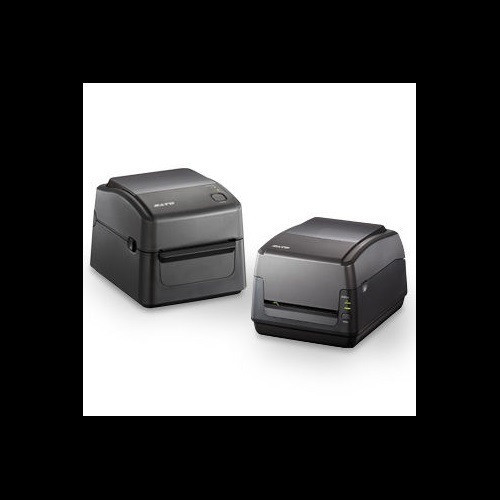
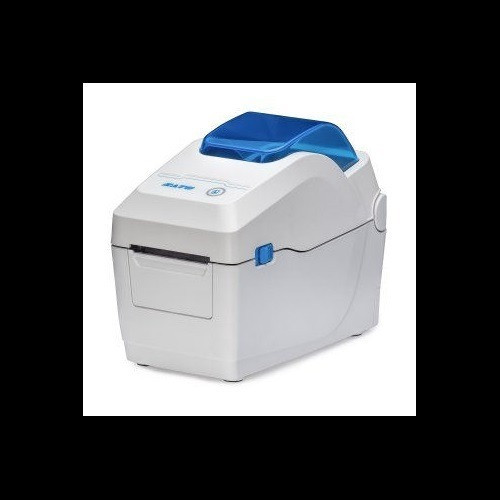
Both the Sato WT302-403NN-EX1-2 (WS4) and W2302-400DN-EX1 (WS2) are 300 dpi desktop thermal printers sharing the same power supply range, connectivity suite, and 1-year warranty — placing them squarely in the same cross-shop tier for light-to-medium label printing environments. The comparison turns on three axes that drive real purchase decisions for this class: print width and media handling range, memory and storage capacity for format management, and print method flexibility versus speed.
In This Guide
- Which printer handles your label width and media format requirements?
- Which printer offers more headroom for stored label formats and on-device resources?
- How do print method flexibility and throughput speed compare between the two models?
- Which should you choose: the WT302-403NN-EX1-2 or the W2302-400DN-EX1?
- Side-by-Side Specs
- FAQ
Which printer handles your label width and media format requirements?
The WT302-403NN-EX1-2 supports a maximum print width of 4.09 inches and accepts media from 1 inch to 4.65 inches wide, accommodating a broad range of shipping labels, compliance labels, and wider format applications up to a 5-inch outer diameter roll. The W2302-400DN-EX1 is purpose-built for narrower stock: its maximum print width is 2.2 inches and its media width range spans 0.5 inches to 2.83 inches, making it well-suited for small retail shelf labels, jewelry tags, or receipt-style outputs but categorically unsuitable wherever a label wider than 2.83 inches is required. Both units accept rolls up to 5 inches in outer diameter, and both list a maximum ribbon length of 984 ft. The W2302-400DN-EX1 specifies a 1-inch media core; the WT302-403NN-EX1-2 does not explicitly state core size in the provided specs.
Which printer offers more headroom for stored label formats and on-device resources?
Memory and storage specifications differ substantially between the two models. The W2302-400DN-EX1 carries 256 MB Flash, 128 MB SDRAM, and 128 MB user storage. The WT302-403NN-EX1-2 is equipped with 16 MB Flash, 32 MB SDRAM, and 16 MB user storage — a fraction of the WS2's figures across all three metrics. For operations that pre-store large numbers of label templates, font sets, or graphics on the device, the W2302-400DN-EX1 provides meaningfully more headroom. The W2302-400DN-EX1 also specifies Windows OS compatibility in its provided specs; the WT302-403NN-EX1-2 does not list OS compatibility in the data supplied. The W2302-400DN-EX1's 2.4-inch color LCD display is explicitly specified; the WT302-403NN-EX1-2 lists only 'LCD' without a size or color designation.
How do print method flexibility and throughput speed compare between the two models?
The WT302-403NN-EX1-2 supports both direct thermal and thermal transfer print methods, giving operators the choice between ribbon-free printing on thermally sensitive media and ribbon-based printing for labels requiring greater durability, UV resistance, or longevity. The W2302-400DN-EX1 is direct thermal only, eliminating ribbon cost and ribbon-change steps but restricting output to thermally sensitive media stock. On raw throughput, the W2302-400DN-EX1 edges ahead at 7 ips versus the WT302-403NN-EX1-2's 6 ips — a modest but real difference in high-volume batch runs. Both units resolve to 300 dpi at their primary resolution. The provided specs for both models also list a secondary '203' print resolution field; this is noted as-supplied without interpretation since neither datasheet excerpt clarifies whether this represents an alternate mode or a data entry artifact.
Which should you choose: the WT302-403NN-EX1-2 or the W2302-400DN-EX1?
Our take: The WT302-403NN-EX1-2 is the stronger choice when label width exceeds 2.2 inches or when thermal transfer durability is required alongside direct thermal flexibility. Its 4.09-inch maximum print width and 4.65-inch media range decisively outclass the W2302-400DN-EX1's 2.2-inch / 2.83-inch ceiling — a hard incompatibility for standard 4×6 shipping labels. It also adds thermal transfer capability, extending label life in applications exposed to heat, chemicals, or outdoor conditions. The W2302-400DN-EX1 counters with significantly greater on-device memory (256 MB Flash vs. 16 MB; 128 MB SDRAM vs. 32 MB), a 1 ips speed advantage (7 vs. 6 ips), a specified color LCD, and a more compact footprint (6.3×7.5×6.5 inches vs. 8.69×10.96×7.38 inches). It fits space-constrained retail or clinical point-of-care stations printing narrow labels in high volumes with extensive stored-format libraries.
Side-by-Side Comparison
Spec-for-spec, from manufacturer data.
| Specification | Sato WT302-403NN-EX1-2 | Sato W2302-400DN-EX1 |
|---|---|---|
| SKU / MPN | WT302-403NN-EX1-2 | W2302-400DN-EX1 |
| Series | WS4 | WS2 |
| Print Resolution | 300 dpi | 300 dpi |
| Print Speed | 6 ips | 7 ips |
| Max Print Width | 4.09 in | 2.2 in |
| Print Method | Direct Thermal / Thermal Transfer | Direct Thermal only |
| Media Width Range | 1 in – 4.65 in | 0.5 in – 2.83 in |
| Max Media Roll Diameter | 5 in | 5 in |
| Max Ribbon Length | 984 ft | 984 ft |
| Flash Memory | 16 MB | 256 MB |
| SDRAM | 32 MB | 128 MB |
| User Storage | 16 MB | 128 MB |
| Display | LCD (size not specified) | 2.4 in Color LCD |
| Connectivity | Ethernet, Wi-Fi, Bluetooth, USB | Ethernet, Wi-Fi, Bluetooth, USB |
| Dimensions (W × D × H) | 8.69 × 10.96 × 7.38 in | 6.3 × 7.5 × 6.5 in |
| Weight | 5.46 lbs (2.48 kg) | 3.5 lbs (1.6 kg) |
| Power | AC 100–240 V, 50/60 Hz | AC 100–240 V, 50/60 Hz |
| Operating Temperature | 41°F – 104°F (5°C – 40°C) | 41°F – 104°F (5°C – 40°C) |
| Warranty | 1 year | 1 year |
Frequently Asked Questions
Which should you choose: the WT302-403NN-EX1-2 or the W2302-400DN-EX1?
The WT302-403NN-EX1-2 is the stronger choice when label width exceeds 2.2 inches or when thermal transfer durability is required alongside direct thermal flexibility. Its 4.09-inch maximum print width and 4.65-inch media range decisively outclass the W2302-400DN-EX1's 2.2-inch / 2.83-inch ceiling — a hard incompatibility for standard 4×6 shipping labels. It also adds thermal transfer capability, extending label life in applications exposed to heat, chemicals, or outdoor conditions. The W2302-400DN-EX1 counters with significantly greater on-device memory (256 MB Flash vs. 16 MB; 128 MB SDRAM vs. 32 MB), a 1 ips speed advantage (7 vs. 6 ips), a specified color LCD, and a more compact footprint (6.3×7.5×6.5 inches vs. 8.69×10.96×7.38 inches). It fits space-constrained retail or clinical point-of-care stations printing narrow labels in high volumes with extensive stored-format libraries.
Can the W2302-400DN-EX1 print standard 4×6 shipping labels?
No. The W2302-400DN-EX1 has a maximum print width of 2.2 inches and accepts media only up to 2.83 inches wide. A standard 4×6 shipping label is 4 inches wide, which exceeds both limits. The WT302-403NN-EX1-2, with a 4.09-inch maximum print width and media range up to 4.65 inches, is compatible with that format.
Which model is better suited for storing a large library of pre-built label templates on the printer itself?
The W2302-400DN-EX1 is better equipped for on-device template storage, specifying 256 MB Flash, 128 MB SDRAM, and 128 MB user storage. The WT302-403NN-EX1-2 provides 16 MB Flash, 32 MB SDRAM, and 16 MB user storage — substantially less capacity across all three memory tiers.
Do I need to buy ribbon for both printers?
Only the WT302-403NN-EX1-2 requires ribbon when used in thermal transfer mode; it also supports direct thermal (ribbon-free) operation, so ribbon use is mode-dependent. The W2302-400DN-EX1 is direct thermal only and never requires ribbon, which reduces consumable cost and eliminates ribbon-change steps — provided your media is thermally sensitive stock.
More Label Printer Comparisons
- Sato WT302-403NN-EX1-2 vs Zebra ZT11143-D01000FZ
- Sato WT302-403NN-EX1-2 vs Sato W2312-400CN-EX1
- Sato W2312-400CN-EX1 vs Zebra ZT11143-D01000FZ
- Sato W2312-400CN-EX1 vs Sato W2302-400DN-EX1
- Sato W2302-400DN-EX1 vs Zebra ZT11143-D01000FZ
- Sato W2312-400CW-EX1 vs Zebra ZT11143-D01000FZ
Label Printer Buying Guides
Get a Second Opinion on Your Camera Choice
Share your site layout, coverage goals, and budget. Our team will validate the camera selection, flag anything we would change, and recommend products that match the use case.