
How to Size and Choose Video Storage for Surveillance
A technical buyer's guide for security integrators, IT architects, and facility managers sizing NVR storage and specifying surveillance-grade hard drives. Covers bandwidth-to-storage math, RAID for recording redundancy, desktop vs surveillance-grade drives, workload ratings, RPM selection, and NAS/SAN architectures for large-camera deployments.
In This Guide
Video storage is where surveillance deployments silently go wrong. A system sized for 30 days of retention on paper often delivers 18-22 days in practice because nobody accounted for motion-event bandwidth spikes, smart codec efficiency variance, or drive degradation over years of continuous write. Worse, desktop hard drives deployed in NVRs fail at 2-3x the rate of surveillance-grade drives and the failure often takes out RAID arrays because desktop drives drop off the bus during error recovery rather than reporting the error gracefully. Sizing storage correctly, selecting the right drive class, and designing for RAID redundancy are what separate an NVR that runs for five years from one that loses footage every quarter.
Key Specifications Explained
Storage Sizing: The Bandwidth-to-Storage Math
Storage required = Total Bandwidth x Retention Days. Bandwidth per camera depends on resolution, frame rate, compression, and motion content. A 4MP camera at 20 fps with H.265 smart codec averages 3-4 Mbps in typical scenes and 8-12 Mbps during high-motion events. Over 30 days continuous, one 4MP camera consumes approximately 1.1-1.5 TB.
Camera count x per-camera storage x safety buffer (10-15%) = total raw capacity. Add RAID overhead (25-33% for RAID 5, 50% for RAID 1, ~20% for RAID 6). Use our Video Retention and Storage Calculator for per-camera per-retention-day math across your camera mix. See also the Retention Modeling Guide for worked examples.
Surveillance-Grade vs Desktop Drives
Surveillance-grade drives (Seagate SkyHawk, WD Purple, Toshiba S300) are firmware-optimized for continuous write workload with ATA Streaming Commands (for dropped-frame avoidance), higher workload ratings (180+ TB/year vs 55 TB/year desktop), longer warranties (3-5 years), and TLER/ERC error recovery tuned for RAID arrays.
Desktop drives (Seagate Barracuda, WD Blue) lack these optimizations. Deployed in NVRs, they fail at 2-3x the rate of surveillance-grade drives. They also drop off the SATA bus during error recovery, which can crash a RAID array. The cost delta is 15-30%; the reliability delta is 2-3x. Always specify surveillance-grade.
Workload Rating
Workload rating (TB/year) is the maximum continuous write workload the drive is designed for. Desktop drives rate 55 TB/year, which is 1 TB/week or 150 GB/day. Surveillance drives rate 180-200 TB/year (500 GB/day). Enterprise drives rate 550 TB/year (1.5 TB/day).
For surveillance sizing: a 16-camera system at 4MP averaging 4 Mbps per camera writes approximately 65 MB/s continuously, which totals 2 TB/day, or 730 TB/year. That workload exceeds even surveillance-grade ratings. Distribute the write load across multiple drives via RAID striping (RAID 5/6/10) to stay within per-drive workload ratings. For very large deployments (100+ cameras), enterprise drives or SSDs for write-endurance are required.
Capacity per Drive
Drive capacity has scaled from 6 TB (2018) to 22 TB (2024+) in surveillance grade. Higher-capacity drives reduce drive count and rack space but extend RAID rebuild times. A 22 TB drive in a degraded RAID 5 array takes 24-40 hours to rebuild on modern NVRs; during that time, a second drive failure destroys the array.
For large arrays, prefer RAID 6 (dual parity) over RAID 5 when using drives above 8 TB. RAID 6 tolerates two simultaneous drive failures during rebuild, which is increasingly likely with multi-day rebuild times on large drives. 10 TB surveillance drives balance capacity and rebuild risk for most deployments; 16-22 TB drives suit enterprise NAS where RAID 6 or RAID 10 is standard.
RPM and Cache
5,400 RPM drives generate less heat, consume less power, and have lower noise than 7,200 RPM drives, at the cost of slightly lower sequential write throughput. For surveillance workload (sequential streaming writes), 5,400 RPM surveillance drives perform equivalently to 7,200 RPM desktop drives. For high-camera-count NVRs with heavy motion-event bursts, 7,200 RPM may improve write ceiling.
Cache size (DRAM buffer) matters for random-write performance. 256-512 MB cache on surveillance drives absorbs write bursts from motion events. Drives with 64 MB cache are designed for desktop use; avoid in NVRs beyond 8 cameras.
RAID Levels for Surveillance
RAID 0 (striping, no redundancy) maximizes capacity but any drive failure destroys all footage. Never use in production surveillance. RAID 1 (mirroring) halves capacity but survives one drive failure. Suits 1-4 camera deployments. RAID 5 (single parity) uses one drive of capacity for parity, survives one failure. Suits 6-16 cameras.
RAID 6 (dual parity) uses two drives of capacity for parity, survives two simultaneous failures. Required for any array with 8+ drives or drives above 8 TB. RAID 10 (mirrored stripe) halves capacity but delivers best write performance and failure tolerance. Suits 32+ camera deployments and VMS servers. Calculate storage factoring RAID overhead into initial capacity planning.
NAS, SAN, and iSCSI
Network-attached storage (NAS) and SAN systems externalize video storage from the NVR. Benefits: independent scaling of compute and storage, centralized backup, and RAID performance at scale. Costs: additional network fabric complexity, higher upfront investment, and iSCSI driver coordination.
For deployments under 32 cameras, internal NVR storage is simpler and faster. Above 32 cameras or when retention exceeds 60-90 days, external NAS/SAN scales better. Verify VMS compatibility with the specific NAS model (Synology, QNAP, Dell PowerVault, NetApp). Use dedicated 10G Ethernet between NVR and NAS; shared 1G bandwidth causes frame drops at the recorder.
SSDs and Hybrid Storage
Enterprise NVMe SSDs (2-15 TB) suit the VMS metadata, database, and analytic event indexes. Video bulk storage remains on HDD for cost reasons (SSD/HDD cost delta is still 3-5x at surveillance capacities). Hybrid designs: SSD for recording buffer + metadata, HDD for long-term retention.
For full SSD deployments (100% NVMe), specify drives with DWPD (Drive Writes Per Day) of 1+ rated for 5-year endurance. Consumer SSDs (0.3-0.5 DWPD) will fail under surveillance continuous-write workload within 2-3 years. Enterprise read-intensive SSDs suit analytic search; write-intensive SSDs suit recording tier.
Memory Cards for Edge Recording
Edge recording stores video directly on the camera using microSD/SDHC/SDXC cards. Industrial microSD cards (64-512 GB) rated for continuous write and extended temperature range (-40 to +85°C) are required; consumer cards fail within weeks in surveillance write patterns. See storage memory cards for industrial options. Edge storage is complementary to NVR recording; at 4MP with smart codec a 256 GB card holds approximately 3-5 days of continuous recording or 14-30 days of event-only recording. Use for deployments where network connectivity is intermittent (rural, mobile, remote) or as a failover when NVR is unreachable.
Featured Video Storage
Top-selling surveillance hard drives and memory cards in stock.
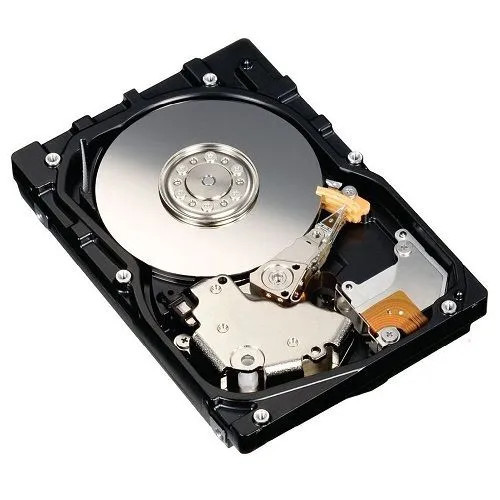
Hikvision HK-HDD10T 10TB Surveillance Hard Drive
HK-HDD10T

Hanwha SPP-E128G 128GB Industrial MicroSD Card
SPP-E128G

Hanwha SPP-E256G 256GB Industrial MicroSD Card
SPP-E256G

Hanwha SPP-E512G 512GB Industrial MicroSD Card
SPP-E512G
Deployment Scenarios
Small Business: 8-16 Cameras, 30-Day Retention
Small business with 8-16 4MP cameras at H.265 smart codec and 30-day retention needs 10-18 TB of RAID-protected storage. Recommended: 16-channel NVR with 4 drive bays, 4x 8 TB surveillance HDDs in RAID 5 (24 TB usable), 10% free-space buffer. Event-driven recording on most cameras reduces storage 40%. Single NVR with local storage is the simplest architecture for this size.
Retail Chain: 32 Cameras, 60-Day Retention
Mid-size retail with 32 cameras (mix of 2MP and 4MP) needs 30-45 TB for 60-day continuous retention. Recommended: 32-channel enterprise NVR with 8 drive bays, 8x 10 TB surveillance HDDs in RAID 6 (60 TB usable), 15% free-space buffer. Use H.265+ smart codec and loss-prevention analytics to prioritize event recording over continuous. Second NVR or cloud backup for offsite retention of incident events.
Warehouse: 64-96 Cameras, 90-Day Retention
Distribution center with 64-96 cameras and 90-day retention needs 120-180 TB. Recommended: 96-channel enterprise NVR or VMS server + NAS cluster, 12-16 drives in RAID 6 with hot spare (10-16 TB drives), 10G dedicated storage network. Tier 1 storage (current 30 days) on NVR local arrays; tier 2 (30-90 days) on NAS. Enterprise-grade drives with 550 TB/year workload rating.
Campus / Multi-Site: 200+ Cameras
Multi-building campus with 200+ cameras and variable retention requires a centralized VMS with storage pool. Recommended: Genetec, Milestone, or Hanwha VMS with distributed recording servers, shared SAN for long-term archive, SSDs for VMS metadata, enterprise 22 TB HDDs in RAID 6 storage pool, 25G+ networking between servers. Design for 20% storage expansion per year to accommodate camera additions and retention-policy changes. Offsite replication for incident retention.
Mobile / Remote: Edge Recording
Remote sites with intermittent connectivity (construction, remote utilities, mobile surveillance, agricultural) use camera-side edge recording. Recommended: cameras with 256-512 GB industrial microSD for 5-15 days of event-driven recording, cellular backhaul with policy-based sync to central VMS during connectivity windows, central storage for priority events. Budget extra memory cards for rotation during service. Cold-weather temperature-rated cards for outdoor installations.
Analytic Storage Tiering
Deployments running heavy analytics (LPR, facial recognition, occupancy counting) generate large metadata databases beyond the video itself. Recommended: dedicated enterprise NVMe SSD (2-8 TB) for analytic metadata with 5-year DWPD endurance rating, separate from video HDD pool. Video metadata (events, objects, classifications) accumulates 5-15% of video data size depending on analytics enabled. Plan for monthly metadata growth in the storage capacity model. See the VMS Selection Guide for analytic architecture.
More Storage Options
Additional drives and storage media for various deployments.
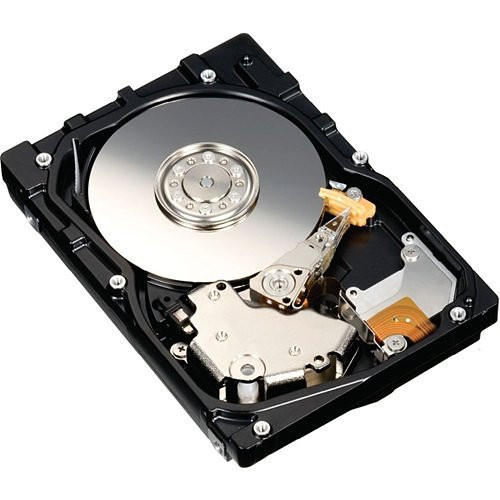
Hikvision HK-HDD8T 8TB Surveillance Hard Drive
HK-HDD8T
Hikvision HK-HDD2T 2TB Surveillance Hard Drive
HK-HDD2T

Hikvision HK-HDD6T 6TB Surveillance Hard Drive
HK-HDD6T
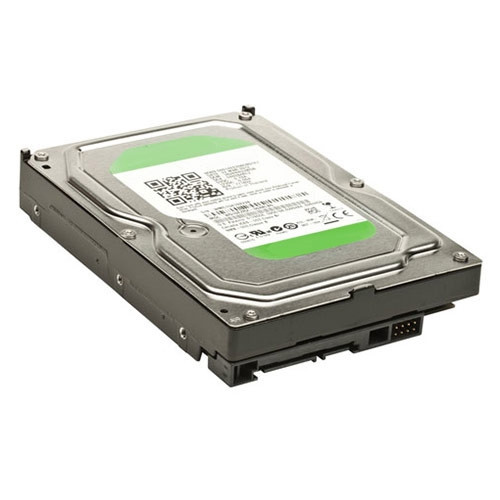
Hikvision HK-HDD4T 4TB Surveillance Hard Drive
HK-HDD4T
Common Mistakes to Avoid
- Using desktop hard drives in NVRs. Desktop drives fail 2-3x faster under continuous-write surveillance workload and can crash RAID arrays during error recovery. Always use surveillance-grade.
- Sizing storage from typical bandwidth, not peak. A camera that averages 4 Mbps during the day may hit 12 Mbps during motion events. Size storage with 20-30% buffer above average.
- Using RAID 5 with drives above 8 TB. RAID 5 rebuild times on 10+ TB drives exceed 24 hours, during which a second drive failure destroys the array. Use RAID 6 or RAID 10 for large-drive arrays.
- Skipping free-space buffer. A 100% full surveillance array degrades rapidly; write latency increases, drives run hot, and the NVR may drop frames. Maintain 10-15% free space at all times.
- Mismatching drive workload to actual load. A 180 TB/year surveillance drive in a 300 TB/year workload dies at 2.5 years warrantied-life. Calculate actual workload and select drives accordingly.
- Running storage networking on shared VLANs. NAS/SAN traffic on shared 1G LAN drops frames at the recorder. Always use dedicated 10G+ storage network isolated from camera VLANs.
- Not accounting for RAID overhead in sizing math. Specifying 32 TB usable requires 40+ TB raw with RAID 5, 48 TB raw with RAID 6. Planning requires adding overhead before comparing to drive count.
- Deploying consumer microSD cards in edge cameras. Consumer cards fail in weeks under surveillance write patterns. Use industrial-rated cards with high endurance and extended temp range.
What to Ask Your Integrator
- What is the calculated storage requirement (TB) based on actual camera mix, retention days, and compression settings?
- What RAID level is specified, and does it account for drive capacity (RAID 6 above 8 TB)?
- Are drives surveillance-grade with 180+ TB/year workload rating? What is the warranty period?
- Is there free-space buffer sized to 10-15% of total capacity?
- How is storage monitored for drive failures, array degradation, and free-space alerts?
- For NAS/SAN: is storage on a dedicated network, or sharing with camera traffic?
- What is the RAID rebuild time estimate, and during rebuild, is the array still recording?
- How is retention enforced during busy periods (overwrite oldest, overwrite lowest priority, delete flagged)?
Quick Comparison: Storage Tiers
| Specification | Desktop HDD (not recommended) | Surveillance-Grade HDD | Enterprise NAS/SAN HDD |
|---|---|---|---|
| Workload Rating | 55 TB/year | 180-200 TB/year | 550 TB/year + continuous |
| MTBF / AFR | 1M hr / ~0.6% | 1-1.5M hr / 0.45% | 2.5M hr / 0.35% |
| Capacity Range | 1-6 TB | 4-22 TB | 10-24 TB or SSD |
| RPM | 5,400-7,200 | 5,400-7,200 | 7,200 enterprise |
| Cache | 64-128 MB | 256-512 MB | 256-512 MB + persistent write cache |
| Designed For | Desktop OS, occasional use | 24/7 streaming write, 4-64 cameras | Enterprise arrays, 100+ cameras |
| RAID Support | Limited firmware | RAID 1/5/6/10 optimized | Enterprise RAID + hot-spare |
| Typical Life | 2-3 years in NVR | 5 years warrantied | 5-7 years warrantied |
| Typical Price | $80 - $180 | $180 - $700 (4-22 TB) | $500 - $1,200 (12-22 TB) |
Frequently Asked Questions
Why do I need surveillance-grade hard drives?
Standard desktop hard drives are designed for 8-hour duty cycles with occasional reads and writes, and will fail prematurely under 24/7 continuous writing from surveillance systems. Surveillance-grade drives like WD Purple, Seagate SkyHawk, and Toshiba S300 are rated for 24/7 operation, optimized firmware for multi-stream writes, tuned vibration resistance for multi-drive arrays, and higher workload ratings (180TB/year+ written). Using desktop drives in an NVR typically results in failures within 12-24 months versus 3-5+ years for surveillance-rated drives.
How much storage do I need for my cameras?
Calculate with this formula: cameras x bitrate (Mbps) x 3600 seconds x 24 hours x retention days / 8 bits per byte. Example: 16 cameras at 4Mbps H.265 for 30 days = 16 x 4 x 3600 x 24 x 30 / 8 = 2.07TB before RAID overhead. Plan for 30-50% extra capacity for events, smart codec variations, and future growth. Most VMS and NVR systems include a storage calculator tool to size more precisely based on motion-only vs continuous, I-frame interval, and smart codec savings.
What RAID level should I use for surveillance?
RAID 5 (minimum 3 drives) balances capacity and redundancy for small NVRs, tolerating one drive failure. RAID 6 (minimum 4 drives) tolerates two simultaneous failures and is strongly preferred for arrays with 8+ drives where rebuild times stretch to days. RAID 10 (minimum 4 drives) offers best performance but sacrifices 50% of capacity, useful for high-bitrate recording. Avoid RAID 0 (no redundancy) and JBOD (no redundancy) for surveillance. Always verify your NVR supports hot-spare drives and automatic rebuild on failure.
How long do surveillance hard drives last?
Surveillance-grade drives carry a 3-year standard warranty and are designed for 24/7 operation with mean time between failures (MTBF) of 1 million hours under typical workloads. Expected real-world service life is 4-7 years depending on environment, temperature, and workload. Plan to replace drives proactively at year 5 rather than waiting for failures. Keep at least one hot-spare per array, log SMART statistics monthly, and set alerts on bad-sector growth. Drives older than 4 years should be tested quarterly.
Should I use on-premise storage, cloud storage, or hybrid?
On-premise (NVR or VMS with local disks) is cheapest for large camera counts and high retention, with no ongoing data fees. Cloud storage eliminates on-site hardware but costs $5-20 per camera per month and requires adequate upload bandwidth (20-30% of camera bitrate minimum). Hybrid (local retention for 7-14 days, cloud for long-term archive) provides best-of-both-worlds with local speed plus off-site disaster protection. Very large deployments (100+ cameras) almost always use on-premise with optional cloud archive for critical events only.
How do I monitor drive health in my NVR?
Enable SMART (Self-Monitoring Analysis and Reporting Technology) in your NVR, which reports real-time drive health metrics like reallocated sectors, pending sectors, temperature, and spin-up time. Configure alerts to email IT when any drive reports issues. Monthly review of SMART logs catches pre-failure drives days or weeks before they fully fail. Replace any drive showing reallocated sector growth, high temperature (>55C), or SMART failure status even if it still works. Budget 10-15% of your drives to be replaced each year in large arrays.
Ready to Size Your Video Storage?
Share the camera count, resolution mix, frame rates, compression setting, retention target, and redundancy requirements. We will calculate the required storage, select the right RAID level, and recommend specific drives.