
Wireless Bridges
Showing Results for Wireless Bridges
-
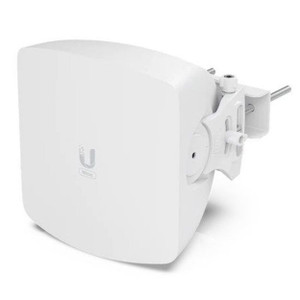
Ubiquiti
SKU: WAVE-AP-MICRO
Ubiquiti WAVE-AP-MICRO 60 GHz Wireless Bridge
60 GHz wireless bridge with 5 Gbps throughput and 5 GHz failover
- Delivers 5 Gbps total / 2.5 Gbps duplex throughput for high-density campus backhaul.
- Integrated 5 GHz 802.11ax fallback radio automatically maintains link during 60 GHz fade.
- Quad-core ARM Cortex-A53 at 1.4 GHz with UISP and Bluetooth provisioning simplifies deployment.
In stock · Ships same business day$634.50 $555.99 Save $78.51 -

Ubiquiti
SKU: WAVE-FIBER-ONU
Ubiquiti WAVE-FIBER-ONU 60 GHz Wireless Bridge
60 GHz wireless bridge extends fiber to remote sites without trenching
- Delivers 2.5 Gbps downlink over 60 GHz mmWave—no trenching required.
- Single 2.5 GbE port feeds downstream switches with headroom for access networks.
- FCC/IC/CE certified; PoE 802.3af powered with wall or desktop mounting options.
In stock · Ships same business day$49.00 $48.99 Save $0.01 -

Ubiquiti
SKU: WAVE-FIBER-ONU-5
Ubiquiti WAVE-FIBER-ONU-5 60 GHz Wireless Bridge
60 GHz wireless bridge with 2.5 Gbps downlink for fiber backhaul
- Terminates GPON fiber runs up to 20 km with no intermediate regeneration required.
- 2.5 Gbps downlink / 1.2 Gbps uplink delivers full class B+ throughput to edge gear.
- Single 2.5GbE port hands off directly to EdgeRouter or third-party 2.5G switches.
In stock · Ships same business day$199.00 $198.99 Save $0.01 -
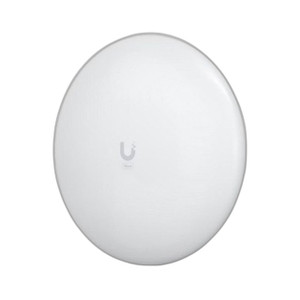
Ubiquiti
SKU: WAVE-LR
Ubiquiti WAVE-LR 60 GHz Wireless Bridge
60 GHz point-to-point bridge with 2 Gbps throughput and 5 GHz failover
- Delivers 2 Gbps aggregate throughput, eliminating backhaul saturation on campus links.
- Integrated 5 GHz 802.11ac/n radio maintains link continuity during 60 GHz rain fade.
- Passive PoE at 44–54V DC removes separate power feeds at remote pole-mount sites.
In stock · Ships same business day$472.61 $433.99 Save $38.62 -
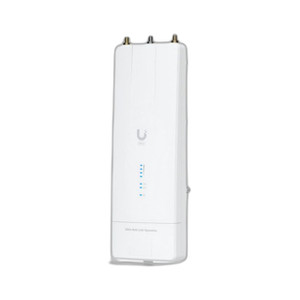
Ubiquiti
SKU: WAVE-MLO5
Ubiquiti WAVE-MLO5 60 GHz Wireless Bridge
60 GHz wireless bridge for 5+ Gbps backhaul up to 100 km range
- Delivers 5+ Gbps throughput over unlicensed 60 GHz spectrum across links up to 100 km.
- Single 10 GbE RJ45 port feeds core switches or NVRs directly without aggregation hardware.
- IPX6-rated aluminum enclosure operates from -40 to 60°C on passive PoE at 44–54V DC.
In stock · Ships same business day$499.50 $419.99 Save $79.51 -

Ubiquiti
SKU: WAVE-NANO
Ubiquiti WAVE-NANO 60 GHz Point-to-Point Wireless Bridge
60 GHz wireless bridge; 2 Gbps over 5+ km without fiber
- Delivers 2 Gbps throughput over 5+ km, eliminating fiber trenching for campus links.
- Layer 2 transparent bridge integrates into existing VLANs without subnet reconfiguration.
- IPX6-rated aluminum alloy housing operates from -40 to 60°C; NDAA compliant.
In stock · Ships same business day$365.00 $321.99 Save $43.01 -
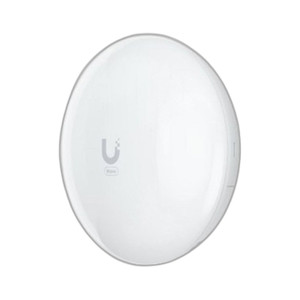
Ubiquiti
SKU: WAVE-PICO
Ubiquiti WAVE-PICO 60 GHz Wireless Bridge
60 GHz wireless bridge, 2 Gbps throughput, 1.3 km range
- Delivers 2 Gbps 60 GHz throughput with 1.5 km PtP range for dense backhaul links.
- Integrated 802.11ac 5 GHz radio auto-fails over at 800 Mbps if 60 GHz link degrades.
- IPX6-rated, -40°C to 60°C pole-mount unit draws only 10W via 802.3af PoE.
In stock · Ships same business day$227.00 $206.99 Save $20.01 -
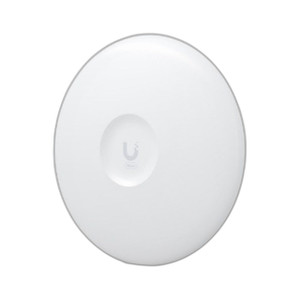
Ubiquiti
SKU: WAVE-PRO
Ubiquiti WAVE-PRO 60 GHz Point-to-Point Wireless Bridge
60 GHz point-to-point bridge, 5.4 Gbps over 15 km line-of-sight
- Delivers 5.4 Gbps aggregate throughput across two 2.5 GbE RJ45 ports up to 15 km.
- 22 dBi gain and 8° beamwidth minimizes interference in dense multi-link deployments.
- IPX6-rated aluminum alloy enclosure handles -40 to 60°C with 200 km/h wind resistance.
In stock · Ships same business day$803.50 $692.99 Save $110.51
Wireless Bridges
Point-to-point and point-to-multipoint wireless bridges for connecting remote camera locations without trenching. Long-range 60GHz and 5GHz links deliver gigabit throughput across distances up to several kilometers.
Plan Your Deployment
- Calculate required throughput from camera count and bitrate at the remote site
- Evaluate line-of-sight requirements and Fresnel zone clearance
- Select frequency band: 5GHz for range or 60GHz for capacity
- Plan antenna alignment, grounding, and surge protection
Wireless Bridges — Engineering-Grade Network Infrastructure for Commercial Deployments
This category covers 84 working models of wireless bridges sourced manufacturer-direct or through channel-direct US distribution. Build the rest of your system around the architectural choices below — compatibility, environmental rating, and lifecycle decisions made here propagate through every downstream component you specify.
What to Look For
Port count and PoE budget come first. An 8-camera install needs at least 9 ports (cameras + uplink), with PoE budget covering the sum of per-camera PoE class. Account for uplink speed: 1 Gbps uplinks bottleneck under heavy video load on switches with 8+ high-resolution cameras. SFP+ or 10 Gbps uplinks remove that bottleneck on growing sites.
Managed versus unmanaged switches affect troubleshooting and VLAN segmentation. Managed switches (HPE Aruba, Cisco, Netgear ProSAFE M-series) support VLANs, link-aggregation, port mirroring, and SNMP monitoring — essential for any deployment over 16 cameras or with mixed traffic. Unmanaged switches work for small isolated camera networks but limit growth and troubleshooting visibility.
Layer 3 capability (routing, VLAN inter-VLAN routing) becomes important when surveillance, access control, and corporate traffic share the same physical network. Surveillance VLAN isolation is now standard practice — segregate camera traffic from corporate Wi-Fi and guest networks to prevent broadcast storms and lateral attack paths. Confirm the switch supports the VLAN count and ACL complexity you need.
Outdoor/industrial deployments need ruggedized switches. ComNet, Antaira, and Moxa make hardened switches rated for -40°C to +75°C, vibration, and waterproof housings. DIN-rail mounting fits standard outdoor enclosures. Standard data-closet switches in outdoor enclosures fail within 1-2 years from condensation and temperature swings; spec the right environment rating up front.
Key Specs in This Category
| Spec | Available Options |
|---|---|
| IP Rating | IPX6 |
| Connectivity | WiFi, WiFi + Wired, Wired |
| Power | PoE, PoE+, DC, PoE++, AC/DC |
| Type | Wireless Bridge, Switch, Accessory, PoE Injector, Access Point |
Top Brands in This Category
Frequently Asked Questions
What's the difference between managed and unmanaged PoE switches?
Unmanaged switches power-on and forward traffic without configuration — simplest deployment but no VLAN, no monitoring, no troubleshooting visibility. Managed switches add VLANs, link-aggregation, port mirroring, SNMP, and remote-management interfaces. For deployments above 16 cameras or those sharing infrastructure with other systems, managed is the right choice; the per-port cost is modest and the operational benefit is large.
How much PoE budget should I size for?
Sum the PoE-class budget of all PoE-powered devices, then add 20-30% headroom for growth. Eight 802.3at cameras at 30W max each is 240W minimum — but a 130W-budget 8-port PoE+ switch can't deliver that. Confirm both per-port budget and total PoE budget; many entry-level switches advertise PoE+ ports but cap aggregate budget at half the per-port maximum.
Do I need 10 Gbps uplinks?
For installations under 32 cameras with mid-resolution streams, 1 Gbps uplinks suffice. Above that, or when you need fast investigative playback for many simultaneous reviewers, 10 Gbps (SFP+) uplinks remove the choke point. NVRs writing to NAS over the network also benefit. SFP+ has become reasonably affordable on managed switches; opt for it on new installs over 16 cameras.
Can I run VoIP and video on the same switch?
Yes — modern managed switches use VLAN segregation to keep VoIP, video, and data traffic separated even on shared physical ports. Use QoS (Quality of Service) to prioritize VoIP for low latency and assign video its own queue. Avoid mixing untagged traffic types on a single switch port without VLAN configuration; broadcast storms and bandwidth competition cause both voice and video quality issues.
What's the right uplink between buildings on a campus?
Single-mode fiber for runs over 100 m, multi-mode for shorter runs (typically up to 550 m on OM3, 300 m on OM4 at 10 Gbps). Bidirectional SFPs (single fiber instead of pair) save fiber count when the run is already deployed. Avoid copper between buildings — ground-potential differences during lightning strikes destroy switch SFP modules even when surge-protected.
Need help choosing? Talk to a Senior Specialist — direct line 877-277-7147 or request a quote.