
Ubiquiti U7-PRO-XGS vs Ubiquiti U7-PRO: Specification Comparison
Both the U7-PRO-XGS and U7-PRO are Ubiquiti WiFi 7 (802.11be) tri-band ceiling-mount access points managed via Ethernet, targeting enterprise and high-density indoor deployments. The comparison centers on backhaul capacity, radio spatial streams, power tier, and client density — the axes that determine which unit belongs in a given installation. Neither product has been independently lab-tested here; all figures are drawn directly from the provided specifications.
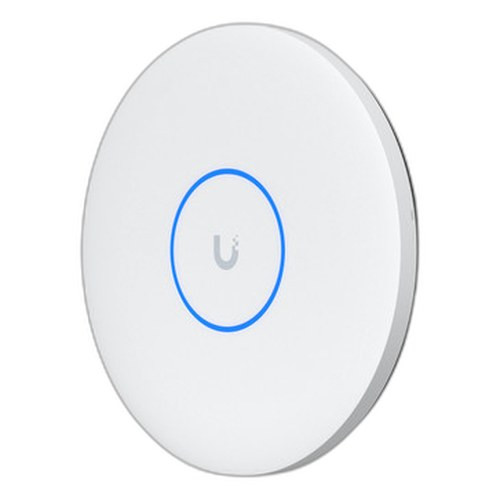

In This Guide
- Which AP delivers higher backhaul capacity and aggregate radio throughput?
- Which unit is better suited for high-density client environments and larger coverage areas?
- What are the PoE power tier, physical, and environmental installation requirements?
- Which should you choose: the U7-PRO-XGS or the U7-PRO?
- Side-by-Side Specs
- FAQ
Which AP delivers higher backhaul capacity and aggregate radio throughput?
The U7-PRO-XGS ships with a single 10 GbE RJ45 port and falls back to 5/2.5/1 GbE, making it viable in switches already cabled at 10G. The U7-PRO provides a 1/2.5 GbE RJ45 port — a meaningful ceiling in environments where the 6 GHz radio alone is specified at 5.8 Gbps peak.
On aggregate radio throughput, the specs diverge sharply. The U7-PRO-XGS is listed at 5.8 Gbps (6 GHz) + 8.6 Gbps (5 GHz) + 688 Mbps (2.4 GHz). The U7-PRO shows 5.8 Gbps (6 GHz), 4.3 Gbps (5 GHz), and 688 Mbps (2.4 GHz). The 5 GHz delta — 8.6 Gbps vs 4.3 Gbps — reflects the XGS's 4x4 MIMO on 5 GHz versus the PRO's 2x2 implied by its 8-stream radio count spec (6 GHz 2x2 + 5 GHz 4x4 + 2.4 GHz 2x2 is stated only for the XGS; the PRO's per-band stream breakdown is not provided in the supplied specs).
Channel bandwidth support also differs: the U7-PRO-XGS explicitly lists 320 MHz as a supported width, consistent with WiFi 7 EHT320 operation. The U7-PRO's channel bandwidth field ends at 'EHT 20/40/80/' — the 160/320 MHz entries are truncated in the provided spec and cannot be confirmed from the supplied data alone.
Which unit is better suited for high-density client environments and larger coverage areas?
The U7-PRO-XGS is specified for 500+ concurrent clients across 160 m² (1,750 ft²). The U7-PRO is specified for 300+ concurrent clients across 140 m² (approximately 1,507 ft²). The XGS carries a 67% higher stated client ceiling and covers roughly 14% more area per unit.
The U7-PRO-XGS spec also notes a dedicated spectral scanning radio that enables live RF analysis without disrupting production traffic — a capability not mentioned in the U7-PRO's provided specifications. For warehouse floors, open-plan offices, or auditoriums where simultaneous device counts routinely exceed 300, the XGS's stated capacity and scanning capability are directly relevant.
The U7-PRO's VLAN support field explicitly lists dynamic VLAN assignment and 8 BSSIDs per radio. The U7-PRO-XGS spec does not enumerate VLAN or BSSID parameters in the provided data, so parity on that dimension cannot be confirmed.
What are the PoE power tier, physical, and environmental installation requirements?
The U7-PRO-XGS requires PoE++ (802.3bt) at up to 29W and a voltage range of 42.5–57V DC. This mandates a PoE++ capable switch port or injector — a significant infrastructure consideration when upgrading from PoE+ infrastructure. The U7-PRO operates on standard PoE+ at 21W maximum, voltage range 44–57V DC, compatible with the far more common PoE+ switch ecosystem.
Physically, the XGS is slightly larger (⌀215 × 32.5 mm, 800 g / 1.8 lb) versus the PRO (⌀206 × 46 mm, 680 g / 1.5 lb). The PRO is taller by 13.5 mm but lighter by 120 g. Both share the same operating temperature range of -30 to 40°C and use stainless steel (SUS304) and galvanized steel (SGCC) mount materials.
Enclosure materials differ slightly: the XGS uses UV-stabilized polycarbonate with aluminum alloy, while the PRO uses polycarbonate and metal (not further specified). Both are NDAA compliant and carry CE, FCC, and IC certifications. The XGS package includes a Lite Mount (ceiling/wall); the PRO includes a Pro Mount. Both units support wall and ceiling mounting.
Which should you choose: the U7-PRO-XGS or the U7-PRO?
Our take: The U7-PRO-XGS is the stronger choice when the installation demands 10 GbE backhaul, higher client density, and maximum 5 GHz throughput. Key spec deltas: the XGS posts 8.6 Gbps on 5 GHz versus 4.3 Gbps for the PRO — a 2× difference; it supports 500+ concurrent clients versus 300+ for the PRO; and its 10 GbE uplink (with 5/2.5/1 GbE fallback) removes the bottleneck that the PRO's 2.5 GbE ceiling imposes when aggregate radio throughput approaches or exceeds that link speed. The trade-off is infrastructure cost: the XGS requires PoE++ (802.3bt, 29W) switch ports rather than the ubiquitous PoE+ (21W) ports the PRO accepts. The U7-PRO is the practical fit for standard enterprise deployments with existing PoE+ switching, sub-300 concurrent client counts per AP, and 2.5 GbE uplink runs already in place. Both are WiFi 7, NDAA compliant, and managed identically via Ubiquiti's Ethernet-based controller.
Side-by-Side Comparison
Spec-for-spec, from manufacturer data.
| Specification | Ubiquiti U7-PRO-XGS | Ubiquiti U7-PRO |
|---|---|---|
| WiFi Standard | WiFi 7 (802.11be) | WiFi 7 (802.11be) |
| Form Factor | Ceiling Mount | Ceiling Mount |
| Uplink Port | 1× 10 GbE RJ45 (fallback 5/2.5/1 GbE) | 1× 1/2.5 GbE RJ45 |
| PoE Tier Required | PoE++ (802.3bt) | PoE+ |
| Power Consumption | 29W | 21W |
| Voltage Range | 42.5–57V DC | 44–57V DC |
| 6 GHz Throughput | 5.8 Gbps | 5.8 Gbps |
| 5 GHz Throughput | 8.6 Gbps | 4.3 Gbps |
| 2.4 GHz Throughput | 688 Mbps | 688 Mbps |
| Radio Spatial Streams | 8 (6 GHz 2×2 + 5 GHz 4×4 + 2.4 GHz 2×2) | — |
| Max Concurrent Clients | 500+ | 300+ |
| Coverage Area | 160 m² (1,750 ft²) | 140 m² |
| Channel Bandwidth | 20/40/80/160/240/320 MHz | HT 20/40, VHT 20/40/80/160, HE 20/40/80/160, EHT 20/40/80/— |
| Dimensions | ⌀215 × 32.5 mm | ⌀206 × 46 mm |
| Weight | 800 g (1.8 lb) | 680 g (1.5 lb) |
| NDAA Compliant | Yes | Yes |
| Operating Temperature | -30 to 40°C (-22 to 104°F) | -30 to 40°C (-22 to 104°F) |
| Dynamic VLAN / BSSIDs | — | Dynamic VLAN; 8 BSSIDs per radio |
Frequently Asked Questions
Which should you choose: the U7-PRO-XGS or the U7-PRO?
The U7-PRO-XGS is the stronger choice when the installation demands 10 GbE backhaul, higher client density, and maximum 5 GHz throughput. Key spec deltas: the XGS posts 8.6 Gbps on 5 GHz versus 4.3 Gbps for the PRO — a 2× difference; it supports 500+ concurrent clients versus 300+ for the PRO; and its 10 GbE uplink (with 5/2.5/1 GbE fallback) removes the bottleneck that the PRO's 2.5 GbE ceiling imposes when aggregate radio throughput approaches or exceeds that link speed. The trade-off is infrastructure cost: the XGS requires PoE++ (802.3bt, 29W) switch ports rather than the ubiquitous PoE+ (21W) ports the PRO accepts. The U7-PRO is the practical fit for standard enterprise deployments with existing PoE+ switching, sub-300 concurrent client counts per AP, and 2.5 GbE uplink runs already in place. Both are WiFi 7, NDAA compliant, and managed identically via Ubiquiti's Ethernet-based controller.
Is the U7-PRO-XGS or U7-PRO better for larger deployments?
Based on the provided specs, the U7-PRO-XGS supports 500+ concurrent clients across 160 m² versus the U7-PRO's 300+ clients across 140 m², making the XGS the higher-capacity unit per AP. For large-scale deployments, however, the XGS's PoE++ requirement means every port feeding it must be 802.3bt capable — a switch infrastructure cost that must be factored into the total deployment budget.
Can I use my existing PoE+ switches with the U7-PRO-XGS?
No — the U7-PRO-XGS requires PoE++ (802.3bt) at up to 29W and a voltage range of 42.5–57V DC. Standard PoE+ (802.3at) switches top out at 30W delivery but at different voltage floors and are not specified as compatible for the XGS. The U7-PRO, rated at 21W with a 44–57V DC range, is designed for PoE+ infrastructure and is the correct choice if your switching plant is PoE+ only.
Does the U7-PRO support 320 MHz channel bandwidth like the U7-PRO-XGS?
The U7-PRO-XGS explicitly lists 320 MHz in its channel bandwidth specification. The U7-PRO's channel bandwidth field in the provided specs is truncated ('EHT 20/40/80/') and does not confirm 160 or 320 MHz support. Buyers requiring confirmed EHT320 operation should verify the U7-PRO's full channel bandwidth specification directly from Ubiquiti's official datasheet before selecting it for that use case.
Get a Second Opinion on Your Camera Choice
Share your site layout, coverage goals, and budget. Our team will validate the camera selection, flag anything we would change, and recommend products that match the use case.