
Ubiquiti U7-PRO-MAX vs Ubiquiti U7-PRO-XGS: Specification Comparison
Both the U7-PRO-MAX and U7-PRO-XGS are Ubiquiti tri-band Wi-Fi 7 (802.11be) ceiling-mount access points supporting 500+ concurrent clients across identical 160 m² coverage areas. The comparison centers on three decision-relevant axes: uplink port and backhaul throughput capacity, power delivery and environmental operating range, and physical form factor with included mounting hardware. Buyers in this segment are typically choosing between a PoE+-compatible deployment on existing 2.5 GbE infrastructure versus a PoE++ environment with a 10 GbE switch fabric already in place.
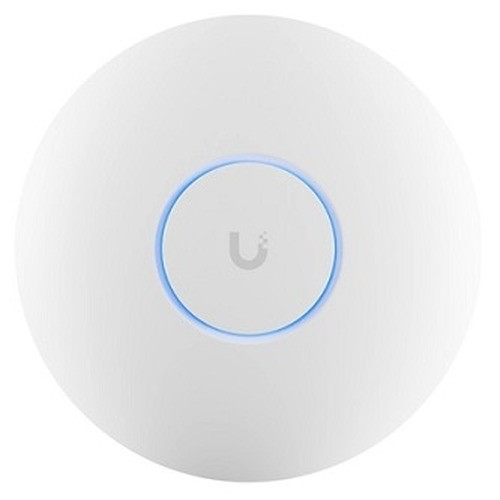
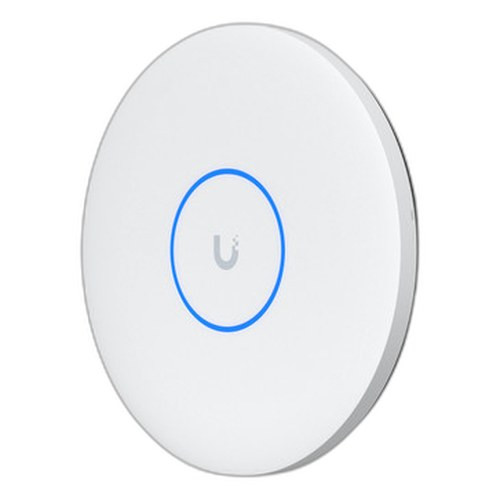
In This Guide
- Which model eliminates the uplink bottleneck for high-density Wi-Fi 7 deployments?
- How do power requirements and operating temperature range affect site suitability?
- Do differences in physical dimensions, weight, and included hardware matter for installation planning?
- Which should you choose: the U7-PRO-MAX or the U7-PRO-XGS?
- Side-by-Side Specs
- FAQ
Which model eliminates the uplink bottleneck for high-density Wi-Fi 7 deployments?
The U7-PRO-MAX ships with a single 1/2.5 GbE RJ45 port powered via PoE+ (802.3at, 25W, 44–57V DC). Aggregate radio throughput across all three bands is 5.8 Gbps (6 GHz) + 8.6 Gbps (5 GHz) + 688 Mbps (2.4 GHz). Even at realistic utilization, the 2.5 GbE ceiling will compress available backhaul well below the radio maximum, making the uplink the binding constraint in fully loaded installations.
The U7-PRO-XGS ships with a single 10 GbE RJ45 port powered via PoE++ (802.3bt, 29W, 42.5–57V DC) with fallback to 5/2.5/1 GbE. The 10 GbE uplink is proportionally matched to the combined radio aggregate and allows the access point to sustain peak throughput from all bands simultaneously without compression. This requires a PoE++ 10 GbE-capable switch at the edge; the fallback modes support phased infrastructure migration.
How do power requirements and operating temperature range affect site suitability?
The U7-PRO-MAX draws 25W and requires PoE+ (802.3at). Its operating temperature is rated -30 to 50°C (-22 to 122°F), giving it a wider upper thermal ceiling. This makes the PRO-MAX deployable in unconditioned spaces — industrial mezzanines, loading docks, or covered outdoor staging areas — where ambient temperatures may exceed 40°C.
The U7-PRO-XGS draws 29W and requires PoE++ (802.3bt). Its operating temperature ceiling is lower at -30 to 40°C (-22 to 104°F). The 4W higher power draw and narrower thermal window mean the XGS is better suited to climate-controlled environments — server rooms, offices, and conditioned warehouse floors — where ambient temperatures are controlled below 40°C and PoE++ infrastructure is or will be available. Both units share the same lower cold-temperature floor (-30°C).
Do differences in physical dimensions, weight, and included hardware matter for installation planning?
The U7-PRO-MAX measures ⌀206 × 46 mm and weighs 680 g (1.5 lb). It includes a Pro Mount (ceiling/wall bracket) in the box. The enclosure is polycarbonate with aluminum; mount hardware is SUS304 stainless and SGCC galvanized steel.
The U7-PRO-XGS measures ⌀215 × 32.5 mm and weighs 800 g (1.8 lb). It includes a Lite Mount (ceiling/wall) in the box. The enclosure is UV-stabilized polycarbonate with aluminum alloy; mount hardware is the same SUS304/SGCC combination. The XGS is 9 mm wider in diameter, 13.5 mm thinner, and 120 g heavier. The PRO-MAX includes a Pro Mount; the XGS includes a Lite Mount — installers should confirm the bundled bracket meets site requirements before ordering, as neither spec sheet lists the Pro Mount as an XGS option.
Which should you choose: the U7-PRO-MAX or the U7-PRO-XGS?
Our take: The U7-PRO-MAX is the stronger choice when existing infrastructure runs 2.5 GbE PoE+ switches and ambient temperatures may exceed 40°C. The U7-PRO-XGS is the stronger choice when the switch layer is 10 GbE PoE++ capable and the environment is climate-controlled. Three concrete spec deltas drive the decision: (1) uplink port — 2.5 GbE (PRO-MAX) vs 10 GbE (XGS), a 4× backhaul capacity difference that becomes material when aggregate client throughput saturates 2.5 Gbps; (2) operating temperature ceiling — 50°C (PRO-MAX) vs 40°C (XGS), a 10°C gap that disqualifies the XGS from unconditioned spaces; (3) PoE budget — 25W/802.3at (PRO-MAX) vs 29W/802.3bt (XGS), meaning the XGS cannot be powered by 802.3at switches at all. Both models share identical radio specs, coverage area, client capacity, NDAA compliance, and certifications; the differentiator is infrastructure readiness, not radio performance.
Side-by-Side Comparison
Spec-for-spec, from manufacturer data.
| Specification | Ubiquiti U7-PRO-MAX | Ubiquiti U7-PRO-XGS |
|---|---|---|
| Wi-Fi Standard | Wi-Fi 7 (802.11be) | Wi-Fi 7 (802.11be) |
| Bands | 2.4 GHz / 5 GHz / 6 GHz | 2.4 GHz / 5 GHz / 6 GHz |
| Spatial Streams | 8 total (four per band per datasheet) | 8 total (6 GHz 2x2 + 5 GHz 4x4 + 2.4 GHz 2x2) |
| Max Throughput — 6 GHz | 5.8 Gbps (BW320) | 5.8 Gbps |
| Max Throughput — 5 GHz | 8.6 Gbps | 8.6 Gbps |
| Max Throughput — 2.4 GHz | 688 Mbps | 688 Mbps |
| Uplink Port | (1) 1/2.5 GbE RJ45 | (1) 10 GbE RJ45 (fallback 5/2.5/1 GbE) |
| Power Standard | PoE+ (802.3at) | PoE++ (802.3bt) |
| Power Consumption | 25W | 29W |
| Voltage Range | 44–57V DC | 42.5–57V DC |
| Operating Temperature | -30 to 50°C (-22 to 122°F) | -30 to 40°C (-22 to 104°F) |
| Coverage Area | 160 m² | 160 m² (1,750 ft²) |
| Max Concurrent Clients | 500+ | 500+ |
| Dimensions | ⌀206 × 46 mm | ⌀215 × 32.5 mm |
| Weight | 680 g (1.5 lb) | 800 g (1.8 lb) |
| NDAA Compliant | Yes | Yes |
| Included Mount | Pro Mount (ceiling/wall) | Lite Mount (ceiling/wall) |
Frequently Asked Questions
Which should you choose: the U7-PRO-MAX or the U7-PRO-XGS?
The U7-PRO-MAX is the stronger choice when existing infrastructure runs 2.5 GbE PoE+ switches and ambient temperatures may exceed 40°C. The U7-PRO-XGS is the stronger choice when the switch layer is 10 GbE PoE++ capable and the environment is climate-controlled. Three concrete spec deltas drive the decision: (1) uplink port — 2.5 GbE (PRO-MAX) vs 10 GbE (XGS), a 4× backhaul capacity difference that becomes material when aggregate client throughput saturates 2.5 Gbps; (2) operating temperature ceiling — 50°C (PRO-MAX) vs 40°C (XGS), a 10°C gap that disqualifies the XGS from unconditioned spaces; (3) PoE budget — 25W/802.3at (PRO-MAX) vs 29W/802.3bt (XGS), meaning the XGS cannot be powered by 802.3at switches at all. Both models share identical radio specs, coverage area, client capacity, NDAA compliance, and certifications; the differentiator is infrastructure readiness, not radio performance.
Can I power the U7-PRO-XGS from my existing PoE+ switches?
No. The U7-PRO-XGS requires PoE++ (802.3bt) at 29W with a voltage range of 42.5–57V DC. Standard PoE+ (802.3at) switches cap at 30W delivery but do not guarantee the 802.3bt negotiation the XGS requires. The U7-PRO-MAX is specifically rated for PoE+ (802.3at) at 25W and will operate on existing PoE+ infrastructure without a switch upgrade.
Is the U7-PRO-MAX or U7-PRO-XGS better for a high-density warehouse deployment?
It depends on two site conditions. If the warehouse is climate-controlled below 40°C and the switch layer supports 10 GbE PoE++, the U7-PRO-XGS removes the backhaul bottleneck with its 10 GbE uplink. If ambient temperature may exceed 40°C or switches are 2.5 GbE PoE+, the U7-PRO-MAX is the appropriate choice — it is rated to 50°C and operates on existing PoE+ infrastructure. Radio performance, coverage area (160 m²), and client capacity (500+) are identical between the two models.
Do both access points include the same mounting hardware in the box?
No. The U7-PRO-MAX includes a Pro Mount (ceiling/wall bracket); the U7-PRO-XGS includes a Lite Mount (ceiling/wall). Both use SUS304 stainless and SGCC galvanized steel hardware. The XGS is also physically larger in diameter (⌀215 mm vs ⌀206 mm) and heavier (800 g vs 680 g), which may affect ceiling tile cutout planning. The included mount type should be verified against site bracket requirements before ordering.
Get a Second Opinion on Your Camera Choice
Share your site layout, coverage goals, and budget. Our team will validate the camera selection, flag anything we would change, and recommend products that match the use case.