
Sato WM8430111 vs Zebra ZT62062-T210100Z: Specification Comparison
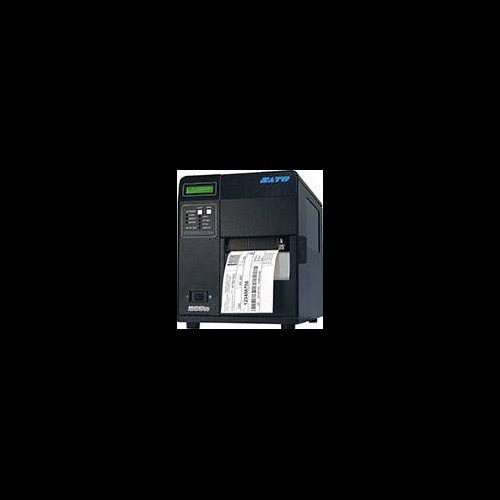
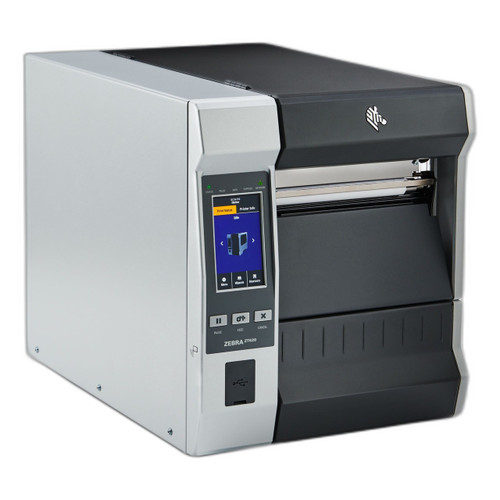
The Sato WM8430111 and Zebra ZT62062-T210100Z are both 203 DPI industrial-class thermal label printers targeting high-volume label production environments. Both support direct thermal printing, offer Ethernet and USB connectivity, and are warranted for one year. The comparison is meaningful for buyers evaluating a 4.1-inch-wide printer with thermal transfer capability against a 6-inch-wide direct-thermal-only printer with an integrated rewind mechanism, where print width, media handling, memory, and wireless connectivity are the primary differentiating axes.
In This Guide
- Which printer handles wider media and faster throughput for your label formats?
- Which printer offers more on-board intelligence and integration options for your IT environment?
- Which printer is better suited to your facility's physical footprint, media handling needs, and weight constraints?
- Which should you choose: the WM8430111 or the ZT62062-T210100Z?
- Side-by-Side Specs
- FAQ
Which printer handles wider media and faster throughput for your label formats?
The Sato WM8430111 supports a maximum print width of 4.1 inches and a rated print speed of 10 inches per second (ips). It operates in both Direct Thermal and Thermal Transfer modes, giving it flexibility to print on plain thermal stock or ribbon-based media for durability. Media width range is specified as 1 inch to 4.5 inches, with a maximum ribbon length of 1,968 ft and a maximum media outer diameter of 8.6 inches.
The Zebra ZT62062-T210100Z prints at 6 inches wide — a 46% wider print path than the Sato — making it suited to wide-format shipping, compliance, or pallet labels. However, its listed print technology is Direct Thermal only (no ribbon required or specified). Print speed is not stated in the provided specifications. The Zebra also notes optional color ribbon compatibility, though its core technology is listed as direct thermal.
For buyers whose label formats fit within 4.1 inches and require thermal transfer longevity (e.g., outdoor asset tags, chemical-resistant labels), the Sato's dual-mode capability is the deciding factor. For wide-format labels — shipping cartons, pallet placards — the Zebra's 6-inch print path is the operative specification, assuming direct thermal media is acceptable.
Which printer offers more on-board intelligence and integration options for your IT environment?
The Sato WM8430111 specifies 16 MB SDRAM and 2 MB flash memory with 2 MB user storage. Connectivity includes USB 2.0, Ethernet, RS-232C, and parallel — four physical interfaces. It features a 3.5-inch color LCD display for operator interaction and status monitoring. Operating system compatibility is listed as Windows. No Bluetooth or wireless interface is specified.
The Zebra ZT62062-T210100Z specifies 1 GB RAM — approximately 64 times the SDRAM in the Sato — and Bluetooth 5.3, enabling wireless host connectivity and on-device application execution. Connectivity includes USB, Ethernet, and parallel. No RS-232C serial port is listed. The Zebra also includes a front-mount guillotine cutter as a listed feature and an integrated standard rewind mechanism, both absent from the Sato's specification set.
For IT environments requiring wireless integration, mobile device pairing, or on-printer application hosting, the Zebra's 1 GB RAM and Bluetooth 5.3 represent a material architectural advantage. For facilities that require serial (RS-232C) integration with legacy PLCs or weigh-scale systems, the Sato retains that interface while the Zebra does not list it.
Which printer is better suited to your facility's physical footprint, media handling needs, and weight constraints?
The Sato WM8430111 weighs 24.3 lbs (dimensional weight listed separately as 39.7 lbs) and measures 15.0 × 10.6 × 11.6 inches. It accepts media cores of 3 inches, supports media up to 8.6 inches outer diameter, and operates between 41°F and 104°F. Power input is AC 100–240V, 50/60 Hz — a universal supply.
The Zebra ZT62062-T210100Z weighs 75.65 lbs — more than three times the Sato's stated weight — consistent with its wider media path, integrated rewind, and cutter assembly. Physical dimensions and operating temperature range are not provided in the available specifications. Power input and media core diameter are also not listed in the provided data.
The Sato's significantly lower weight and stated dimensions make it more practical for bench-space-constrained environments or installations requiring periodic repositioning. The Zebra's 75.65 lb mass and integrated rewind/cutter suggest a fixed, high-volume installation point. Buyers should request the Zebra's full dimensional and environmental spec sheet before finalizing rack or bench placement planning, as those values are absent from the provided data.
Which should you choose: the WM8430111 or the ZT62062-T210100Z?
Our take: The WM8430111 is the stronger choice when your label format is 4.1 inches or narrower, thermal transfer durability is required, RS-232C serial integration is needed, or installation weight and footprint are constrained. The Zebra ZT62062-T210100Z is the stronger choice when print width exceeds 4.1 inches (Zebra prints up to 6 inches), on-board application memory matters (1 GB RAM versus 16 MB SDRAM), or Bluetooth 5.3 wireless connectivity is required — the Sato specifies no wireless interface at all. The Zebra's integrated rewind and guillotine cutter also automate label post-processing in ways the Sato's spec sheet does not address. For high-volume shipping label and pallet label operations using direct thermal media, the Zebra's wider print path and richer memory architecture are the decisive advantages. For mixed-media thermal transfer environments, legacy serial integration, or lower-weight deployable installations, the Sato WM8430111 is the appropriate specification.
Side-by-Side Comparison
Spec-for-spec, from manufacturer data.
| Specification | Sato WM8430111 | Zebra ZT62062-T210100Z |
|---|---|---|
| Print Width (Max) | 4.1 in | 6 in |
| Resolution | 203 DPI | 203 DPI |
| Print Method | Direct Thermal / Thermal Transfer | Direct Thermal only |
| Print Speed | 10 ips | — |
| RAM / SDRAM | 16 MB SDRAM | 1 GB RAM |
| Flash Memory | 2 MB | — |
| User Storage | 2 MB | — |
| Display | 3.5" Color LCD | — |
| Connectivity | USB 2.0, Ethernet, RS-232C, Parallel | USB, Ethernet, Parallel |
| Bluetooth | — | 5.3 |
| Integrated Rewind | — | Yes (Standard) |
| Cutter | — | Front-mount guillotine |
| Media Width Range | 1 in – 4.5 in | — |
| Max Media Diameter | 8.6 in | — |
| Max Ribbon Length | 1,968 ft | — |
| Weight | 24.3 lbs | 75.65 lbs |
| Dimensions (W×D×H) | 15.0" × 10.6" × 11.6" | — |
| Operating Temperature | 41°F – 104°F | — |
| Power Input | AC 100–240V, 50/60 Hz | — |
| Warranty | 1 year | 1 year |
Frequently Asked Questions
Which should you choose: the WM8430111 or the ZT62062-T210100Z?
The WM8430111 is the stronger choice when your label format is 4.1 inches or narrower, thermal transfer durability is required, RS-232C serial integration is needed, or installation weight and footprint are constrained. The Zebra ZT62062-T210100Z is the stronger choice when print width exceeds 4.1 inches (Zebra prints up to 6 inches), on-board application memory matters (1 GB RAM versus 16 MB SDRAM), or Bluetooth 5.3 wireless connectivity is required — the Sato specifies no wireless interface at all. The Zebra's integrated rewind and guillotine cutter also automate label post-processing in ways the Sato's spec sheet does not address. For high-volume shipping label and pallet label operations using direct thermal media, the Zebra's wider print path and richer memory architecture are the decisive advantages. For mixed-media thermal transfer environments, legacy serial integration, or lower-weight deployable installations, the Sato WM8430111 is the appropriate specification.
Can the Zebra ZT62062-T210100Z print thermal transfer labels like the Sato WM8430111?
Based on the provided specifications, no. The Zebra ZT62062-T210100Z is listed as Direct Thermal only (no ribbon). The Sato WM8430111 supports both Direct Thermal and Thermal Transfer modes, giving it the ability to print on ribbon-based media for applications requiring greater label durability or resistance to heat, moisture, and abrasion. If thermal transfer is a requirement, the Sato is the only model in this comparison that supports it per the specs provided.
Is the Sato WM8430111 or Zebra ZT62062-T210100Z better for high-volume shipping label operations?
For high-volume shipping label operations, the Zebra ZT62062-T210100Z has two specification advantages: a 6-inch print width (versus 4.1 inches on the Sato) suited to larger shipping and pallet labels, and 1 GB of RAM supporting on-device applications. Its integrated rewind mechanism also automates label orientation handling, reducing manual intervention per shift. The Sato's print speed is rated at 10 ips, but the Zebra's print speed is not stated in the available specifications — buyers should confirm the Zebra's rated ips before drawing throughput conclusions.
Does the Zebra ZT62062-T210100Z support wireless or Bluetooth connectivity that the Sato WM8430111 lacks?
Yes. The Zebra ZT62062-T210100Z lists Bluetooth 5.3, enabling wireless host connectivity and on-device application support. The Sato WM8430111 does not specify any Bluetooth or Wi-Fi interface; its connectivity is limited to USB 2.0, Ethernet, RS-232C, and parallel. For environments integrating mobile devices, warehouse management systems over wireless, or Bluetooth-enabled host computers, the Zebra is the only model in this comparison with a specified wireless interface.
More Label Printer Comparisons
- Sato WM8430031 vs Zebra ZT62062-T210100Z
- Sato WM8430031 vs Sato WM8430231
- Sato WM8430031 vs Sato WM8430221
- Sato WM8430231 vs Sato WM8430221
- Sato WM8430221 vs Zebra ZT62062-T210100Z
- Sato WM8430021 vs Zebra ZT62062-T210100Z
Label Printer Buying Guides
Get a Second Opinion on Your Camera Choice
Share your site layout, coverage goals, and budget. Our team will validate the camera selection, flag anything we would change, and recommend products that match the use case.