
Best Access Control Readers for Office Buildings
Access readers for commercial office buildings — mobile-credential convenience for tenants, smart-card security, and a clean look for lobbies and suites.

Jerry Tildsen
Access Control & Intercoms Specialist · Working integrator
Bottom line
Office building access control readers fall into three functional classes—smart-card only, mobile-credential (BLE), and multi-tech hybrids—each with different trade-offs in tenant convenience, retrofit ease, and weather resistance. Choose based on your existing credential ecosystem, whether you need outdoor/loading-dock coverage, and how much tenant friction you can tolerate during migration.
What This Setup Needs
Selecting the right access reader for office buildings requires balancing credential flexibility, installation complexity, durability, and user adoption. Unlike residential or retail, office environments demand clean aesthetics in lobbies while often needing robust outdoor readers for loading areas and emergency exits.
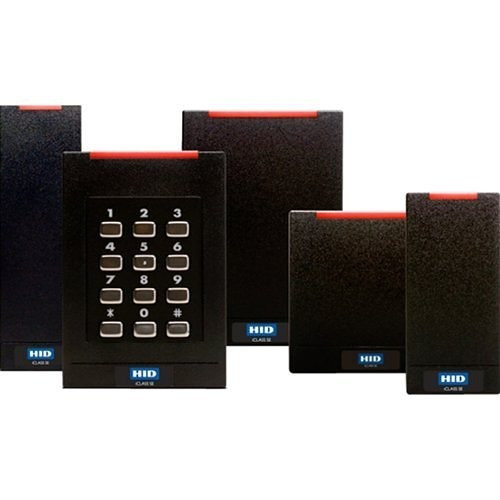
- Credential Class (Smart Card vs. Mobile vs. Multi-Tech): Smart-card-only readers lock you into physical credentials; mobile/BLE readers enable smartphone access but require compatible backend systems; multi-tech readers accept both, reducing retrofit friction but adding cost and complexity.
- IP Rating & Environmental Fit: IP65 handles most indoor lobbies and covered entries; IP66 is required for loading docks, uncovered exterior doors, or high-moisture areas. Wired readers (cable form factor) are typically IP65; wall terminals vary. Verify before specifying outdoor applications.
- Connectivity & Network Impact: All readers listed use standard GbE RJ45 (or hardwired) connection. Confirm your access-control panel supports the reader class and that network infrastructure can handle deployment scale—especially if adding mobile backends.
- Form Factor & Aesthetics: Wall-mounted terminals suit modern lobbies and tenant suites; cable-form readers are more compact for retrofit tight spaces. Keypads add friction for mobile-only deployments but provide fallback entry during app/network issues.
- Installation & Existing Infrastructure: If you already have a smart-card backbone, multi-tech readers minimize rework. If migrating to mobile-first, plan for parallel credential operation during transition; tenant adoption will lag if smart-card readers are immediately decommissioned.
- Scalability & Credential Management: Multi-tenant buildings often need per-tenant or per-floor reader commissioning. Mobile readers require enrollment infrastructure (QR codes, app distribution); smart-card readers need physical card issuance. Budget for both during planning.
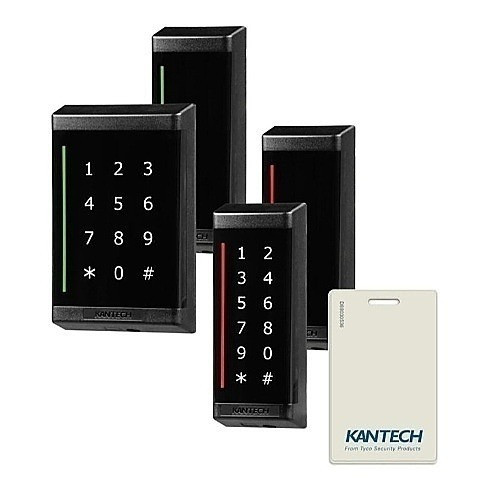
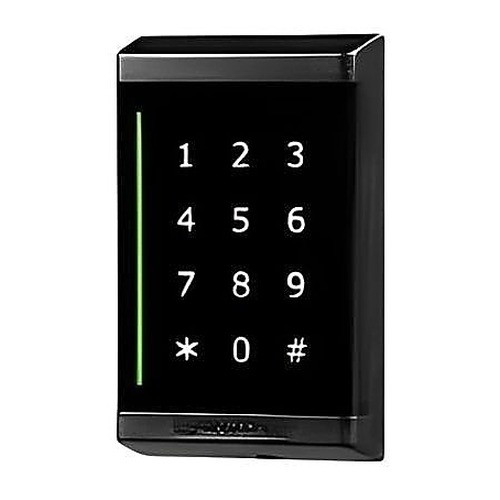
- Fallback & Reliability: Keypad-equipped readers (KT-SG-MT-KP2) provide manual override if network or credential systems fail. Mobile-only readers with no keypad create user lockouts during app/backend outages—acceptable for low-traffic zones, risky for main lobbies.
Our Picks
Selected from our catalog by spec-fit. All channel-direct and factory-new — not ranked by price.


Frequently Asked Questions
Should we replace all smart-card readers with mobile-credential readers, or use multi-tech?
Multi-tech readers are almost always the safer retrofit path. Tenant adoption of mobile credentials lags credential issuance by weeks or months; smart-card fallback prevents lockouts and reduces support calls during transition. Once adoption exceeds 80–85%, you can phase out smart-card readers. Single-tech mobile-only deployments work only in new buildings or ground-up migrations with enforced enrollment timelines.
What's the real difference between IP55 and IP65 for office buildings?
IP65 is dust-tight and survives direct water jets; IP55 resists water spray but can leak under sustained spray or submersion. For lobbies, both are acceptable indoors. For loading docks, uncovered outdoor doors, or ground-level exterior entries, specify IP65 or IP66. Don't rely on future canopies or covers—they shift or disappear.
Do mobile-credential readers require a separate mobile app, or do they work with Apple Wallet or Google Wallet?
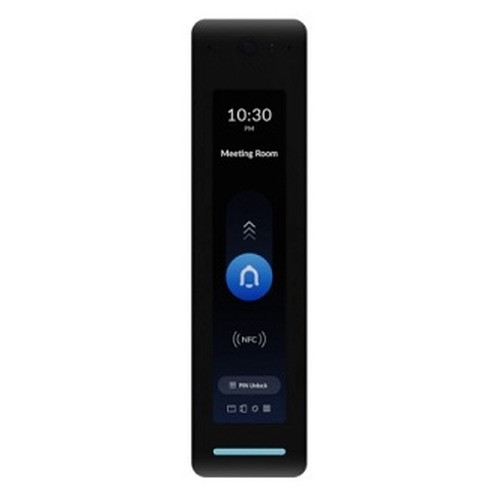
It depends on your backend access-control system and how the reader is provisioned. Some systems (like Ubiquiti offerings) require custom apps or QR-code enrollment; others integrate with standard digital-wallet formats. Verify compatibility with your panel manufacturer before committing—this is a major adoption-friction point that often isn't disclosed until late in projects.
Can we use mobile readers in a lobby without a fallback keypad or smart-card option?
Technically yes, but it creates lockout risk during app crashes, network outages, or forgotten phones. Main lobbies and high-traffic entrances should always have a fallback method (keypad, smart card, or guard station). Secondary suite entries or low-traffic zones can be mobile-only if you accept brief service interruptions.
How do we handle credential enrollment at scale in a multi-tenant building?
Mobile readers typically use QR-code enrollment or push notifications to tenant apps; smart-card readers require physical card issuance or temporary visitor credentials. For multi-tenant buildings, plan a credential-administration workflow (who enrolls tenants, how are lost credentials replaced) before deployment. This administrative burden is often underestimated and becomes the real project bottleneck.
Do these readers work with existing access-control panels, or do we need to upgrade the backend system?
Compatibility depends on your current panel and protocol (Wiegand, IP-based, proprietary). Smart-card readers are typically backward-compatible with legacy panels; mobile and multi-tech readers often require modern controllers with IP connectivity and mobile provisioning support. Budget for controller upgrades—reader-only replacements rarely unlock full mobile capability on aging systems.
Related Resources
- Access Control Reader comparisons — head-to-head spec matchups
- Access Control Reader Buying Guide
- Best Access Control Reader for Multi-Tenant Buildings
- Best Mobile Credential Access Control Readers
- All product comparisons
Speccing this for a project?
Send us your requirements and our senior specialists will confirm specs, compatibility, availability and pricing — free, usually within one business day. Channel-direct, factory-new, serving commercial integrators since 2014.
Get a Free QuoteComparing for a project?
Send us the models you are weighing and our team will confirm specs, compatibility, availability, and pricing — free, usually within one business day.